
orhanobut/logger
orhanobut/logger has 13,828 GitHub stars and 2,117 forks. GitHot measured 0 stars in 24 hours. Last checked 2026-11-07 16:48 UTC. Last push 2026-10-03.
✔️ Simple, pretty and powerful logger for android
Measured star growth
- in 24h
- 0
- in 7 days
- Update delayed
- in 15 days
- Update delayed
- in 1 month
- Update delayed
Net star changes over overlapping periods, not daily totals. Missing measurements are left blank. Stars measure attention, not software quality.
README.md
OriginalLogger

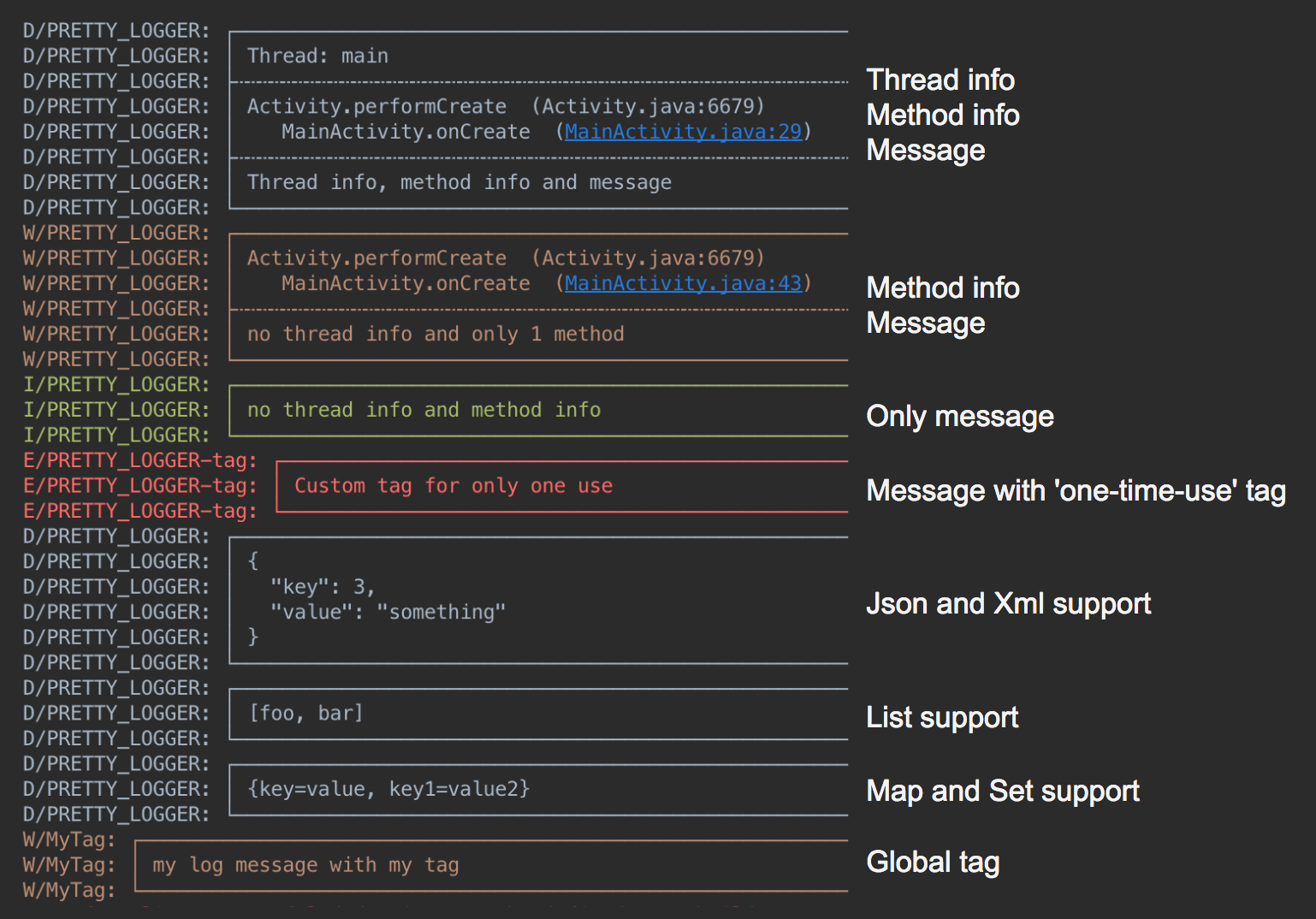
Readable, structured logs for Android. Turn messages, collections, JSON, and XML into output that's easy to scan in Logcat.
- Pretty output with optional thread and caller information
- JSON and XML formatting
- Readable lists, maps, and arrays
- Custom tags and log filtering
- Exception stack traces
- Flexible destinations, including Logcat and files
Setup
Add Google Maven and Maven Central to your dependency repositories:
dependencyResolutionManagement {
  repositories {
    google()
    mavenCentral()
  }
}
dependencies {
  implementation("com.orhanobut:logger:2.2.0")
}
Initialize once in your application, then log:
Logger.addLogAdapter(AndroidLogAdapter())
Logger.d("hello %s", "world")
Messages
Logger.d("debug")
Logger.e("error")
Logger.w("warning")
Logger.v("verbose")
Logger.i("information")
Logger.wtf("What a Terrible Failure")

Logger.d("hello %s", "world")
Logger.d(listOf("foo", "bar"))
Logger.d(mapOf("key" to "value"))
Logger.d(intArrayOf(1, 2, 3))
Logger.json("""{"items":[1,2,3]}""")
Logger.xml("<root><item>value</item></root>")
Collection and structured output use debug priority. Include an exception and its
cause with Logger.e(throwable, "message").
Set a tag for exactly one message on the calling thread:
Logger.t("Checkout").d("Order submitted")
Formatting and filtering
val format = PrettyFormatStrategy.newBuilder()
  .showThreadInfo(false) // Default: true
  .methodCount(0)        // Default: 2 caller frames
  .methodOffset(0)       // Default: 0 additional frames skipped
  .tag("MyApp")          // Default: PRETTY_LOGGER
  .build()

Logger.addLogAdapter(object : AndroidLogAdapter(format) {
  override fun isLoggable(priority: Int, tag: String?): Boolean = BuildConfig.DEBUG
})

Logger.t("Screen").d("A message tagged MyApp-Screen")
Override LogAdapter.isLoggable to filter messages by priority or tag. The example
above enables logging only in debug builds. Use Logger.clearLogAdapters() before
replacing the configured adapters.
For Logcat filtering, use PRETTY_LOGGER or your configured tag.
File logging
Save formatted logs to app-private storage with CsvFormatStrategy and a custom
DiskLogStrategy. The sample
shows the complete setup, including background writes and cleanup. App-private
storage requires no storage permission.
The default DiskLogAdapter() still uses the legacy shared external-storage
location. Modern Android restricts that location through scoped storage; use the
sample's custom strategy for current applications.
Timber integration
Timber.plant(object : Timber.DebugTree() {
  override fun log(priority: Int, tag: String?, message: String, t: Throwable?) {
    Logger.log(priority, tag, message, t)
  }
})
License
Explore related projects
codecrafters-io/build-your-own-x
Master programming by recreating your favorite technologies from scratch.
560,874 starspublic-apis/public-apis
A collective list of free APIs
497,119 starsmorluto/rea
Reverse engineer anything with agents, from app behavior down to native binaries.
441,899 starsopenclaw/openclaw
The AI that really does things. Any OS. Any Platform. The lobster way. 🦞
394,168 stars