
openartifact/openartifact
openartifact/openartifact has 126 GitHub stars and 17 forks. GitHot measured +1 stars in 24 hours and +7 in 7 days. Last checked 2026-11-15 15:39 UTC. Last push 2026-11-14.
What you can do
- Native client protocols for Maven, npm, PyPI, Docker/OCI, Helm and more (see the format matrix); hosted, proxy (serve-stale, minimum age, curation) and group repositories
- RBAC with users, groups, permission targets and API tokens; SSO via OIDC and SAML; projects; service accounts and tokenless CI login through OIDC token exchange
- SBOM (CycloneDX/SPDX), vulnerability scanning (OSV, Trivy, Grype), license compliance, secret detection
- Cleanup policies, storage quotas, artifact properties, release bundles with promotion pipelines
Measured star growth
- in 24h
- +1
- in 7 days
- +7
- in 15 days
- Update delayed
- in 1 month
- Update delayed
Net star changes over overlapping periods, not daily totals. Missing measurements are left blank. Stars measure attention, not software quality.
About
Self-hosted artifact repository for many package formats: Maven, npm, PyPI, Docker/OCI, Helm, Debian, RPM, Go, Cargo, NuGet, RubyGems, Conda, Conan, Ivy, sbt and more.
Self-hostedREADME.md
Original

OpenArtifact
Self-hosted artifact repository for many package formats.
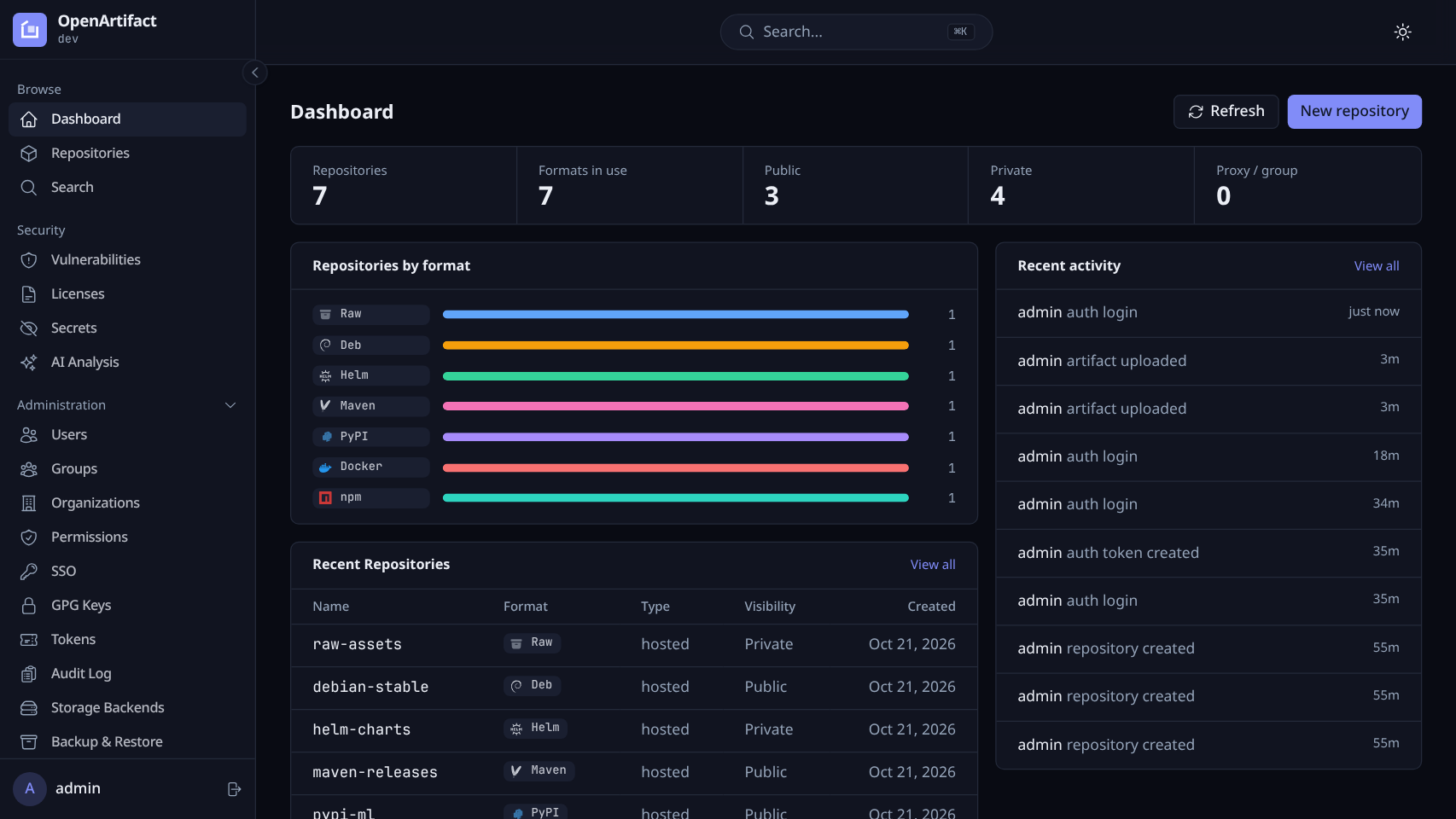
One Go binary, embedded web UI, PostgreSQL. Hosted, proxy and group repositories with RBAC, SSO and security scanning.



Quickstart · Formats · Configuration · Website · Documentation · Contributing
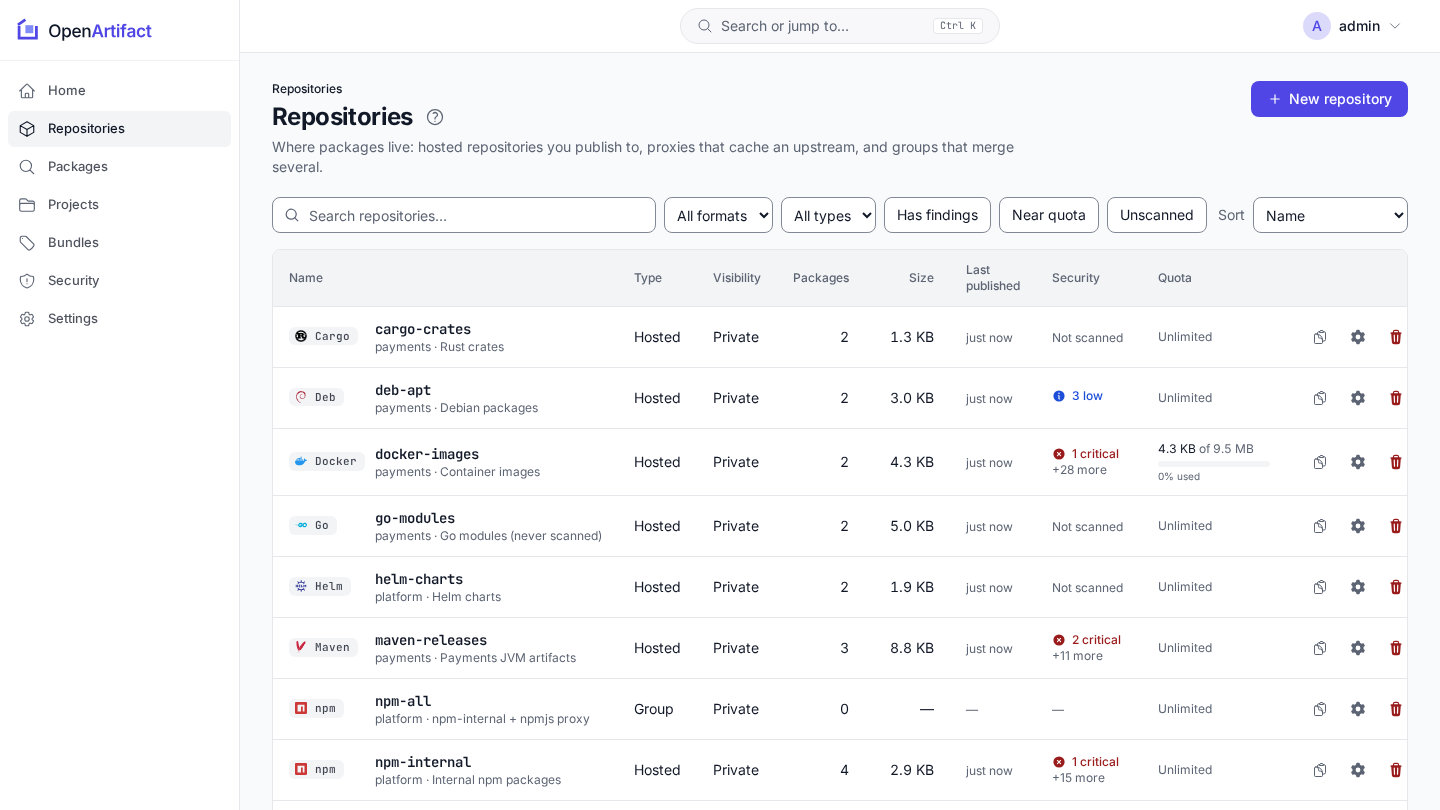
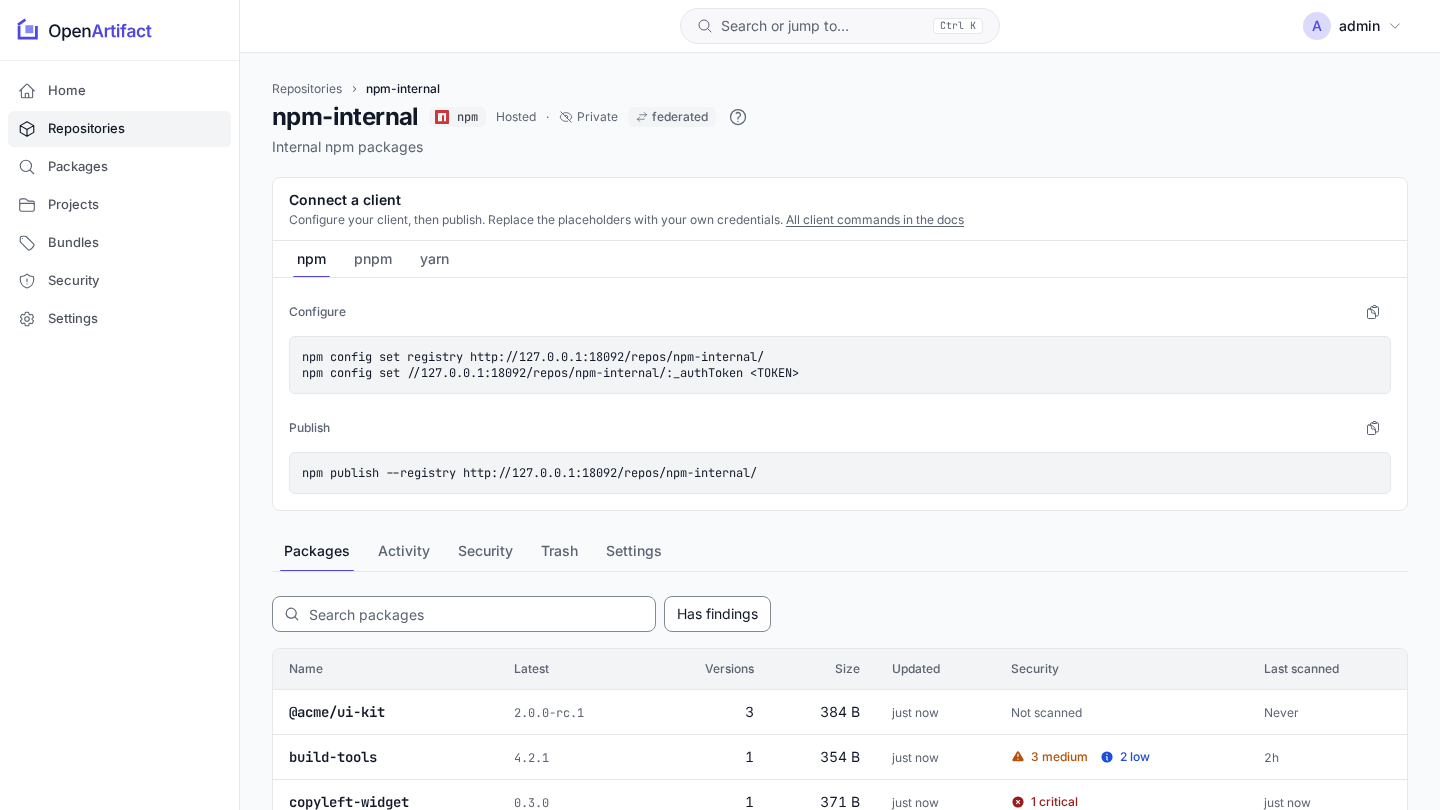
OpenArtifact stores and serves Alpine (apk), Ansible collections, Arch Linux (pacman), Cargo, Composer (PHP), Conan, Conda, Debian, Docker/OCI, Go, Helm, Hugging Face (proxy), Ivy, Maven, Nix, npm, NuGet, PyPI, raw files, RPM, RubyGems, sbt and Terraform/OpenTofu behind one URL scheme and one permission model, on your own infrastructure. Free software under the AGPL.
 |
 |
Formats
Hosted, proxy (read-only mirror of an upstream) and group (ordered members, first hit wins) repositories are available for 22 of the 23 formats; Hugging Face has no hosted repositories. Docker/OCI proxies and groups are served under /v2/. Federation between instances covers cargo, docker, go, helm, maven, npm, nuget, pypi and raw (federation).
Client URLs and setup per format: docs/formats.
Features
- Native client protocols for Maven, npm, PyPI, Docker/OCI, Helm and more (see the format matrix); hosted, proxy (serve-stale, minimum age, curation) and group repositories
- RBAC with users, groups, permission targets and API tokens; SSO via OIDC and SAML; projects; service accounts and tokenless CI login through OIDC token exchange
- SBOM (CycloneDX/SPDX), vulnerability scanning (OSV, Trivy, Grype), license compliance, secret detection
- Cleanup policies, storage quotas, artifact properties, release bundles with promotion pipelines
- Blob storage on filesystem, S3, GCS, Azure, Garage, SeaweedFS or an OCI registry; backups
- GPG-signed APT and RPM metadata; signed, attested release images
- Webhooks, audit log, repository activity, Prometheus metrics, REST API with OpenAPI spec and a self-hosted interactive API reference
oaCLI with Nexus/Artifactory import and declarativeoa apply; optional MCP server and AI analysis (both off by default)
Quickstart
You need Docker with Compose, make and openssl.
cp docker/.env.example docker/.env
for k in POSTGRES_PASSWORD OPENARTIFACT_SECRET_KEY AUTH_HMAC_KEY; do
  sed -i "s|^$k=.*|$k=$(openssl rand -hex 32)|" docker/.env
done
docker login dhi.io      # a free Docker ID is enough
make docker-up
Without a Docker ID, skip the login and run OPENARTIFACT_RUNTIME=distroless make docker-up instead. On macOS use sed -i ''.
The UI and API are on http://localhost:8080. The first start creates the user admin with a random password, printed once to the server log:
docker compose -f docker/docker-compose.yml logs openartifact | grep -A6 'OPENARTIFACT BOOTSTRAP'
Next: create your first repository.
On Kubernetes, install the chart with a database configured; see Helm:
helm install openartifact oci://ghcr.io/openartifact/charts/openartifact \
  --namespace openartifact --create-namespace -f my-values.yaml
More: installation, configuration.
Documentation
The full page index is docs/README.md. Start here:
| Section | Contents |
|---|---|
| Getting started | Installation, first repository, configuration, web UI, upgrading |
| Formats | Client URLs and setup for all 23 formats, and the client setup commands |
| Repositories | Hosted, proxy and group, cleanup and quotas, properties, release bundles |
| Security | Authentication, SSO, RBAC, projects, scanning, findings, SBOM, signing |
| Operations | Storage, backup, monitoring, scaling, webhooks |
| Migration | Import from Nexus or Artifactory or OpenArtifact 0.14 |
| Integrations | oa CLI, CI, declarative configuration, MCP server, REST API |
| Development | Build, test, CI, architecture, testing, documentation style |
The documentation is published, per release, at https://openartifact.github.io/ (search, version switcher, generated configuration, metrics, CLI and REST API reference). The same pages are readable here: the full page index is docs/README.md.
Contributing, security, license
- Contributing: CONTRIBUTING.md; conventions for humans and coding agents: AGENTS.md
- Security: report issues privately as described in SECURITY.md
- License: AGPL-3.0-or-later, see LICENSE
- Name and logo: see the trademark policy; to run under your own name use white-label branding