
open-mercato/cezar has 972 GitHub stars and 180 forks. GitHot measured +10 stars in 24 hours, +48 in 7 days, and +139 in 15 days. Last checked 2026-11-09 14:43 UTC. Last push 2026-11-05.
Open-source orchestrator and ADE for running Claude Code, Codex, OpenCode, Pi and other AI coding agents in parallel — locally or 24/7 on your own server.
What you can do
- 💯 Free and open source.
- 🖥️ Uses your own claude, codex, copilot, cursor, agy (Antigravity), gemini, junie, kimi (Kimi Code), omp, opencode or pi login. No API key needed.
- ☁️ Easy to set up on a VPS, so your agents keep working when your laptop is closed.
- 📱 Fully responsive. Start and review tasks from your phone.
Measured star growth
- in 24h
- +10
- in 7 days
- +48
- in 15 days
- +139
- in 1 month
- Update delayed
Net star changes over overlapping periods, not daily totals. Missing measurements are left blank. Stars measure attention, not software quality.
README.md
Original

Cezar - orchestrate hundreds of AI coding agents, 24/7.
Demo · Quick start · Docs · Issues
Compatibility note: GitHub list rows may omit
bodyin the next minor release. Consumers should hydrate full text from/api/v1/github/comments/:kind/:number(detail.body) now.
One control center for Claude Code, Codex, OpenCode and other coding agents.
Run agents locally or on a VPS, automate multi-step workflows,
and let them keep working while you're away.





▶ Watch the video: Meet cezar, your new parallel coding tool.
Features
- 💯 Free and open source.
- 🖥️ Uses your own
claude,codex,copilot,cursor,agy(Antigravity),gemini,junie,kimi(Kimi Code),omp,opencodeorpilogin. No API key needed. - ☁️ Easy to set up on a VPS, so your agents keep working when your laptop is closed.
- 📱 Fully responsive. Start and review tasks from your phone.
- 🔀 Every task gets its own git worktree, so several agents can work at the same time. Extra tasks wait in a queue.
- 🤖 Turn on Autonomous and a run never stops to ask. It just finishes.
- 📡 Watch it work live: agent text, tool calls, tokens and cost.
- 🏁 Run the same task ×2 or ×3, compare the diffs and keep the best one.
- 🧩 Skills are Markdown files and workflows are short YAML files. Mix agents per step.
- 🐙 Run the agent straight on a GitHub issue. Nothing merges on its own.
- 📂 One cockpit for all your projects.
- 📊 A workspace dashboard shows what needs you, what is running and what finished across your projects.
- 💸 Track reported cost and token usage by project in Usage & cost.
- ⏰ Schedule recurring work or launch tasks from GitHub and supported tracker events with Automations.
- 🌳 Agents can delegate independent work to child tasks, each in its own worktree, and receive their reports in the parent session.
- 🎫 Connect Jira or Linear to browse issues and launch tasks from your project tracker.
- 💾 No database. Everything is saved as plain files in
.ai/cezar/.
Screenshots
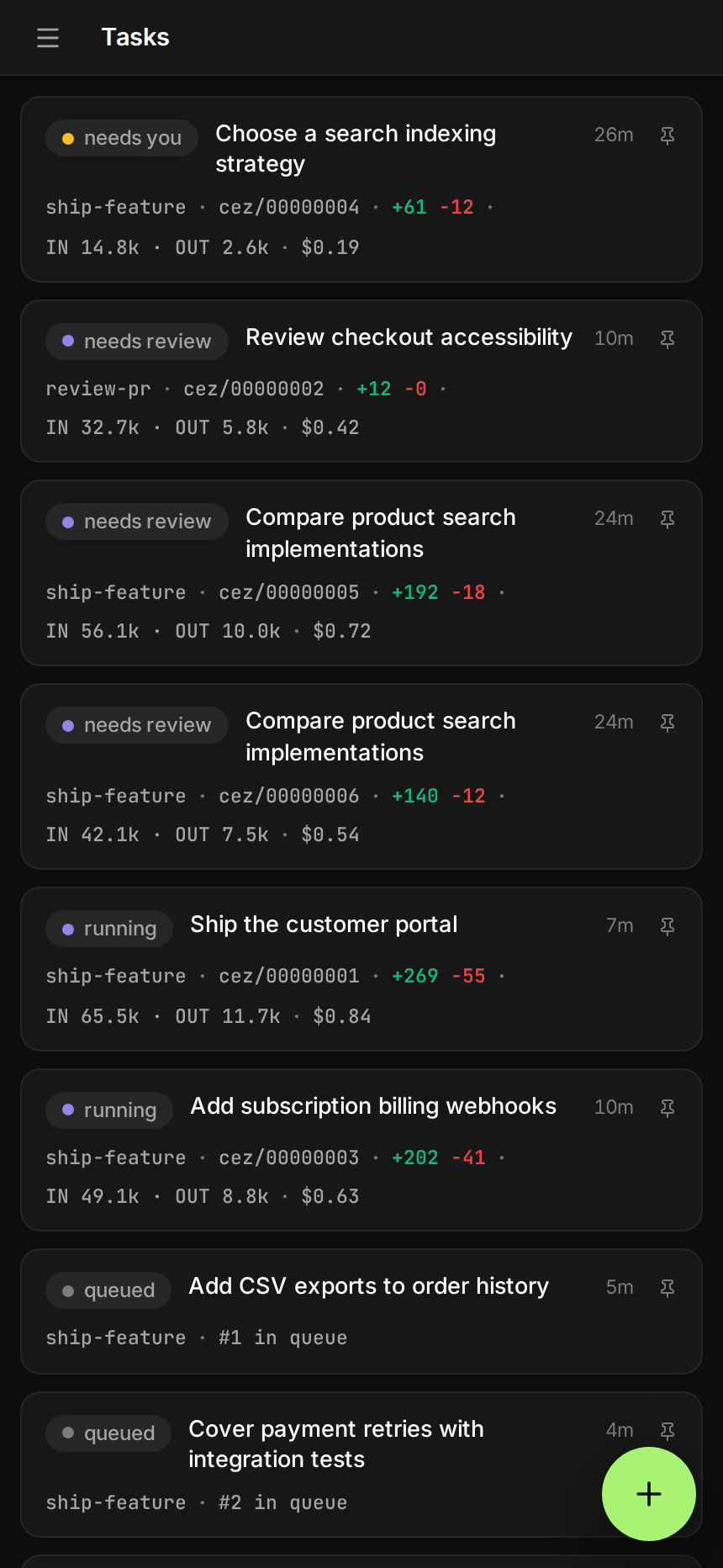
Parallel tasks — Run and queue many tasks, each in its own git worktree.

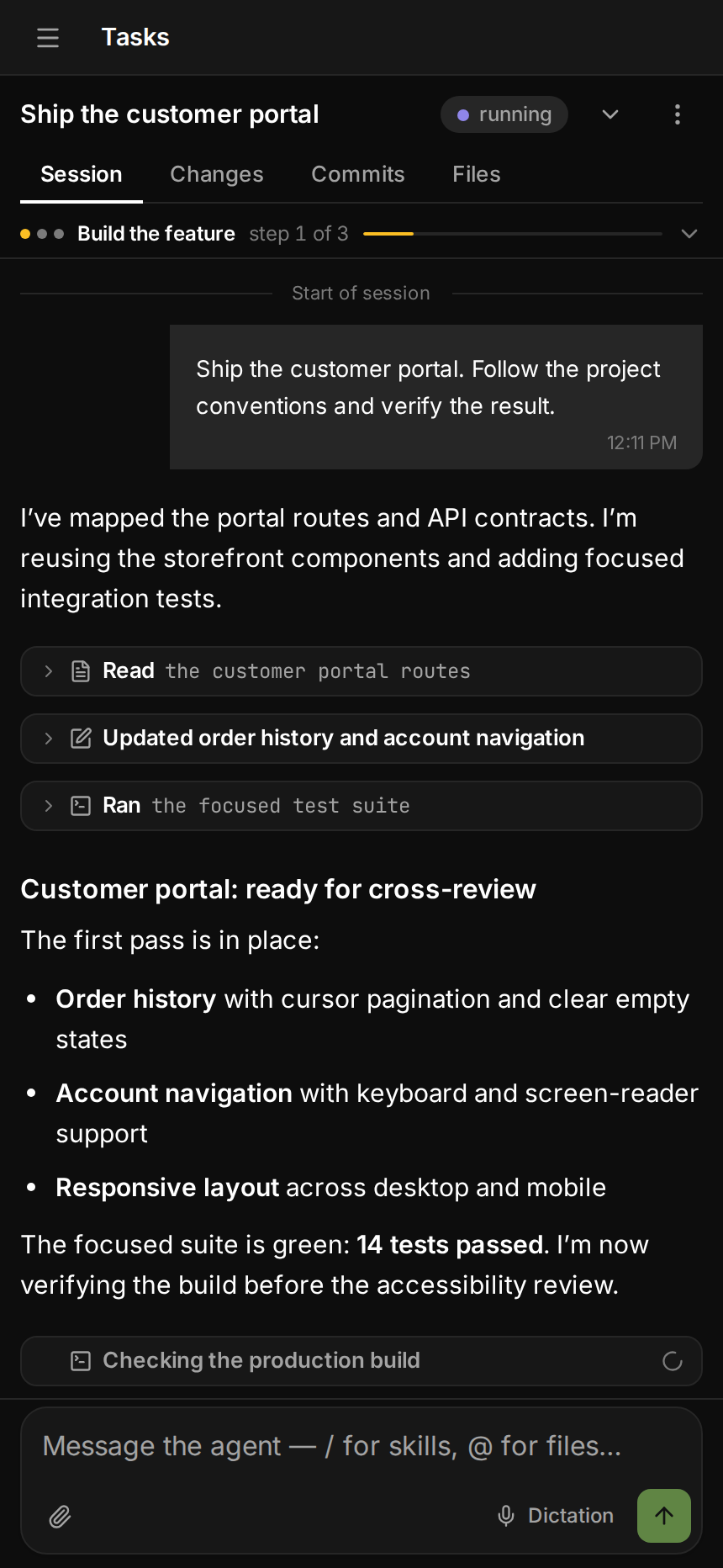
Live run — Every step, tool call and token, as it happens.

Variants — Run a task ×2 or ×3 and keep the best diff.

Workflows — Build a task's pipeline as a node graph: agents, checks, loops, gates, PRs and CI, saved as YAML.

GitHub — Hand an open issue to the agent in one click.

Skills + Autonomous — Pick a playbook, flip Autonomous and walk away.

Dashboard — See what needs your input or review, what is running and what finished across your workspace.

Usage & cost — Compare reported spend and token usage across projects.

Automations — Schedule maintenance and reviews, and see the week ahead alongside GitHub triggers.

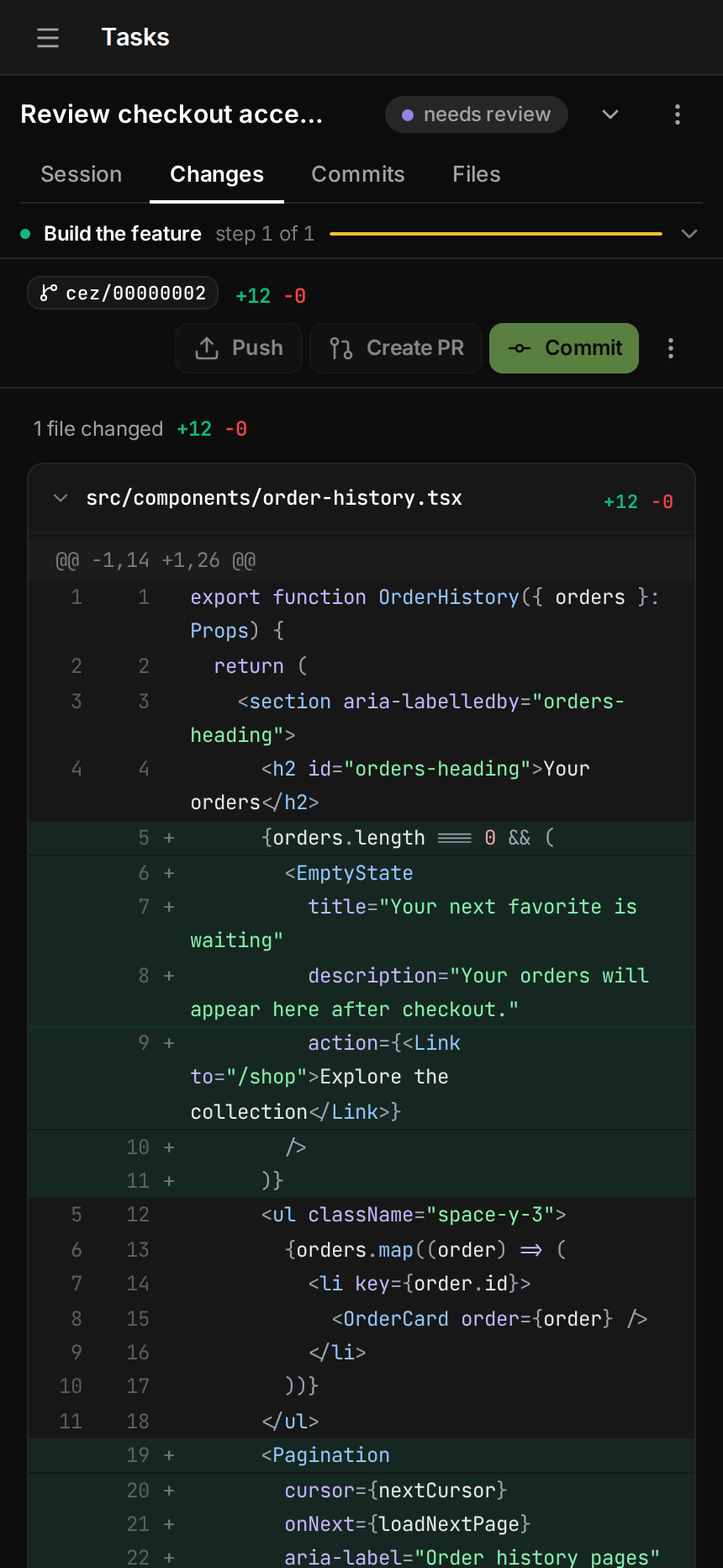
On your phone — the same cockpit, from the task list to the diff.
 |
 |
 |
Quick start
You need Node 20+ and at least one agent CLI you're logged into:
Claude Code, Codex,
GitHub Copilot CLI, OpenCode,
Cursor Agent, Google Antigravity CLI, Junie, Kimi Code, OMP, pi or
Gemini CLI (needs an API key, Vertex AI or a Workspace licence — personal Google sign-in no longer works for it).
git and gh are optional.
cd your-repo
npx cezar-run
This opens the cockpit at http://localhost:4321. If a compatible cockpit is already running,
the command reuses it, adds the current project when needed, and opens that project's page instead
of starting a duplicate server. Type a task, pick a workflow, then hit Start. npx cezar-cli
still works too — it's the same package under its older name.
npx cezar-run run "add a --json flag to the export command"   # headless, no browser
npx cezar-run init                                            # scaffold .ai/cezar/
npx cezar-run@nightly                                         # try tonight's build
Just want to look around? Run
CEZ_DRY_RUN=1 npx cezar-run. It uses a built-in mock agent, so you don't need to log in.
Run it on a server
npx cezar-run server-install --platform ubuntu-vps
This sets up HTTPS, a login and a system service, so you can open the cockpit from anywhere, including your phone. There are guides for Ubuntu VPS and macOS + ngrok.
How it works
- You describe a task. Type it, attach files, or start from a GitHub issue.
- cezar runs a workflow (agent steps plus shell checks) in a new git worktree, using your agent CLI.
- The cockpit streams every step live. If a check fails, the agent tries again and sees the error.
- You check the result. Read the diff, send notes back, or open a draft PR.
A workflow is a small YAML file in .ai/cezar/workflows/:
name: fix-and-verify
steps:
  - id: implement
    prompt: "{{task}}"
    skill: project-conventions   # optional: a Markdown skill from .ai/skills
    runner: codex                # optional: which agent runs this step
  - id: verify
    command: "npm test"          # exit 0 = pass
    onFail: { retry: implement, max: 2 }
The built-in quick-task workflow runs with no setup. A check can also be a
browser: browser and mobile e2e as a verification step
turns an agentic e2e run — or an independent QA exploration — into the gate a
task has to pass.
Automations
Turn repeatable work into an automation: check dependencies every morning, draft release notes on Fridays, or review each new pull request. Each match or scheduled occurrence launches an ordinary cezar task with the workflow and agent you choose.
Create one in Automations, or ask the agent to set it up from a prompt. Preview event filters before enabling them. The list shows triggers, upcoming runs and recent outcomes; pause an automation whenever you need to.

Task dispatch
For independent pieces of work, an agent can dispatch child tasks — for example, changes in separate modules or a fresh review of a finished branch. Each child gets its own worktree, appears under its parent in the task list and reports back into the parent session. cezar limits a parent to four children in flight; when a parent has a budget, its children share that budget. Nothing auto-merges.
Documentation
The documentation site has searchable feature pages, step-by-step guides, and architecture diagrams. Run it locally with npm run docs:dev.
Project lifecycle notifications are opt-in: run cezar with CEZ_WEBHOOKS=1, then open the project's Settings → Webhooks. See the receiver guide for signed JSON, native Slack/Discord notifications, external automation receivers and delivery limits.
The reference covers everything else: configuration, environment variables, agent backends, multiple projects, the CLI and HTTP API, remote access and local development.
Contributing
- Found a bug or missing something? Open an issue.
- Want to contribute? PRs are welcome. See local development to get started:
git clone https://github.com/open-mercato/cezar.git && cd cezar
npm install
npm run dev
License
MIT © Patryk Lewczuk. Full text in LICENSE.
Windows installers are covered by the code signing policy.
Jira and Linear
Connect a project issue tracker in Settings to browse issues, launch workflows and configure event automations. See setup, permissions and recovery.
Explore related projects
awesome-selfhosted/awesome-selfhosted
A list of Free Software network services and web applications which can be hosted on your own servers
335,757 starsimmich-app/immich
High performance self-hosted photo and video management solution.
118,645 starsStirling-Tools/Stirling-PDF
#1 PDF Application on GitHub that lets you edit PDFs on any device anywhere
96,149 starslouislam/uptime-kuma
A fancy self-hosted monitoring tool
93,425 stars