
oneo-me/nsgo-agio
oneo-me/nsgo-agio has 10 GitHub stars and 2 forks. Star changes are not measured yet. Last checked 2026-11-16 00:50 UTC. Last push 2026-11-13.
Measured star growth
- in 24h
- Update delayed
- in 7 days
- Update delayed
- in 15 days
- Update delayed
- in 1 month
- Update delayed
Net star changes over overlapping periods, not daily totals. Missing measurements are left blank. Stars measure attention, not software quality.
About
The agent core of NSGo apps: run coding agents (pi, Codex, Claude Code, CodeBuddy Code) and show their work on phones and desktops, in one process or as a server and its clients
AIREADME.md
OriginalAgio
English | 简体中文





The agent core of NSGo apps: run coding agents (pi, Codex, Claude Code, CodeBuddy Code) and show their work on phones and desktops, in one process or as a server and its clients.
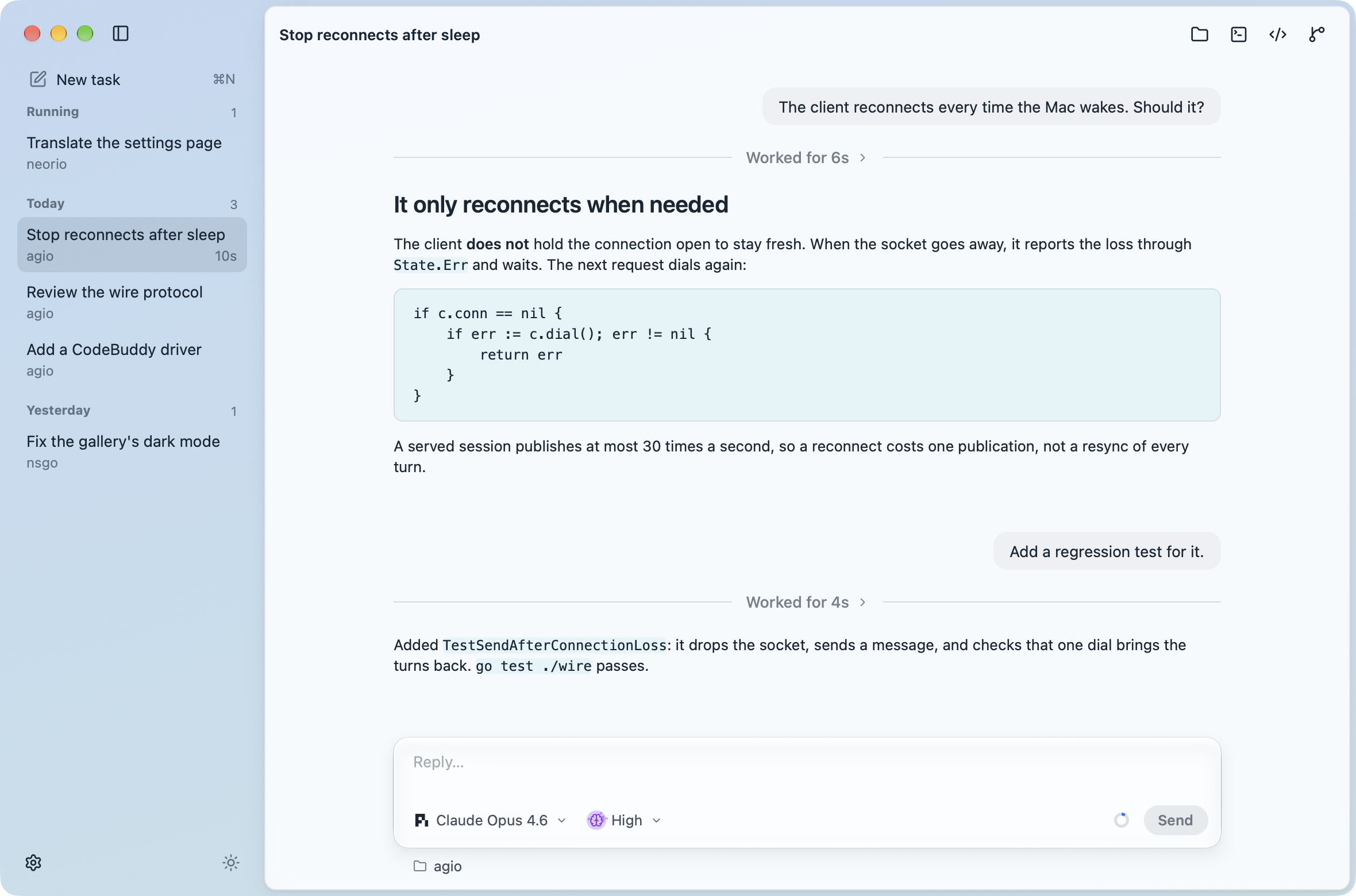
Agio is two things:
- A library. Other NSGo apps build their own development environments on it: drivers for each agent CLI, a host that runs them on macOS, Windows or Linux, a wire protocol to reach them from another process or a phone, and views for phones and desktops, behind one neutral API.
- An app. Agio, in
cmd/agio, is that core in a window of its own, to demonstrate and test it, and a simple tool for working with agents: tasks in projects, agent and model settings, color schemes, notifications and automatic updates.
Download
Download Agio for macOS, Windows or Linux, on arm64 or x64, from the latest release. It updates itself from GitHub's releases: on macOS and Windows it installs them, and on Linux it opens the release.
Agio runs the agent CLIs on the login shell's PATH with your own sign-ins. It sends anonymous usage statistics to Umami: when it is open and used, and which agents messages go to, never prompts or folders. Builds run with nsgo dev send nothing, and its settings turn them off.
Install the library
go get github.com/oneo-me/[email protected]
It needs Go 1.27 and the agent CLIs you want on the login shell's PATH; it runs them with your own sign-ins.
Usage
An application chooses where its agents run by the backend it shows. In one process, a host.Host runs them:
h := host.New(host.Options{Dir: workDir})
nsgo.Run(func(cx *core.Scope) core.Node {
	return chatview.App{Model: chatview.Bind(cx, h)}
})
h.Close()
As a server and its clients, the server serves its host and a client shows a wire.Client instead:
// Server
wire.ListenAndServe(host.New(host.Options{Dir: workDir}), "127.0.0.1:7788", token)

// Client
c, err := wire.Dial("127.0.0.1:7788", token)
nsgo.Run(func(cx *core.Scope) core.Node {
	return chatview.App{Model: chatview.Bind(cx, c)}
})
chatview.Conversation shows a single conversation for an application with its own layout, and wire.Serve serves any byte stream, such as an SSH session. Agents run with full access to the server's files, so keep a server on a private network and give it a token.
Agio runs its agents in one process; the examples run as a server and its client:
| Program | Run |
|---|---|
| Agio | go tool nsgo dev cmd/agio |
| Server | go run ./examples/server -token secret |
| Client | AGIO_TOKEN=secret go tool nsgo dev examples/client |
go tool nsgo build cmd/agio builds Agio for macOS, Windows and Linux, on arm64 and x64. Releases update themselves from the latest GitHub release when built with NSGO_UPDATES_KEY, the secret key of updates.key in cmd/agio/nsgo.yaml. go build -tags agiodemo ./cmd/agio builds a demo that shows scripted tasks instead of running agents, which the website's screenshots use.
Pushing a tag v<version> matching version in cmd/agio/nsgo.yaml, such as v0.1.0, publishes that version: the Go module, and a GitHub release of Agio with its CHANGELOG.md section as the notes, built with the NSGO_UPDATES_KEY repository secret.
Documentation
ARCHITECTURE.md maps the packages and the boundaries between them.
Development
Run go tool nsgo check and go tool nsgo test from the repository root. See AGENTS.md for how changes are made. The website is in website/.
See CHANGELOG.md for release notes.
License
MIT, see LICENSE.