
omnibrain/svguitar
omnibrain/svguitar has 826 GitHub stars and 52 forks. GitHot measured 0 stars in 24 hours and -1 in 7 days. Last checked 2026-11-24 01:44 UTC. Last push 2026-11-14.
Measured star growth
- in 24h
- 0
- in 7 days
- -1
- in 15 days
- Collecting history
- in 1 month
- Collecting history
Net star changes over overlapping periods, not daily totals. Missing measurements are left blank. Stars measure attention, not software quality.
About
Create beautiful SVG guitar chord charts
Creative & MediaREADME.md
OriginalSVGuitar - JavaScript Guitar Chord Renderer





JavaScript (TypeScript) library to create beautiful SVG guitar chord charts directly in the browser.
To see this library in action check out chordpic.com, a free online chord diagram creator.
Demo: https://omnibrain.github.io/svguitar/ [ source ]
TypeScript API Documentation: https://omnibrain.github.io/svguitar/docs/
Example chord charts:
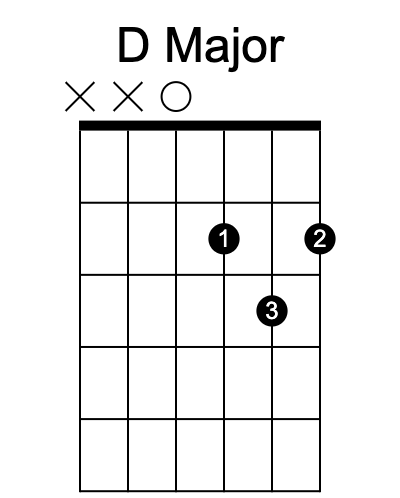
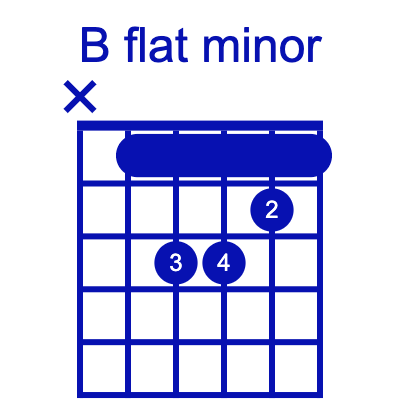
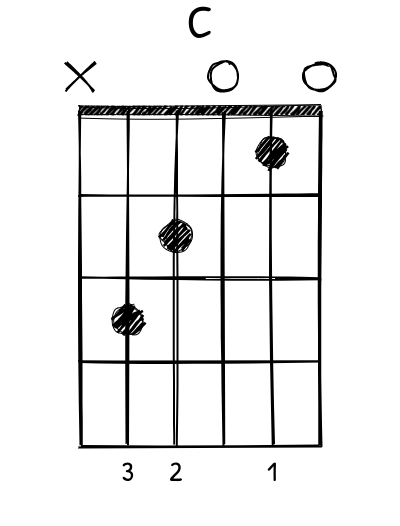

Getting Started
<!--container of the chart-->
<div id="chart"></div>

<!--load umd script -->
<script src="https://omnibrain.github.io/svguitar/js/svguitar.umd.js"></script>

<script>
  // initialize the chart
  var chart = new svguitar.SVGuitarChord('#chart')

  // draw the chart
  chart
    .configure({
      /* configuration */
    })
    .chord({
      /* chord */
    })
    .draw()
</script>
Of course, you can also add SVGuitar as a dependency to your project:
# Add the dependency to your project
npm install --save svguitar

# or
yarn add svguitar

# or
pnpm add svguitar
The same package is also published under the scoped name @svguitar/core.
And then import it in your project:
import { SVGuitarChord } from 'svguitar'

const chart = new SVGuitarChord('#chart')

// draw the chart
chart
  .configure({
    /* configuration */
  })
  .chord({
    /* chord */
  })
  .draw()
Usage
The SVG charts are highly customizable. For a full API documentation have a look at the TypeScript documentation.
Chart configuration is completely optional, you don't have to pass any configuration or you can only override specific settings.
Here's an example of a very customized chart:
new SVGuitarChord('#some-selector')
  .chord({
    // array of [string, fret, text | options]
    fingers: [
      // finger at string 2, fret 2, with text '2'
      [2, 2, '2'],

      // finger at string 3, fret 3, with text '4', colored red and has class 'red'
      [3, 3, { text: '4', color: '#F00', className: 'red' }],

      // finger at string 4, fret 3, with text '3', triangle shaped
      [4, 3, { text: '3', shape: 'triangle' }],

      // an 'x' above string 6 denotes it isn't played
      [6, 'x'],
    ],

    // optional: barres for barre chords
    barres: [
      {
        fromString: 5,
        toString: 1,
        fret: 1,
        text: '1',
        color: '#0F0',
        textColor: '#F00',
        className: 'my-barre-chord',
        style: 'rectangle' // use 'arc' for an arc
      },
    ],

    // title of the chart (optional)
    title: 'F# minor',

    // position (defaults to 1)
    position: 9,
  })
  .configure({
    // Customizations (all optional, defaults shown)

    /**
     * Orientation of the chord diagram. Chose between 'vertical' or 'horizontal'
     */
    orientation: 'vertical',

    /**
     * Mirror the chord diagram for left-handed players. In vertical orientation the string order
     * is reversed, in horizontal orientation the nut is on the right. Text stays readable.
     */
    leftHanded: false,

    /**
     * Select between 'normal' and 'handdrawn'
     */
    style: 'normal',

    /**
     * The number of strings
     */
    strings: 6,

    /**
     * The number of frets
     */
    frets: 4,

    /**
     * Default position if no positon is provided (first fret is 1)
     */
    position: 1,

    /**
     * These are the labels under the strings. Can be any string.
     */
    tuning: ['E', 'A', 'D', 'G', 'B', 'E'],

    /**
     * The position of the fret label (eg. "3fr")
     */
    fretLabelPosition: 'right',

    /**
     * The font size of the fret label
     */
    fretLabelFontSize: 38,

    /**
     * The format of the fret label: 'fr' (5fr), 'number' (5), 'roman' (V), 'ordinal' (5th)
     * or 'ordinal-with-fr' (5th Fr). Can also be a function that returns the label for a position.
     */
    fretLabelFormat: 'fr',

    /**
     * The font size of the string labels
     */
    tuningsFontSize: 28,

    /**
     * Size of a finger or barre relative to the string spacing
     */
    fingerSize: 0.65,

    /**
     * Color of a finger or barre
     */
    fingerColor: '#000',

    /**
     * The color of text inside fingers and barres
     */
    fingerTextColor: '#FFF',

    /**
     * The size of text inside fingers and barres
     */
    fingerTextSize: 22,

    /**
     * stroke color of a finger or barre. Defaults to the finger color if not set
     */
    fingerStrokeColor: '#000000',

    /**
     * stroke width of a finger or barre
     */
    fingerStrokeWidth: 0,

    /**
     * style of barre chords. Can be either 'rectangle' (default) or 'arc'.
     */
    barreChordStyle: 'rectangle',

    /**
     * stroke color of a barre chord. Defaults to the finger color if not set
     */
    barreChordStrokeColor: '#000000',

    /**
     * stroke width of a barre chord
     */
    barreChordStrokeWidth: 0,

    /**
     * Height of a fret, relative to the space between two strings
     */
    fretSize: 1.5,

    /**
     * The minimum side padding (from the guitar to the edge of the SVG) relative to the whole width.
     * This is only applied if it's larger than the letters inside of the padding (eg the starting fret)
     */
    sidePadding: 0.2,

    /**
     * The font family used for all letters and numbers
     */
    fontFamily: 'Arial, "Helvetica Neue", Helvetica, sans-serif',

    /**
     * Default title of the chart if no title is provided
     */
    title: 'F# minor',

    /**
     * Font size of the title. This is only the initial font size. If the title doesn't fit, the title
     * is automatically scaled so that it fits.
     */
    titleFontSize: 48,

    /**
     * Space between the title and the chart
     */
    titleBottomMargin: 0,

    /**
     * Global color of the whole chart. Can be overridden with more specifig color settings such as
     * @link titleColor or @link stringColor etc.
     */
    color: '#000000',

    /**
     * The background color of the chord diagram. By default the background is transparent. To set the background to transparent either set this to 'none' or undefined
     */
    backgroundColor: 'none',

    /**
     * Barre chord rectangle border radius relative to the fingerSize (eg. 1 means completely round endges, 0 means not rounded at all)
     */
    barreChordRadius: 0.25,

    /**
     * Size of the Xs and Os above empty strings relative to the space between two strings
     */
    emptyStringIndicatorSize: 0.6,

    /**
     * Global stroke width
     */
    strokeWidth: 2,

    /**
     * The width of the nut (only used if position is 1)
     */
    nutWidth: 10,

    /**
     * If this is set to `true`, the starting fret (eg. 3fr) will not be shown. If the position is 1 the
     * nut will have the same width as all other frets.
     */
    noPosition: false,

    /**
     * The color of the title (overrides color)
     */
    titleColor: '#000000',

    /**
     * The color of the strings (overrides color)
     */
    stringColor: '#000000',

    /**
     * The color of the fret position (overrides color)
     */
    fretLabelColor: '#000000',

    /**
     * The color of the tunings (overrides color)
     */
    tuningsColor: '#000000',

    /**
     * The color of the frets (overrides color)
     */
    fretColor: '#000000',

    /**
     * When set to true the distance between the chord diagram and the top of the SVG stayes the same,
     * no matter if a title is defined or not.
     */
    fixedDiagramPosition: false,

    /**
     * Text of the watermark (text on the bottom of the chart)
     */
    watermark: 'some watermark',

    /**
     * Font size of the watermark
     */
    watermarkFontSize: 12,

    /**
     * Color of the watermark (overrides color)
     */
    watermarkColor: '#000000',

    /**
     * Font-family of the watermark (overrides fontFamily)
     */
    watermarkFontFamily: 'Arial, "Helvetica Neue", Helvetica, sans-serif',

    /**
     * The title of the SVG. This is not visible in the SVG, but can be used for accessibility.
     */
    svgTitle: 'Guitar chord diagram of F# minor',

    /**
     * The fret markers. See type docs for more options.
     */
    fretMarkers: [
      2, 4, 6, 8, {
        fret: 11,
        double: true,
      },
    ],

    /**
     * Flag to show or disable all fret markers globally. This is just for convenience.
     * The fret markers can also be removed by not setting the fretMarkers property.
     */
    showFretMarkers: true,

    /**
     * The shape of the fret markets. Applies to all fret markets unless overridden
     * on specific fret markers. Defaults to circles.
     */
    fretMarkerShape: 'circle',

    /**
     * The size of a fret marker. This is relative to the space between two strings, so
     * a value of 1 means a fret marker spans from one string to another.
     */
    fretMarkerSize: 0.4,

    /**
     * The color of the fret markers.
     */
    fretMarkerColor: 'rgba(0, 0, 0, 0.2)',

    /**
     * The stroke color of the fret markers. By default, the fret markets have no border.
     */
    fretMarkerStrokeColor: '#000000',

    /**
     * The stroke width of the fret markers. By default, the fret markets have no border.
     */
    fretMarkerStrokeWidth: 0,

    /**
     * The distance between the double fret markers, relative to the width
     * of the whole neck. E.g. 0.5 means the distance between the fret markers
     * is equivalent to 0.5 times the width of the whole neck.
     */
    doubleFretMarkerDistance: 0.4

  })
  .draw()
Rendering without a browser (Node.js)
SVGuitar can render chord charts to a plain SVG string without a DOM, which is useful for
generating .svg files from a script. Pass no container to the constructor, call draw(), and
then read the result with toSvg().
Under the hood SVGuitar uses svg.js, which needs a global window/document
to be registered. In Node this is provided by svgdom
(already a dependency of SVGuitar). You need to register it once before rendering. Text layout
depends on real font metrics, so a font also has to be provided — SVGuitar ships
OpenSans-Regular.ttf for this purpose, but you can use any TTF. For the handdrawn style it also
ships PatrickHand-Regular.woff2, the same font that is embedded in the rendered SVG.
const fs = require('fs')
const path = require('path')
const { registerWindow } = require('@svgdotjs/svg.js')
const svgdom = require('svgdom')
const { SVGuitarChord } = require('svguitar')

// point svgdom at a font and register a headless window (do this once)
const fontDir = path.dirname(require.resolve('svguitar/fonts/OpenSans-Regular.ttf'))
svgdom
  .setFontDir(fontDir)
  .setFontFamilyMappings({
    // map every family your charts use to an available font file
    Arial: 'OpenSans-Regular.ttf',
    'Open Sans': 'OpenSans-Regular.ttf',
    'Patrick Hand': 'PatrickHand-Regular.woff2',
  })
  .preloadFonts()

const window = svgdom.createSVGWindow()
registerWindow(window, window.document)

// render without a container
const chart = new SVGuitarChord()
chart
  .configure({ title: 'Fm' })
  .chord({
    fingers: [
      [6, 1],
      [5, 3],
      [4, 3],
      [3, 1],
      [2, 1],
      [1, 1],
    ],
    barres: [{ fromString: 6, toString: 1, fret: 1 }],
    position: 1,
  })
  .draw()

fs.writeFileSync('Fm.svg', chart.toSvg())
Notes:
- Metrics come from the bundled Open Sans, not the browser default (Arial), so text sizing is close but not pixel-identical. Provide your own font mapping for exact results.
toSvg()also works in the browser, with or without a container.
Contribute
Pull Requests are very welcome!
Projects using SVGuitar
Here are some projects that use svguitar:
- ChordPic - Easily Create Guitar Chord Charts
- muted.io - Magical Music Theory Tools to Learn Music Online for Free
- Chordpress Wordpress Plugin - ChordPro Text Formatter
- Harmonote - Find chords for your favorite songs
- Guide Tones Practice - A technique to learn Jazz chords quickly
- Lyric Writing Assistant
Are you using SVGuitar? Create an issue to get your project listed here! Or simply create a pull request with your project added.
Explore related projects
Loading…