
omaralbeik/Drops
omaralbeik/Drops has 1,041 GitHub stars and 59 forks. GitHot measured 0 in 7 days. Last checked 2026-11-11 02:13 UTC. Last push 2024-10-11.
A µFramework for showing alerts like the one used when copying from pasteboard or connecting Apple pencil
What you can do
- Can be used in SwiftUI and UIKit applications
- Light/Dark modes
- Interactive dismissal
- Queue to show consecutive drops
Measured star growth
- in 24h
- Update delayed
- in 7 days
- 0
- in 15 days
- Collecting history
- in 1 month
- Collecting history
Net star changes over overlapping periods, not daily totals. Missing measurements are left blank. Stars measure attention, not software quality.
README.md
OriginalDrops 💧
A µFramework for showing alerts like the one used when copying from pasteboard or connecting Apple pencil.
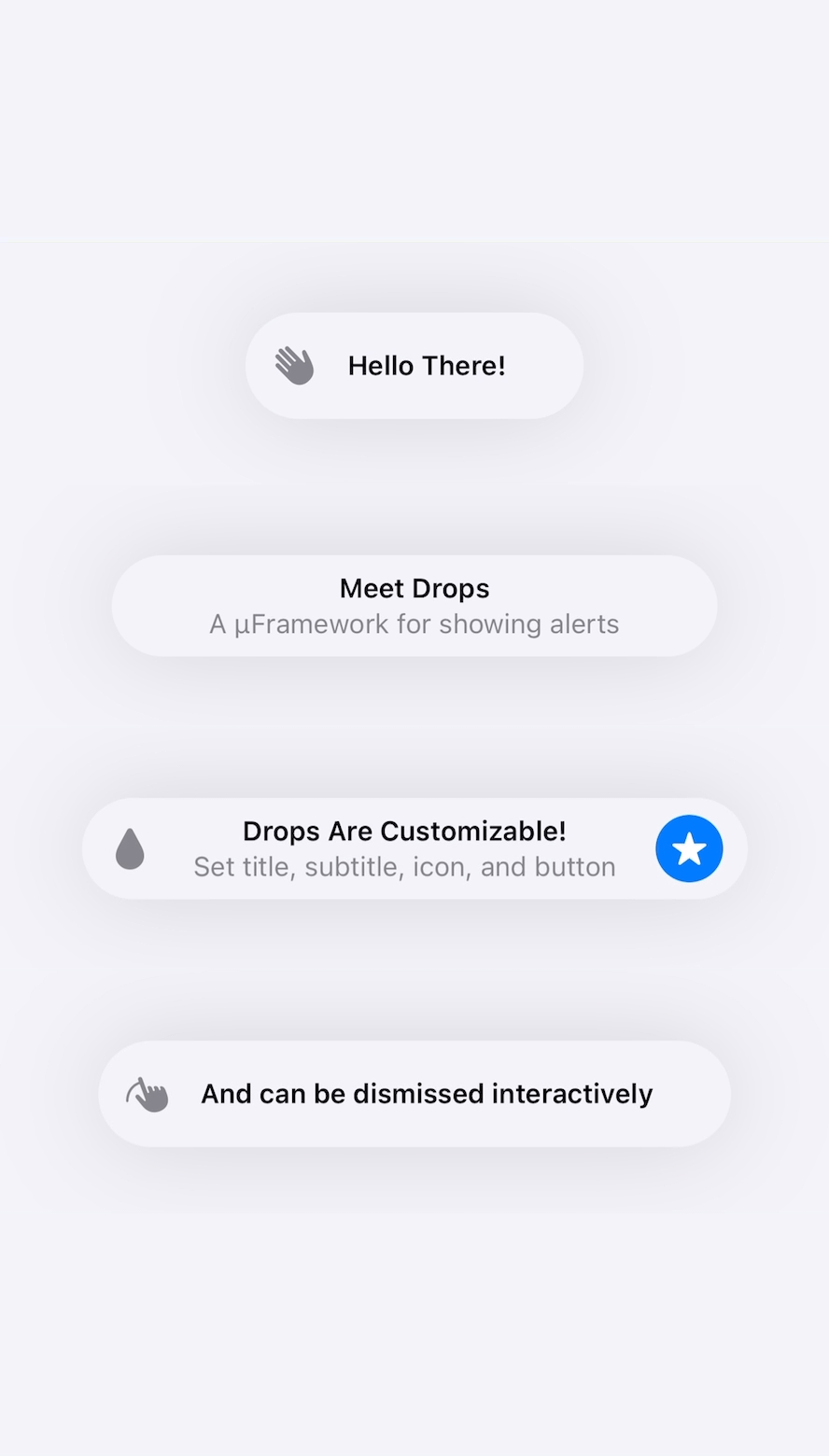


Features
- iOS 13+
- Can be used in SwiftUI and UIKit applications
- Light/Dark modes
- Interactive dismissal
- Queue to show consecutive drops
- Support dynamic font sizing
- Support announcing title and subtitle via VoiceOver
- Show from top or bottom of screen
Usage
- Create a drop:
let drop: Drop = "Title Only"
let drop = Drop(title: "Title Only")
let drop = Drop(title: "Title", subtitle: "Subtitle")
let drop = Drop(title: "Title", subtitle: "Subtitle", duration: 5.0)
let drop = Drop(
    title: "Title",
    subtitle: "Subtitle",
    icon: UIImage(systemName: "star.fill"),
    action: .init {
        print("Drop tapped")
        Drops.hideCurrent()
    },
    position: .bottom,
    duration: 5.0,
    accessibility: "Alert: Title, Subtitle"
)
- Show it:
Drops.show("Title")
Drops.show(drop)
SwiftUI
import SwiftUI
import Drops

struct ContentView: View {
    var body: some View {
        Button("Show Drop") {
            Drops.show(drop)
        }
    }
}
UIKit
import UIKit
import Drops

class ViewController: UIViewController {
    let drops = Drops(delayBetweenDrops: 1.0)

    func showDrop() {
        drops.show(drop)
    }
}
Read the docs for more usage options.
Example Projects
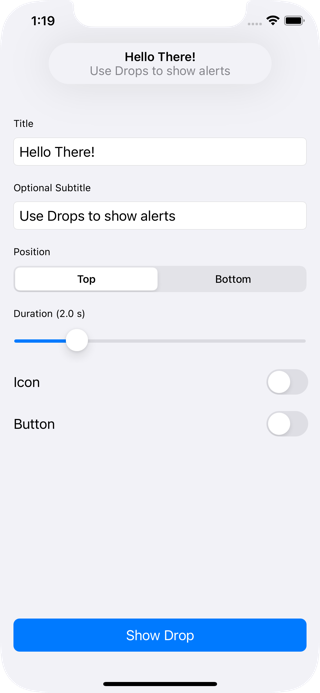
- Run the
SwiftUIExampletarget to see how Drops works in SwiftUI applications. - Run the
UIKitExampletarget to see how Drops works in UIKit applications.
Installation
Swift Package Manager
The Swift Package Manager is a tool for managing the distribution of Swift code.
- Add the following to your
Package.swiftfile:
dependencies: [
    .package(url: "https://github.com/omaralbeik/Drops.git", from: "1.7.0")
]
- Build your project:
$ swift build
CocoaPods
To integrate Drops into your Xcode project using CocoaPods, specify it in your Podfile:
pod 'Drops', :git => 'https://github.com/omaralbeik/Drops.git', :tag => '1.7.0'
Carthage
To integrate Drops into your Xcode project using Carthage, specify it in your Cartfile:
github "omaralbeik/Drops" ~> 1.7.0
Manually
Add the Sources folder to your Xcode project.
Thanks
Special thanks to SwiftKickMobile team for creating SwiftMessages, this project was heavily inspired by their work.
License
Drops is released under the MIT license. See LICENSE for more information.
Explore related projects
codecrafters-io/build-your-own-x
Master programming by recreating your favorite technologies from scratch.
561,629 starspublic-apis/public-apis
A collective list of free APIs
497,988 starsmorluto/rea
Reverse engineer anything with agents, from app behavior down to native binaries.
450,318 starsopenclaw/openclaw
The AI that really does things. Any OS. Any Platform. The lobster way. 🦞
394,304 stars