
olivier-w/climp
olivier-w/climp has 49 GitHub stars and 1 forks. GitHot measured 0 stars in 24 hours. Last checked 2026-11-15 05:09 UTC. Last push 2026-10-27.
Measured star growth
- in 24h
- 0
- in 7 days
- Collecting history
- in 15 days
- Collecting history
- in 1 month
- Collecting history
Net star changes over overlapping periods, not daily totals. Missing measurements are left blank. Stars measure attention, not software quality.
About
cli media player
Creative & MediaREADME.md
Originalclimp
Minimal CLI media player for local files, URLs, and playlists.

Table of contents
- Install
- Usage
- Keybindings
- Format support
- File browser
- URL support
- Playlist support
- Visualizer
- Install troubleshooting
- License
Install
With go
go install github.com/olivier-w/climp@latest
Download prebuilt binaries for:
- Linux
amd64,arm64 - macOS
amd64(intel),arm64(m1,m2,m3,m4,m5) - Windows
amd64
Windows scoop
scoop bucket add climp https://github.com/olivier-w/scoop-bucket
scoop install climp
Build from source
git clone https://github.com/olivier-w/climp.git
cd climp
go build -o climp .
Usage
climp
climp song.mp3
climp track.flac
climp my-playlist.m3u
climp https://youtube.com/watch?v=...
climp https://youtube.com/playlist?list=...
climp "https://youtube.com/watch?v=...&list=..."
climp https://example.com/station.m3u8
climp -h
climp --help
climp -v
climp --version
climp with no arguments opens the file browser. -h / --help print startup usage, and -v / --version print the binary version and exit. Release binaries print the release tag. Installs from go install github.com/olivier-w/climp@latest use embedded Go module metadata, which typically prints the latest release tag and may print the next in-progress version when latest resolves to an untagged commit. Local dev builds still print a tag-derived -dev version when run from a git checkout and fall back to dev otherwise.
If a URL contains & (common for YouTube playlist or radio links), wrap it in quotes so your shell passes the full URL to climp.
Keybindings
| key | action |
|---|---|
space |
toggle pause |
left / h |
seek -5s (disabled for live streams) |
right / l |
seek +5s (disabled for live streams) |
+ / = |
volume +5% |
- |
volume -5% |
v |
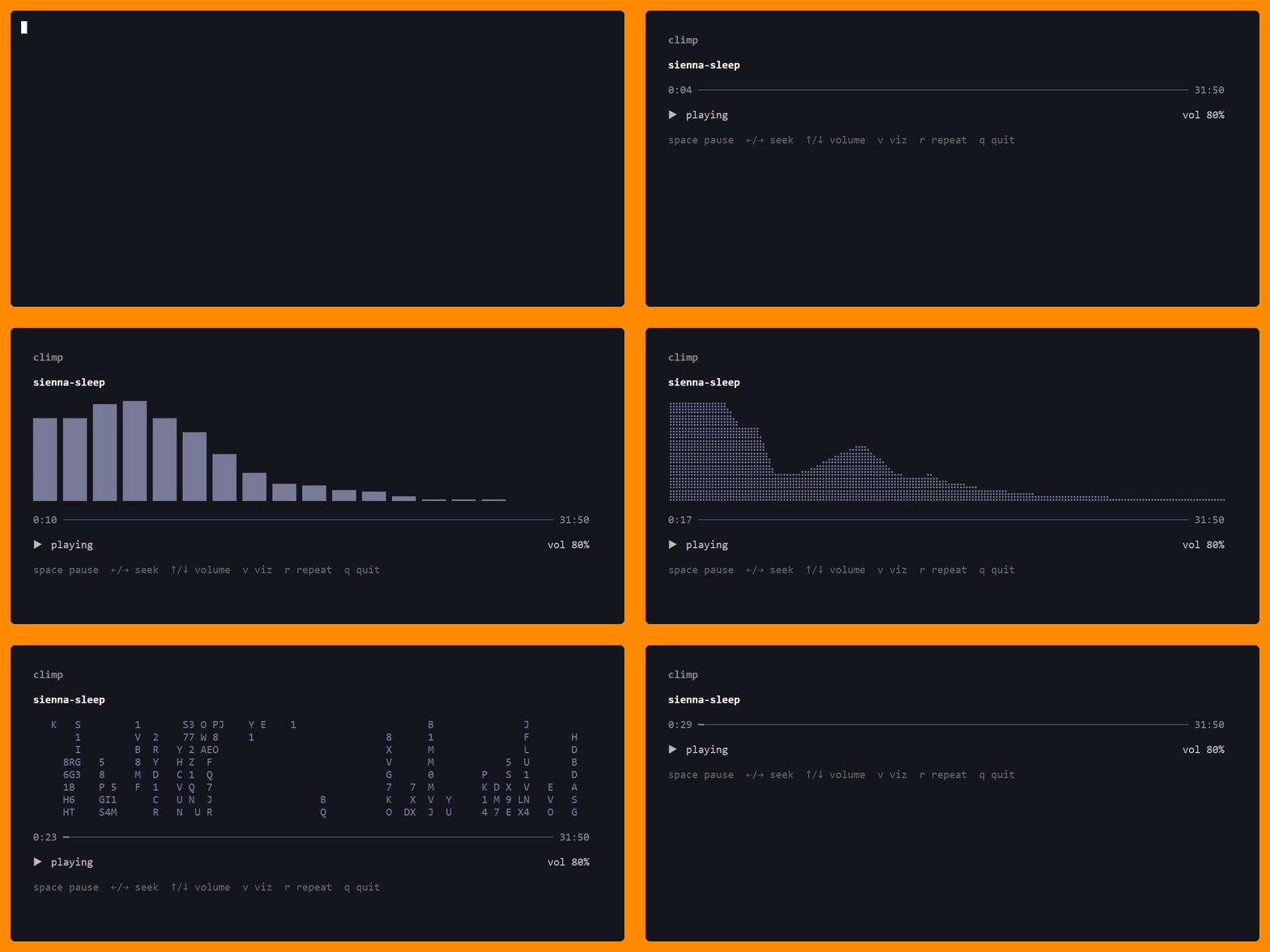
cycle visualizer (vu / spectrum / waterfall / waveform / lissajous / braille / dense / matrix / hatching / off) |
r |
cycle repeat mode (off / song / playlist) |
x |
cycle speed (1x / 2x / 0.5x) |
z |
toggle shuffle (playlist) |
n |
next track (playlist) |
N / p |
previous track (playlist) |
up / down / j / k |
move queue selection (playlist) |
enter |
play selected track (playlist) |
del / backspace |
remove selected track (playlist) |
s |
save as MP3 (downloaded URL tracks only; disabled for live streams) |
? |
toggle expanded help |
q / esc / ctrl+c |
quit |
On seekable local files, repeated left/right keypresses now preview the target position immediately, pause audio while you scrub, and apply one final seek after a brief idle delay.
Format support
- audio:
.mp3,.wav,.flac,.ogg,.aac,.m4a,.m4b - playlists:
.m3u,.m3u8,.pls
File browser
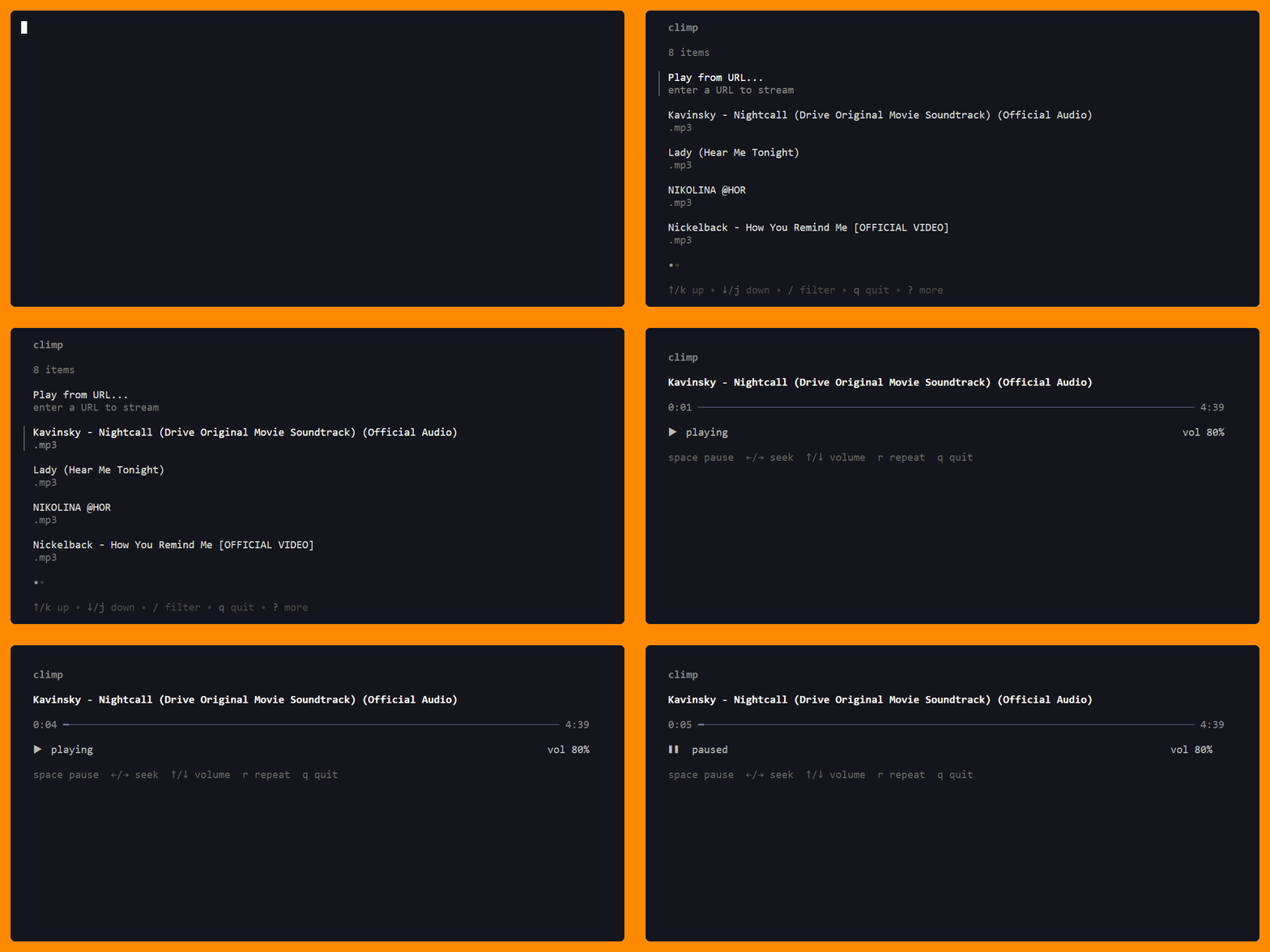
Run climp with no arguments to browse and select files interactively.
URL support
Play audio from URLs with probe-based routing:
- finite media downloads use yt-dlp
- live streams use
ffmpeg(ffmpeg -i <url> -> s16le PCM) - remote playlist wrappers (
.pls,.m3u,.m3u8) are expanded into queue entries
climp https://youtube.com/watch?v=dQw4w9WgXcQ

Requirements:
yt-dlp2026.10.21 or later is required for finite URL playback and YouTube sourcesffmpeg9.0.2 or later with TLS support is required for live URL playbackffmpegis also required fors(save as MP3) on downloaded URL tracks
Behavior notes:
- finite URL downloads use WAV temp files for fast processing
- if
yt-dlpreports no progress for 15 seconds, climp exits instead of hanging - live streams are non-seekable
- live playback requires FFmpeg certificate verification to be enabled by default, including for HLS child requests; update the tool and its CA store if this check fails
- when a live stream exposes ICY metadata, the now-playing title updates automatically; otherwise climp keeps the original fallback title
- local
.aac,.m4a, and.m4bplayback is routed through the standaloneclimp-aac-decodermodule climp-aac-decoderdecodes local AAC-family files natively in Go and exposes a seekable PCM reader to the normal local decoder path.m4bsupport is playback-only; chapter support is not included
Live URL examples:
climp https://example.com/station.m3u8
climp https://example.com/station.m3u
climp https://example.com/stream.aac
climp https://example.com/stream.mp3
climp https://example.com/stream.ogg
Playlist support
Local directory playlists
When you open a local audio file, climp scans the same directory for supported audio files, sorts them alphabetically, and starts playback at the selected file.
climp song.mp3
Local playlist files
climp opens local playlist files directly:
climp my-playlist.m3u
climp my-playlist.m3u8
climp my-playlist.pls
For local playlist files, climp plays valid local media entries and http(s) URL entries. URL entries are probe-routed the same way as direct URL playback. Remote playlist URL entries (.pls, .m3u, .m3u8) are expanded inline in file order. Invalid or unsupported entries are skipped. If no playable entries remain, playback fails with an error.
YouTube playlists
YouTube playlist and radio URLs are auto-detected. The first track starts immediately while the rest of the playlist is extracted in the background (up to 50 tracks). Upcoming tracks are downloaded one at a time ahead of playback.
climp https://youtube.com/playlist?list=PLxxxxxxxx
climp "https://youtube.com/watch?v=xxx&list=RDxxx"

Visualizer
Press v to cycle visualizers: VU meter, spectrum, waterfall spectrogram, waveform, lissajous scope, braille, dense, matrix, hatching, and off.
Install Troubleshooting
macOS
If yt-dlp is installed with pip, Python certificate verification can fail for some setups. Install certificates (replace x with your Python version):
/Applications/Python\ 3.xx.xx/Install\ Certificates.command
Linux troubleshooting (headless/vm)
If playback fails with ALSA errors such as Unknown PCM default or cannot find card '0', the machine has no usable default audio output device. This is common on headless VMs and containers.
Check detected devices:
aplay -l
aplay -L
Install or enable an audio stack (ALSA, PipeWire, or PulseAudio), or run in a session with audio output available.