
ok-oldking/ok-script
ok-oldking/ok-script has 831 GitHub stars and 238 forks. GitHot measured +1 stars in 24 hours. Last checked 2026-11-08 23:34 UTC. Last push 2026-11-06.
Vibe Coding Automation Framework
Measured star growth
- in 24h
- +1
- in 7 days
- Update delayed
- in 15 days
- Update delayed
- in 1 month
- Update delayed
Net star changes over overlapping periods, not daily totals. Missing measurements are left blank. Stars measure attention, not software quality.
README_en.md
Originalok-script
简体中文 | English
Vibe Coding Automation Framework
Make a wish in Codex, Claude Code, or any coding agent with MCP, and get a deployable automation app.
Describe what you want automated. Through MCP, the agent observes your Windows application, game, or Android device, writes Python tasks, runs them against the real target, and fixes what fails. ok-script packages the finished tasks with a desktop GUI into a Windows installer you can ship. The packaged app runs on its own with local capture, recognition, and input; no agent stays connected.
ok-script supports Windows applications and games, Android emulators, and ADB devices, with template matching, OCR, background input where supported, a desktop UI, and task packaging.
Start with MCP · Prompts for your coding agent · MCP connection guide
Ask your coding agent
For a new environment:
Install ok-script and set up this project's environment. First read https://raw.githubusercontent.com/ok-oldking/ok-script/master/docs/agent-setup.md and follow its setup skills. Preserve this project's existing dependency constraints.
The agent setup guide includes a small instruction for your project's AGENTS.md so future setup requests use these instructions. It works before installation or MCP startup.
For task development:
Connect to this project's ok-script MCP server and read its development skill. Inspect the installed capture, matching, and input APIs and show their exact signatures and source locations. Build a reusable Python task that opens Settings, enables "Show details", saves, and verifies the result. Restore and verify the starting screen before every attempt, test repeated runs, and save the task in the project. Use ok-script APIs and MCP, not Computer Use tools. Give me the exact command to run the finished task without an agent or LLM calls.
For repairing an existing task:
Connect to this project's ok-script MCP server and read its reload-tasks skill. Use list_tasks to find the source of the failing task, fix that file, reload its task ID, and wait for the reload to succeed. Restore and verify the starting screen, run the registered implementation repeatedly, and show me the evidence from the run logs and screenshots.
How MCP development works
The agent edits files and reads logs with its own tools. MCP gives it the running application:
- Learn —
list_skillsandget_skillreturn the development, template, test, and reload workflows bundled with the installed ok-script version. The agent reads exact Python signatures from the installed package. - Observe —
screenshotsaves the current frame of the configured window or device. - Run —
run_taskexecutes a Python task file against the real target. Every attempt restores and verifies the starting state beforerun()performs and asserts the automation. - Inspect — each attempt writes
logs/mcp/<run_id>/run.log,status.json, and task screenshots.get_run_statusreports progress and errors;stop_taskcancels. - Repair —
list_tasksreturns registered task sources; after editing,reload_tasksreplaces them in the running process.exit_processends a runtime that cannot be reset. - Ship — register the task in the project configuration, run it from the GUI or
python -m ok run_task, and package the app as a Windows installer with PyAppify.
Features
- MCP server for coding agents: bundled skills, live capture, task execution, hot reload, and per-attempt logs
- Pure Python and open source, with access to the full pip ecosystem
- One task implementation can support Windows clients, Android emulators, and ADB devices
- OCR, OpenCV template matching, and integration with vision frameworks such as YOLO
- COCO-based template asset management with automatic resolution scaling
- Built-in capture, input, device control, and visual debugging tools
- Automated tests, GitHub Actions builds, and installer publishing
- Internationalization and online incremental updates
Connect through MCP
Use an automation application's own virtual environment and preserve its existing requirements. For a new project, start from the application template and ask the agent to configure the target. Python 3.11 or later is supported.
python -m venv .venv
.\.venv\Scripts\python.exe -m pip install "ok-script[default]"
.\.venv\Scripts\python.exe -m ok mcp --config src.config:config
The command assumes the application's configuration exists; use its actual import target or existing development launcher. MCP is installed automatically with ok-script starting in 2.0.17; no extra is needed. Install exactly one compatible OpenCV variant separately; add Qt, ADB, and OCR dependencies only as needed.
Connect the agent's MCP client over Streamable HTTP to the URL in the live logs/mcp/connections/<pid>-<port>.json record, with Authorization: Bearer <token> from that record. Keep credentials private. Have the agent call list_skills, read the relevant skills with get_skill, and verify the target with screenshot.
An existing desktop application can instead enable MCP in Settings > Basic Options > Enable MCP Server or start with python -m ok gui --config src.config:config --mcp. The server listens only on local loopback, but connected agents can run Python with your account's permissions. Keep a separate MCP-disabled launcher for everyday use.
See the MCP quick start for setup, connection, and running the saved task without an agent. The MCP guide covers execution and reload behavior.
Documentation
- MCP quick start
- Ask an agent to discover APIs and develop a task
- Documentation home
- Maintain and share reusable tasks
The coding agent discovers Python APIs from the installed package's source and signatures. MCP supplies development skills and execution tools; there is no separate API lookup tool. Finished tasks can run headlessly or in the desktop GUI. See the runtime architecture for details.
Screenshots
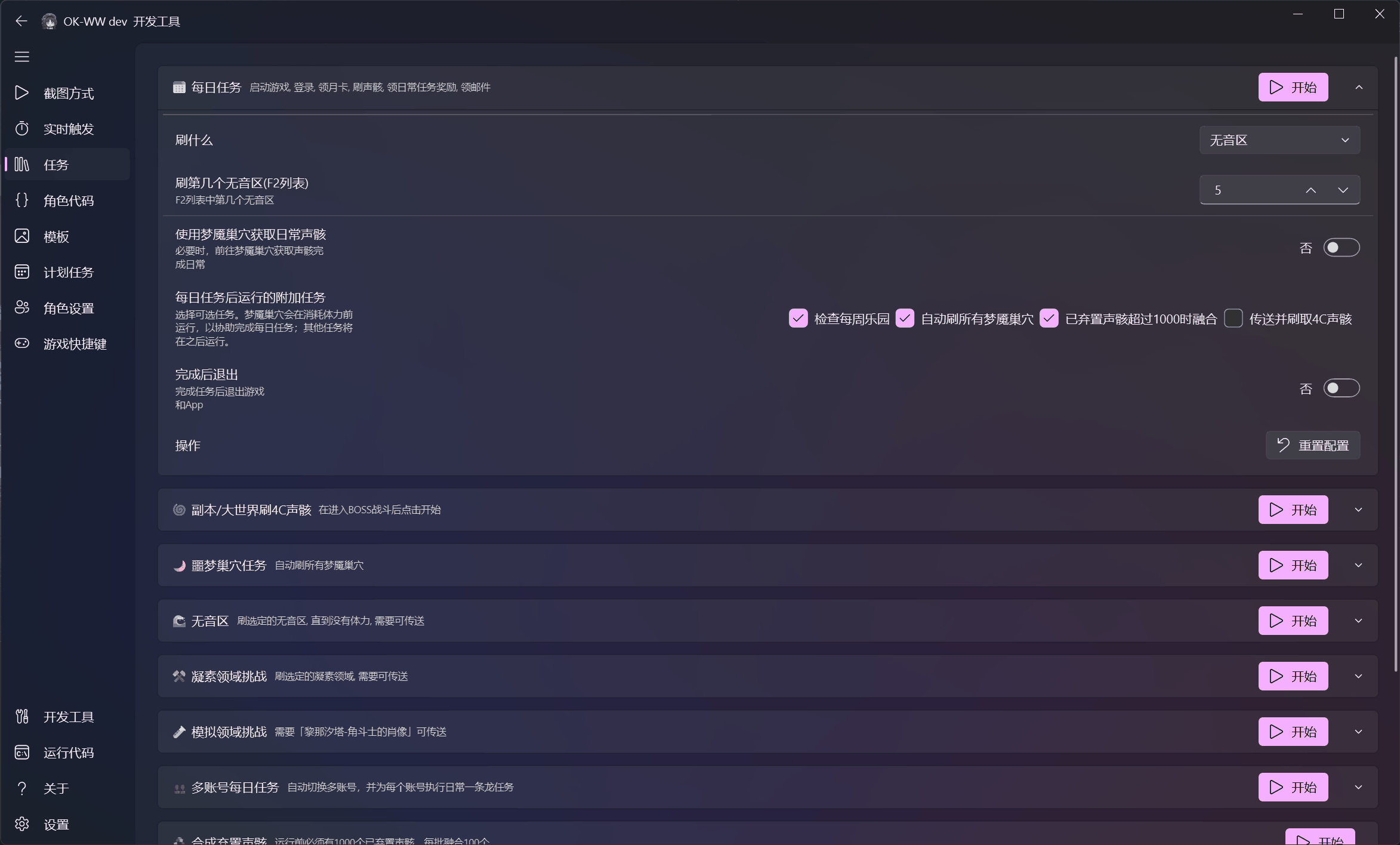
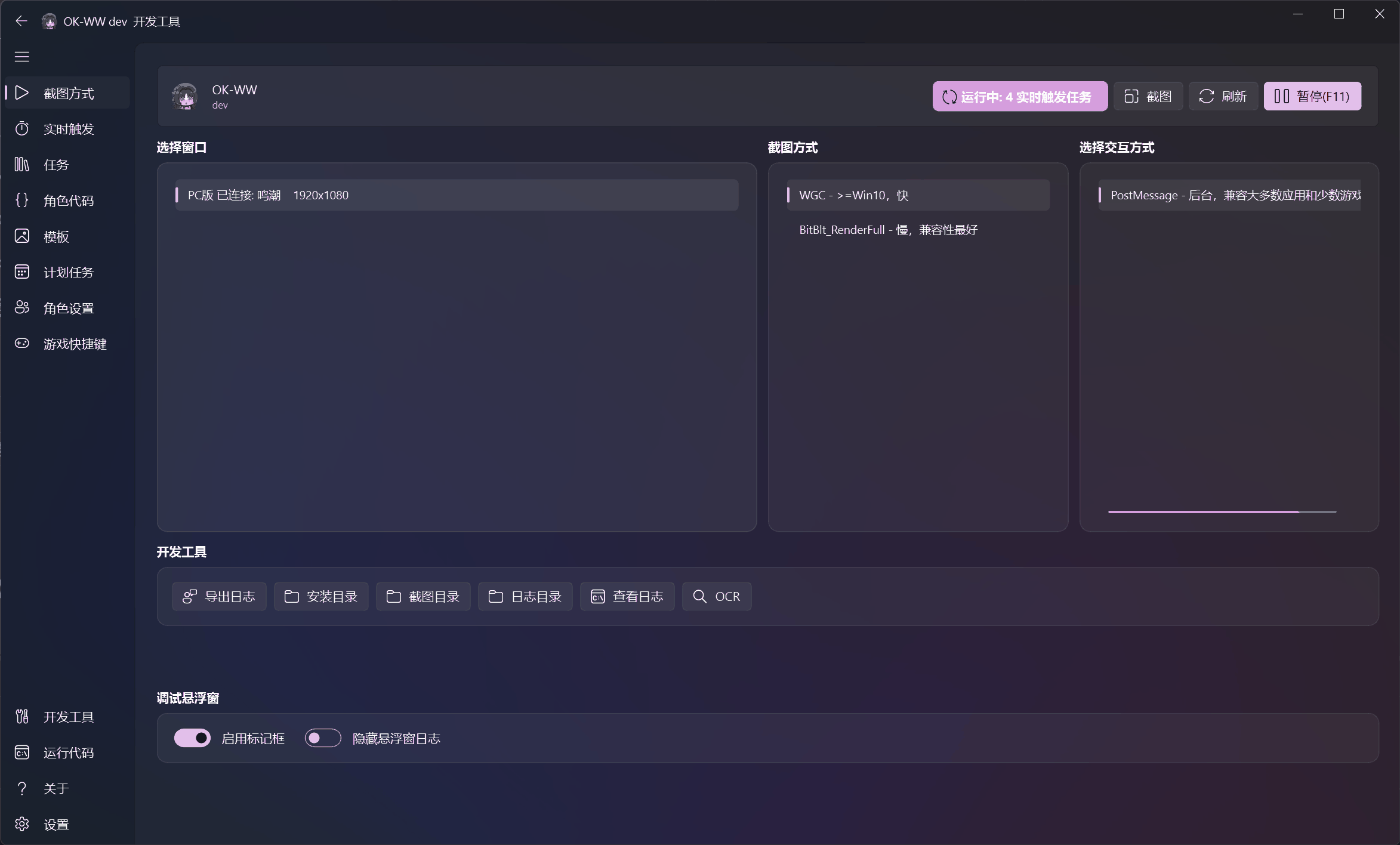
| Task configuration | Capture and interaction |
|---|---|
 |
 |
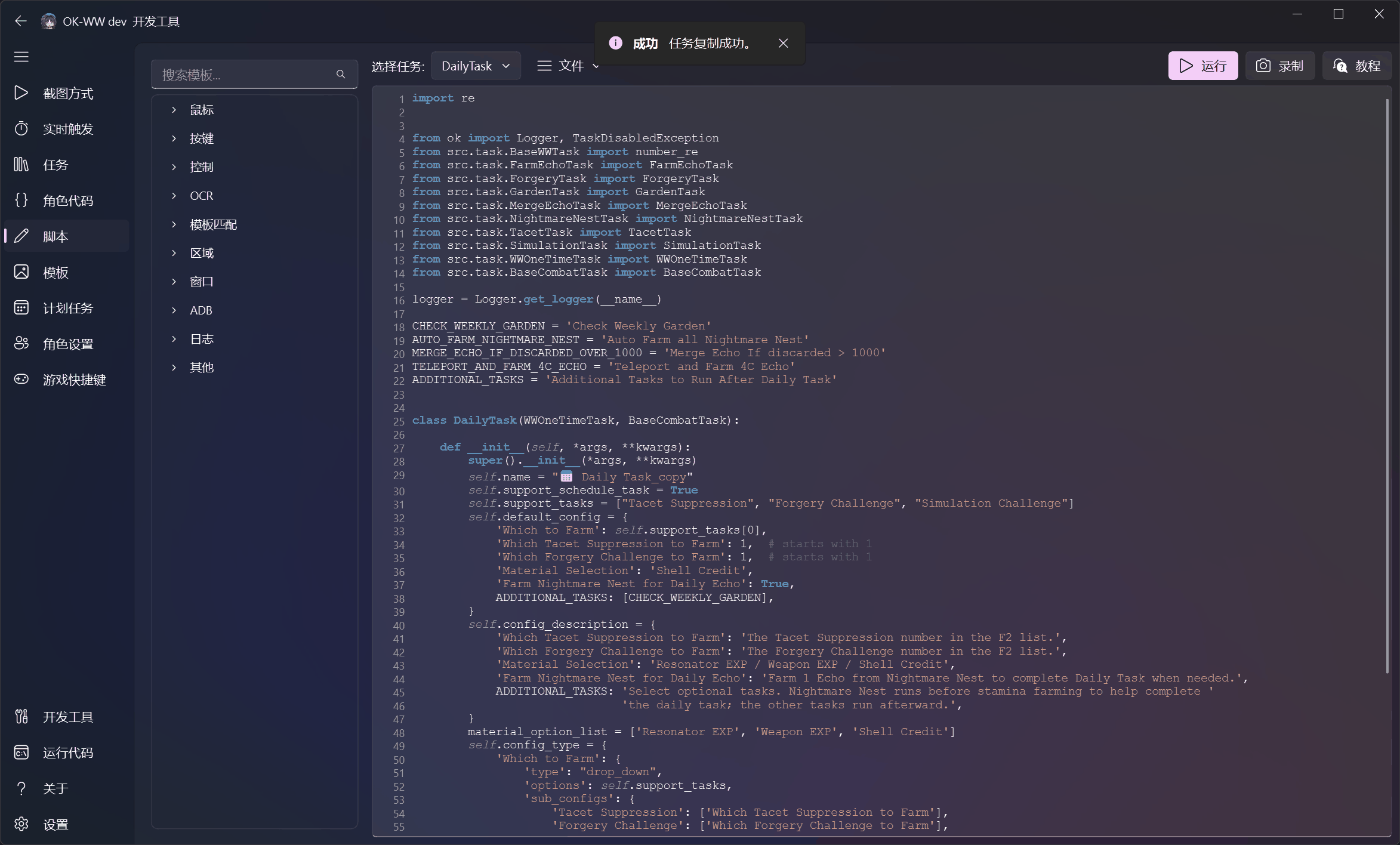
| Scripting and APIs | Template management |
|---|---|
 |
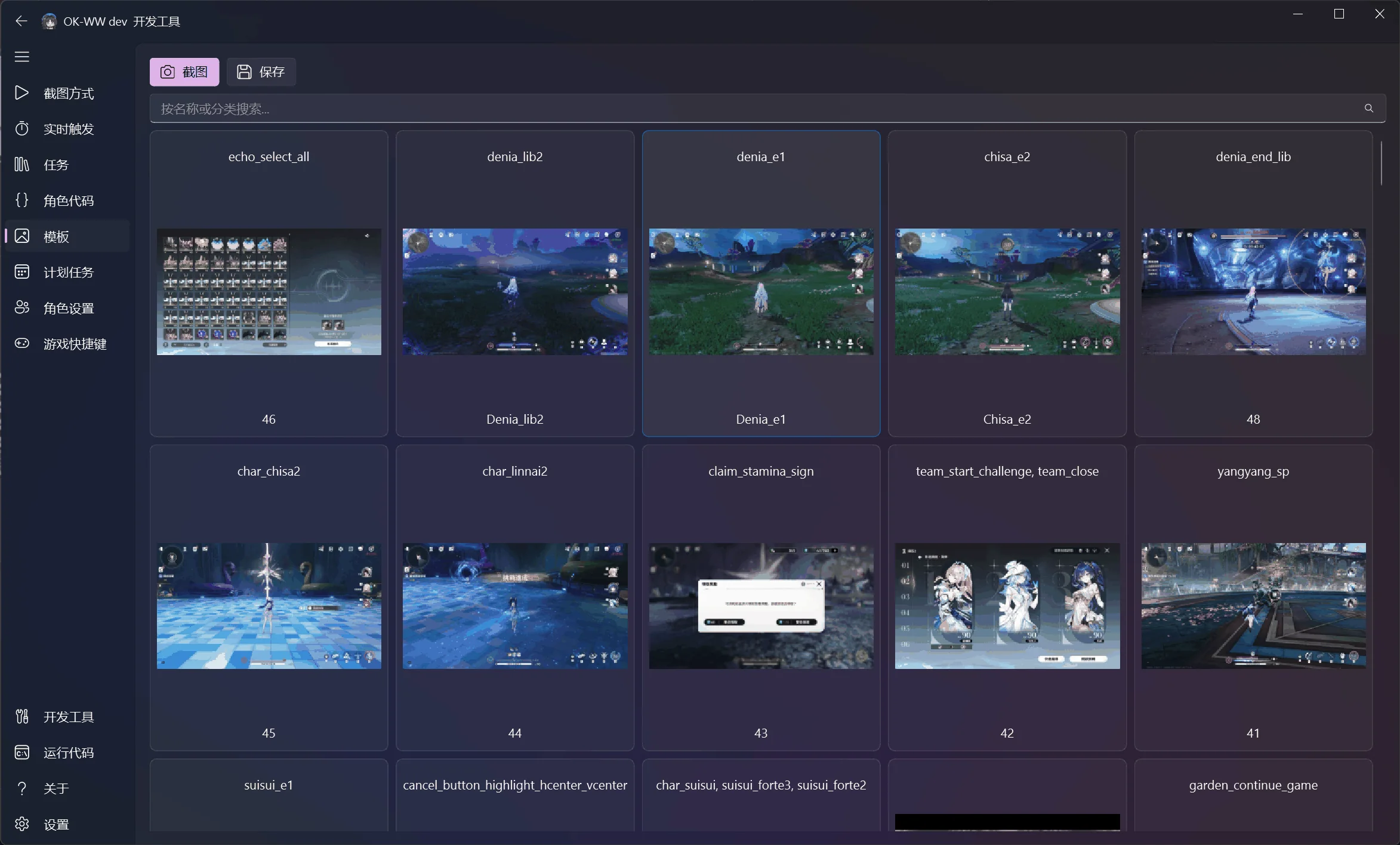 |
Read the complete interface and developer-tools guide, including the template-matching debug overlay.
Projects built with ok-script
- Wuthering Waves
- Neverness to Everness
- Duet Night Abyss
- Arknights: Endfield
- Girls' Frontline 2
- ok-script App Template
- BrownDust II
- Blue Protocol: Star Resonance
- Chaos Zero Nightmare
- Azur Promilia
- Onmyoji
- Genshin Impact (unmaintained; background story automation still works)
- Ash Echoes (unmaintained)
- Honkai: Star Rail (unmaintained)
Developing ok-script
To try UI changes in this repository, start the GUI from the checkout with the demo config in main.py:
.\.venv\Scripts\python.exe main.py
It targets Notepad, so no game is needed, and registers a demo one-time task and
trigger task so the Tasks, Schedule, and Templates pages have content. Settings
and logs go to the git-ignored configs/ and logs/ folders. Edit the config
dictionary or the demo tasks in main.py to test other options.
Community and releases
Credits
ok-script is made possible by these open-source projects:
- PyAppify — application updating and packaging.
- OnnxOCR — OCR with Intel NPU support through OpenVINO or ONNX Runtime, using a PaddleOCR v5 model.
- PySide6 — Qt-based desktop UI bindings.
- PyQt-Fluent-Widgets — Fluent UI components used by the Qt interface.
- OpenCV, NumPy, and Pillow — image processing and computer vision.
- adbutils — Android device connectivity.
Each dependency remains subject to its own license. See the respective project pages for details.
License
This project is licensed under Apache License 2.0 with Commons Clause and additional terms.
The following uses are allowed:
- Use in closed-source and commercial projects.
- Forking the project, making improvements, and keeping the fork open source and free.
The following restrictions apply:
- Do not take this project, rename it or make only minor changes, and sell it or market it as a competing product.
- Do not use it for hacking, unauthorized access, malware, fraud, or any other illegal activity.
- Any project using ok-script must mention it and link to ok-script.com or the ok-script GitHub repository on the project's website, GitHub repository, or in the software itself.
- Qt UI use is separately subject to the license of PyQt-Fluent-Widgets.
Explore related projects
n8n-io/n8n
Fair-code workflow automation platform with native AI capabilities. Combine visual building with custom code, self-host or cloud, 400+ integrations.
209,926 starslanggenius/dify
Build Agentic workflows, RAG pipelines, with rich AI model and tool support on one collaborative workspace. Deploy on cloud, VPC, or self-hosted, so teams move from prototype to production without rebuilding the stack.
160,773 starsmicrosoft/PowerToys
Microsoft PowerToys is a collection of utilities that supercharge productivity and customization on Windows
140,755 starsstablyai/orca
Orca is the place for working with a fleet of agents (e.g. Grok Bot, Claude Code). Run any coding agent with your own subscription. Available on desktop, mobile and remote runtime.
120,344 stars