
oh-my-ocr/text_renderer
oh-my-ocr/text_renderer has 913 GitHub stars and 174 forks. GitHot measured 0 stars in 24 hours and 0 in 7 days. Last checked 2026-11-25 01:53 UTC. Last push 2026-05-17.
What you can do
- Modular design. You can easily add different components: Corpus, Effect, Layout.
- Integrate with Albumentations for image augmentation effects.
- Support render multiple corpora on image with different effects. Layout is responsible for the layout between multiple corpora
- Support apply effects on different stages of rendering process corpus_effects, layout_effects, render_effects.
Measured star growth
- in 24h
- 0
- in 7 days
- 0
- in 15 days
- Collecting history
- in 1 month
- Collecting history
Net star changes over overlapping periods, not daily totals. Missing measurements are left blank. Stars measure attention, not software quality.
About
Generate text line images for training deep learning OCR models
Machine LearningREADME.md
OriginalText Renderer
Generate text line images for training deep learning OCR model (e.g. CRNN). 
Table of Contents
- Features
- Prerequisites
- Installation
- Run Example
- Quick Start
- Using Albumentations Effects
- All Effect/Layout Examples
- Contribution
- Font Viewer
- Build docs
- Citing text_renderer
Features
- Modular design. You can easily add different components: Corpus, Effect, Layout.
- Integrate with Albumentations for image augmentation effects.
- Support render multiple corpora on image with different effects. Layout is responsible for the layout between multiple corpora
- Support apply effects on different stages of rendering process corpus_effects, layout_effects, render_effects.
- Generate vertical text.
- Support generate
lmdbdataset which compatible with PaddleOCR, see Dataset - A web font viewer.
- Corpus sampler: helpful to perform character balance
Prerequisites
- Python 3.10+
- Operating System: Linux, macOS, or Windows
Installation
git clone https://github.com/oh-my-ocr/text_renderer
cd text_renderer
uv sync                              # core dependencies
uv sync --extra tools                # + font viewer and utility scripts
uv sync --extra docs                 # + Sphinx for building documentation
uv sync --all-extras                 # everything
Run Example
Run the following command to generate images using example data:
uv run python main.py \
    --config example_data/example.py \
    --dataset img \
    --num_processes 2 \
    --log_period 10
Note for Windows users: Use
^instead of\for line continuation, or write the command on a single line:uv run python main.py --config example_data/example.py --dataset img --num_processes 2 --log_period 10
The data is generated in the example_data/output directory. A labels.json file contains all annotations in the following format:
{
  "labels": {
    "000000000": "test",
    "000000001": "text2"
  },
  "sizes": {
    "000000000": [
      120,
      32
    ],
    "000000001": [
      128,
      32
    ]
  },
  "num-samples": 2
}
You can also use --dataset lmdb to store image in lmdb file, lmdb file contains follow keys:
- num-samples
- image-000000000
- label-000000000
- size-000000000
You can check config file example_data/example.py to learn how to use text_renderer, or follow the Quick Start to learn how to setup configuration
Quick Start
Prepare file resources
- Font files:
.ttf,.otf,.ttc - Background images of any size, either from your business scenario or from publicly available datasets (COCO, VOC)
- Corpus: text_renderer offers a wide variety of text sampling methods, to use these methods, you need to consider the preparation of the corpus from two perspectives:
- The corpus must be in the target language for which you want to perform OCR recognition
- The corpus should meets your actual business needs, such as education field, medical field, etc.
- Charset file [Optional but recommended]: OCR models in real-world scenarios (e.g. CRNN) usually support only a limited character set, so it's better to filter out characters outside the character set during data generation. You can do this by setting the chars_file parameter
You can download pre-prepared file resources for this Quick Start from here:
Save these resource files in the same directory:
workspace
├── bg
│ └── background.png
├── corpus
│ └── eng_text.txt
└── font
    └── simsun.ttf
Create config file
Create a config.py file in workspace directory. One configuration file must have a configs variable, which is a list of GeneratorCfg.
The complete configuration file is as follows:
import os
from pathlib import Path

from text_renderer.effect import *
from text_renderer.corpus import *
from text_renderer.config import (
    RenderCfg,
    NormPerspectiveTransformCfg,
    GeneratorCfg,
    SimpleTextColorCfg,
)

CURRENT_DIR = Path(os.path.abspath(os.path.dirname(__file__)))


def story_data():
    return GeneratorCfg(
        num_image=10,
        save_dir=CURRENT_DIR / "output",
        render_cfg=RenderCfg(
            bg_dir=CURRENT_DIR / "bg",
            height=32,
            perspective_transform=NormPerspectiveTransformCfg(20, 20, 1.5),
            corpus=WordCorpus(
                WordCorpusCfg(
                    text_paths=[CURRENT_DIR / "corpus" / "eng_text.txt"],
                    font_dir=CURRENT_DIR / "font",
                    font_size=(20, 30),
                    num_word=(2, 3),
                ),
            ),
            corpus_effects=Effects(Line(0.9, thickness=(2, 5))),
            gray=False,
            text_color_cfg=SimpleTextColorCfg(),
        ),
    )


configs = [story_data()]
In the above configuration we have done the following things:
- Specify the location of the resource file
- Specified text sampling method: 2 or 3 words are randomly selected from the corpus
- Configured some effects for generation
- Perspective transformation NormPerspectiveTransformCfg
- Random Line Effect
- Fix output image height to 32
- Generate color image.
gray=False,SimpleTextColorCfg()
- Specifies font-related parameters:
font_size,font_dir
Run
Run main.py. It has 4 arguments:
- config: Python config file path
- dataset: Dataset format
imgorlmdb - num_processes: Number of processes used
- log_period: Period of log printing. (0, 100)
Using Albumentations Effects
Text renderer integrates with Albumentations for image augmentation. The following Albumentations effects are available:
AlbumentationsEffect- Generic wrapper for any Albumentations augmenterAlbumentationsEmboss/Emboss- Emboss effectAlbumentationsMotionBlur/MotionBlur- Motion blur effectGaussianBlur- Gaussian blurNoise,UniformNoise,SaltPepperNoise,PoissonNoise- Various noise effectsBrightnessContrast- Brightness and contrast adjustmentRotate- RotationShiftScaleRotate- Combined shift, scale, and rotateElasticTransform- Elastic transformationGridDistortion- Grid distortionOpticalDistortion- Optical distortion
Example Usage
from text_renderer.effect import AlbumentationsEffect, AlbumentationsEmboss, Effects
import albumentations as A

# Using built-in Albumentations effects
effects = Effects([
    AlbumentationsEmboss(alpha=(0.9, 1.0), strength=(1.5, 1.6)),
])

# Using custom Albumentations augmenter
custom_aug = A.Compose([
    A.GaussianBlur(blur_limit=(0, 1), p=1.0),
    A.RandomBrightnessContrast(brightness_limit=0.2, contrast_limit=0.2, p=1.0)
])
effects = Effects([
    AlbumentationsEffect(transform=custom_aug),
])
All Effect/Layout Examples
Find all effect/layout config example at link
bg_and_text_mask: Three images of the same width are merged together horizontally, it can be used to train GAN model like EraseNet
| Name | Example | |
|---|---|---|
| 0 | bg_and_text_mask |  |
| 1 | char_spacing_compact |  |
| 2 | char_spacing_large |  |
| 3 | color_image |  |
| 4 | curve |  |
| 5 | dropout_horizontal |  |
| 6 | dropout_rand |  |
| 7 | dropout_vertical |  |
| 8 | emboss | 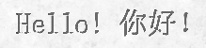 |
| 9 | extra_text_line_layout |  |
| 10 | line_bottom |  |
| 11 | line_bottom_left |  |
| 12 | line_bottom_right |  |
| 13 | line_horizontal_middle |  |
| 14 | line_left |  |
| 15 | line_right |  |
| 16 | line_top |  |
| 17 | line_top_left |  |
| 18 | line_top_right |  |
| 19 | line_vertical_middle |  |
| 20 | padding |  |
| 21 | perspective_transform | 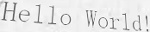 |
| 22 | same_line_layout_different_font_size |  |
| 23 | vertical_text |  |
Contribution
Setup Commitizen for commit message
- Corpus: Feel free to contribute more corpus generators to the project, It does not necessarily need to be a generic corpus generator, but can also be a business-specific generator, such as generating ID numbers
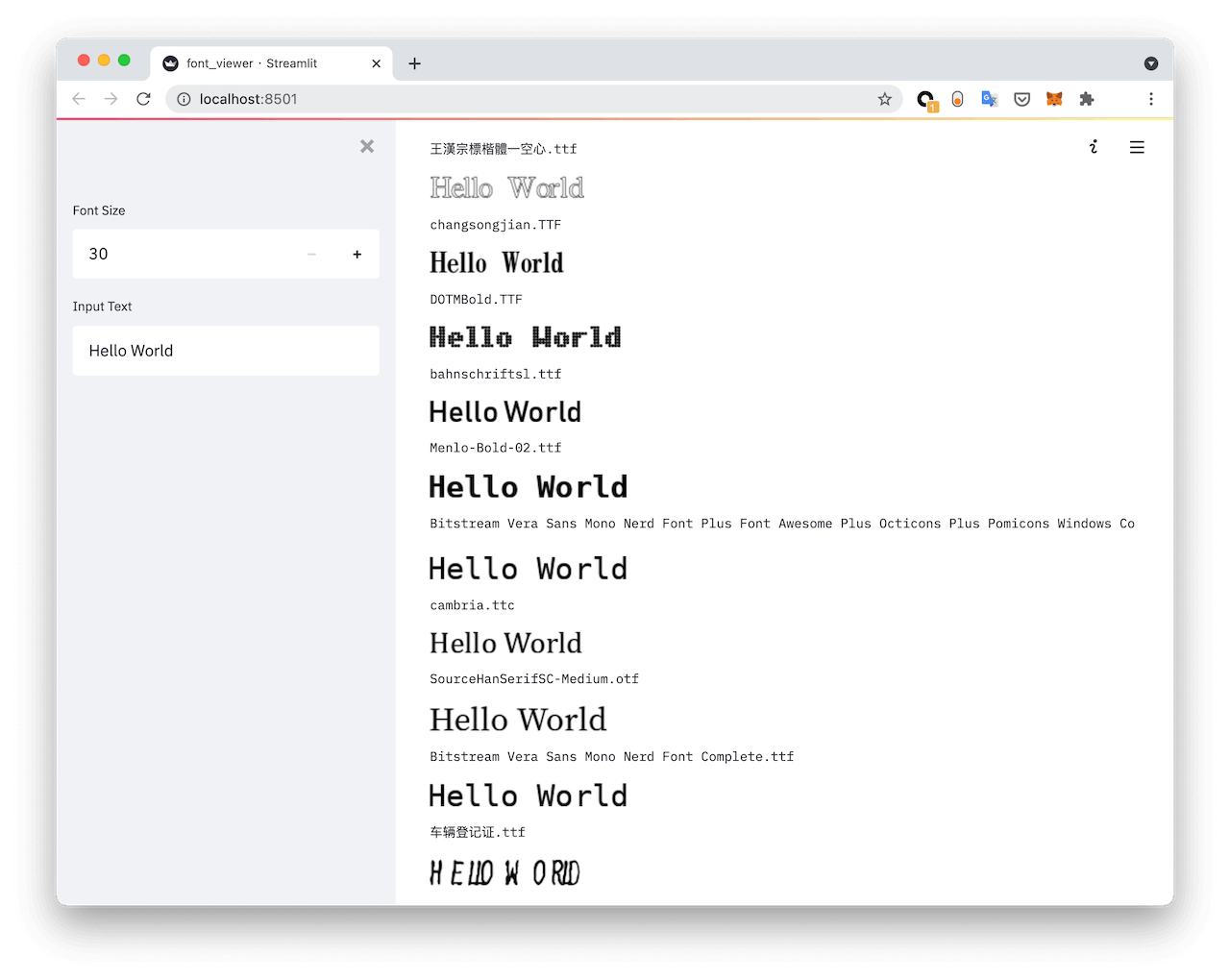
Font Viewer
Install the tools extra, then start font viewer:
uv sync --extra tools
uv run streamlit run tools/font_viewer.py -- web /path/to/fonts_dir
Build docs
uv sync --extra docs
cd docs
uv run make html
open _build/html/index.html
Citing text_renderer
If you use text_renderer in your research, please consider use the following BibTeX entry.
@misc{text_renderer,
  author =       {oh-my-ocr},
  title =        {text_renderer},
  howpublished = {\url{https://github.com/oh-my-ocr/text_renderer}},
  year =         {2021}
}
Explore related projects
Loading…