
nsfw-filter/nsfw-filter
nsfw-filter/nsfw-filter has 1,798 GitHub stars and 185 forks. GitHot measured +1 stars in 24 hours. Last checked 2026-11-08 01:23 UTC. Last push 2026-10-18.
A free, open source, and privacy-focused browser extension to block “not safe for work” content built using TensorFlow.js.
Measured star growth
- in 24h
- +1
- in 7 days
- Update delayed
- in 15 days
- Update delayed
- in 1 month
- Update delayed
Net star changes over overlapping periods, not daily totals. Missing measurements are left blank. Stars measure attention, not software quality.
README.md
Original NSFW Filter
[!NOTE] v3.0.0 released! See the release notes here: https://nsfwfilter.com/news/v3.0.0
A free, open source, and privacy-focused browser extension to block "not safe for work" content.
Images are classified on your device with TensorFlow.js. Nothing is uploaded, and no data leaves your browser.
NSFW Filter ships two models you can switch between in the popup: a small, accurate Vision Transformer (ViT-384) that classifies images as safe or not safe (the default), and the original NSFWJS MobileNet model.
Download now for Google Chrome.

Usage
You can install the extension from the Chrome Web Store or source.
When you load web pages, NSFW Filter will first hide all images and only show those classified as safe.
Click the icon in your extensions tab to open the popup. From there you can turn protection on or off, adjust how strict the filter is, choose how flagged images are handled (blur, grayscale, or hide), pick which model does the classifying, and allow specific sites.

Development
Install dependencies by running:
npm install
Then build the project:
npm run build
To run the tests:
npm run test
To develop with live reload, start a watch build that rebuilds on every change:
npm run dev
Then, in a separate terminal, launch Chromium with the extension loaded. It reloads automatically as the build updates:
npm run start:chrome
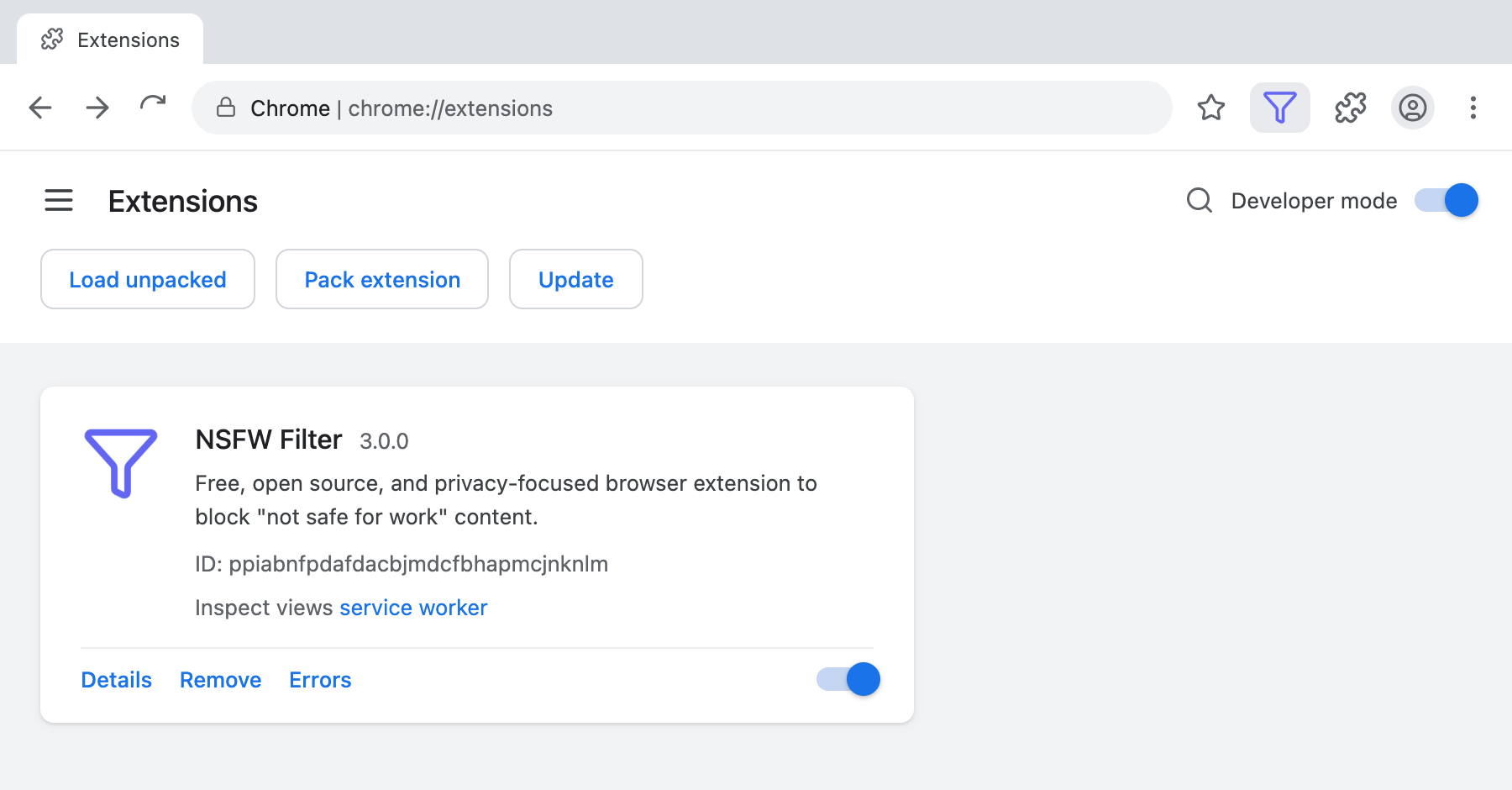
To load the build manually instead, open Google Chrome and open the Extensions page by navigating to chrome://extensions or by opening Settings and clicking Extensions from the bottom left.
Enable Developer Mode by clicking the toggle switch.
Click the Load Unpacked button and select the extension directory (.../dist).
Contribute
Please check the Contributor Guidelines before contributing.
Thanks to these wonderful people (emoji key) for helping build and maintain NSFW Filter:


This project follows the all-contributors specification. Contributions of any kind are welcome!
Explore related projects
tensorflow/tensorflow
An Open Source Machine Learning Framework for Everyone
201,388 starshuggingface/transformers
🤗 Transformers: the model-definition framework for state-of-the-art machine learning models in text, vision, audio, and multimodal models, for both inference and training.
168,636 starsAUTOMATIC1111/stable-diffusion-webui
Stable Diffusion web UI
165,251 starsComfy-Org/ComfyUI
The most powerful and modular diffusion model GUI, api and backend with a graph/nodes interface. The fastest local inference engine in the world.
145,629 stars