
njyeung/reels
njyeung/reels has 32 GitHub stars and 1 forks. GitHot measured 0 stars in 24 hours. Last checked 2026-11-16 19:48 UTC. Last push 2026-11-15.
What you can do
- Like, repost, save space to like, r to repost, b to bookmark, y to copy the link. Or reach for the mouse and click the icons directly. - Comments c opens the panel so you can read comments and laugh at the gifs. Expand any comment to read its replies.
- Share to DMs s opens your suggested friends, space selects, S closes the panel and shares the reel. Sharing a reel to DMs - Watch and react to what friends sent you d to view reels your friends have shared with you. x to send a reaction back to their dms.
- Shazam built-in z identifies the song playing in any reel. Pick a link with space to open it in Apple Music, Spotify, YouTube Music, or Shazam.
Measured star growth
- in 24h
- 0
- in 7 days
- Collecting history
- in 15 days
- Collecting history
- in 1 month
- Collecting history
Net star changes over overlapping periods, not daily totals. Missing measurements are left blank. Stars measure attention, not software quality.
About
instagram reels in your terminal
Developer ToolsREADME.md
Original

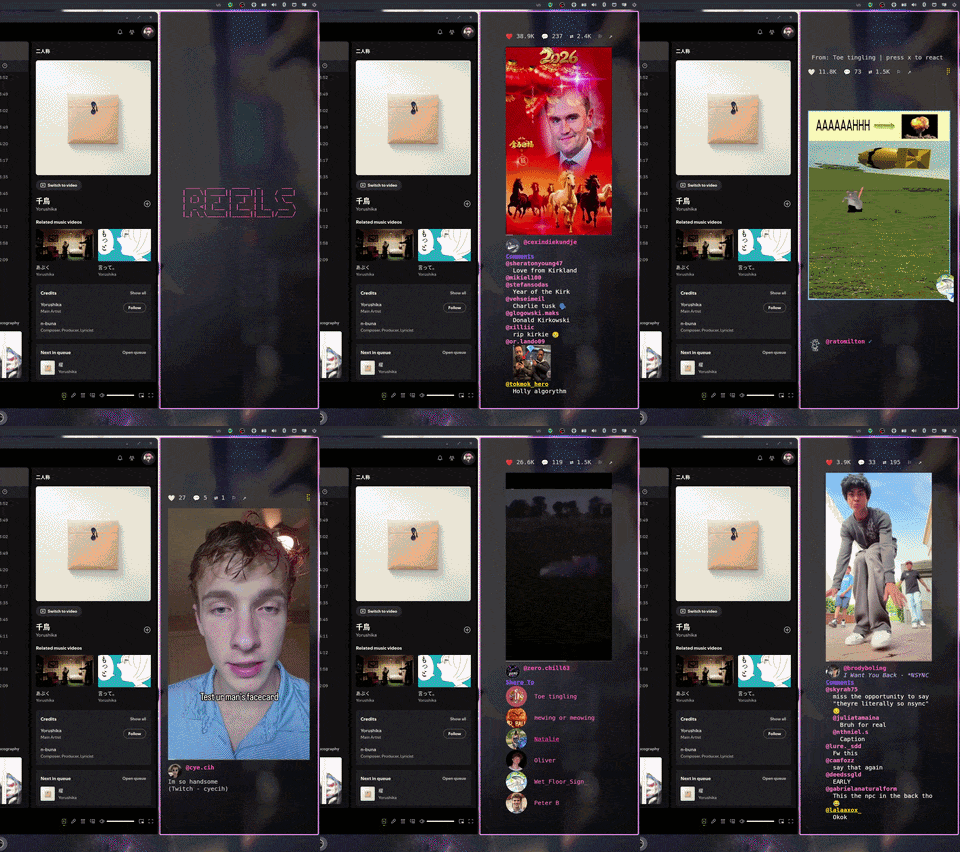
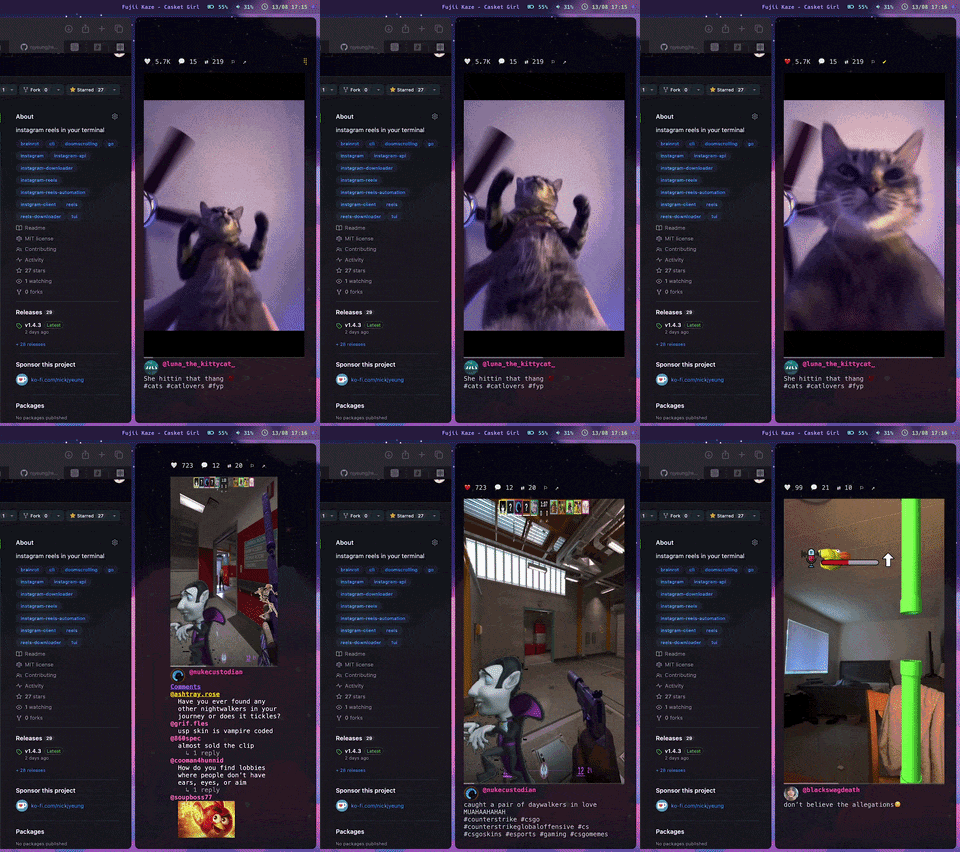
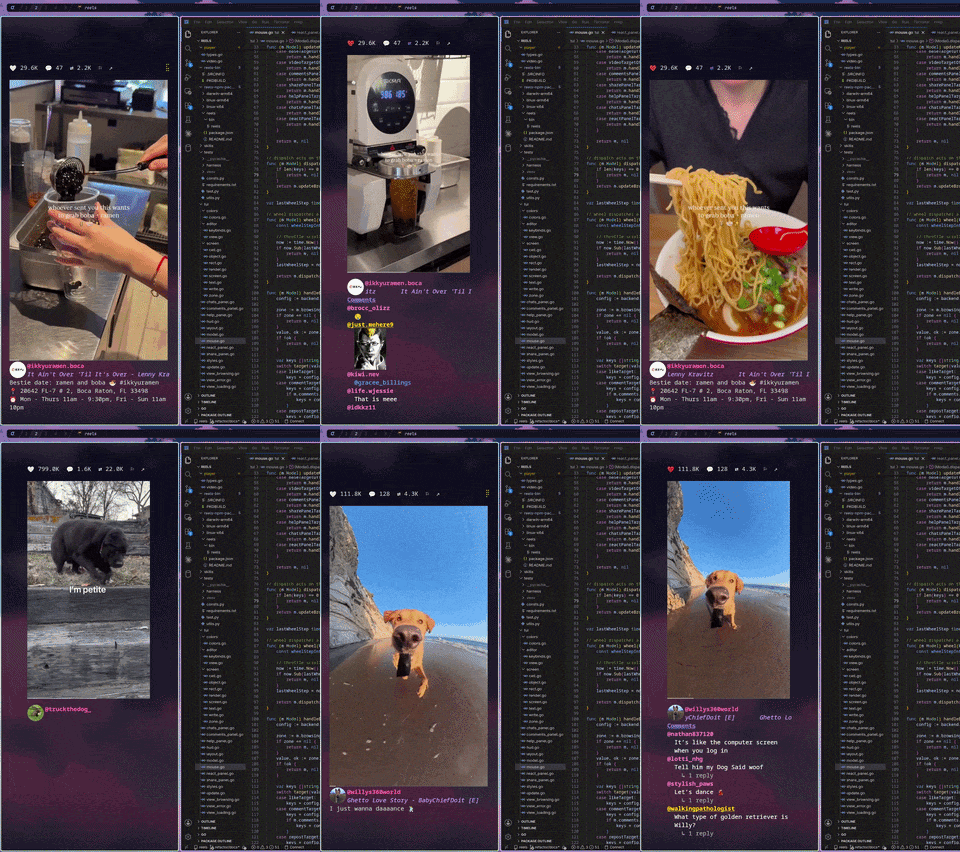
Reels TUI brings the full Instagram Reels experience to your terminal. Scroll your feed, browse comments, interact with your friends, and more!


Installation
npm (macOS ARM64 / Linux x86_64 & ARM64)
npm install -g @reels/tui
reels
Homebrew (macOS ARM64 / Linux x86_64 & ARM64)
brew tap njyeung/tap
brew install reels
reels
AUR (Arch Linux x86_64 & ARM64)
yay -S reels-bin
reels
Usage
reels
| Flag | Effect |
|---|---|
--login |
Opens a visible browser to log in to Instagram. |
--headed |
Runs the browser visibly while Reels still controls it. Use this to diagnose sync failures |
--config |
Opens the keybind editor. Doesn't launch a browser |
--version |
Prints the version and exits |
Terminal
You need a terminal that supports the Kitty graphics protocol:
- Kitty (recommended)
- Ghostty (recommended)
- WezTerm (recommended)
- iTerm2 (recommended)
- st (recommended)
- Konsole
- Warp
- wayst
Features
Like, repost, save
|
Comments
|
Share to DMs
|
Watch and react to what friends sent you
|
Shazam built-in
|
Config
All keybinds are configurable. Each action supports multiple binds. Open/close pairs can be bound to the same key to toggle.
The config TUI is a wrapper for ~/.config/reels/reels.conf (which may also be edited by hand):
reels --config
See CONFIG.md for the full list of settings and their defaults.
File paths
| What | Where |
|---|---|
| Settings | ~/.config/reels/reels.conf |
| Cache | ~/.cache/reels/ |
| Browser data | ~/.local/share/reels/ |
| Logs | ~/.local/state/reels/reels.log |
Pre-built Binaries
Download the latest release from GitHub Releases:
| Platform | Binary |
|---|---|
| Linux (x86_64) | reels-linux-amd64 |
| Linux (ARM64) | reels-linux-arm64 |
| macOS (Apple Silicon) | reels-darwin-arm64 |
Building from source (For Developers)
Requires Go 1.25+ and FFmpeg 9+ development libraries.
Pre-built binaries ship with FFmpeg statically linked. For development, dynamically linking against a system FFmpeg makes building and iteration faster (simply go build -o reels). You can still build using docker, but I highly recommend installing the correct versions of FFmpeg following the directions below:
macOS: Requires ffmpeg-full from Homebrew (brew install ffmpeg-full), MacPorts, or FFmpeg 9+ built from source. The standard brew install ffmpeg is missing required framework link flags.
Linux: Requires FFmpeg 9+ development libraries from your package manager (e.g. sudo pacman -S ffmpeg on Arch, sudo apt install ffmpeg on Debian/Ubuntu). This usually works fine as long as your packages are updated.
# brew install ffmpeg-full      on macOS
# sudo apt install ffmpeg       on Linux
# ffmpeg -version               should be 9+
git clone https://github.com/njyeung/reels.git
cd reels
go build -o reels .
Troubleshooting
My terminal shows no video at all
It is likely that your terminal does not properly support the Kitty graphics protocol. See Terminal.
"could not complete initial sync" on startup
Almost always means the saved session didn't stick, even if you clicked Save Info.
Diagnose by relaunching with the browser visible:
reels --headed
If the window is sitting on an Instagram login screen, log in and click Save Info again.
High CPU usage
Try using one of the recommended terminals. These terminals support reading image data from a shared memory object rather than having Reels TUI base64 encode and print it to stdout.
Nothing works
Sometimes, the Chrome profile may be left in an unrecoverable state. Wipe the chrome-data and restart:
rm -rf ~/.local/share/reels/
reels
