
nikosklms/FareBot
nikosklms/FareBot has 48 GitHub stars and 2 forks. GitHot measured 0 stars in 24 hours. Last checked 2026-11-15 03:24 UTC. Last push 2026-11-07.
Measured star growth
- in 24h
- 0
- in 7 days
- Collecting history
- in 15 days
- Collecting history
- in 1 month
- Collecting history
Net star changes over overlapping periods, not daily totals. Missing measurements are left blank. Stars measure attention, not software quality.
About
A self-hosted Telegram bot that finds the cheapest flights, tracks fares, and alerts you when prices drop—so you can spend less time searching and more time planning your next trip.
Self-hostedREADME.md
Original

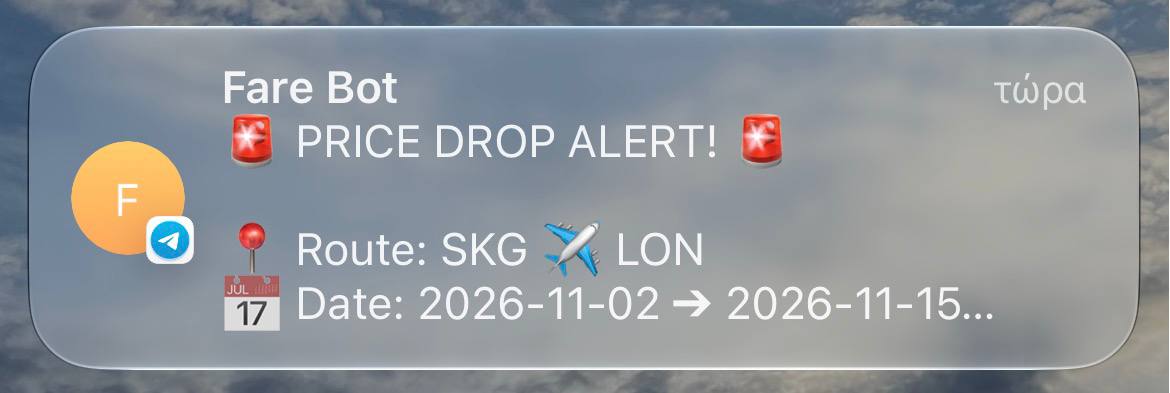
A Telegram bot that watches Google Flights for you. Search a route, track it until it drops under your budget, or scan a whole region for the best deals from your airport.
What it does
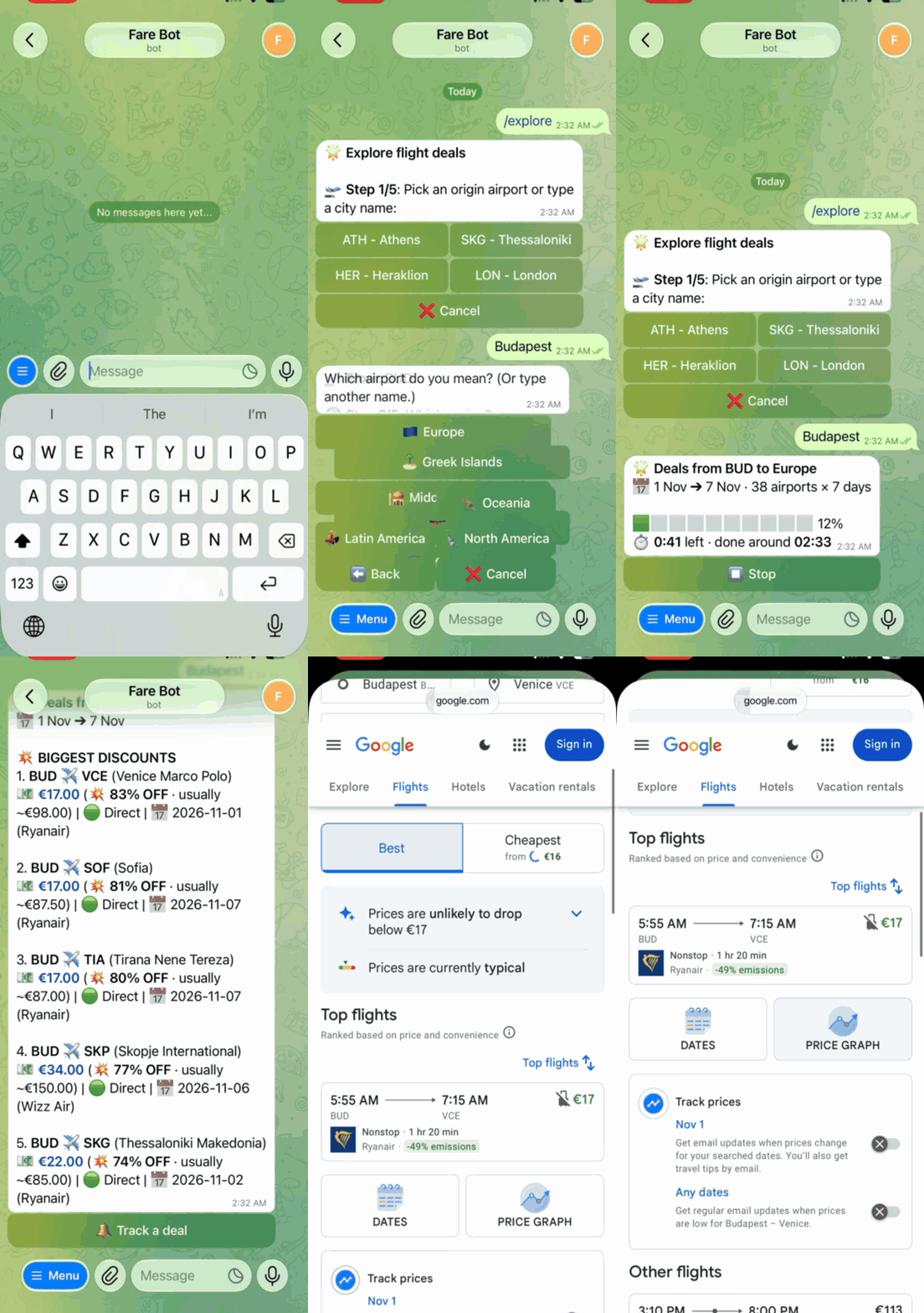
/searchfinds the cheapest flights for a date or a date range and flags fares well below their usual price./trackchecks a route every 6, 12 or 24 hours and messages you when it drops under your budget./exploresearches every destination in a region (Europe, Asia, the Greek islands and more) and ranks them by price or by discount./digestruns an explore search every week and sends you the results at a time you pick./mytrackslists your trackers and digests. You can edit, pause, share or delete them.
FareBot is meant to be self-hosted for yourself and a few friends. Anyone else who messages it sends you an access request, which you approve or deny with one tap. As the admin you also get /users to manage people and /stats for usage; by default everyone else can have 3 active trackers and digests and search up to 180 days at a time (see Admin tools). It doesn't need an API key: it reads the same data the Google Flights website shows, using fast-flights.
Setup
Get a bot token from @BotFather and your user ID from @userinfobot, then:
git clone https://github.com/nikosklms/FareBot.git && cd FareBot
cp .env.example .env    # add your token, user ID and timezone
docker compose up -d --build
The database is kept in ./data, and docker compose logs -f shows the log. Without Docker, on Python 3.10+:
pip install -r requirements.txt
python main.py
| Variable | Meaning |
|---|---|
TELEGRAM_BOT_TOKEN |
Token from @BotFather. |
ALLOWED_USERS |
Comma-separated Telegram user IDs with access. The first one is the admin. Changes apply without a restart. |
TIMEZONE |
Your tz database name for digest times, e.g. Europe/Athens. Required with Docker. |
FAREBOT_DB_PATH |
Optional. SQLite file, farebot.db by default. |
Admin tools
As the admin you can change limits and manage everyone's trackers and digests from the chat.
/limitssets how many active trackers and digests people can have (1–20) and how many days ahead they can search (30–330), for everyone or for one person. The defaults are 3 and 180 days. Tap a number or type one. Lowering a limit doesn't pause anything people already have.- Anyone's trackers and digests: open a person in
/limits, or send/mytracks ID, to pause, resume, edit or delete theirs. Their limits don't apply to you, and they get a message when you change something. - Shortcuts take the ID shown in
/users:/limits ID active 5 days 90,/limits everyone days 120,/limits ID reset.
Shortcuts
Every command walks you through its options with buttons, or takes them in one line:
/search ATH LON 2026-09-01..2026-09-15 direct
/track ATH LON 2026-09-01 150 direct
/explore ATH europe 30 100 10 direct # origin, region, days ahead, budget (0 = any), results
/digest ATH europe 30 80 Sunday@15:00 10 direct
How it works
Each search is one request to Google Flights for one route and one day, so a single /explore can send hundreds. The bot runs 5 at a time, which comes to about 430 searches a minute without being rate-limited (measured with tools/benchmark.py). Long searches run in the background with a progress bar and a Stop button, so the bot keeps answering meanwhile. Repeated searches come from a cache (see Caching). If Google rate-limits the bot, every request pauses for a minute instead of retrying straight away, and the pause doubles (up to 15 minutes) while the blocks continue.
Trackers and digests are scheduled jobs that are reloaded from SQLite on startup.
| Path | Contents |
|---|---|
bot/handlers/ |
One module per command. The wizards share steps from bot/wizard.py. |
bot/formatting.py |
Message text. |
daemon/scheduler.py |
Tracker checks, weekly digests and nightly cleanup. |
database/ |
SQLite access, models and migrations. |
providers/ |
Google Flights requests and parsing, the result cache and the request scheduler. |
services/ |
Deal ranking, airport data, airport name search and progress estimates. |
Caching
Results are kept for 15 minutes and shared between users, so when two people search the same route and day, or an /explore overlaps a tracker, Google is asked once. Prices on Google Flights change a few times a day at most, so a 15-minute-old result is still the price you'd see on the website.
- An identical search that's already running is shared too: the second one waits for the first instead of sending its own request.
- Failed searches aren't cached, and neither are partial ones (e.g. a city where one of its airports couldn't be searched), so the next search tries again.
- A search is only stopped when nobody else is waiting for it, so pressing Stop doesn't cancel someone else's results.
- The cache lives in memory, holds up to 8,000 results (about 100 MB at most) and starts empty after a restart.
Scheduling
The bot sends 5 requests at a time, and when several jobs compete for them, providers/slots.py uses a hybrid of shortest-remaining-time-first and round-robin:
/searchand/explorego before digests and tracker checks.- 4 of every 5 slots go to the job with the fewest searches left; the 5th rotates through the rest, so no job stalls.
- A search shared by two jobs runs at the more urgent job's pace (priority inheritance).
In simulations this cut the average wait by about a third against first come, first served. Progress bars follow the same schedule, so their countdowns account for the other jobs.
Development
pip install -r requirements-dev.txt
pytest                      # drives the real bot through a fake Telegram API, no token or network needed
pytest -m live              # also runs real Google Flights searches
ruff check .
python -m tools.benchmark   # searches per minute, request times and memory against Google Flights
Limitations
- Google Flights has no public API. If Google changes its page format, searches come back empty until the parser is updated. To catch that early, the bot searches a busy route (and a second if needed) every day at 09:00 (retrying hourly, up to 3 times, if Google can't be reached) and messages the admin if it can't read the results, and once more when it can again. After a restart while it's broken, it checks again within 5 minutes, so you know right away if a fix worked.
- Google limits how fast you can search, so trackers check every 6 hours at most.
- One-way flights only.
- FareBot isn't affiliated with Google. Use it for personal projects.