
netbirdio/dashboard
netbirdio/dashboard has 670 GitHub stars and 233 forks. GitHot measured +1 stars in 24 hours. Last checked 2026-11-15 22:31 UTC. Last push 2026-11-14.
What you can do
- Report a bug, regression, or unexpected behavior - Issue Triage
- Request a feature or share an idea - Ideas & Feature Requests
- Ask about setup, configuration, or self-hosting - Q&A / Support
- Report a security vulnerability - Security policy, never a public thread
Measured star growth
- in 24h
- +1
- in 7 days
- Collecting history
- in 15 days
- Collecting history
- in 1 month
- Collecting history
Net star changes over overlapping periods, not daily totals. Missing measurements are left blank. Stars measure attention, not software quality.
About
NetBird Management Service Web UI Panel
Web & AppsREADME.md
OriginalNetBird Dashboard
This project is the UI for NetBird's Management service.
Hosted version: https://app.netbird.io/
See NetBird repo
Reporting bugs and requesting features
NetBird uses a discussion-first workflow across all its repositories. Bug reports and feature requests for the dashboard start in netbird Discussions, not as issues here.
| What you want to do | Where to go |
|---|---|
| Report a bug, regression, or unexpected behavior | Issue Triage |
| Request a feature or share an idea | Ideas & Feature Requests |
| Ask about setup, configuration, or self-hosting | Q&A / Support |
| Report a security vulnerability | Security policy, never a public thread |
Our team triages each discussion. Validated reports become issues in this repository, linked back to the discussion. See How to use Discussions, Issues, and Pull Requests for the full workflow.
Why?
The purpose of this project is simple - make it easy to manage VPN built with NetBird. The dashboard makes it possible to:
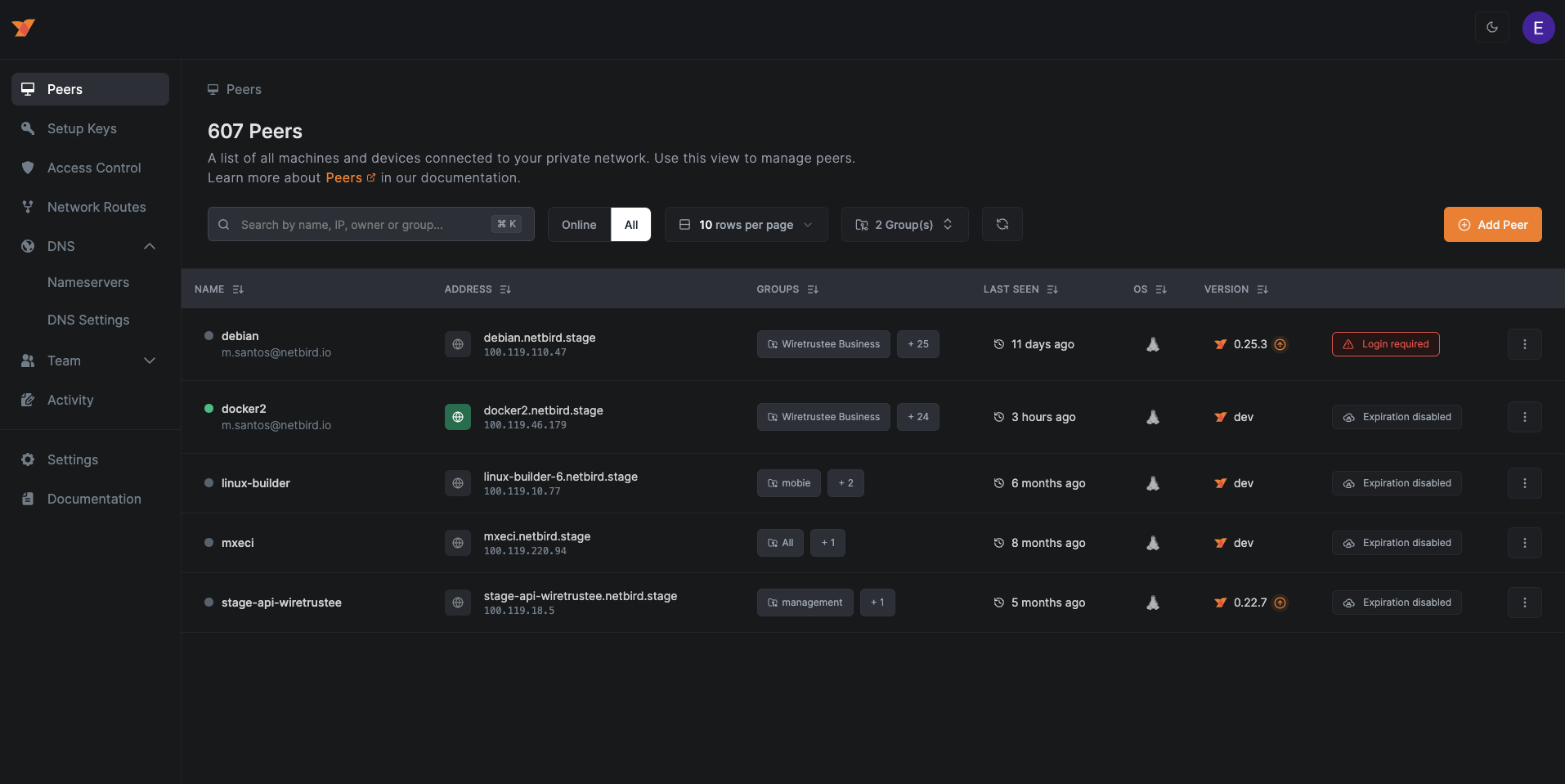
- track the status of your peers
- remove peers
- manage Setup Keys (to authenticate new peers)
- list users
- define access controls
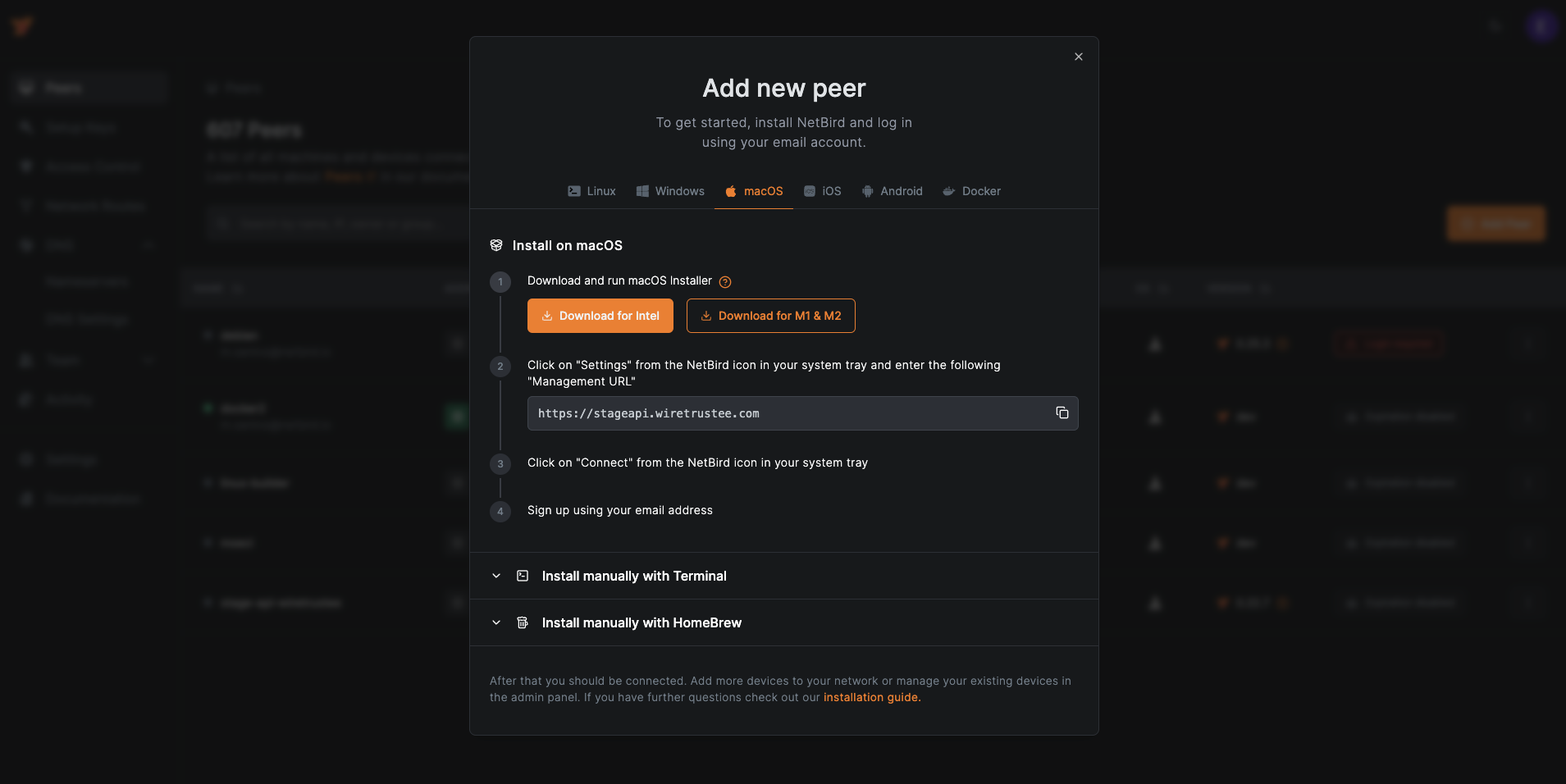
Some Screenshots
Technologies Used
- NextJS
- ReactJS
- Tailwind CSS
- React Flow for the Control Center
- Auth0
- Nginx
- Docker
- Let's Encrypt
How to run
Disclaimer. We believe that proper user management system is not a trivial task and requires quite some effort to make it right. Therefore we decided to use Auth0 service that covers all our needs (user management, social login, JWT for the management API). Auth0 so far is the only 3rd party dependency that can't be really self-hosted.
Install Docker
Register Auth0 account
Running NetBird UI Dashboard requires the following Auth0 environmental variables to be set (see docker command below):
AUTH0_DOMAINAUTH0_CLIENT_IDAUTH0_AUDIENCETo obtain these, please use Auth0 React SDK Guide up until "Configure Allowed Web Origins"
NetBird UI Dashboard uses NetBird's Management Service HTTP API, so setting
NETBIRD_MGMT_API_ENDPOINTis required. Most likely it will behttp://localhost:33071if you are hosting Management API on the same server.Run docker container without SSL (Let's Encrypt):
docker run -d --name netbird-dashboard \
  --rm -p 80:80 -p 443:443 \
  -e AUTH0_DOMAIN=<SET YOUR AUTH DOMAIN> \
  -e AUTH0_CLIENT_ID=<SET YOUR CLIENT ID> \
  -e AUTH0_AUDIENCE=<SET YOUR AUDIENCE> \
  -e NETBIRD_MGMT_API_ENDPOINT=<SET YOUR MANAGEMENT API URL> \
  netbirdio/dashboard:main
Run docker container with SSL (Let's Encrypt):
docker run -d --name netbird-dashboard \
  --rm -p 80:80 -p 443:443 \
  -e NGINX_SSL_PORT=443 \
  -e LETSENCRYPT_DOMAIN=<YOUR PUBLIC DOMAIN> \
  -e LETSENCRYPT_EMAIL=<YOUR EMAIL> \
  -e AUTH0_DOMAIN=<SET YOUR AUTH DOMAIN> \
  -e AUTH0_CLIENT_ID=<SET YOUR CLEITN ID> \
  -e AUTH0_AUDIENCE=<SET YOUR AUDIENCE> \
  -e NETBIRD_MGMT_API_ENDPOINT=<SET YOUR MANAGEMENT API URL> \
  netbirdio/dashboard:main
How to run local development
- Install Node
- Create and update the
.local-config.jsonfile. This file should contain values to be replaced fromconfig.json - Run
npm installto install dependencies - Run
npm run devto start the development server
Open http://localhost:3000 with your browser to see the result.
You can start editing by modifying the code inside src/..
The page auto-updates as you edit the file.
How to migrate from old dashboard (v1)
The new dashboard comes with a new docker image netbirdio/dashboard:main.
To migrate from the old dashboard (v1) wiretrustee/dashboard:main to the new one, please follow the steps below.
- Stop the dashboard container
docker compose down dashboard - Replace the docker image name in your
docker-compose.ymlwithnetbirdio/dashboard:main - Recreate the dashboard container
docker compose up -d --force-recreate dashboard