
nasa-jpl/honeycomb
nasa-jpl/honeycomb has 37 GitHub stars and 8 forks. GitHot measured 0 stars in 24 hours. Last checked 2026-11-09 09:19 UTC. Last push 2026-08-14.
A 3D Visualization Framework built for Robotics
Measured star growth
- in 24h
- 0
- in 7 days
- Update delayed
- in 15 days
- Update delayed
- in 1 month
- Update delayed
Net star changes over overlapping periods, not daily totals. Missing measurements are left blank. Stars measure attention, not software quality.
README.md
OriginalHoneycomb
This repo demonstrates the Honeycomb suite of packages for robotic swarm and autonomy visualization.
There are two separate apps that showcase how to utilize Honeycomb:
- A Grafana panel plugin that utilizes Grafana for the telemetry playback. This is the newer approach, which has been demonstrated for CADRE and M2020.
- A "Caspian" standalone web app that utilizes Honeycomb's built-in telemetry playback code. This is the legacy approach, which has been used in flight operations by MSL, M2020, and EELS. It's also been tested for use by SRH and CADRE.
The current recommended approach is to use the Grafana Panel Plugin.
Demonstrations
These YouTube videos showcase Honeycomb usage at JPL:


See also https://www-robotics.jpl.nasa.gov/what-we-do/applications/user-interfaces/
Grafana Panel Plugin for Honeycomb panes
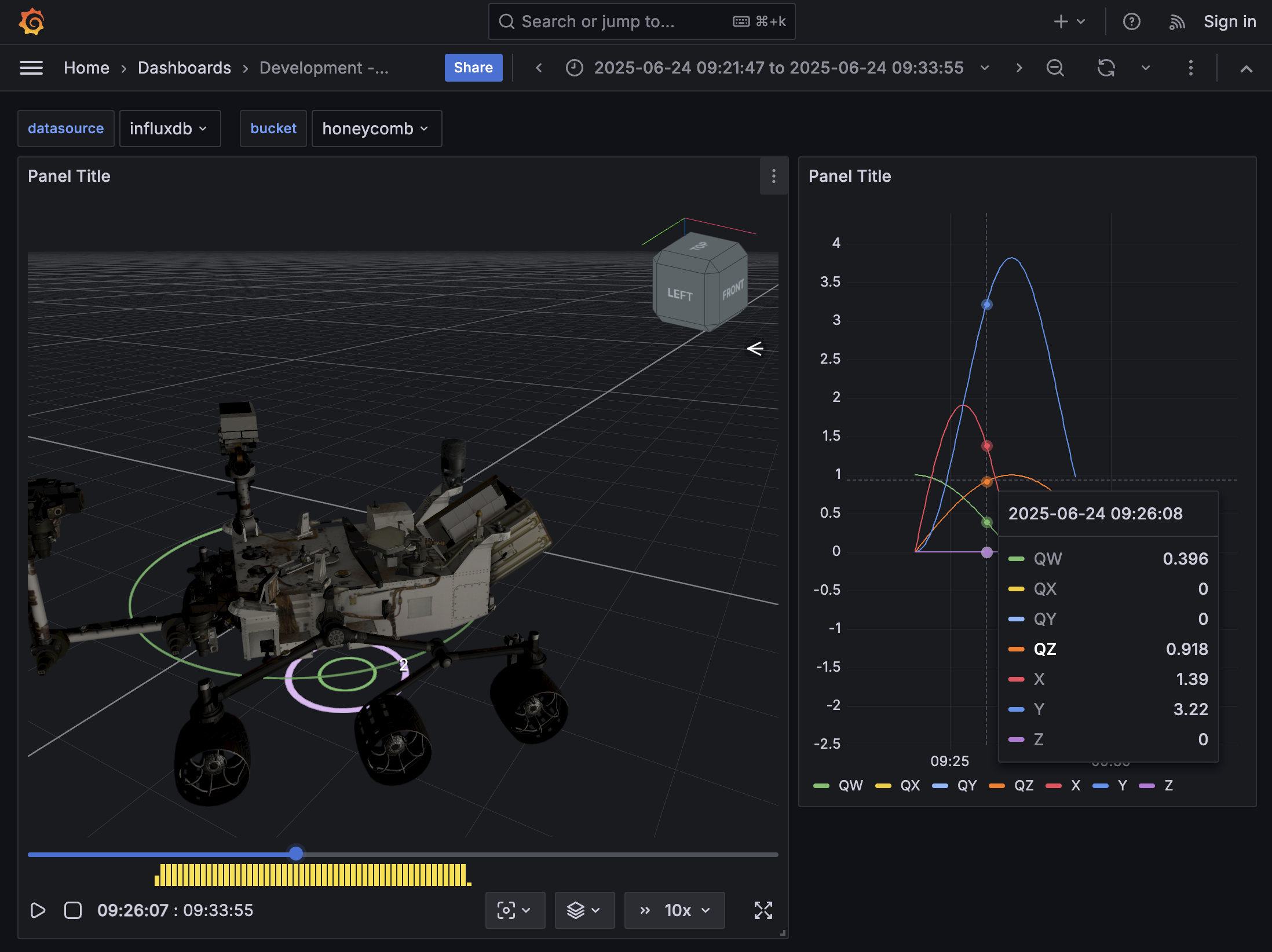
Quick Setup
Tested with node v20.
Run the Grafana plugin:
$ cd app/grafrana
$ yarn install
$ yarn run dev
In a separate terminal, run Grafana and InfluxDB:
$ cd app/grafrana
$ docker compose build
$ docker compose up
Then visit http://localhost:3001/
Changing the data
- Login to InfluxDB at http://localhost:8087/ with
adminandadmin123 - Delete the
honeycombbucket - Create a new
honeycombbucket - Add new data (e.g., via csv upload, such as using
app/grafana/.config/data/drive.csv) - When reloading the dashboard in the Grafana view (http://localhost:3001/), update the start and end times appropriately. Alternatively, you could manually update the dashboard JSON files (e.g.,
app/grafana/provisioning/dashboards/dashboard-log.json).
Caspian App
This is a self-contained web app that utilizes Honeycomb's config files and built-in telemetry loading, animating, and drivers.
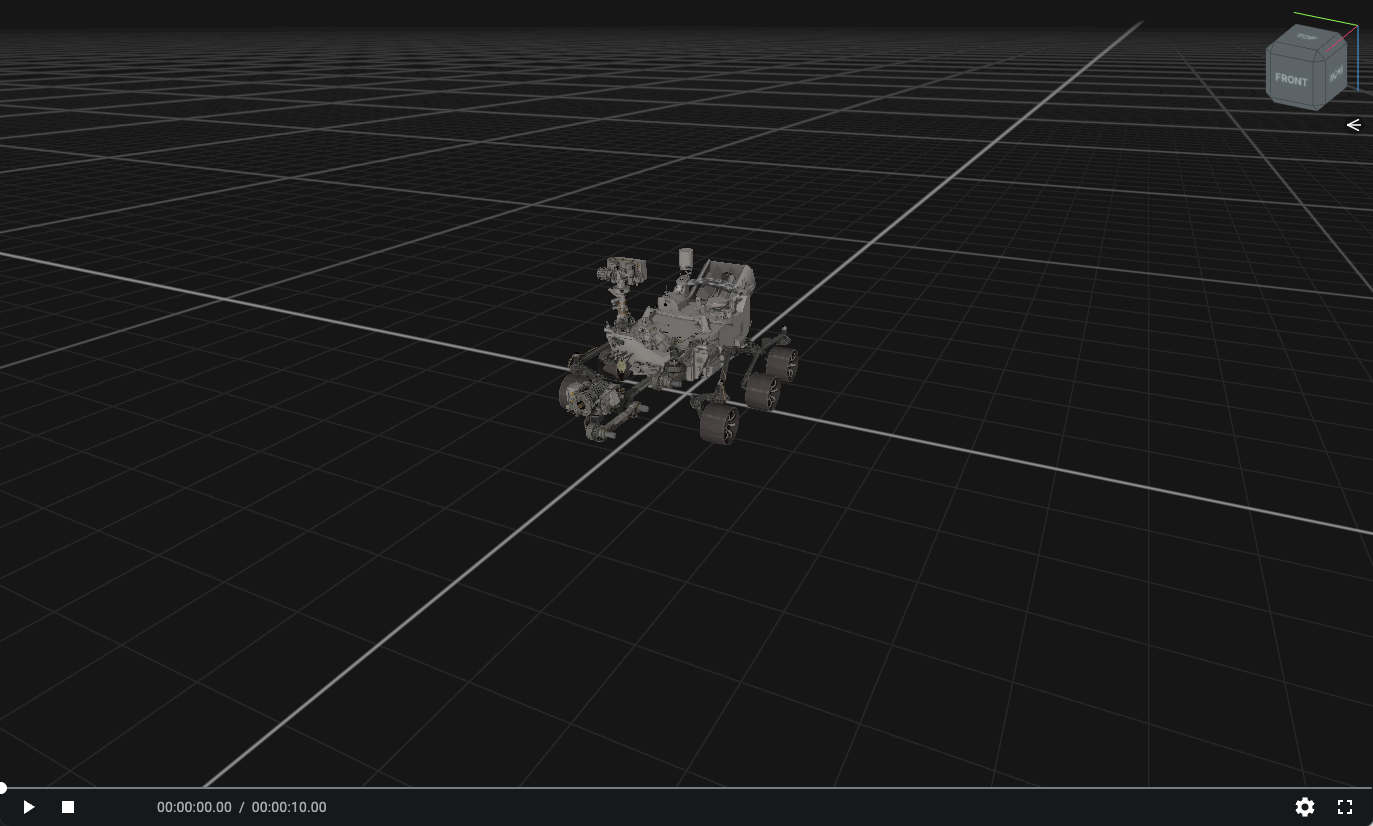
https://github.com/user-attachments/assets/1d39fe77-f64a-4f9d-bb0d-54f1b119e524
Quick Setup
Tested with node v20.
- Install Git LFS if you do not have it already
- Clone https://github.com/nasa-jpl/honeycomb-caspian-assets
- Create a symlink
assetsto the clonedhoneycomb-caspian-assetsrepo:ln -s <path-to-honeycomb-caspian-assets> assets
$ cd app/caspian
$ yarn install
$ yarn start
Then visit one of these examples:
- http://localhost:9000/browser/#/assets/configs/csv/test.json
- http://localhost:9000/browser/#/assets/configs/json/2021-06-25-20-14-48_sol00122.json
UI Tips
Click into the 3D view to focus on it, then press r to make the view follow the robot.
Changing the data
Adjust the data in https://github.com/nasa-jpl/honeycomb-caspian-assets as necessary.
Credit
Original design and development of Honeycomb was done by Garrett Johnson and Amos Byon, along with contributions from Katherine Park, Rob Ray, Flynn Platt, Amanda Chung, and Ryan Kinnett.
Copyright and License
Copyright (c) 2025 California Institute of Technology (“Caltech”). U.S. Government sponsorship acknowledged.
All rights reserved.
Redistribution and use in source and binary forms, with or without modification, are permitted provided that the following conditions are met:
- Redistributions of source code must retain the above copyright notice, this list of conditions and the following disclaimer.
- Redistributions in binary form must reproduce the above copyright notice, this list of conditions and the following disclaimer in the documentation and/or other materials provided with the distribution.
- Neither the name of Caltech nor its operating division, the Jet Propulsion Laboratory, nor the names of its contributors may be used to endorse or promote products derived from this software without specific prior written permission.
THIS SOFTWARE IS PROVIDED BY THE COPYRIGHT HOLDERS AND CONTRIBUTORS "AS IS" AND ANY EXPRESS OR IMPLIED WARRANTIES, INCLUDING, BUT NOT LIMITED TO, THE IMPLIED WARRANTIES OF MERCHANTABILITY AND FITNESS FOR A PARTICULAR PURPOSE ARE DISCLAIMED. IN NO EVENT SHALL THE COPYRIGHT OWNER OR CONTRIBUTORS BE LIABLE FOR ANY DIRECT, INDIRECT, INCIDENTAL, SPECIAL, EXEMPLARY, OR CONSEQUENTIAL DAMAGES (INCLUDING, BUT NOT LIMITED TO, PROCUREMENT OF SUBSTITUTE GOODS OR SERVICES; LOSS OF USE, DATA, OR PROFITS; OR BUSINESS INTERRUPTION) HOWEVER CAUSED AND ON ANY THEORY OF LIABILITY, WHETHER IN CONTRACT, STRICT LIABILITY, OR TORT (INCLUDING NEGLIGENCE OR OTHERWISE) ARISING IN ANY WAY OUT OF THE USE OF THIS SOFTWARE, EVEN IF ADVISED OF THE POSSIBILITY OF SUCH DAMAGE.
See LICENSE
Explore related projects
ytdl-org/youtube-dl
Command-line program to download videos from YouTube.com and other video sites
141,500 starsexcalidraw/excalidraw
Virtual whiteboard for sketching hand-drawn like diagrams
135,396 starsgodotengine/godot
Godot Engine – Multi-platform 2D and 3D game engine
119,840 starsmrdoob/three.js
JavaScript 3D Library.
117,983 stars