
naman-sharma12345/kimo has 31 GitHub stars and 5 forks. GitHot measured 0 stars in 24 hours. Last checked 2026-11-15 20:21 UTC. Last push 2026-11-14.
What you can do
- Editing - project, timeline - tracks, clips, trims, ripple and roll edits, speed ramps, cut on the beat (beat_cut), scene auto-split (scene_split), multicam, markers, paste attributes, atomic batch with undo
- Compositing - masks, graphics - mask layers and roto, shapes and path operators (wiggle, zig zag, pucker/bloat, twist, round corners), HUD frames, counters, boxes
- Text - text - titles, captions, SRT import, text animators
- VFX - vfx3d - code clips (a web page / three.js project drawn per frame), particles, emitters, shard bursts, 3D scene, physics, lights and materials, 3D layer compositor (depth sort, plane intersections, cast shadows, depth of field)
Measured star growth
- in 24h
- 0
- in 7 days
- Update delayed
- in 15 days
- Update delayed
- in 1 month
- Update delayed
Net star changes over overlapping periods, not daily totals. Missing measurements are left blank. Stars measure attention, not software quality.
About
MCP-first AI video editor in Rust/C++. Every operation is an AI-callable tool.
Developer ToolsREADME.md
Original
kimo
The video editor your AI drives.
A real desktop video editor with an engine where every cut, keyframe, grade and export is a tool call.
Bring Claude Code, Codex or Antigravity on the plan you already pay for, and watch every edit land on the timeline.







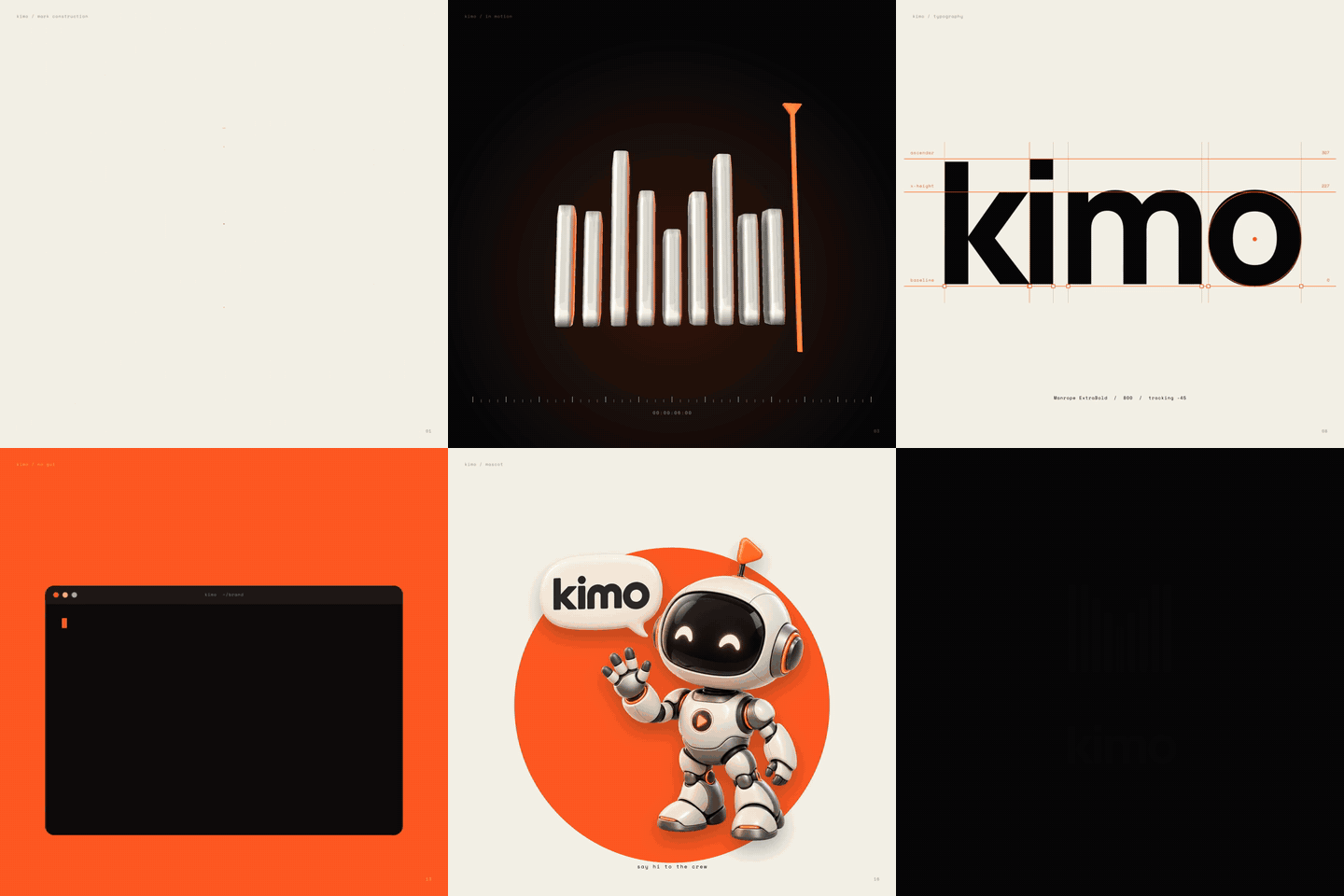
Made with kimo. A 33-second brand reveal, rendered by the engine from tool calls an agent made. Watch with sound ▶
Download · What's new in 9 · Connect your AI · What it can do · Gallery · How it works · Docs
“Cut out the silences, add a title and captions, grade it warm, and export a 9:16 short.”
Type that into kimo's Agent tab. Your agent plans it, calls the engine tool by tool, and every change appears on the timeline as it happens, each with its own Undo. Take over by hand at any moment: it is one project, one history.
✦ Why kimo
🤖 AI-nativeEvery feature is a registered engine command, and the MCP tool list is generated from that same registry. Whatever you can do in the editor, your agent can do too, on the same project. |
💳 Your plan, not ourskimo runs the official Claude Code, Codex or Antigravity CLI you are already signed in to. No new subscription, no API key needed, and kimo never sees your password or tokens. |
👀 Watch every editThe Live view shows each agent action as it lands, who made it, what the engine thought of it, and a one-click Undo. Several agents can share the open project at once. |
🎬 The whole stackEditing, motion graphics, text and captions, VFX, tracking, 3D and pro color: the reach of CapCut, Premiere, After Effects and Resolve, in one engine. |
⚡ Runs anywhereA CPU renderer tuned for a 2 GB machine, no GPU needed. The same engine runs headless on a laptop, a server or in CI. |
📏 Measured, not claimedEvery "better than X" line in FEATURES.md has a stated baseline and a measured number, losses included. Open source under MIT. |
✦ What's new in kimo 9
kimo 9 is the first release where the desktop app is the product: one download with the editor, the engine and your agents in one window.
The app
| The engine
|
Safe by design
| 💾 Autosave and crash recovery | Your project is saved in the background. After a crash, kimo offers it back on the next start, with its undo history, so Ctrl+Z still works. |
| 🔄 Signed in-app updates | kimo checks GitHub releases and shows Update to x.y.z. Nothing installs until you click; every update is verified against kimo's signing key first. |
| 🩹 Opt-in crash reports | A crash writes a log on your computer. Next time kimo asks whether to send it, and you review and submit it yourself. Nothing is sent otherwise. |
Full list in CHANGELOG.md. Details: updates and crash reports.
✦ Get kimo
1. Download kimo 9 from the latest release or getkimo.tech:
| System | File |
|---|---|
| 🪟 Windows 10/11 (64-bit) | kimo-setup-windows-x64.exe |
| 🐧 Linux x86_64 | kimo-linux-x86_64.AppImage or kimo-linux-amd64.deb |
One app: a video editor with the kimo engine inside. Media bin, viewer, timeline, inspector and export, plus an Agent tab and a Live view.
2. Pick your agent, on the plan you already have. No API key needed: kimo runs the official CLI you are signed in to.
| Agent | Plan | Install once |
|---|---|---|
| Claude Code | Claude Pro or Max | npm install -g @anthropic-ai/claude-code |
| Codex | ChatGPT Plus, Pro, Business or Enterprise | npm install -g @openai/codex |
| Antigravity | Google account | antigravity.google/download |
The Connections tab finds them, shows whether each is signed in, and opens the CLI's own sign-in in a terminal when it is not. kimo never sees your password or tokens. An API key (OpenAI, Anthropic, Gemini, OpenRouter, Groq or any OpenAI-compatible server) still works for people without a plan.
3. Ask for an edit in the Agent tab, or in the bar under the viewer:
"Cut out the silences, add a title and captions, and export a 9:16 short."
Every step streams into the chat, every change lands on the timeline as it happens, and each one gets its own Undo.
Your own terminal or IDE too. Press Add kimo to Claude Code / Codex / Antigravity in Connections (or point any MCP app at kimo-gui mcp). While the app is open, those sessions join the project you are looking at; when it is closed they get their own engine.
kimo needs FFmpeg; it uses the copy already on your computer, or offers to download it on first start.
📦 Release files and checksums
Installers are built by the release workflow on GitHub-hosted runners, with a SHA256SUMS file. CI installs each one, starts it, checks that the engine runs and that an agent can attach to the open app, then uninstalls it. Installers carry an updater signature (.sig) that the app checks before installing an update; they are not yet Authenticode code-signed on Windows. macOS is coming later.
| Linux x86_64 | Windows x64 | |
|---|---|---|
| kimo app (editor + engine) | kimo-linux-x86_64.AppImage, kimo-linux-amd64.deb |
kimo-setup-windows-x64.exe |
| Engine only (CLI + MCP server) | kimo-v<version>-linux-x86_64-glibc.tar.gz |
kimo-<version>-windows-x86_64-setup.exe or .zip |
sha256sum -c SHA256SUMS --ignore-missing                                   # Linux
Get-FileHash .\kimo-setup-windows-x64.exe -Algorithm SHA256                # Windows PowerShell
Linux
sudo apt install ./kimo-linux-amd64.deb        # remove with: sudo apt remove kimo
# or, no install:
chmod +x kimo-linux-x86_64.AppImage && ./kimo-linux-x86_64.AppImage   # no FUSE? add --appimage-extract-and-run
Windows. Run kimo-setup-windows-x64.exe (per user, no admin). SmartScreen says "Windows protected your PC": click More info, then Run anyway. It uses Microsoft Edge WebView2 (already on Windows 11).
🛠️ Build from source (full guide)
1. Prerequisites
All platforms: the Rust toolchain from rustup, cmake and a C++ compiler (the engine builds vendored Manifold), and ffmpeg + ffprobe on PATH at runtime.
| Linux (Debian / Ubuntu) | Windows | macOS (from source, untested) |
|---|---|---|
|
| |
Linux x86_64 is the tested platform for the engine. The Windows list follows the Tauri and Rust prerequisites; the release workflow builds the engine and the spectator with it on a GitHub Windows runner, but a build from clone on a real Windows PC has not been tried yet.
Step 4 (the spectator app) also needs Node.js 18 or newer for npx; the CI jobs use Node 22.
macOS: no installer in this release, and it has not been built on a Mac here. The commands in the macOS column and in steps 2-4 are the same ones the Linux and Windows CI jobs run; crates/kimo-core/build.rs links libc++ on macOS. Reports welcome.
2. Build the engine
git clone https://github.com/naman-sharma12345/kimo.git
cd kimo
cargo build --release --workspace --bins           # on a 2 GB box: CARGO_BUILD_JOBS=1 (cold build ~17 min)
target/release/kimo --version                       # the version in Cargo.toml and the git commit
kimo-mcp is the MCP server (stdio). kimo is the command line client for the same tools.
3. Run it headless
kimo-mcp takes no required arguments: it reads JSON-RPC on stdin and writes replies on stdout. Your MCP client normally starts it for you.
target/release/kimo-mcp                                              # headless MCP server; streams telemetry to the spectator when it is open
KIMO_SPECTATOR=off target/release/kimo-mcp                           # same, with telemetry off
target/release/kimo-mcp --spectator-demo                             # demo mode: one paced frame per call (needs the spectator open)
echo '{"jsonrpc":"2.0","id":1,"method":"initialize","params":{}}' | target/release/kimo-mcp   # quick check
The check prints "serverInfo":{"commit":"...","name":"kimo",...,"version":"..."}. --demo-pace-ms <50..100> sets the demo pace; KIMO_TOOLS picks the tool list profile.
4. Build the kimo app
The app is its own Cargo workspace in crates/kimo-gui. For a quick run from the checkout (it finds the engine in target/release and the fonts in fonts/):
cd crates/kimo-gui
cargo build --release --features custom-protocol
./target/release/kimo-gui
Installers, with the engine inside as a sidecar and the fonts as resources (what the release workflow does):
cargo build --release -p kimo-mcp && bash fonts/fetch.sh             # from the repo root
mkdir -p crates/kimo-gui/binaries
cp target/release/kimo-mcp crates/kimo-gui/binaries/kimo-mcp-$(rustc -vV | sed -n 's/host: //p')
cd crates/kimo-gui
echo '{"bundle":{"externalBin":["binaries/kimo-mcp"],"resources":{"../../fonts/":"fonts/"}}}' > tauri.release.json
npx --yes @tauri-apps/[email protected] build --bundles nsis --config tauri.release.json            # Windows
npx --yes @tauri-apps/[email protected] build --bundles deb,appimage --config tauri.release.json    # Linux
The installers land in crates/kimo-gui/target/release/bundle/.
5. Connect a client
Client config. Use the absolute path of the binary you just built, for example /home/you/kimo/target/release/kimo-mcp.
- Claude Code:
claude mcp add --transport stdio kimo -- /home/you/kimo/target/release/kimo-mcp - Claude Desktop: add this to
claude_desktop_config.json(Settings, Developer, Edit Config) and restart the app. Theenvblock is optional;KIMO_TOOLS=corereturns a shorttools/list.
{
  "mcpServers": {
    "kimo": {
      "command": "/home/you/kimo/target/release/kimo-mcp",
      "args": [],
      "env": { "KIMO_TOOLS": "core" }
    }
  }
}
- Cursor: put the same block in
~/.cursor/mcp.json(all projects) or.cursor/mcp.json(one project), then switch the server on in Cursor's MCP settings. - Generic MCP client (stdio): command = the absolute path, no arguments, optional env as above. Any client that registers a stdio server by command and uses the
mcpServersshape takes the block as is.
The server itself (launch, initialize, tools/list) is verified on this build; the client config file locations come from each client's docs, not from a run of those apps here.
Codex and OpenCode use the formats shown under "Setup" below with the same path. KIMO_TOOLS=core (env var on the server entry) shrinks tools/list; see "Tool list profiles" below.
6. Quickstart with the CLI
State lives in a project file (--project p.kimo, created on first use). Every command below ran against this build; replace the media path with your own file.
K=target/release/kimo
$K -q call add_track --project p.kimo                                  # prints {"track_id":"track1"}
$K -q call import_media --project p.kimo --args '{"path":"/abs/path/in.mp4"}'     # returns asset_id, e.g. asset2
$K -q call add_clip --project p.kimo --args '{"track_id":"track1","source_type":"media","asset_id":"asset2","start":0,"duration":3}'
$K -q call add_title --project p.kimo --args '{"track_id":"track1","style":"lower_third","text":"Hello kimo","start":0.5,"duration":2}'
$K -q call render_frame --project p.kimo --args '{"time":1,"path":"/tmp/f.png"}'  # look at one frame
$K -q call describe_frame --project p.kimo --args '{"time":1}'                    # numbers instead of pixels: stats, histogram, clipping, visible clips
$K -q call contact_sheet --project p.kimo --args '{"path":"/tmp/sheet.png","times":[0,1,2]}'
$K export p.kimo out.mp4                                               # render the timeline
$K tools search "color grade"                                          # find tools by words
$K tools describe add_clip                                             # argument schema of one tool
Ids (track1, asset2) are what the previous call returned, so read them from the output. export checks free memory first and refuses with a clear message when the frame would not fit; set KIMO_MEM_MB to override its budget. Exit codes: 0 ok, 1 tool error, 2 usage, 3 preflight failed. kimo --help lists every subcommand.
✦ Connect your AI
kimo is a standard MCP stdio server. Your client launches kimo-mcp itself; you only give it the path.
| Client | Setup |
|---|---|
| Claude Code | |
| OpenAI Codex | |
| Cursor / Claude Desktop | |
| OpenCode | |
Quick check: echo '{"jsonrpc":"2.0","id":1,"method":"initialize","params":{}}' | kimo-mcp should print "serverInfo":{"name":"kimo"....
Detailed setup for every client (scopes, config files, Windows paths)
Config formats were checked against each client's public docs on 2026-10-11; client configs change, so if one fails, check the linked page.
Claude Code
(docs)
claude mcp add --transport stdio kimo -- /home/you/.local/bin/kimo-mcp
Add --scope user to make it available in every project, or --scope project to write it to a shared .mcp.json. Check with claude mcp list, or type /mcp inside Claude Code. The same thing as a .mcp.json file in your project:
{ "mcpServers": { "kimo": { "command": "/home/you/.local/bin/kimo-mcp", "args": [] } } }
OpenAI Codex (CLI and IDE extension)
(docs)
codex mcp add kimo -- /home/you/.local/bin/kimo-mcp
Or edit ~/.codex/config.toml (or .codex/config.toml in a trusted project):
[mcp_servers.kimo]
command = "/home/you/.local/bin/kimo-mcp"
Cursor
(docs)
Create ~/.cursor/mcp.json (all projects) or .cursor/mcp.json (one project):
{ "mcpServers": { "kimo": { "command": "/home/you/.local/bin/kimo-mcp", "args": [] } } }
Then open Cursor's MCP settings and switch the kimo server on.
OpenCode
(docs)
Put this in opencode.json in your project, or in ~/.config/opencode/opencode.json for all projects. Note that OpenCode takes command as a list and uses type: "local":
{
  "$schema": "https://opencode.ai/config.json",
  "mcp": {
    "kimo": { "type": "local", "command": ["/home/you/.local/bin/kimo-mcp"], "enabled": true }
  }
}
Any other MCP client
kimo is a standard MCP stdio server (protocol 2024-11-05, initialize, tools/list, tools/call). Any client that can register a stdio server by command works: give it the absolute path to kimo-mcp and no arguments. Many clients use the mcpServers JSON shape shown for Cursor; some (for example Zed) use a different key, so check your client's MCP docs for the exact file and format. Only the four clients above were checked against their docs.
Windows: use the path to kimo-mcp.exe (the Windows engine installer kimo-6.0.0-windows-x86_64-setup.exe installs per user, no admin rights, into %LOCALAPPDATA%\Programs\kimo by default, so the binary is %LOCALAPPDATA%\Programs\kimo\bin\kimo-mcp.exe (kimo.iss); in JSON write backslashes doubled, see the Windows guide). The configs above are the same except for the path; the Claude Code, Codex, Cursor and OpenCode formats were checked on their docs, not tested on Windows here.
3. Try it. Ask your assistant: "Use kimo to import /path/to/clip.mp4, add a title, and render a frame." Or drive it yourself with the Python client in examples/mcp_client.py.
Tool list profiles (KIMO_TOOLS): fit kimo into small context windows
KIMO_TOOLS picks what tools/list returns. Every tool can still be called by its own name under every profile.
| Profile | tools/list entries |
Size | Use when |
|---|---|---|---|
grouped (default) |
17 | 4,432 bytes | small context windows. Call a group with action and args; find tools with search_tools. |
core |
29 | 20,368 bytes | the most used tools with full schemas, plus search_tools, kimo_describe, kimo_enable_group. |
flat |
447 | 391,436 bytes | clients with large context or their own tool search. Every tool listed with its schema. |
director |
30 | 20,537 bytes | small models cutting phone footage into a short: the recipe tools (auto_rough_cut, caption_from_words, finish_audio, auto_grade, lint_edit, ...) with one-line descriptions written for that job. See docs/SMALL_MODEL_PREP.md. |
group names, e.g. audio,color_grade |
varies | varies | those groups listed flat, the rest grouped. |
Measured on a default-feature kimo-mcp built from commit af615ca (initialize, then tools/list; size is the compact JSON of the result); the flat row was re-measured the same way after flash_series, audio_spectrum, compare_ranges, contrast_ratio, text_contrast_series, edit_check, saliency_map, av_offset, frozen_frames, black_frames and focus_series were added, diff_frames gained quality, get_scopes its numeric arguments (and a first sentence naming them) query_safe_margins its rects, flash_series its flash rule numbers, 77 tools a short first sentence in front of their old description validate_captions its legibility numbers and lint_frame its quality numbers and decode_media and render_flow its stats numbers (v6, unreleased; grouped and core did not change). Re-measured again on commit 8644178 after the revision-safe transcript editing and preview proxy workflows (transcript_edit, transcript_search, proxy_tools) landed: flat is 447 entries, 391,436 bytes (grouped, core and director entry counts unchanged; their byte counts were not re-verified this pass). kimo_enable_group is listed in grouped and core but not in flat. search_tools(query, limit=8, group?) returns ranked tools, effects and transitions with the required args and a call_as hint.
Set it like this: claude mcp add --transport stdio --env KIMO_TOOLS=core kimo -- /home/you/.local/bin/kimo-mcp, or [mcp_servers.kimo.env] KIMO_TOOLS = "core" for Codex. For JSON configs add "env": { "KIMO_TOOLS": "core" } (OpenCode: "environment": { ... }).
✦ What it can do
452 tools in 14 groups. 438 are live in the default build; 16 more are feature-gated (OCIO, mesh import) and answer with a clear refusal until built in.
| Area | Groups | Examples |
|---|---|---|
| Editing | project, timeline |
tracks, clips, trims, ripple and roll edits, speed ramps, cut on the beat (beat_cut), scene auto-split (scene_split), multicam, markers, paste attributes, atomic batch with undo |
| Motion | animate, effects |
keyframes and Bezier easing, audio to keyframes, jump-cut punch-ins, expressions, camera and shake, corner pin, transitions, morph cut (optical-flow jump-cut smoothing), push and gradient wipes, blur fill for vertical video, lens blur (iris bokeh defocus), depth parallax (3D photo camera move from a depth map), displacement map, adjustment layers |
| Compositing | masks, graphics |
mask layers and roto, shapes and path operators (wiggle, zig zag, pucker/bloat, twist, round corners), HUD frames, counters, boxes |
| Text | text |
titles, captions, SRT import, text animators |
| VFX | vfx3d |
code clips (a web page / three.js project drawn per frame), particles, emitters, shard bursts, 3D scene, physics, lights and materials, 3D layer compositor (depth sort, plane intersections, cast shadows, depth of field) |
| Tracking | tracking |
auto reframe (subject-following crop to the canvas aspect), point, planar and mesh tracking, warp stabilize (smooth or locked, position / similarity / perspective, crop + auto-scale or synthesized edges, rolling-shutter repair), camera solve |
| Color | color_grade, color_science, scopes |
grade graphs, curves, ASC CDL, LUTs, ACES and OCIO tools, scopes, exposure analysis, flash series and WCAG contrast (also of text over moving video) |
| Audio | audio |
clips, effects, beats, loudness, ducking, speech intervals, spectrum and band energy, A/V offset (audio onsets vs picture change, lag in ms) |
| Output | output |
frame and video export, chunked export jobs, GIF, EXR, manifests, frame lint, contact sheets, PSNR / SSIM / MS-SSIM comparisons, edit checks (changed regions inside / outside allowed rects), saliency maps (where the eye goes, mass inside given rects), frozen-frame runs over a range (start, end, length, largest pixel difference), near-black runs over a range (whole frame near-black, start, end, length, brightest pixel), sharpness per frame (Laplacian variance and Sobel gradient of luma, whole frame and rects) |
📋 Full tool listing (all 452)
Get any tool's arguments with kimo tools describe <name> or kimo_describe, and find tools by words with search_tools. A group can be called as {"name": "vfx3d", "action": "add_scene3d", "args": {...}}, or call any tool by its own name.
| Group | Tools |
|---|---|
project (43) |
proxy_generate, proxy_list, proxy_set_enabled, proxy_validate, proxy_relink, proxy_remove, timeline_summary, project_set, import_media, get_project, save_project, load_project, kimo_info, check_environment, cache_stats, cache_clear, cache_set_budget, undo, redo, history_list, checkpoint, restore, checkpoint_delete, batch, list_dependencies, collect_project, relink_media, ext_list, set_meta, find, read_pixels, import_pixels, project_diff, recipe_list, recipe_describe, recipe_apply, set_limits, get_limits, template_define, template_apply, template_list, template_describe, template_delete |
timeline (48) |
scene_split, auto_rough_cut, place_broll, cut_to_beat, add_track, add_clip, set_speed_ramp, set_time_remap, group_clips, ungroup_clip, set_time_mode, freeze_frame, move_clip, trim_clip, split_clip, delete_clip, set_speed, ripple_delete, drop_short_segments, ripple_trim, roll_edit, slip_clip, set_split_edit, slide_clip, insert_gap, lift_range, duplicate_clip, loop_clip, distribute_clips, swap_clips, rate_stretch, add_marker, list_markers, remove_marker, snap_time, list_edit_points, set_track, delete_track, split_all_at, remove_silence_cuts, trim_filler_words, fit_clip_duration, sync_clips, add_multicam, switch_angle, list_multicam, beat_cut, paste_attributes |
animate (36) |
link_property, set_expression, set_keyframe_bezier, add_camera_shake, set_motion_blur, set_camera, set_camera_keyframe, set_corner_pin, set_property, set_keyframe, set_blend, set_motion_path, remove_motion_path, set_flow_blur, render_flow, get_curve, move_key, remove_key, copy_curve, simplify_curve, smooth_curve, track_beats, bind_beats, set_mesh_pin, apply_motion_preset, motion_extract, motion_diff, set_keyframes, sample_property, bake_property, add_null, set_parent, get_transform, audio_to_keyframes, add_punch_ins, add_smart_punch |
effects (26) |
remove_transition, sample_field, sample_noise, list_transitions, add_adjustment_layer, add_speed_lines, add_glitch_confetti, set_echo, set_posterize_time, list_effects, add_effect, set_effect_param, remove_effect, add_transition, set_effect_mask, add_managed_linear_effect, set_effect_encoding, effect_describe, effect_uv_sample, transition_render_raw, add_morph_cut, add_lens_blur, add_depth_parallax, add_push_wipe, add_displacement_map, add_blur_fill |
masks (19) |
set_mask, set_mask_keyframe, remove_mask, add_mask, update_mask, remove_mask_layer, reorder_mask, list_masks, set_mask_prop_key, set_mask_motion_blur, set_mask_path_key, roto_propagate, track_mask, set_track_matte, remove_track_matte, render_mask, track_matte, refine_matte, set_matte |
text (32) |
add_text, set_text, import_srt, transcribe, set_text_style, add_text_animator, set_animator_keyframe, add_title, add_keyword_pops, list_fonts, set_text_weight, set_text_path, add_captions, add_caption_cues, list_captions, set_caption_style, edit_caption, transcript_import, transcript_get, transcript_edit_word, transcript_set_take, transcript_coverage, transcript_to_captions, validate_captions, transcript_edit_preview, transcript_edit_apply, transcript_search, auto_captions, edit_caption_words, export_captions, caption_from_words, add_glow_text |
graphics (23) |
add_box_expand, add_shape, add_pip, add_arrow, add_detection_box, add_hud_frame, add_counter, add_prompt_box, add_modifier, list_modifiers, remove_modifier, list_shape_modifiers, add_shape_modifier, remove_shape_modifier, list_layer_styles, set_layer_style, remove_layer_style, add_path_shape, set_path, path_info, add_path_key, clear_path_keys, add_path_operator |
vfx3d (65) |
add_code_clip, set_code_clip_param, check_code_clip_determinism, add_particles, add_emitter, add_particles3d, set_particles3d, add_shard_burst, add_scene3d, simulate_physics, shards_project, set_light, light_rig, remove_light, list_lights, set_material, list_materials, remove_material, set_relight, preview_material, particle_simulate_raw, inspect_threed_backend, inspect_mesh_buffers, inspect_scene_matrices, raycast_mesh_raw, sample_sdf_raw, sample_pbr_raw, sample_diffuse_sh_raw, render_mesh_cpu_reference, import_mesh_raw, generate_mesh_primitive, inspect_mesh_primitive, render_mesh_camera_pass, ingest_vertex_stream, inspect_vertex_stream, derive_vertex_tangents, export_vertex_stream_obj, export_vertex_stream_gltf, compile_scene3d_descriptor, render_scene3d_cpu, render_scene3d_wgpu, sample_scene3d_animation, render_scene3d_sequence, sample_direct_lighting, render_vertex_stream_pbr, query_flat_sah, inspect_sdf_graph, sample_sdf_graph, contour_sdf_graph, transform_vertex_stream, instantiate_gltf_scene, render_offscreen_mesh_normal, sample_texture_material, import_gltf_surface, render_textured_bvh, render_wgpu_pbr, sample_advection_field, render_particle_flow, render_particle_flow_motion, mesh_lathe, mesh_extrude_path, mesh_subdivide, mesh_boolean, set_3d_compositor, set_3d_layer_shadows |
tracking (31) |
camera_project_points, camera_clip_triangle, set_ground_plane, place_at_track, export_st_map, track_long_gap, track_point, stabilize, track_planar, pin_layer, track_mesh, solve_camera, list_camera_solves, camera_solve_info, apply_camera_solve, grade_node_tracking, track_planar_anchored, track_features, track_set_info, fit_track_homography, fit_info, decompose_track_homography, track_jitter_metrics, corner_disagreement, track_feature_residuals, lk_residual_audit, ecc_refine_track, render_error_field, validate_planar_track, undistort_clip, auto_reframe |
color_grade (27) |
preview_subject_match, match_grade, set_color_curve, set_color_wheels, pick_white_balance, pick_key_color, auto_color, match_color, match_shots, inspect_asc_cdl, apply_asc_cdl, generate_lut_node, evaluate_grade_graph_samples, inspect_grade_graph, set_grade_graph, add_node, connect_nodes, disconnect_nodes, remove_grade_node, set_grade_output, set_grade_node, set_node_param, set_node_mask, create_shared_grade_graph, bind_shared_grade_graphs, remove_shared_grade_graph, auto_grade |
color_science (18) |
inspect_color_frame_metadata, inspect_color_delivery, inspect_color_pipeline, compare_aces2_reference, sample_linear_neutral, audit_color_output, inspect_float_media, set_hdr_mastering, set_color_pipeline, set_clip_input_color, validate_hdr_transfer_math, evaluate_hlg_reference_display, add_acescct_primaries, inspect_high_bit_delivery_contract, inspect_film_response, inspect_ocio_config, transform_ocio_samples, transform_ocio_view_samples |
scopes (15) |
get_scopes, compare_linear_exposure, render_gamut_excursions, analyze_exposure_sequence, render_exposure_false_color, analyze_exposure, analyze_color, render_scope, render_display_scope, measure_loudness, inspect_grade_scopes, set_grade_scopes, flash_series, contrast_ratio, text_contrast_series |
audio (20) |
finish_audio, add_audio_clip, set_audio, set_audio_volume_key, detect_beats, set_audio_effect_key, audio_filter_response, audio_effect_describe, audio_probe, read_samples, import_samples, audio_transients, add_audio_effect, remove_audio_effect, set_audio_pan, normalize_loudness, auto_duck, audio_speech_intervals, audio_spectrum, av_offset |
output (49) |
lint_edit, review_export, export_audio, export_gif, render_frame, export, join_export, export_alpha, export_aces2_reference_video, render_aces2_reference, render_float_tiff, render_float_exr, render_high_bit_still, export_high_bit, export_grade_lut, export_camera_solve, export_asc_cdl, export_color_pipeline_lut, contact_sheet, describe_frame, pick_thumbnail, detect_cuts, diff_frames, burn_in, export_job_start, job_status, cancel_job, resume_job, export_manifest, explain_invalidation, inspect_export_preset, export_preset, lint_frame, match_events, render_ocio_display_view, preview_range, query_safe_margins, session_stats, solve_constraints, export_with_subtitles, compute_text_bounds, set_ocio_view_delivery, export_ocio_view_video, compare_ranges, edit_check, saliency_map, frozen_frames, black_frames, focus_series |
Drive it from the CLI too
K=target/release/kimo
$K -q call add_track    --project p.kimo                                          # {"track_id":"track1"}
$K -q call import_media --project p.kimo --args '{"path":"/abs/path/in.mp4"}'     # -> asset2
$K -q call add_clip     --project p.kimo --args '{"track_id":"track1","source_type":"media","asset_id":"asset2","start":0,"duration":3}'
$K -q call add_title    --project p.kimo --args '{"track_id":"track1","style":"lower_third","text":"Hello kimo","start":0.5,"duration":2}'
$K -q call render_frame --project p.kimo --args '{"time":1,"path":"/tmp/f.png"}'
$K export p.kimo out.mp4
$K tools search "color grade"
✦ Made with kimo
Frames from short films rendered end to end by kimo. Each one started as a prompt, and an agent built every frame through MCP tool calls.
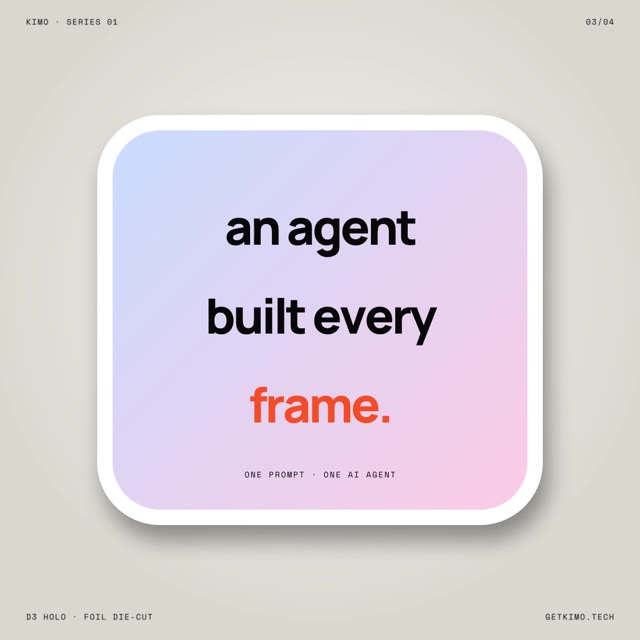 Sticker series. Die-cut cards, foil and holo finishes |
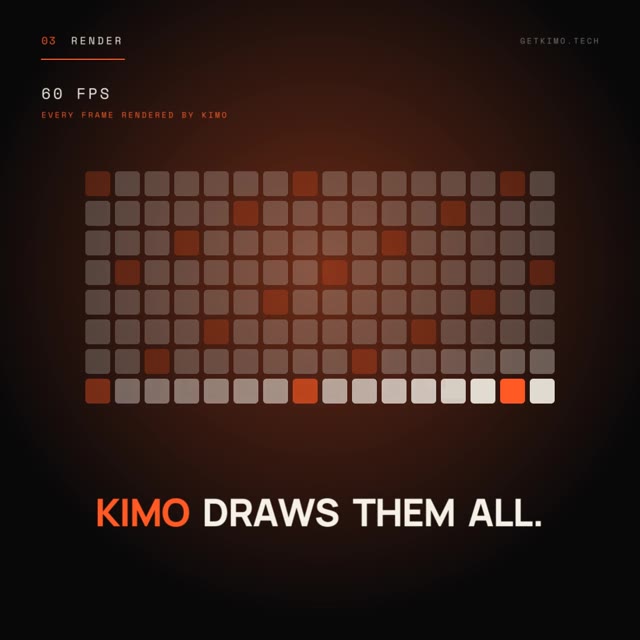 No timeline. Ask, plan, render, ship |
 How this film was made. The agent, tool by tool |
 Isometric build. Layers, motion and render in 3D |
 Flat vector. One sentence in, the agent does the rest |
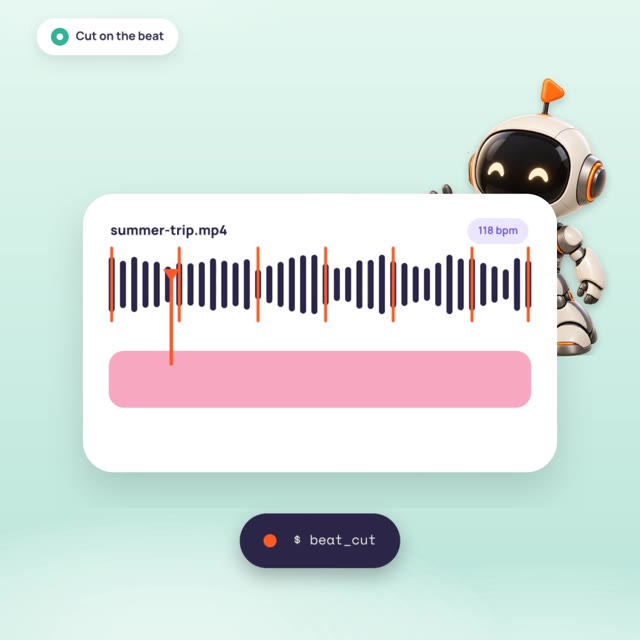 No cursor needed. beat_cut and auto captions |
✦ How it works
flowchart LR
    agent["AI agent<br/>(Claude Code, Codex, Cursor, OpenCode, any MCP client)"]
    subgraph engine["kimo-mcp: the headless engine"]
        direction TB
        reg["command registry<br/>tools/list is generated from it"]
        core["kimo-core<br/>project model, CPU renderer,<br/>color, audio, text, tracking, 3D"]
        prev["preview thread<br/>one auto frame after mutating calls"]
        reg --> core --> prev
    end
    ff[("ffmpeg / ffprobe")]
    gui["kimo app (kimo-gui)<br/>editor + agents, owns the engine"]
    agent -- "JSON-RPC over stdio<br/>tools/call is the only way to edit" --> reg
    core <-- "decode / encode / probe" --> ff
    engine -. "telemetry JSONL on 127.0.0.1:7421<br/>call events, frame_rendered, frame_skipped" .-> gui
- Headless engine.
crates/kimo-coreholds the project model, keyframes, the command registry, tool groups, the CPU renderer, effects, text, audio, tracking and color.crates/kimo-mcpis the MCP stdio server;kimo(crates/kimo-cli) is a command line client for the same tools. Decode, encode and probing go throughffmpegandffprobe. The renderer is CPU only; GPU code is off by default. - Edits only through MCP tool calls. Add a tool to the registry and it appears in the MCP server, the CLI, the fuzz test and the schema. There is no side door.
- The app owns the engine, and every agent shares it.
crates/kimo-gui(a Tauri app, its own Cargo workspace) launches kimo-mcp as a sidecar and opens a loopback bridge.kimo-gui mcp, which Claude Code, Codex and Antigravity launch, attaches to that bridge while the app is open, so you, the agents you run from the Agent tab and the agents in your own terminal all edit one project with one undo history. Every call is tagged with who made it (Live tab) and every change gets an Undo card. With the app closed,kimo-gui mcpruns a standalone engine exactly likekimo-mcp.
More: docs/ARCHITECTURE.md, docs/EXTENDING.md, crates/kimo-gui/README.md. An agent editing phone footage into a 9:16 short, call by call: docs/DIRECTOR_QUICKSTART.md.
👀 Spectator telemetry: how live preview works
Kimo's spectator app (crates/kimo-gui) connects on its own. Open it and every tool call streams to it live; you don't
set anything. With KIMO_SPECTATOR unset or empty (or on), kimo-mcp looks for the app on loopback ports
127.0.0.1:7421–7430, in order. It never uses 0.0.0.0 or any other host. It only streams to a peer that answers the
versioned spectator handshake (KIMO-SPECTATOR/1; any other answer, an older version included, is a failed
handshake), so a different program holding one of those ports gets nothing. The search runs on the telemetry thread,
never on a tool call. The app takes the first free port in that range and shows "listening 127.0.0.1:".
KIMO_SPECTATOR=off (or 0/false) turns telemetry off: no telemetry thread, no events.
KIMO_SPECTATOR=tcp://127.0.0.1:<port> pins one port with no scan and no handshake; a host that is not a loopback
address (127.0.0.1, localhost) is ignored and telemetry stays off. file:/path/events.jsonl writes the same lines to
a file. A malformed value is treated as off, silently. With no app connected, events are dropped before they are
serialized, and nothing about telemetry is written to stdout or stderr. With an app connected, each tool call sends
a start event with the arguments, progress for long calls such as export, and complete with what changed in
the project (or error), all under one call_id. The stream is
out of band: tools/list, results and stdout are byte-identical with it on or off, it never waits for the app,
and with no app listening events are dropped. The app can be opened and closed at any point in a session: the
engine notices a closed window before its next event, reconnects on its own (retrying after 50 ms, doubling to
at most 1 s between attempts, never waiting on the tool calls), and events from while no app was listening are
dropped rather than replayed.
The viewer follows the project live: after any call that changes it (import, add/move/trim/split a clip,
transforms, effects, colour, text...), the engine renders the frame at the playhead in the background and sends it as
{"type":"frame_rendered","auto":true,"png_b64",...} (at most 640 px wide; KIMO_SPECTATOR_FRAME_PX changes that),
so the app never waits for the agent to call render_frame. Read-only calls (get_*, list_*, searches,
tools/list) render nothing. Bursts coalesce, latest wins: the frame renders once no call has arrived for 40 ms (or
400 ms into a long burst, between two calls), one at a time, never while a call is running, on its own thread with
its own decode cache, so tool calls never wait for it. The playhead moves to an explicit time/at (a split shows
the cut), else into the clip the call touched, and otherwise stays put. Frames are only rendered while an app is
connected (one that opens mid-session gets the current frame at once); with telemetry off or nobody listening
there is no render thread at all (with nobody listening, events are dropped before they are serialized and the
telemetry thread looks for the app again at most once a second), and KIMO_SPECTATOR_FRAMES=0 keeps the call events but turns the frames off.
The {"type":"session"} event and every {"type":"project_changed"} carry the project width and height in pixels
(the size after the call), so the app can place x/y transform moves on the viewer.
export progress events carry current_frame (frames finished, so the index of the next frame), total_frames,
fps (the instantaneous rate over the time since the previous progress report) and eta_ms (null until the first
frame is done) beside pct and elapsed_ms. To watch in a plain browser instead of the app, run
python3 crates/kimo-mcp/tools/spectator_sse_relay.py and open the UI with ?feed=sse. Event fields:
crates/kimo-mcp/src/spectator.rs.
Call events are strictly one per call: every tools/call gets exactly one start and exactly one complete or
error, in call order, with its call_id and the request's JSON-RPC id as rpc_id, and one project_changed per
call that changed the project. They travel on their own lossless lane: never coalesced, never dropped while an app is
connected, and written as whole lines only. An app that is slow to read (a busy window) is waited for, not cut off.
Memory is bounded at 64 MiB of queued events; past that, the next call waits for the app to catch up (backpressure)
rather than losing anything, and nothing ever waits while no app is listening. Canvas frames have a separate
latest-only lane (the newest two), so they can never crowd out, drop or delay call events. Only the headless canvas
frames below coalesce.
Every headless frame a call queues ends as exactly one frame_rendered (auto) or one
{"type":"frame_skipped","skip_reason",...,"call_id","rev","gen","frame_lane_drops","ts_ms"}. Refusals
(memory_budget, session_busy, pq_output, hlg_output, render_error, render_panic) also carry
"refused": true and a human reason, and the spectator shows them as a "render refused" chip. Benign skips
(coalesced, superseded_by_render_frame, frame_lane_dropped, disconnected) mean a newer frame replaces this one
and carry no reason. Details: crates/kimo-mcp/src/preview.rs ("Headless skips").
Two preview modes
- Headless (default). As described above: canvas frames coalesce by call cadence, so a burst of 59 calls 50 ms apart shows about 6 frames, and the tool calls never wait for the viewer. Use this for agents and batch runs.
- Spectator demo mode (opt in). For watching or recording a session: every tool call gets its own canvas frame,
rendered from the project exactly as that call left it and tagged with it (
"demo":true,seq,call_id,rpc_id,tool). After each call's response the engine holds the next request until that frame has reached the app and a pace (50 to 100 ms, default 75) has passed, so each call's change stays on screen. A call that leaves the picture unchanged (a read, a failed call) re-sends the current frame with"same":true. Demo frames travel on the lossless call-event lane, never the latest-only one, so none is dropped. A frame that cannot be made is sent as{"type":"frame_skipped","demo":true,"reason":...}, so frames and calls always match one to one. Turn it on withKIMO_SPECTATOR_DEMO=on(or a pace in ms, e.g.KIMO_SPECTATOR_DEMO=60), or on the command line withkimo-mcp --spectator-demoorkimo-mcp --demo-pace-ms 60(the command line wins). It needs telemetry on (the default; not withKIMO_SPECTATOR=off), and it does nothing (no pacing, no renderer) while no app is connected. Example:claude mcp add --transport stdio --env KIMO_SPECTATOR_DEMO=75 kimo -- /home/you/.local/bin/kimo-mcp. Pacing was chosen over rendering every frame without waiting because unwaited frames would be rendered after the agent had already moved on, so the canvas would trail the timeline and inspector and show the wrong state for a call.
✦ Docs
| 🧭 Architecture | How the engine, registry and spectator fit together |
| 🧩 Extending kimo | Add a tool to the registry |
| 🎞️ Director quickstart | An agent cutting phone footage into a 9:16 short, call by call |
| ✂️ Transcript editing | Edit video by editing words |
| 🪶 Preview proxies | Lighter editing media, original-quality exports |
| 🔄 Updates and crash reports | Signed in-app updates, opt-in crash reports, crash recovery with Undo |
| 🧪 Testing | The test suites and what CI runs |
| 🏷️ Feature tiers | What's solid, beta and not built |
| 🗺️ Roadmap · Changelog · Dev notes | Where it's going and what changed |
✅ Verification status
- Registry: 452 tools (
crates/kimo-core/tests/golden/golden_registry.txt, 452 lines). A default-featurekimo-mcplists 454 entries inflatmode: those 452 plussearch_toolsandkimo_describe. Of the 454, 438/454 live in the default build + 16 feature-gated (8 native-ocio, 8 mesh-import/material-textures/flat-sah). flash_serieson the jaja ad (v6, unreleased): the 30.542 s luminance stamp is a slow fall (0.894 to 0.794 as the logo fades in), not a hard cut. Under rule (a) a transition is stamped at the first frame whose luminance has moved 0.1 from the swing start, so this stamp is expected behaviour, not a bug.- Fuzz: 6497 calls, 0 failures, as recorded in the v3 notes at 327 tools. Not re-run for this README.
- Linux spectator installers (
.deb,.AppImage): built on CI runners (dry run atca0334f, then version0.1.0; the5.0.0files come from the same steps in thev5.0.0tag build), downloaded and smoke-tested on Debian 12 x86_64 on 2026-10-17: sha256 matches, the.debinstalls (Depends: libwebkit2gtk-4.1-0, libgtk-3-0) and uninstalls cleanly, and both the.deband the AppImage (--appimage-extract-and-run) launch under Xvfb, listen on 127.0.0.1:7421 and draw theframe_renderedframes a realkimo-mcp(commitaf615ca) sends afterproject_set,add_track,add_text. Unsigned draft; other distributions not tested. - Windows spectator installer (
Kimo-Spectator_5.0.0_x64_en-US.msi): unsigned draft, built on CI runners. CI installs, launches and uninstalls it on a GitHub Windows runner (thev5.0.0tag build); not installed on a real Windows PC yet. - Engine release jobs: the Linux engine tarball is glibc only for this release (the static musl build was dropped). The Windows x64 engine job failed in the first dry run in
crates/kimo-core/build.rs(MSBuild rejectscmake --build ... -- -j1). This release switches tocmake --build ... --parallel 1and links the C++ runtime per target (libstdc++on Linux,libc++on macOS, nothing on MSVC); the Windows engine job then passed on CI (thev5.0.0tag build) and its zip and setup.exe are attached. Not run on a real Windows PC yet; macOS not built. - Windows engine build from clone: not run here.
- Third-party licences for the spectator app: THIRD_PARTY.md (five MPL-2.0 crates from the Tauri stack and the LGPL libraries bundled in the AppImage, both decision pending).
- Per-feature limits and change notes: docs/DEV_NOTES.md. Feature tiers: FEATURES.md. Plans: ROADMAP.md.
🧪 Work in progress (feature branches)
Coherent fields (feature-branch WIP)
This feature branch adds original raw 2D Perlin/simplex fields, analytic gradients, MCP point sampling and an animatable noise effect. It is not part of the finalized v3 release. Compilation, numeric tests, warning delta and real 1080p visual sign-off are pending. No quality or production-readiness claim is made. See the noise plan and verification commands. The next WIP field units add explicit Euclidean Worley F1/F2, FBM, domain warp and 2D potential curl. These are independently selected raw operators, not presets. They are also uncompiled and unrendered here. See field units.
Camera math primitives (feature-branch WIP)
Explicit-pose projection and camera-space near-plane clipping are drafted as raw MCP math tools. Uncompiled, unrendered, not integrated into the legacy renderer. They do not yet fix existing Scene3D output. See camera WIP.
Raw UV math (feature-branch WIP)
Uncompiled original push/radial coordinate primitives, MCP-callable but not a rendered transition. See UV WIP. No visual sign-off.
Particle simulation primitive (feature-branch WIP)
Uncompiled raw fixed-step 3D trajectory + force/swept-plane math. No emitter or renderer adapter yet, no visual sign-off. See particle WIP.
✦ Contributing
Issues and PRs welcome. One rule: the README ships with the product. If a change adds, removes or regroups tools, or ships a new proof, the same commit updates this file.
MIT licensed · LICENSE · Third-party notices
Built in Rust. Driven by your AI. getkimo.tech