
nalbam/aws-navbar-extension
nalbam/aws-navbar-extension has 46 GitHub stars and 8 forks. GitHot measured 0 stars in 24 hours. Last checked 2026-11-15 11:50 UTC. Last push 2026-11-12.
What you can do
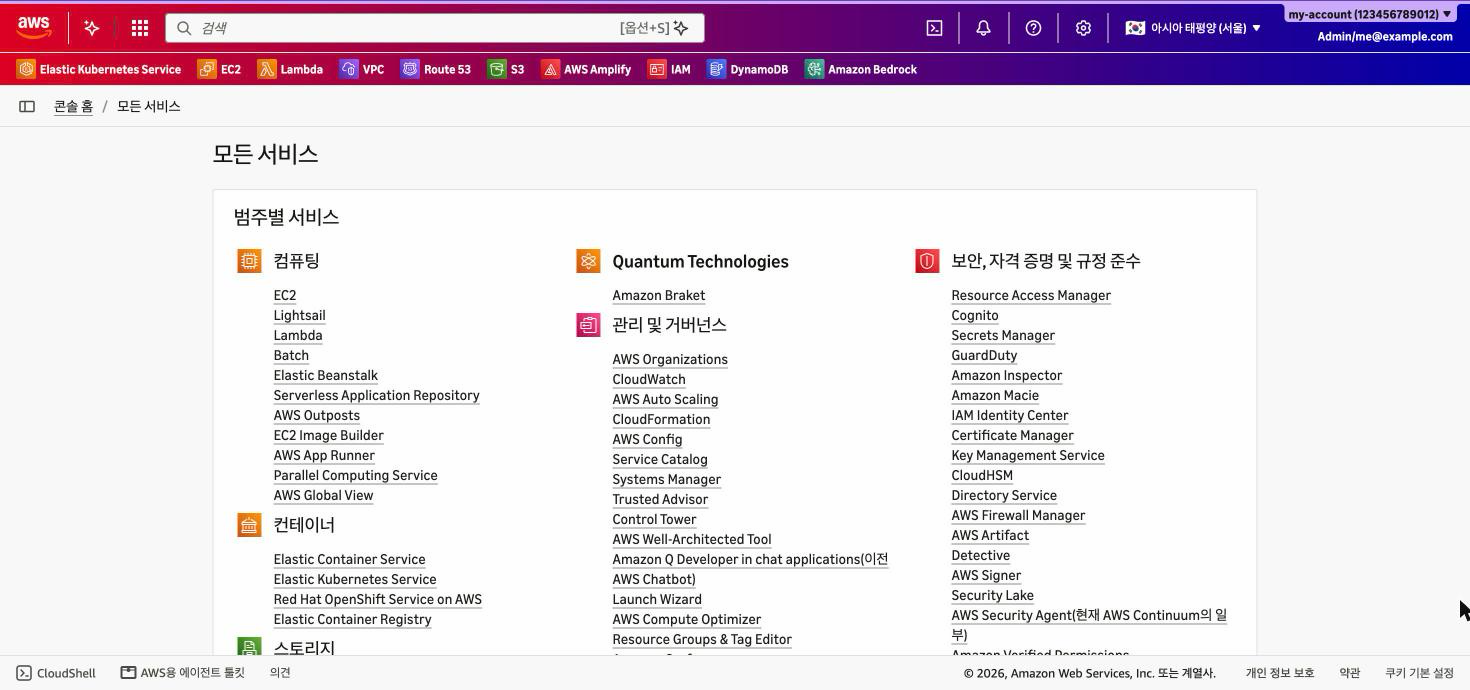
- Region-based navigation bar gradients inspired by country flags (globe colors for global services)
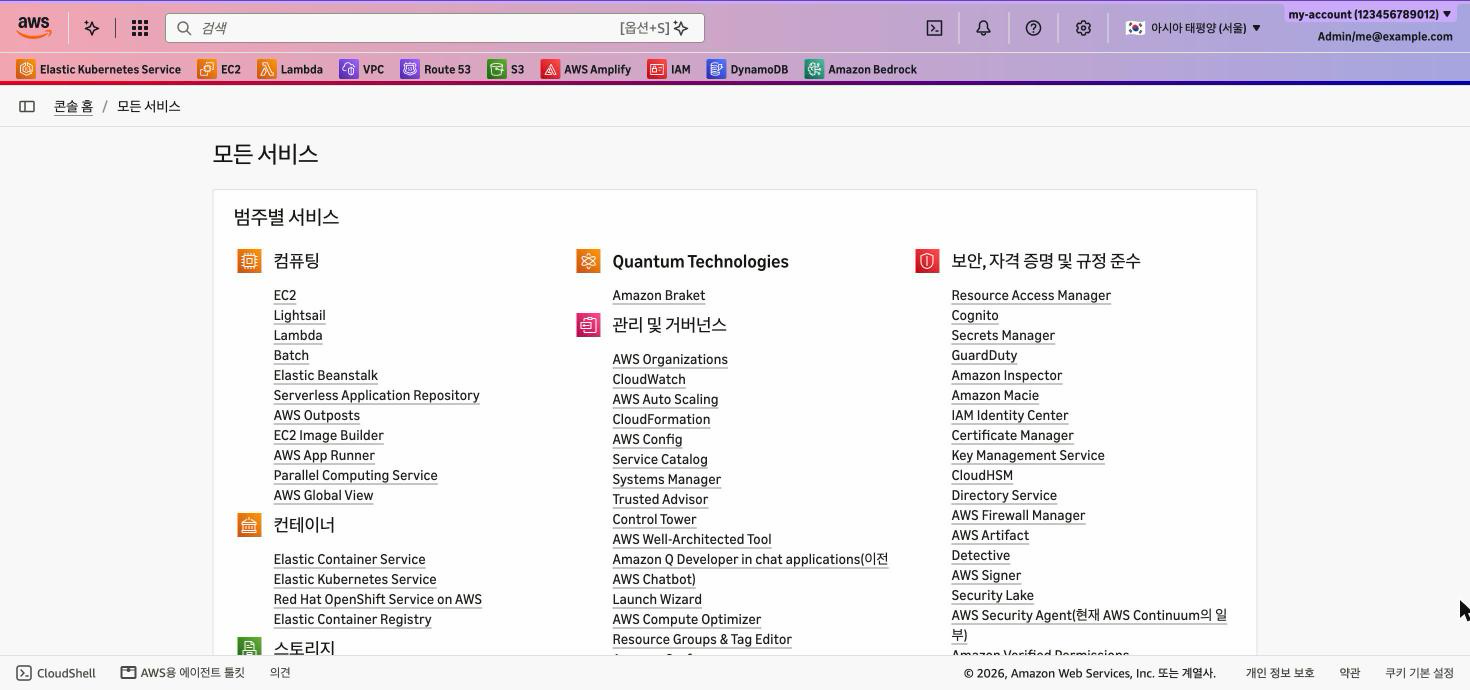
- Two navbar styles: Vivid (flag colors, white text) and Subtle (pastel flag colors, dark text)
- Readable navbar text: at least 4.5:1 contrast (WCAG AA) for every region and custom color
- Custom color themes per region (2-4 colors)
Measured star growth
- in 24h
- 0
- in 7 days
- Collecting history
- in 15 days
- Collecting history
- in 1 month
- Collecting history
Net star changes over overlapping periods, not daily totals. Missing measurements are left blank. Stars measure attention, not software quality.
About
Browser extension that identifies AWS regions with customizable navigation colors and country flags.
ProductivityREADME.md
OriginalAWS Colorful Navbar
Identify AWS regions instantly with colorful navbar gradients and country flags.


Features
- Region-based navigation bar gradients inspired by country flags (globe colors for global services)
- Two navbar styles: Vivid (flag colors, white text) and Subtle (pastel flag colors, dark text)
- Readable navbar text: at least 4.5:1 contrast (WCAG AA) for every region and custom color
- Custom color themes per region (2-4 colors)
- Region flags next to the region selector and in the region menu
- Works with the new AWS Console design and with the AWS account color
- Detects global services from the page title, independent of the console language text (checked in the Korean console)
- Dark/Light popup theme, auto-save settings
Installation
Configuration
The extension supports the following configuration options:
background: Enable/disable navbar color customizationflag: Enable/disable region flag displaystyle: Navbar style,vivid(default) orsubtlecustomColors: Custom gradient colors per region (2-4 colors)theme: Dark/Light mode of the popup
Colors that would make the navbar text hard to read are adjusted: Vivid darkens light colors, Subtle uses lighter tints. The popup preview shows the adjusted colors.
AWS account color
The AWS Console can show an account color (a thin stripe above the navbar and a colored account name). The extension keeps it. Use the account color to identify the account and the extension to identify the region.
Supported Regions
See flags/README.md for a complete list of supported regions and their corresponding flags.
Screenshots
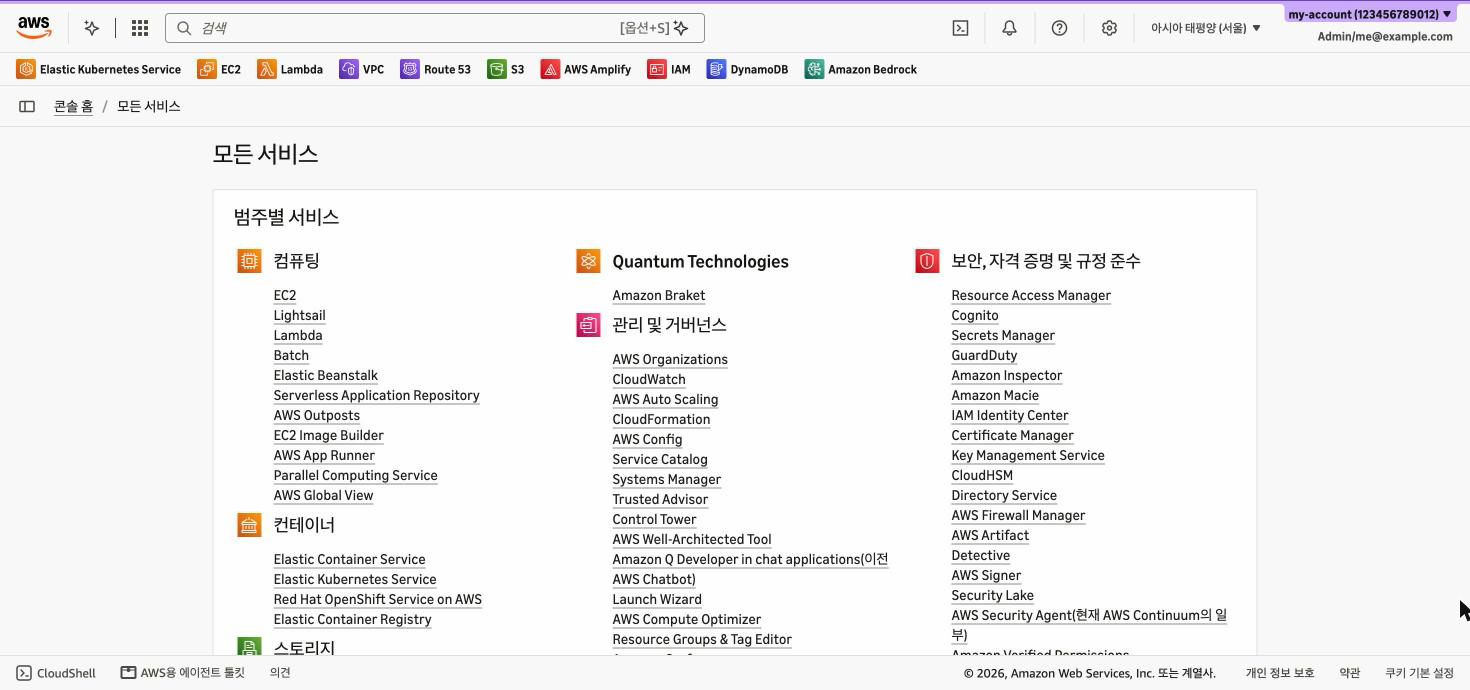
Before (AWS Console default):
Vivid style (Seoul):
Subtle style (Seoul):
Documentation
- Architecture - Technical architecture and component details
- Changelog - Version history and release notes
For Developers
Installation
- Open the Extension Management page by navigating to
chrome://extensions - Enable
Developer Modeby clicking the toggle switch - Click the
LOAD UNPACKEDbutton and select the extension directory
Development
- Clone the repository
- Make changes to the source code
- Test locally using the unpacked extension
- Run the unit tests:
node --test(Node.js 20+, no dependencies) - After a change in
colors.js, copy it todocs/colors.js(CI checks that they are equal) - Run
./package.shto create release packages (requiresjqandzip) - Submit pull requests for improvements
Contributing
Contributions are welcome! Please feel free to submit a Pull Request.
License
This project is licensed under the MIT License - see the LICENSE file for details.