
nabarvn/documon
nabarvn/documon has 37 GitHub stars and 7 forks. GitHot measured 0 stars in 24 hours. Last checked 2026-11-14 19:03 UTC. Last push 2026-11-07.
Measured star growth
- in 24h
- 0
- in 7 days
- Collecting history
- in 15 days
- Collecting history
- in 1 month
- Collecting history
Net star changes over overlapping periods, not daily totals. Missing measurements are left blank. Stars measure attention, not software quality.
About
Chat with your PDF documents using this AI-powered SaaS - leveraging TypeScript, Next.js 14, Tailwind CSS, Pinecone, and Langchain.
Web & AppsREADME.md
OriginalDocumon
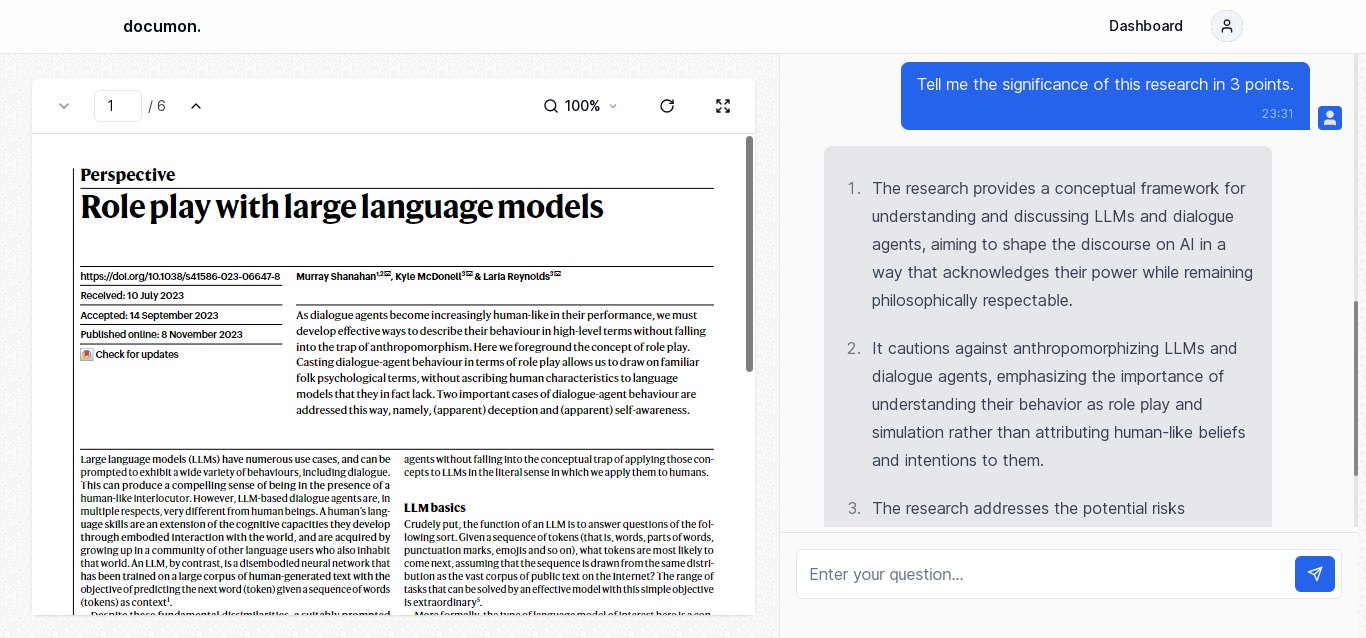
Documon harnesses the power of artificial intelligence to transform the way you interact with PDF documents. Seamlessly chat with your PDFs and get smart context summaries of what they actually say. Exploring a document and finding what you need becomes a breeze.
Screenshot
Running Locally
This application requires Node.js v24+.
Cloning the repository to the local machine:
git clone https://github.com/nabarvn/documon.git
cd documon
Installing the dependencies:
pnpm install
Setting up the .env file:
cp .env.example .env
[!IMPORTANT] Ensure you populate the variables with your respective API keys and configuration values before proceeding.
Configuring Prisma:
pnpm prisma generate
pnpm prisma db push
Forwarding Stripe webhooks:
Install the Stripe CLI and log in:
stripe login
In a second terminal, forward events to the local app and leave that process running:
stripe listen --events checkout.session.completed,customer.subscription.updated,customer.subscription.deleted --forward-to localhost:3000/api/webhooks/stripe
The CLI prints a whsec_... secret. Put that value in STRIPE_WEBHOOK_SECRET in .env before starting the app.
Running the application:
pnpm dev
Tech Stack
- Language: TypeScript
- Framework: Next.js
- Styling: Tailwind CSS
- Analytics: Vercel Analytics
- State Management: React Query
- ORM Toolkit: Prisma
- LLM Provider: OpenAI
- Vector Database: Pinecone
- Memory Builder: LangChain.js
- Rate Limiter: Upstash
- Postgres Database: Neon
- Authentication: Kinde
- File Hosting: UploadThing
- API Typesafety: tRPC
- Payments: Stripe
- Deployment: Vercel
Credits
Learned a ton while building this project. All thanks to Josh for the next level (no pun intended) tutorial!