
mzule/ActivityRouter
mzule/ActivityRouter has 2,788 GitHub stars and 395 forks. GitHot measured 0 stars in 24 hours. Last checked 2026-11-07 19:48 UTC. Last push 2021-05-20.
Router activities and methods with url for android
Measured star growth
- in 24h
- 0
- in 7 days
- Collecting history
- in 15 days
- Collecting history
- in 1 month
- Collecting history
Net star changes over overlapping periods, not daily totals. Missing measurements are left blank. Stars measure attention, not software quality.
README-en.md
OriginalActivityRouter
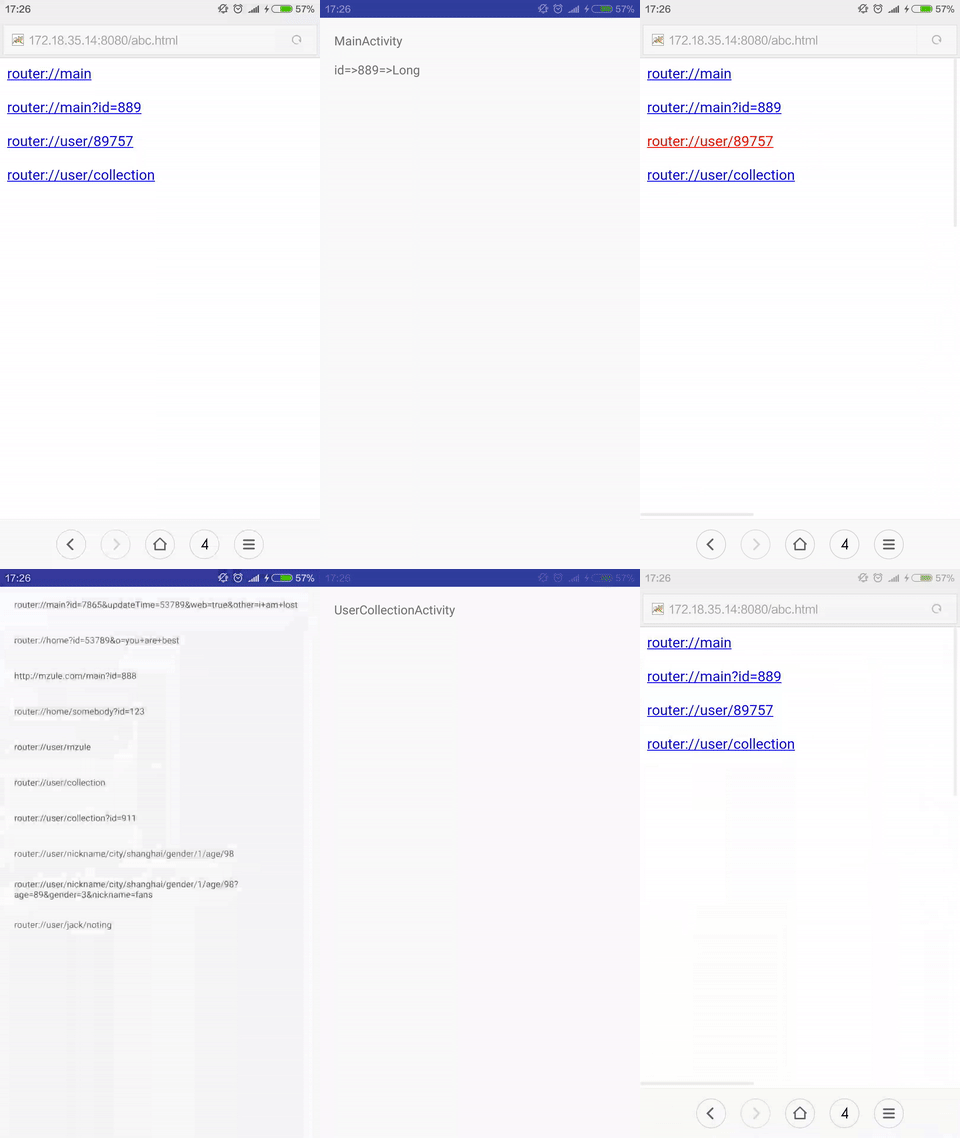
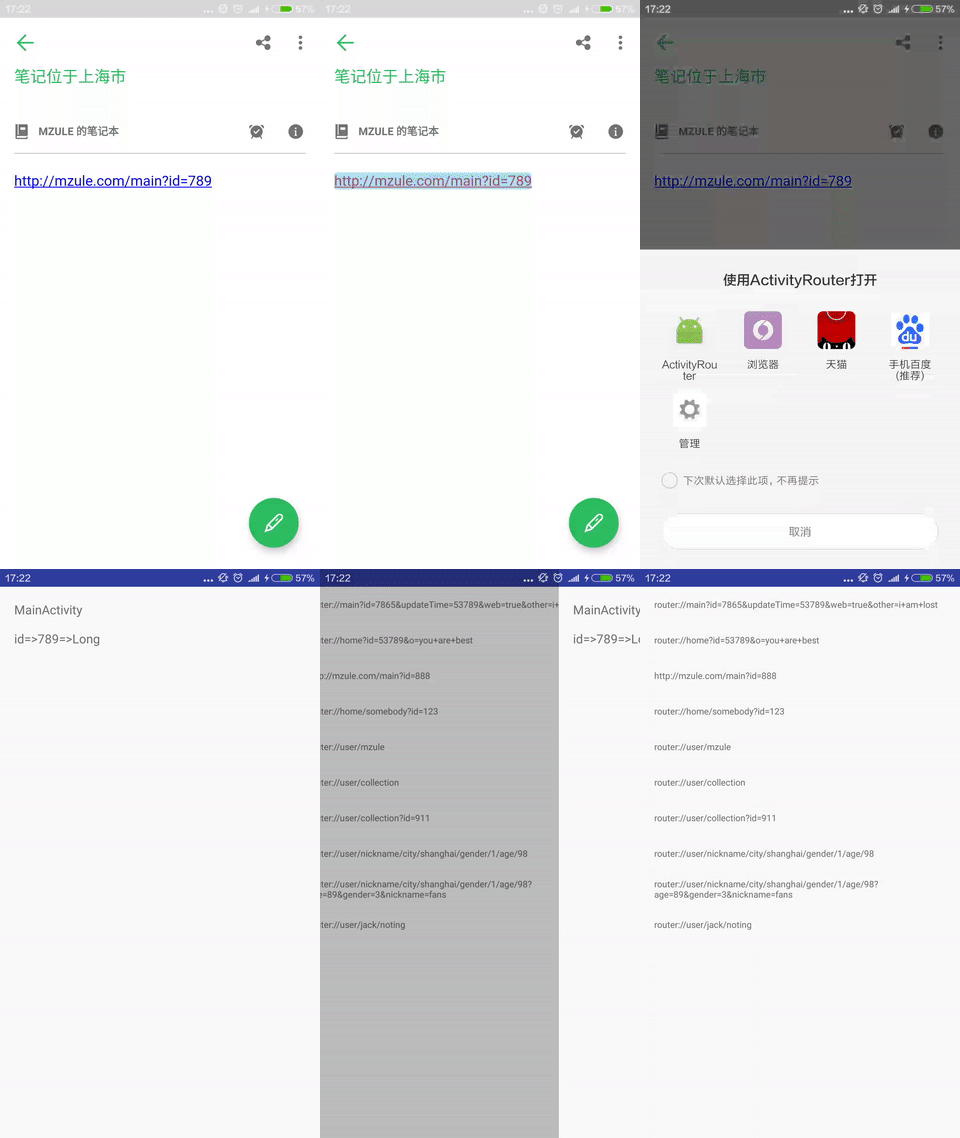
Open activities via url like gifs below.
Usage
Root project build.gradle
buildscript {
  dependencies {
    classpath 'com.neenbedankt.gradle.plugins:android-apt:1.8'
  }
}
app project build.gradle
apply plugin: 'android-apt'

dependencies {
	compile 'com.github.mzule.activityrouter:activityrouter:1.2.2'
	apt 'com.github.mzule.activityrouter:compiler:1.1.7'
}
AndroidManifest.xml
<activity
    android:name="com.github.mzule.activityrouter.router.RouterActivity"
    android:theme="@android:style/Theme.NoDisplay">
    <intent-filter>
        <action android:name="android.intent.action.VIEW" />
        <category android:name="android.intent.category.DEFAULT" />
        <category android:name="android.intent.category.BROWSABLE" />
        <data android:scheme="mzule" /><!--change to your scheme-->
    </intent-filter>
</activity>
Annotate activities with @Router.
@Router("main")
public class MainActivity extends Activity {
	...
}
Now, you can open MainActivity with mzule://main.
Advance Usage
1. Map multiple urls to a activity
@Router({"main", "root"})
mzule://main and mzule://root can both open MainActivity
2. Pass parameters like web url
@Router("main")
@Router("main/:color")
@Router("user/:userId/:topicId/:commentId")
@Router("user/:userId/topic/:topicId/comment/:commentId")
Paramters after ? and path paramters are both supported here. like, mzule://main?id=345&name=isee and mzule://user/76546/876/9999. You can later get paramter with getIntent().getStringExtra("name"). All paramters are Strings by default. You can change it of course, see next section.
3. Set parameters type
@Router(value = "main/:color", intParams = "color")
Above configured that color paramter is int type. All the parameters which is not String should be declared in coresponding type, such as int, long, short, byte, char, float, double, boolean. You can later get paramter with getIntent().getIntExtra("name") or other getXxExtra.
4. Router callbacks
public class App extends Application implements RouterCallbackProvider {
    @Override
    public RouterCallback provideRouterCallback() {
        return new SimpleRouterCallback() {
            @Override
            public boolean beforeOpen(Context context, Uri uri) {
                context.startActivity(new Intent(context, LaunchActivity.class));
                // return true for interception.
                return false;
            }

            @Override
            public void afterOpen(Context context, Uri uri) {
            }

            @Override
            public void notFound(Context context, Uri uri) {
                context.startActivity(new Intent(context, NotFoundActivity.class));
            }

            @Override
            public void error(Context context, Uri uri, Throwable e) {
                context.startActivity(ErrorStackActivity.makeIntent(context, uri, e));
            }
        };
    }
}
Callback can handle beforeOpen, afterOpen, and notFound(404) event. You should let your Application class implements RouterCallbackProvider to provide a callback if you need.
5. Http and https
@Router({"http://mzule.com/main", "main"})
AndroidManifest.xml
<activity
    android:name="com.github.mzule.activityrouter.router.RouterActivity"
    android:theme="@android:style/Theme.NoDisplay">
    ...
    <intent-filter>
    	<action android:name="android.intent.action.VIEW" />
    	<category android:name="android.intent.category.DEFAULT" />
    	<category android:name="android.intent.category.BROWSABLE" />
    	<data android:scheme="http" android:host="mzule.com" />
	</intent-filter>
</activity>
With above config, you can visite MainActivity with http://mzule.com/main or normally mzule://main. As you can see, http(s) router config must be fill in with full path url.
6. Paramters name mapping
@Router(value = "item", longParams = "id", transfer = "id=>itemId")
In normal case, parameter A will put into bundle-extra with name A. If you want to change its name. You can set value for transfer with A=>B means from A to B.
7. In-app usage
Routers.open(context, "mzule://main/0xff878798")
Routers.open(context, Uri.parse("mzule://main/0xff878798"))
Routers.openForResult(activity, "mzule://main/0xff878798", REQUEST_CODE);
Routers.openForResult(activity, Uri.parse("mzule://main/0xff878798"), REQUEST_CODE);
// create Intent from url
Intent intent = Routers.resolve(context, "mzule://main/0xff878798")
Open activities in app self.
8. Raw url support
getIntent().getStringExtra(Routers.KEY_RAW_URL);
9. Invoke a method via url
@Router("logout")
public static void logout(Context context, Bundle bundle) {
}
Define a public static method with arguments type Context and Bundle. Annotated it with @Router to define its url.
Proguard
-keep class com.github.mzule.activityrouter.router.** { *; }
License
Apache License 2.0
Contact me
Feel free to contact me if you have any trouble on this project.
- Create a new issue
- Send mail to me, "mzule".concat("4j").concat("@").concat("gmail.com")
Explore related projects
codecrafters-io/build-your-own-x
Master programming by recreating your favorite technologies from scratch.
560,749 starspublic-apis/public-apis
A collective list of free APIs
496,968 starsmorluto/rea
Reverse engineer anything with agents, from app behavior down to native binaries.
440,545 starsopenclaw/openclaw
The AI that really does things. Any OS. Any Platform. The lobster way. 🦞
394,131 stars