
munitkala/tapewake
munitkala/tapewake has 26 GitHub stars and 2 forks. GitHot measured 0 stars in 24 hours. Last checked 2026-11-16 00:41 UTC. Last push 2026-11-08.
Measured star growth
- in 24h
- 0
- in 7 days
- Update delayed
- in 15 days
- Update delayed
- in 1 month
- Update delayed
Net star changes over overlapping periods, not daily totals. Missing measurements are left blank. Stars measure attention, not software quality.
About
Restore old VHS and home videos on your own PC: QTGMC deinterlacing, AI upscaling, face and sound restoration. Free and open source, for Windows and MacOS.
Machine LearningREADME.md
Originaltapewake
Local video restoration. Free and open source (MIT licence).




tapewake restores old VHS and home videos on your own computer: it deinterlaces the tape, upscales it with AI, restores faces carefully, cleans up the sound, and gives you the restored film plus a before-and-after comparison. Videos that are already progressive, such as DVD rips, are restored without deinterlacing. Nothing is uploaded anywhere.
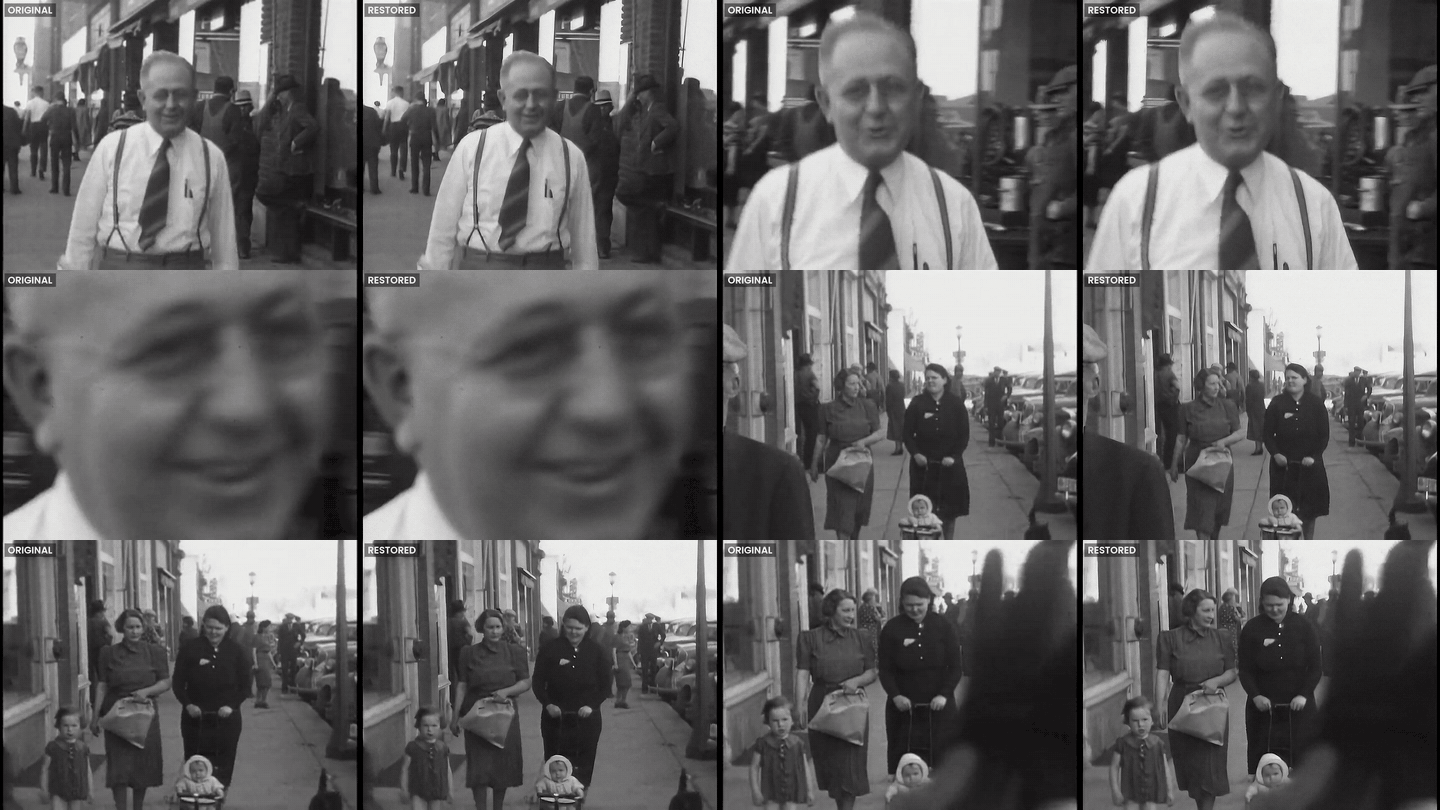
Latest update (November 2026)
Version 0.2.1 is out for Windows. What's new:
- AMD and Intel graphics cards work now, not just NVIDIA. Upscaling runs on the card through DirectML. Face restoration still runs on the processor on those cards, so I'd turn it off for long videos for now.
- First Windows release since 0.1.5, so the heat pause and the computer info in Settings from 0.2.0 are on Windows too.
The full list is in the changelog.
What it does
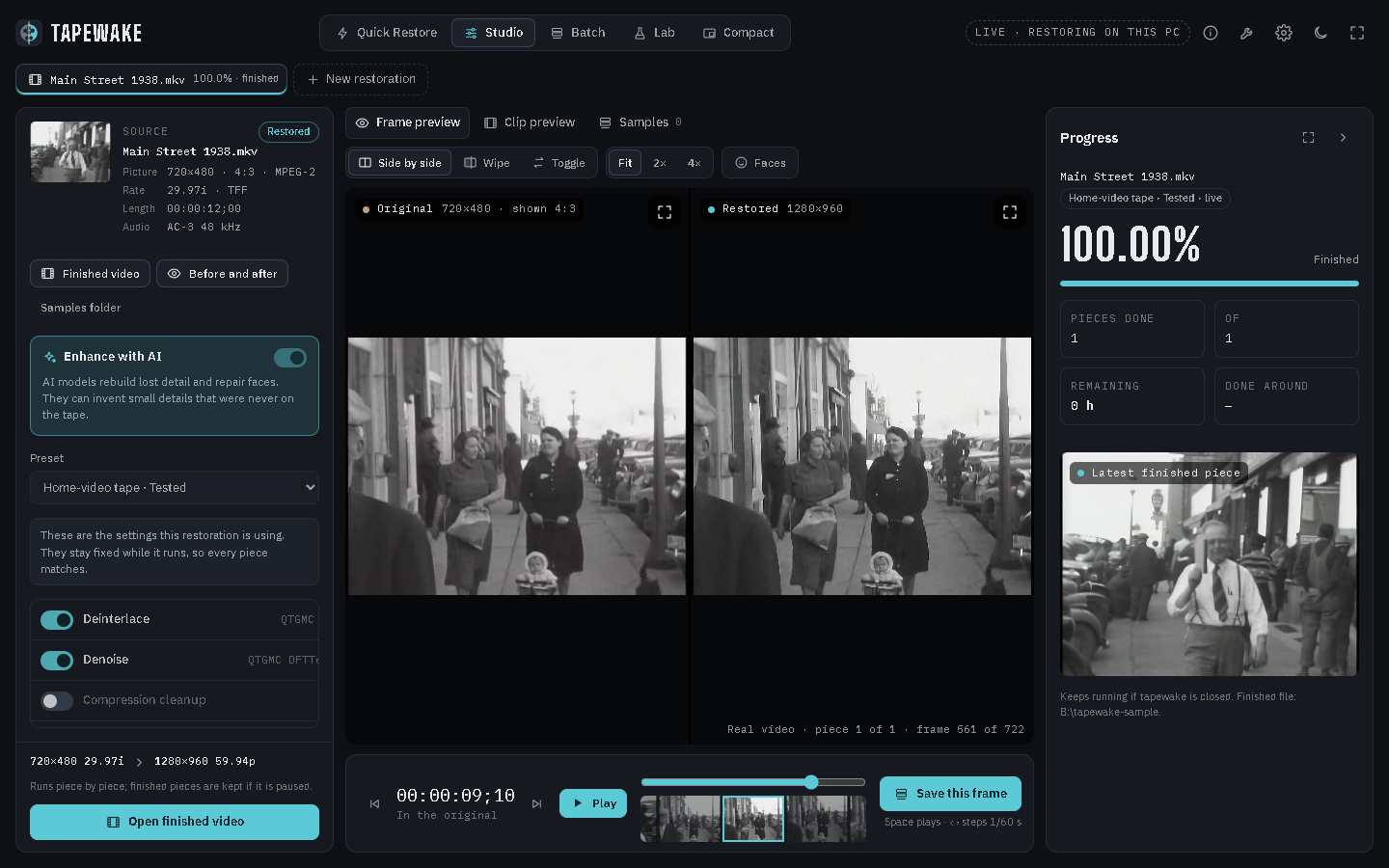
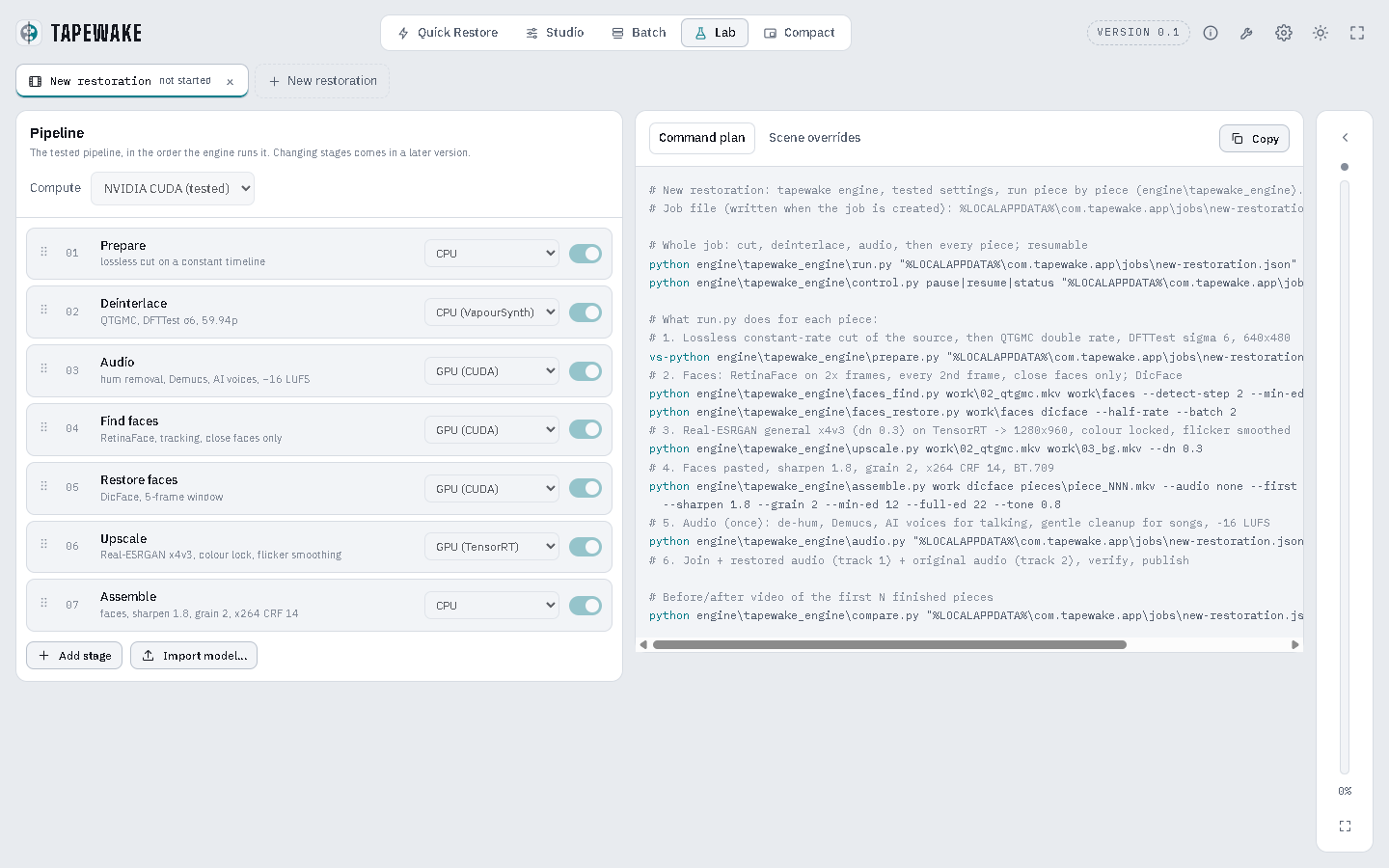
- Restores home-video tapes (interlaced NTSC, 4:3) with settings proven on a full two-hour VHS tape: QTGMC deinterlacing, Real-ESRGAN upscaling to 1280×960 at 59.94 fps, face restoration that keeps likeness, gentle grain, and sound restoration.
- Restores videos that are already progressive (DVD and Blu-ray rips, digital video) without deinterlacing, at their own frame rate and twice their size. It checks each video and picks the right mode.
- Checks your settings before it starts, and explains any setting that can't work for that video.
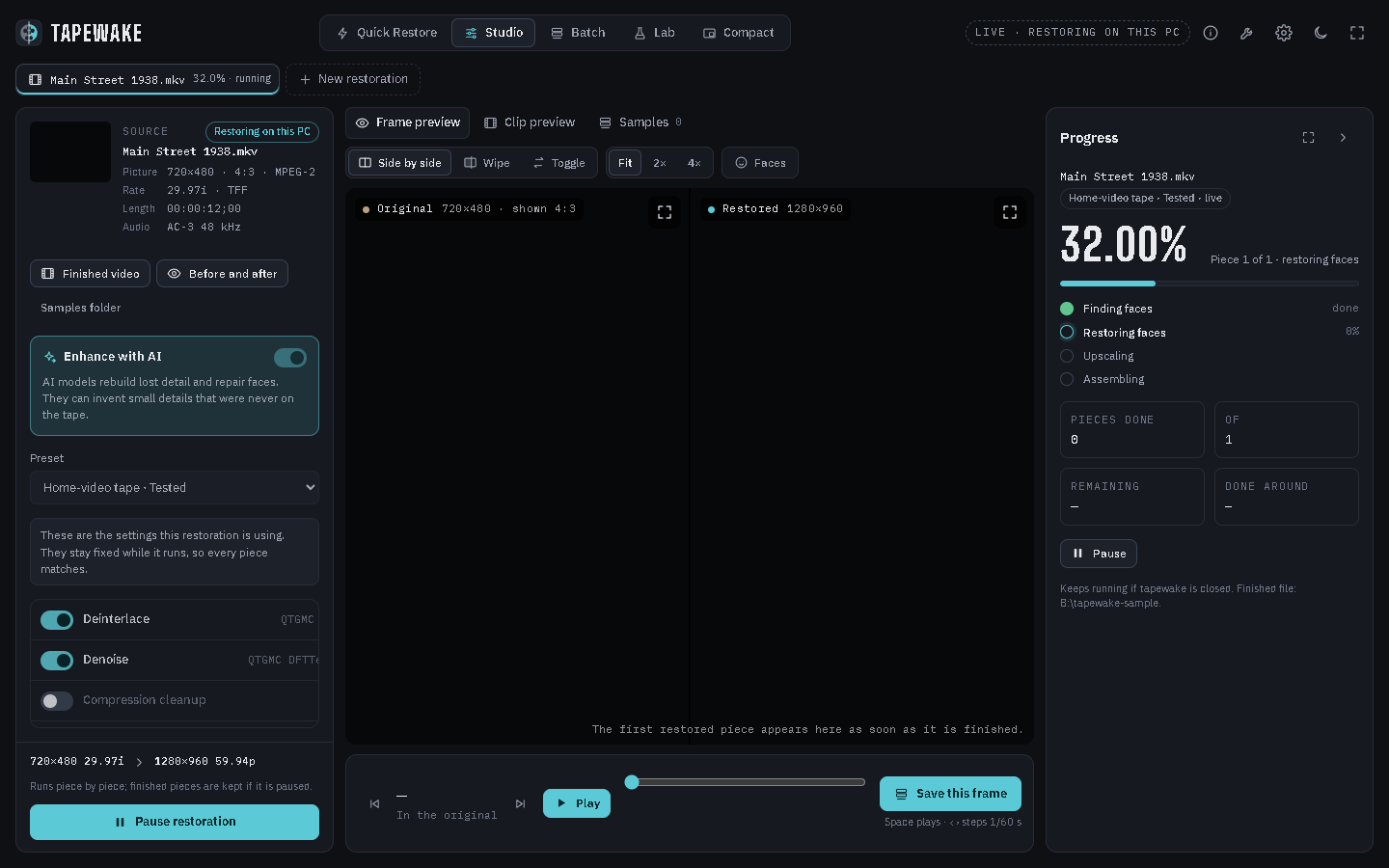
- Works piece by piece and can be paused and resumed at any time; finished parts are kept and checked. A restoration started by mistake can be stopped and deleted (three clicks, the original is never touched).
- When a restoration finishes, it shows you the file and tidies up its working files.
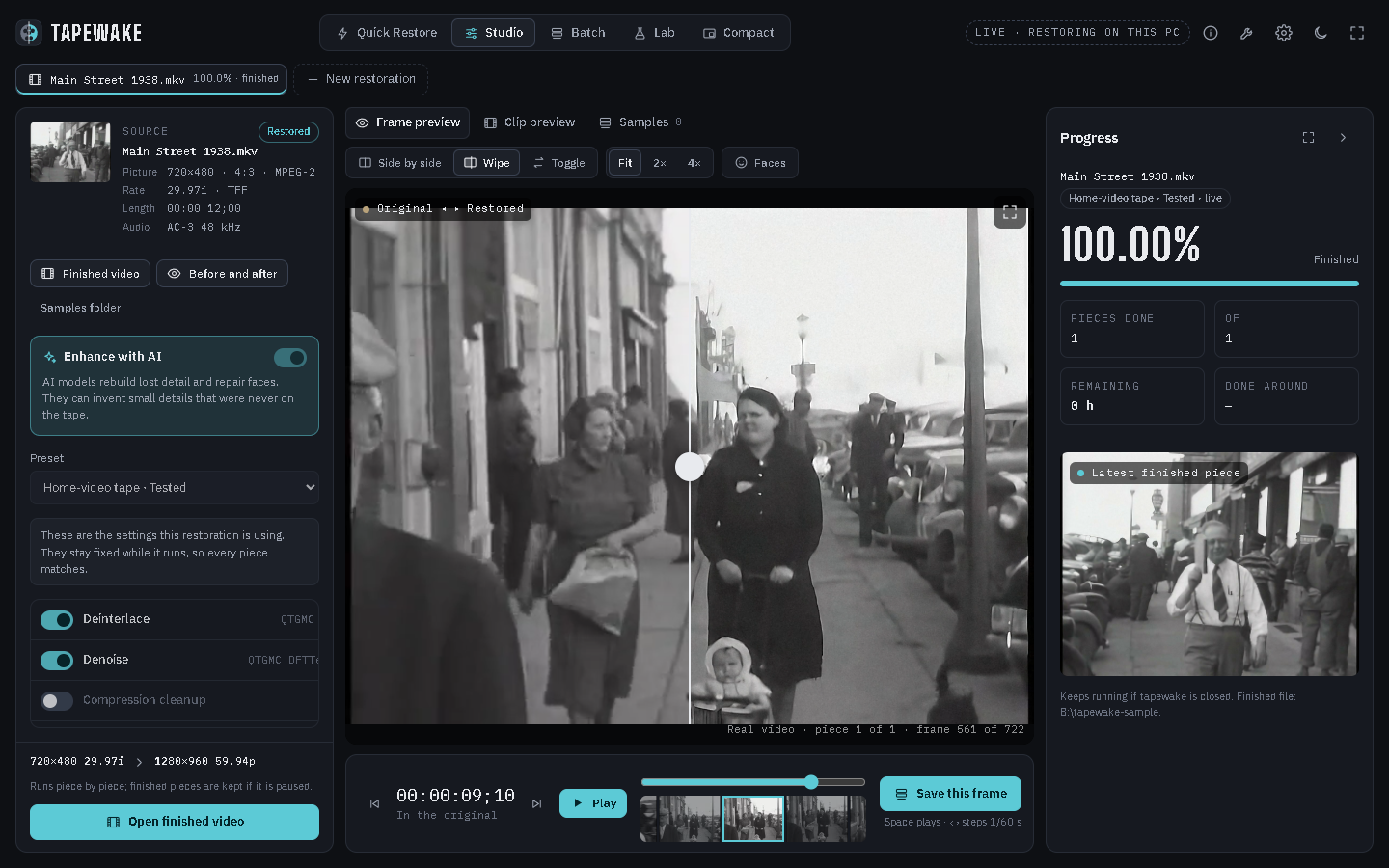
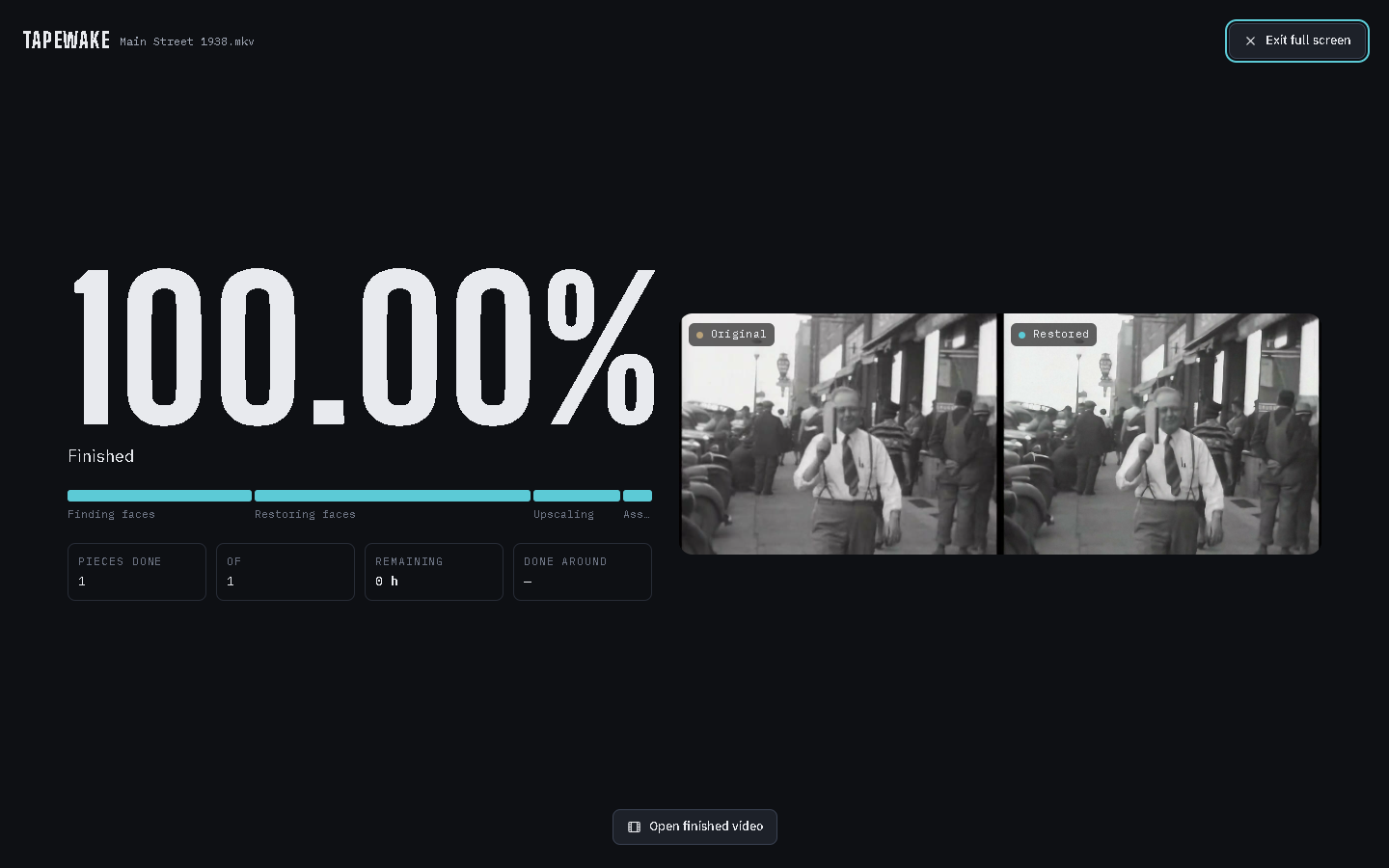
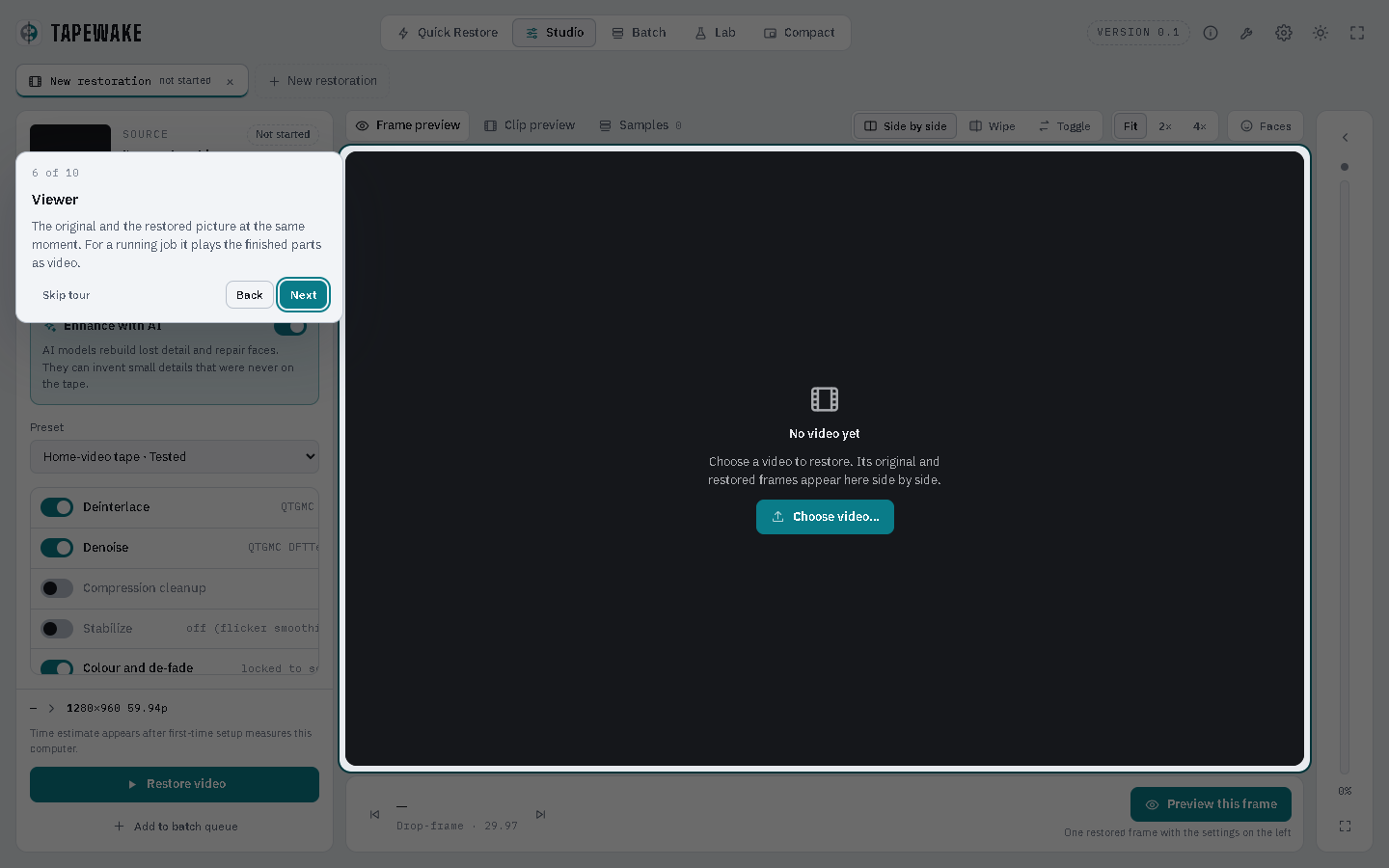
- Shows each restoration live, with a player that plays the finished parts next to the original (side by side, wipe, or hold-to-compare) and a filmstrip.
- Pauses by itself if the computer gets too hot, and carries on once it has cooled down. A restoration you pause yourself stays paused.
- Shows the computer it's running on (processor, graphics, memory, free space and how hot it is) under Settings → Performance.
 |
 |
 |
 |
 |
 |
Windows or Mac
tapewake runs on both. The app and the restoration engine are the same; what's needed and how it's set up differ.
| Windows | Mac | |
|---|---|---|
| Computer | Windows 10 (2004 or later) or 11, 64-bit | Apple Silicon (M1 or later), macOS 15 or later |
| Graphics | NVIDIA card with 8 GB or more; AMD and Intel cards with DirectX 12 work too (upscaling only, see README-windows.md) | Built into the chip; 16 GB of memory or more |
| Not supported | Graphics without DirectX 12 | Intel Macs, Macs with 8 GB |
| Tested on | A two-hour VHS tape | Short clips |
| Read this | README-windows.md | README-macOS.md |
| Setting it up | BUILDING.md | BUILDING-macOS.md |
Both need about 50 GB of free disk space per hour of tape while restoring, and patience: a restoration takes many times the length of the video. There's no installer to download yet, and the app doesn't install its tools for you yet, so for now it's for people comfortable setting things up by hand.
Status
Version 0.2.1. tapewake has two tested modes and picks the one that fits each video:
- Home-video tape: interlaced NTSC tapes (29.97 fps). Deinterlaced to one frame per field (59.94 fps), then restored at 1280×960.
- Progressive video: videos whose frames are already whole pictures, such as DVD and Blu-ray rips and digital video. No deinterlacing, the frame rate stays the same, and the picture is restored at twice its size. Face and sound restoration start off.
In both, you can switch Face restoration and Audio on or off. The other settings and presets (including Animation) don't change the restoration yet: tapewake says so and won't start until they're back at the tested values. Interlaced videos that aren't NTSC (for example PAL at 25 fps) can't be restored yet.
Progressive mode is new in 0.1.4 and has been tested on a short film clip with face restoration off; with face restoration on it hasn't been tested yet. Animated films can be restored in this mode, but they get the general upscaler and the light film grain meant for camera footage, which shows as a faint speckle on flat colours. A mode made for animation is planned.
The Mac version is new and has only restored short clips so far; see README-macOS.md for what hasn't been tested on a Mac yet.
What changed in each update is in CHANGELOG.md.
Releases
Windows and Mac share one codebase on main: the restoration engine, the interface and the tested settings are
the same on both, so a fix to them reaches both. What's specific to each lives in its own files (README-windows.md
and BUILDING.md, README-macOS.md, BUILDING-macOS.md and scripts/setup-macos.sh).
Each platform is released on its own, once it has been tested on that platform, with a tag of its own:
| Platform | Latest release | Get it |
|---|---|---|
| Windows | 0.2.1 | git checkout windows-v0.2.1 |
| Mac | 0.2.0 | git checkout macos-v0.2.0 |
main can be ahead of a platform's latest release with changes that haven't been tested on it yet. The changelog
says which platforms each version was released for.
Disk space
About 50 GB per hour of tape at the peak, so about 100 GB for a two-hour tape. The working files can go on another drive. Most of them are deleted as the restoration goes; once it's finished, Free up space (or Finish in the prompt that appears) deletes the rest (about 30 GB per hour of tape), leaving only the restored video (about 17.5 GB per hour). See engine/README.md.
What's where
| Path | What it is |
|---|---|
ui/index.html |
The whole interface, one file (HTML/CSS/JS, no framework) |
src-tauri/ |
The desktop app (Tauri 2, Rust): window, file picker, the bridge to the engine |
engine/tapewake_engine/ |
The restoration engine (Python), the same on Windows and Mac |
engine/tapewake_engine/thermal.py |
Pauses a restoration when the computer gets too hot, and resumes it once it's cool |
engine/app_bridge.py |
How the app talks to the engine |
engine/presets/vhs-tested.json |
Every setting of the tested tape preset |
engine/stubs/ |
Two tiny placeholder modules some model code imports (see THIRD_PARTY.md) |
scripts/clean-engine.mjs |
Run by every build: keeps Python cache files out of the installer |
scripts/setup-macos.sh |
Sets up everything the engine needs on a Mac |
assets/ |
Logo |
screenshots/ |
The pictures in the READMEs (macos/ for the Mac ones) |
CHANGELOG.md |
What changed in each update |
THIRD_PARTY.md |
Everything tapewake uses that it didn't write, and the licences |
The engine also runs without the app: python engine/tapewake_engine/run.py <job file>.
Example footage
The example clip is from Amateur films: Ivan Besse collection, Britton, South Dakota 1938–39 (Part X), Prelinger Archives, via the Internet Archive (archive.org/details/sIvanBes1938_10), public domain.
Credits
tapewake builds on these open-source projects. Thank you to their authors. Each keeps its own licence. None of them is part of this repository, and their authors are not involved with tapewake.
| Project | Used for | Licence |
|---|---|---|
| FFmpeg | Reading, cutting and encoding video and sound | GPL-3.0 (build used) |
| VapourSynth and vs-jetpack (QTGMC, DFTTest) | Deinterlacing and denoising | LGPL-2.1 / MIT |
| VapourSynth plugins: mvtools (mvutensils), znedi3, dfttest2, bestsource, akarin, resize2, zsmooth, vszip | Parts of QTGMC | GPL / LGPL / MIT |
| Real-ESRGAN weights | Upscaling | BSD-3-Clause |
| CodeFormer | Finding, aligning and checking faces; optional face model | S-Lab License 1.0 (non-commercial) |
| DicFace | Face restoration | S-Lab License 1.0 (non-commercial) |
| KEEP | Face restoration (alternative) | S-Lab License 1.0 (non-commercial) |
| Demucs | Separating voices from noise | MIT |
| DeepFilterNet | Cleaning up voices | MIT / Apache-2.0 |
| Resemble Enhance | Enhancing voices | MIT |
| PyTorch and torchvision (RAFT) | Running the AI models | BSD-3-Clause |
| OpenCV, NumPy, SciPy, psutil | Image and signal processing, process control | Apache-2.0 / BSD |
| NVIDIA TensorRT (optional, Windows) | Faster upscaling | NVIDIA licence |
| ONNX Runtime with DirectML (optional, Windows) | Upscaling on AMD and Intel cards | MIT / Microsoft DirectML licence |
| Tauri | The desktop app | MIT / Apache-2.0 |
| IBM Plex, Big Shoulders Display, Poppins | Fonts | SIL Open Font License |
The face models (CodeFormer, DicFace, KEEP) may only be used for non-commercial purposes, so tapewake will stay free while it uses them. The full list with versions is in THIRD_PARTY.md.
About this project
tapewake is a hobby project. I first started writing it to restore my parents' wedding video, and it grew into something anyone can use for their own tapes. Part of the development was done with the help of Claude, an AI assistant. It's looked after in my spare time, so replies to issues and pull requests may take a while.
All the code in this repository was written for tapewake and is mine to release under the MIT licence. Other projects are only used, never copied in, and they're credited above. That said, this is a hobby project and I'm not an expert programmer, so I may have missed something obvious. I have no intention of including anything that isn't mine. If you spot code here that comes from somewhere else, please let me know by opening an issue, and I'll make sure it's credited and licensed properly, or remove it.
Before you use it
Please read this before restoring anything you care about.
- No warranty. tapewake is free software provided "as is" (see
LICENSE). You use it at your own risk. The authors aren't responsible for lost or damaged footage, damage to your computer, or anything else that happens from using it. - Keep your originals. tapewake never changes the source file, but always keep your original tapes and a copy of every file you restore.
- Try a short clip first. A restoration takes hours or days, and the result depends on the video: tapewake adds sharpening and a light film grain, and animated films and progressive videos are newer and less tested than tapes (see Status). Restore a minute or two and check it before starting a whole film.
- Restored footage is not the original. The AI upscaling and face restoration add detail that was never on the tape. Faces in particular can end up looking slightly different from the real person. Don't use restored footage as evidence or as an exact record of what happened, and say that it's been restored when you share it.
- Only restore footage you have the right to use, and respect the privacy of the people in it. tapewake works entirely on your computer and doesn't upload anything.
- Other people's licences apply. tapewake uses separately installed programs and AI models, each under its own licence (see THIRD_PARTY.md). You're responsible for following them. In particular the face models are non-commercial only: you can't use tapewake's face restoration for paid work, such as a restoration service, without permission from their authors.
- It works your computer hard. A restoration keeps the graphics processor at full load for hours or days. Make sure your computer is well cooled, and don't leave it running somewhere a hot computer could be a problem. tapewake pauses if it gets too hot, but that's a safety net, not a reason to run it somewhere hot.
- No affiliation. Names of other projects and products belong to their owners. Their authors don't endorse tapewake.
- This section isn't legal advice. If you're unsure whether your use is allowed, ask someone qualified.
Contributing
Bug reports and pull requests are welcome, see CONTRIBUTING.md. Security problems: SECURITY.md.
Licence
MIT (see LICENSE). This covers tapewake's own files only, not the projects listed under Credits.