
mtrnix/metronix-memory
mtrnix/metronix-memory has 107 GitHub stars and 15 forks. GitHot measured 0 stars in 24 hours and 0 in 7 days. Last checked 2026-11-16 19:45 UTC. Last push 2026-11-13.
Measured star growth
- in 24h
- 0
- in 7 days
- 0
- in 15 days
- Collecting history
- in 1 month
- Collecting history
Net star changes over overlapping periods, not daily totals. Missing measurements are left blank. Stars measure attention, not software quality.
About
Self-hosted AI agent memory — MCP memory server with durable recall for agents
AIREADME.md
OriginalMetronix Memory

Self-hosted AI agent memory — an MCP memory server with durable recall, hybrid RAG, and Neo4j graph context.
Metronix is self-hosted memory infrastructure for AI agents: ingest files and SaaS knowledge, retrieve with dense + sparse + graph context, store durable facts and preferences per agent, and keep long-lived knowledge fresh as projects change.




What you get
- Durable memory for every agent — facts, preferences, and pinned context with workspace and agent scoping
- Hybrid knowledge retrieval — dense + SPLADE sparse + Neo4j graph context, with source citations
- Self-hosted control — Docker Compose stack, bundled local models, optional external answer generation
- One integration surface — MCP memory server today; REST and OpenAI-compatible APIs when you need them
Quick start
Requirements: Docker with ≥6 GB RAM (8 GB recommended) and ~20 GB free disk.
git clone https://github.com/mtrnix/metronix-memory.git && cd metronix-memory && ./scripts/quickstart.sh
That one command, with no prompts:
- generates every secret into one
.env(database passwords, admin password, keys), - pulls and builds the images and starts the stack, showing progress,
- waits until
/readyis green: migrations applied, stores up, embedding model pulled, - issues a personal
mtk_key for your agent (METRONIX_AGENT_KEYin.env), - prints ready-to-paste MCP configs for Claude Desktop, Cursor and VS Code
(also saved in
client-configs/), - runs an end-to-end smoke test (store a fact, restart the API, recall it) and ends with
SMOKE TEST PASSED, then prints the generated credentials.
The ~2 GB knowledge-graph model is not downloaded (memory does not need it); it is pulled on
the first document ingest, or now with ./scripts/quickstart.sh --with-graph-model.
It exits non-zero at the first failing step. A first run pulls images, Python packages and
models (about 17 GB on disk afterwards), so its duration is set by your bandwidth; with images
already cached it takes about a minute. Re-running it is safe: it reuses .env, the running
stack and a still-valid agent key.
Or without cloning (installs the latest release into ~/.metronix/metronix-memory):
curl -fsSL https://mtrnix.com/install.sh | bash -s -- -- --quickstart
Use the personal key from the printed configs. The shared METRONIX_MCP_API_KEY in .env only
opens /mcp; every metronix_memory_* tool returns AUTH_REQUIRED with it.
Other agents (Claude Code, Codex, Hermes, OpenClaw) and the interactive installer
(./install.sh): Connecting to an agent.
Full install (prerequisites, .env, ports, troubleshooting): install.md.
Example in 5 minutes: store and find a memory
Once the stack is up (the first image build takes 10–15 minutes), this takes a few minutes. The sample output below is from a manual run; IDs and scores will differ on your stack. It needs curl and jq, and is run from the repository root, where .env lives.
1. Check the stack.
curl http://localhost:8000/health
# {"status":"ok"}
2. Load the personal key that scripts/quickstart.sh issued. It is stored in .env as
METRONIX_AGENT_KEY (run scripts/provision_agent.sh to issue one for an install made with
./install.sh). The memory tools and the REST memory API need this personal key; the shared
METRONIX_MCP_API_KEY only opens /mcp.
MTK=$(grep '^METRONIX_AGENT_KEY=' .env | cut -d= -f2-)
echo "key prefix: ${MTK:0:4}"
# key prefix: mtk_
3. Over MCP (the path agents use): store, search, list.
mcp() { curl -fsS -X POST http://localhost:8000/mcp \
  -H "Authorization: Bearer $MTK" -H "X-Agent-Id: my-agent" \
  -H 'Content-Type: application/json' -H 'Accept: application/json, text/event-stream' \
  -d "$1" | sed -n 's/^data: //p' | jq '.result.structuredContent'; }

mcp '{"jsonrpc":"2.0","id":1,"method":"tools/call","params":{"name":"metronix_memory_store","arguments":{"agent_id":"my-agent","workspace_id":"MTRNIX","content":"The staging database password rotates every 30 days.","tags":["quickstart"]}}}'
# {
#   "id": "30424ce432bd4302929a73c41eaaaa15",
#   "content_hash": "b5b6e76c2b41604dc86792982a55d4bac4b774098da6d9d8ebaccab01a9cb092",
#   "deduped": false
# }

mcp '{"jsonrpc":"2.0","id":2,"method":"tools/call","params":{"name":"metronix_memory_search","arguments":{"agent_id":"my-agent","workspace_id":"MTRNIX","query":"how often does the staging password change","top_k":3}}}' \
  | jq '.results[] | {score, content: .record.content}'
# {
#   "score": 0.75,
#   "content": "The staging database password rotates every 30 days."
# }

mcp '{"jsonrpc":"2.0","id":3,"method":"tools/call","params":{"name":"metronix_memory_list","arguments":{"agent_id":"my-agent","workspace_id":"MTRNIX","limit":5}}}' \
  | jq '.records[] | {id, kind, content}'
# {
#   "id": "30424ce432bd4302929a73c41eaaaa15",
#   "kind": "fact",
#   "content": "The staging database password rotates every 30 days."
# }
agent_id in the arguments must match the X-Agent-Id header. With the shared METRONIX_MCP_API_KEY as the Bearer token, metronix_status and metronix_search_fast work, but metronix_memory_* returns AUTH_REQUIRED: metronix_memory_search: unauthorized agent memory access.
4. Over REST: store, search, list. The same key works for the REST memory API, and both paths see the same records:
curl -fsS -X POST "http://localhost:8000/api/v1/memory/records?workspace_id=MTRNIX" \
  -H "Authorization: Bearer $MTK" -H 'Content-Type: application/json' \
  -d '{"content":"Production deploys happen on Tuesdays.","agent_id":"my-agent","scope":"per_agent","kind":"fact","tags":["quickstart"]}' \
  | jq '{id, workspace_id, agent_id, scope, kind, content, status}'
# {
#   "id": "c131d23f7361448a9b8f8d9712663b86",
#   "workspace_id": "MTRNIX",
#   "agent_id": "my-agent",
#   "scope": "per_agent",
#   "kind": "fact",
#   "content": "Production deploys happen on Tuesdays.",
#   "status": "active"
# }

curl -fsS -X POST "http://localhost:8000/api/v1/memory/search?workspace_id=MTRNIX" \
  -H "Authorization: Bearer $MTK" -H 'Content-Type: application/json' \
  -d '{"query":"when do production deploys happen","agent_id":"my-agent","top_k":3}' \
  | jq '.results[] | {score, content: .record.content}'
# {
#   "score": 0.75,
#   "content": "Production deploys happen on Tuesdays."
# }
# {
#   "score": 0.15,
#   "content": "The staging database password rotates every 30 days."
# }

curl -fsS "http://localhost:8000/api/v1/memory/records?workspace_id=MTRNIX&agent_id=my-agent&limit=5" \
  -H "Authorization: Bearer $MTK" | jq '.records[] | {id, kind, content}'
# {
#   "id": "c131d23f7361448a9b8f8d9712663b86",
#   "kind": "fact",
#   "content": "Production deploys happen on Tuesdays."
# }
# {
#   "id": "30424ce432bd4302929a73c41eaaaa15",
#   "kind": "fact",
#   "content": "The staging database password rotates every 30 days."
# }
Two differences from docs/API.md that matter here. scope is lowercase (per_agent, global, session); the uppercase PER_AGENT shown there returns HTTP 422. And workspace_id=default, also shown there, is accepted although no such workspace exists (only MTRNIX is listed), so records land in a separate, unlisted workspace — pass MTRNIX or omit the parameter.
⭐ Star us if you build agents that remember.
Why Metronix
| Option | What it gives you | What Metronix adds |
|---|---|---|
| Vector DB | Similarity search | Ingestion, MCP tools, durable agent memory, sparse + graph retrieval |
| Long context | More tokens in one prompt | Persistent memory across sessions, scoping, freshness |
| Chat history | Transcript recall | Structured facts/preferences, temporal knowledge, reusable MCP context |
| RAG framework | Building blocks | Operational backend: connectors, APIs, MCP, memory lifecycle |
Benchmarks
Headline gate: LongMemEval-S Recall@10 95.4% under benchmark-protocol v1.0 (directional N=1; same answer model, same blind judge).
| Benchmark | Scope | Layer B | Retrieval / signal | Status |
|---|---|---|---|---|
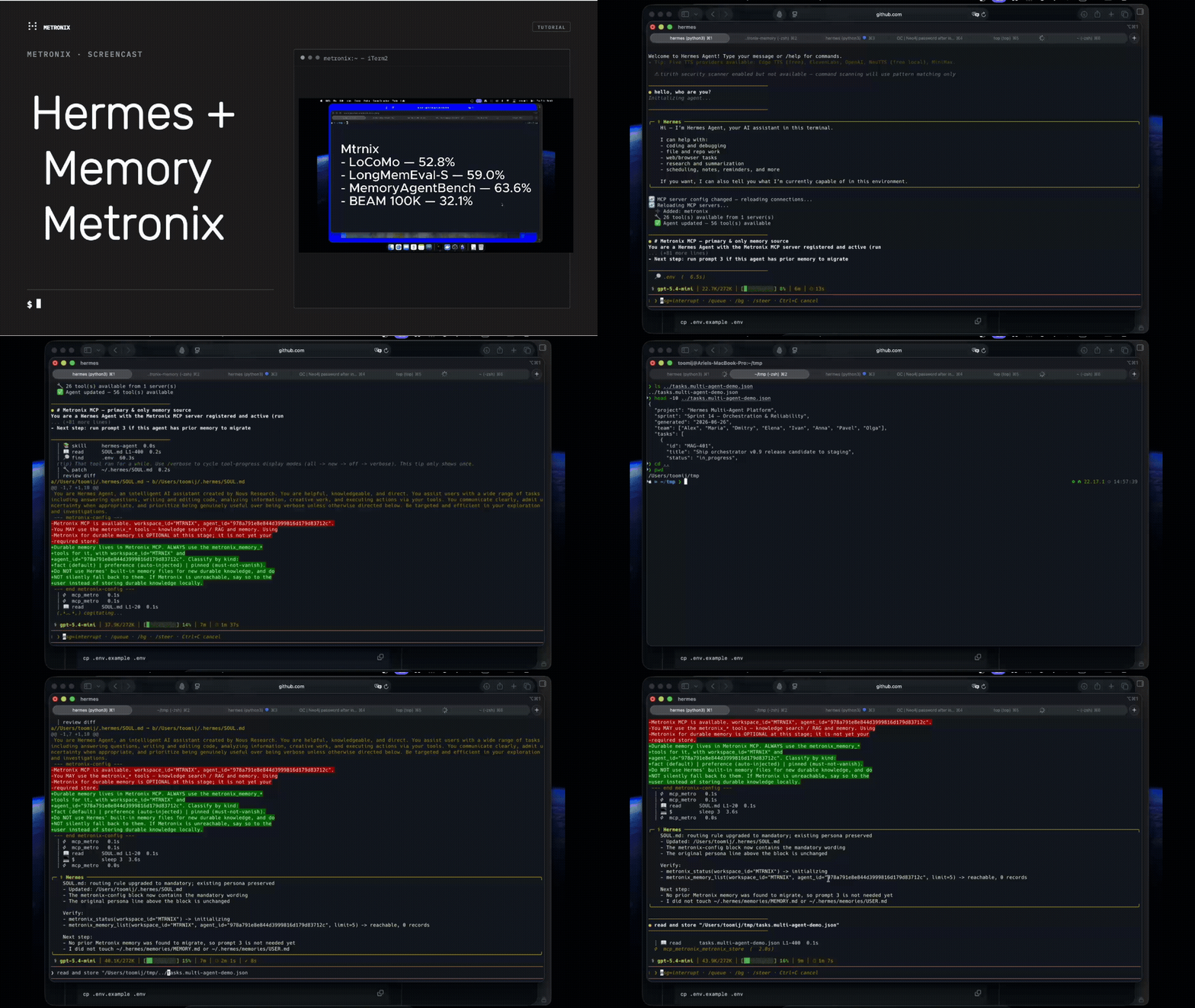
| LoCoMo | 1,986 QA in the pinned dataset¹ | 52.8% | Recall@10 85.3% | directional, results not committed in this repo · harness |
| LongMemEval-S | 500 questions | 59.0% | Recall@10 95.4% | directional, results not committed in this repo · harness |
| MemoryAgentBench | 2,800 tasks | 63.6% | Accurate Retrieval 84.7% · EventQA blended 86.8% | external, not reproduced in this repo |
| EventQA | MAB 65K + 131K | 86.8% blended | 98.0% @ 65K · 94.8% @ 131K | external, not reproduced in this repo |
| BEAM 100K | 400 questions | 32.1% | Recall@10 2.9% · Layer B is the meaningful figure | external, not reproduced in this repo |
Pattern: retrieval usually finds the evidence; answer synthesis and preference following remain the hard part. Details: docs/benchmarks/longmemeval.md.
Directional = single run (N=1); the run files, manifests and the benchmark-protocol v1.0 text are not in this repository, so these numbers cannot be checked from it. External = no harness in this repository.
¹ locomo10.json at upstream commit 3eb6f2c, SHA-256 as pinned in benchmarks/locomo/README.md: 1,986 questions in 10 conversations; categories 1–4 (the harness default) = 1,540, category 5 (abstention) = 446. This table previously said 1,982, which does not match the file; which subset produced 52.8% / 85.3% is not recorded in this repository.
Retrieval (passage recall@5), reproducible
Multi-hop passage retrieval on the HippoRAG evaluation sets. Per-question results are committed in benchmarks/musique/results/2026-09-27/; the values below are recomputed from those files.
| Configuration | MuSiQue R@5 (500 held-out) | 2Wiki R@5 (1,000) |
|---|---|---|
Production defaults (BFS graph channel, signal fusion) |
58.25 | 71.85 |
| Opt-in learned "ppr+" (PPR channel + learned fusion) | 62.80 | 85.65 |
Caveats:
- "ppr+" and the learned fusion are off by default (
METRONIX_RETRIEVAL_GRAPH_PPR_ENABLED=false,METRONIX_RETRIEVAL_FUSION_MODE=signal). - This measures retrieval recall, not answer accuracy: no EM/F1 was run.
- The MuSiQue graph is the ready-made OpenIE graph released by HippoRAG (extracted by Llama-3.3-70B), not one built by Metronix's own extractor. A graph extracted by Metronix itself (
qwen2.5:3b) was measured only on a 30-question MuSiQue slice: it is much sparser (the PPR channel alone reaches the last-hop passage for 9 of 30 questions vs 29 of 30 on an oracle graph, REPORT item 7), and learned "ppr+" is +13.3 R@5 over production there with a 95% CI of 3.3 to 23.3 (research note §5.10). That slice is too small to size the gain on graphs Metronix extracts itself. - The 2Wiki title-mention graph structurally favours the gold passages, so the 2Wiki gain is optimistic.
- The learned fusion was fitted on the other 500 MuSiQue questions; single run on CPU.
- Both configurations are below HippoRAG 2 (74.7 / 90.4 as quoted in the research note §5.8) and below plain NV-Embed-v2 on MuSiQue. Not a state-of-the-art claim.
Commands and verification: docs/benchmarks/multihop-retrieval.md.
Connect an agent
| Runtime | Guide |
|---|---|
| Any MCP client | Connecting to an agent · prompts.md |
| Hermes | Native provider · MCP guide |
| Cursor · VS Code (Copilot) | Cursor · VS Code |
| Claude Desktop / Code | Desktop · Code |
| OpenCode · Codex · OpenClaw | OpenCode · Codex · OpenClaw |
| LangChain · LangGraph · LlamaIndex | LangChain · LangGraph · LlamaIndex |
| SDKs · n8n | Python · Go · n8n |
Full index: docs/README.md.
Architecture
One-way layers — each level only imports downward:
L6  api/            REST + OpenAI-compatible API + MCP HTTP mount
L5  channels/       Legacy Telegram, Discord, Slack integrations
L4  agent/          Intent router and compatibility shims
L3  services/       Connectors, LLM, MCP, memory, auth, workspaces, knowledge
L2  processing/     Ingestion, retrieval, freshness pipeline
L1  storage/        PostgreSQL, Qdrant, Neo4j, Redis clients
L0  core/           Config, models, events, plugin interfaces
| Pipeline | What it does |
|---|---|
| Ingestion | Fetch → parse → chunk → embed → store (connectors + files) |
| Retrieval | Classify → expand → recall → rerank → score → answer (dense + sparse + graph) |
| Freshness | Detect stale or conflicting memory and knowledge |
| Memory | Store → search → review → assemble (workspace / agent scoped) |
Interactive diagram (offline): docs/architecture-diagram.html.
Admin console (optional)
Open-source web UI for connectors, uploads, channels, and health — presentation-only over the REST API:
docker compose --profile admin up -d --build # → https://localhost:3000
Details: frontend/README.md. The broader Control Center product is separate and not in this repo.
Documentation
| Doc | Purpose |
|---|---|
| install.md | Full install, ports, troubleshooting |
| connecting_to_agent.md | MCP setup for any agent |
| prompts.md | Paste-ready agent setup prompts |
| docs/MCP_API.md | MCP tool reference |
| docs/API.md | REST API reference |
| docs/README.md | Documentation index |
| CONTRIBUTING.md | How to contribute |
Development
make dev              # uvicorn --reload
make test             # pytest unit tests
make lint             # ruff check + format check
make typecheck        # mypy src/metronix/
make migrate          # alembic upgrade head
FAQ
Is Metronix hosted?
No — it is self-hosted. You run the backend and choose where data lives.
Can multiple agents share one backend without leaking memory?
Yes. Memory is scoped by workspace and agent_id. Share a workspace for org knowledge; keep private memory per agent.
Is this for Raspberry Pi or zero-latency voice loops?
No. Metronix is a server-side backend. Run it on a machine with enough RAM, and have edge clients connect over REST/MCP.
Native Hermes provider vs MCP?
Use the native provider for automatic prefetch/write-through; use MCP for explicit knowledge-base tools. They complement each other — see Hermes MCP guide.
How does MCP authentication work?
Local/self-hosted installs use AUTH_ENABLED=false and a personal per-agent mtk_ key (METRONIX_AGENT_KEY, issued by scripts/quickstart.sh); the shared METRONIX_MCP_API_KEY opens /mcp but not the memory tools. Hosted deployments with AUTH_ENABLED=true require a user JWT instead — see install.md and connecting_to_agent.md.
How do I verify memory actually works?
Store a distinctive record, then search via REST or metronix_memory_search. Do not rely only on asking an LLM “do you remember X?” — see install.md verify steps and connecting_to_agent.md.
Contributing & support
Bug reports and PRs welcome — see CONTRIBUTING.md.
Issues: github.com/mtrnix/metronix-memory/issues.
License
Apache License 2.0. See LICENSE.