
mrpulor-gh/nuphus
mrpulor-gh/nuphus has 102 GitHub stars and 20 forks. GitHot measured 0 stars in 24 hours. Last checked 2026-11-16 19:53 UTC. Last push 2026-11-12.
Measured star growth
- in 24h
- 0
- in 7 days
- Collecting history
- in 15 days
- Collecting history
- in 1 month
- Collecting history
Net star changes over overlapping periods, not daily totals. Missing measurements are left blank. Stars measure attention, not software quality.
About
Nuphus — 本地优先的 AI Agent:真实桌面执行力 + 手机第二块屏幕。Local-first AI agent with real desktop execution and dual-device real-time sync.
AIREADME.en.md
OriginalNuphus — Local-First AI Companion for Daily Coding, Office Work & Automation Workflows




English | 中文
Official website: www.nuphus.com — product overview, installers, changelog and documentation


Version: 1.4.0 · Status: Release (stable) · Platforms: Windows / macOS / Linux Tech Stack: Tauri v2 · Rust · React 18 · TypeScript
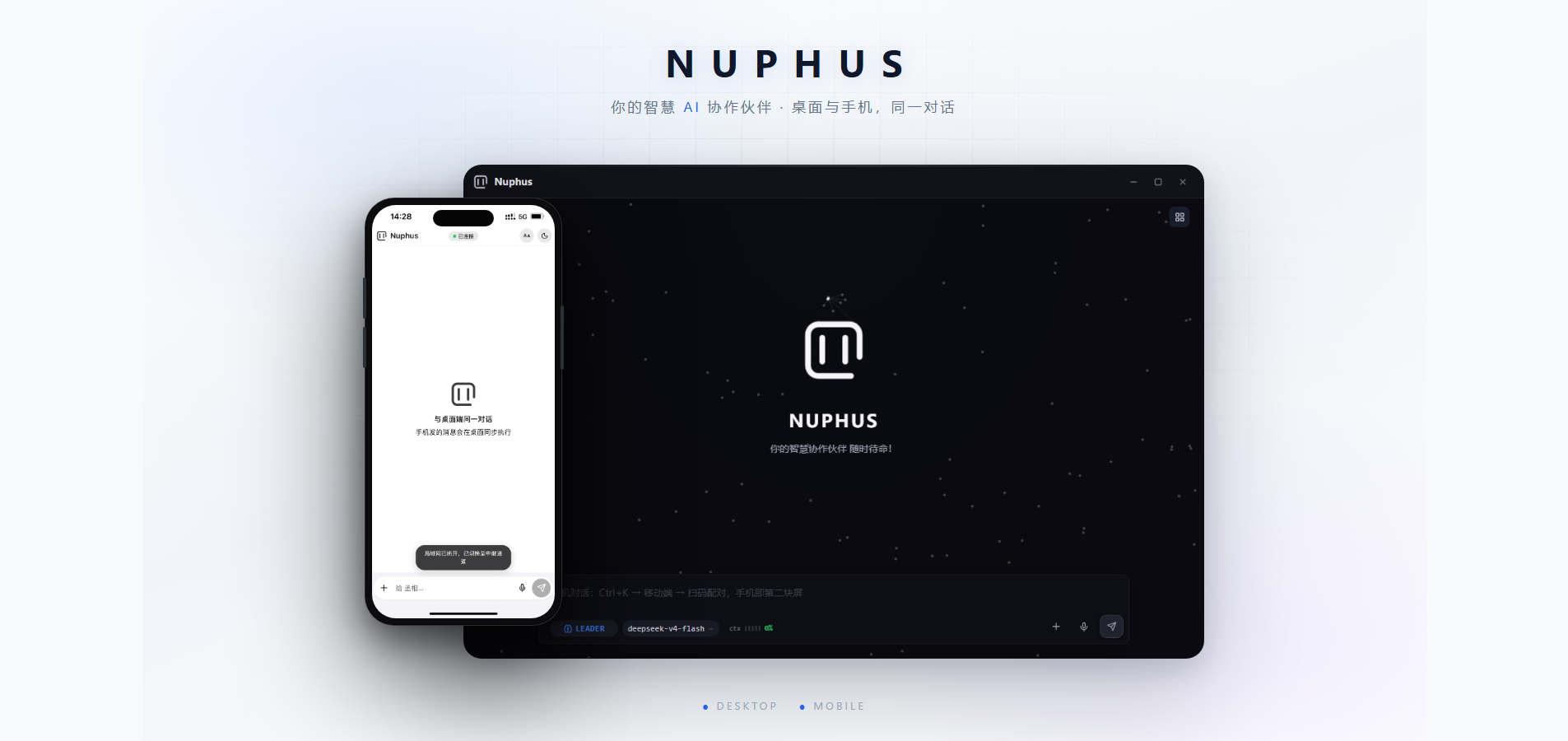
Nuphus is an AI Agent that runs entirely on your computer — local service, private data, and real desktop execution power. Your phone is its second screen on the same Wi-Fi LAN.
It reads the screen, drives the mouse and keyboard, controls windows, reads and writes files, and orchestrates the browser — turning LLM reasoning into real automation. The service, data, and Agent all run locally; model connections are configured by you. The phone connects to the desktop over the local Wi-Fi LAN by default, sharing the same memory, Agent, and conversation.
Design Philosophy
We don't chase flashy tricks — we value practical capability. Minimalist pragmatism: features appear on demand; no bloated shells, no repeated exploration, no wasted effort. Everything must land in daily work.
Leader: Serial thinking, parallel execution
Nuphus's core engine is built in Rust; tool calls complete in milliseconds, so the latency bottleneck is model inference, not the engine. Agent decisions are themselves causal chains — each step depends on the result of the previous one, and desktop system operations should follow serial logic.
- Global understanding, task ownership — the Leader parses the goal, plans the path, monitors progress, and consolidates delivery
- Internal orchestration (serial) — dispatches built-in GoalType ExecAgents (project analysis / code generation / debugging / file operations, etc.) along the causal chain
- External orchestration (parallel) — through explicit interaction instructions, it can open Cline to fix a bug, Claude Code to write tests, and the browser to look up docs simultaneously — each external agent has its own context; Nuphus sits on top, verifying with screenshots, reading output, and consolidating decisions
- Context passing — explicit instructions give external agents task context, reducing repeated instructions and re-exploration
What is serial is thinking; what is parallel is execution.
Workflow: Turning one exploration into deterministic execution
Making an LLM spend tokens to solve 85%-identical tasks every time is a double waste of compute and time. Nuphus's answer — let the LLM reason once, compile it into a workflow, then execute repeatedly with near-zero tokens:
Natural language interaction → Agent co-explores (understand UI/flow/params) → solidify parameters step by step → compile into a deterministic execution sequence → engine repeats
This is not scheduled tasks — it is turning one intelligent exploration into repeatable deterministic execution:
- Natural language exploration — interact with the Agent in natural language: grading exam papers, browser automation, desktop software operations... the Agent understands intent, recognizes the UI, and operates frame by frame
- Parameter solidification — after co-exploring, solidify each step's locating, operation, and exception handling into parameters (parameters are the contract, all backed by UI evidence)
- Deterministic execution — the compiled sequence repeats with near-zero tokens, no longer relying on the LLM to re-reason every time
- Guardian repair — at runtime the Agent stands guard: on errors, it fixes, records, and optimizes according to the design intent and goal, rather than blindly retrying
One compile-time investment buys deterministic, repeatable, near-zero marginal cost automation.
Core Highlights
Real Desktop Execution
Nuphus installs directly on your OS with native-grade screen perception and input control:
- Drive any GUI — window + OCR + mouse/keyboard; automate any desktop app or web page without needing their API
- Built-in browser — a programmable browser engine; web automation, data collection, and form interaction all run locally
- Programming & project analysis — project analysis, code generation, debugging, file operations with deep project context
- Multi-agent orchestration — run Cline, Claude Code and other external agents in parallel, consolidating decisions
Dual-Device Sync: Desktop Works, Phone Controls
Nuphus separates "execution" from "control": the desktop is the Agent's hands, your phone is the remote.
- Same session, synced across devices — the phone connects to the same desktop Agent: messages share one entry point; history, memory and state are shared
- Real-time event stream — every step (thinking, tool calls, results) streams to the phone over WebSocket
- Workflow remote control — pause, resume, stop running workflows from your phone
- Execution trace playback — view the Agent's full trace on the phone; every step is transparent
- Wi-Fi LAN direct — the phone reaches the local service directly when both devices share the same Wi-Fi, with no official server
- Your server, your control — Nuphus does not provide an official relay; for remote access, deploy and configure your own
relay-server
P2P and custom server connections remain optional user-controlled capabilities.
Local-First, Private by Default
- Data stays on your machine — conversations, memory, plugins all stored locally
- Local AI engines — PP-OCRv4 (OCR) and Candle (semantic search) run locally; everyday recognition costs zero API calls
- 4-layer security — permission gates → human-in-the-loop → injection detection → circuit breaker
- Model freedom — unified access to OpenAI / Anthropic / DeepSeek / Qwen / Zhipu and other mainstream providers, switch anytime
Built-in Tools: PDF / Image / Video / Audio / Docs
No external tools to install — 23 built-in processing commands:
| Category | Capabilities |
|---|---|
| Merge / Compress / Text extraction / Images to PDF / Extract pages / Rotate | |
| Image | Compress / Convert / Resize / Stitch / Batch compress / Batch convert |
| Video | Compress / Extract frames / To GIF / Cut clip |
| Audio | Extract audio / Audio convert / Voice clone (cloud) |
| Docs | docx / pptx / xls / pdf → text |
More Capabilities
| Capability | Description |
|---|---|
| Memory system | Cross-session experience accumulation; SQLite + FTS5 + vector semantic search — gets smarter the more you use it |
| Zero-compile extension | Knowledge, skills, workflows, ui-maps are plain-text files; drop into plugin/ and they load |
| Three-layer vision | Built-in OCR (zero API cost) → configurable vision model (complex scenes) → user-guided vision (most flexible fallback) |
| Deterministic workflows | Compile recurring tasks into workflows and run with zero tokens (see philosophy above) |
| Sound feedback | Task done / error / retry all have distinct sounds — know the state without staring at the screen |
Installation
One-command npm install (recommended)
A single command installs and auto-matches your platform's binary (Windows x64 / macOS arm64 / Linux x64). No installer download, no Node.js / Rust required:
# Global install (provides the nuphus command)
npm install -g @nuphus/nuphus-desktop

# Or try without installing (no global write)
npx @nuphus/nuphus-desktop
Then type nuphus in your terminal to launch.
First install is large (desktop app bundles local OCR / speech models), please be patient.
Download installers
For users unfamiliar with the command line — no CLI, no Node.js / Rust required:
- Download the installer for your platform from the official website (fast in China) or GitHub Releases:
- Windows:
.exe(NSIS installer, per-user, no admin rights needed) - macOS:
.dmg - Linux:
.deb/.AppImage
- Windows:
- Double-click to install (Windows creates a Nuphus desktop shortcut)
- Double-click the shortcut to launch
Build from source (developers)
Prerequisites:
| Tool | Version | Purpose |
|---|---|---|
| Rust | 1.95.0 (pinned by rust-toolchain.toml) |
Core engine compilation |
| Node.js | ≥ 20 (vitest 4 does not support 18) | Tauri frontend build and frontend tests |
| Tauri CLI | cargo install tauri-cli --version "^2" |
Desktop app development |
git clone https://github.com/mrpulor-gh/nuphus.git
cd nuphus

# Install dependencies (root Tauri CLI + frontend deps)
npm install

# Run in dev mode
npx tauri dev
Quick Start
Configure a model
- On first launch, follow the onboarding to pick a provider and enter your API key
- Press Enter to finish
You can also skip config with env vars:
QWEN_API_KEY="sk-xxx" npx tauri dev
After onboarding, modify config in Settings → Models. API keys are encrypted: on Windows they're encrypted with system-level DPAPI into local config.toml (
enc:v1:format, bound to the current user); macOS/Linux currently store plaintext (relying on file permissions; OS credential integration is on the roadmap). Never share or commit this file.
Connect your phone
- Make sure the phone and desktop are on the same Wi-Fi LAN
- On the desktop, enable the local mobile service in the Phone settings page (default port 18772)
- Scan the LAN pairing code, or open the LAN address and enter the pairing password
- Add to Home Screen (PWA); use it like an app from then on
Only the local Wi-Fi LAN is used by default. The server address can be changed from the phone pairing page or Network & Connections; remote access requires your own deployed server.
Architecture Overview
Nuphus uses a six-layer architecture, security threaded through every layer:
┌─────────────────────────────────────────────┐
│ Tauri shell                                 │  ← frontend UI + OS capabilities (notify, tray, hotkeys)
├─────────────────────────────────────────────┤
│ Runtime                                     │  ← unified main loop, 3-mode routing (Leader / Workflow / Custom)
├─────────────────────────────────────────────┤
│ Agent                                       │  ← Leader decision / ExecAgent execution / WorkflowAgent design
├─────────────────────────────────────────────┤
│ Transport                                   │  ← multi-provider abstraction (unified access to major AI vendors)
├─────────────────────────────────────────────┤
│ Tools / Memory / Workflow                   │  ← execution infrastructure
├─────────────────────────────────────────────┤
│ Security / Permissions                      │  ← security chain across all layers (injection detection / permission tiers / review)
└─────────────────────────────────────────────┘
Dual-device sync architecture:
┌──────────┐   WebSocket real-time event stream   ┌──────────────┐
│  Phone PWA│ ←────────────────────────────────→  │ desktop mobile│
│(chat/remote)│   POST /message shared entry        │ server(18772)│
└──────────┘                                      └──────┬───────┘
      ↕ Wi-Fi LAN direct (default)                        │ shared session/memory/state
┌────────────────┐                                ┌──────┴───────┐
│ Optional server │ ←── user configured ───────→ │  Nuphus      │
│ (not official)  │                              │  desktop     │
└────────────────┘                                │  Agent engine │
                                                  └──────────────┘
Phone messages go through submit_user_message(source="mobile"), sharing the same leader_agent / busy lock / dedup logic as the desktop — the two devices are two views of one Agent, not two separate systems. Disconnects auto-reconnect with exponential backoff and re-pull history to fill gaps; no messages are lost.
Data flow: user input → Tauri event → Runtime routing → Leader decision → task_dispatch → ExecAgent execution → result return → frontend display (synced to desktop & phone)
Configuration
Nuphus uses a TOML config file; src/config/mod.rs::load_registry searches by priority:
| # | Path | Use |
|---|---|---|
| 1 | <exe_dir>/config.toml |
Portable deployment |
| 2 | ./config.toml |
Development |
| 3 | ~/.config/nuphus/config.toml |
Linux/macOS user-level |
| 4 | ~/.nuphus/config.toml |
Legacy compatibility |
| 5 | <AppData>/nuphus/providers.toml |
Windows desktop canonical config (anchored by desktop, auto-generated on first launch) |
Design Principles
- Local-first — data stays local by default; cloud only when you opt in
- Minimal mental model — keep every feature simple, avoid over-abstraction
- Determinism first — compile to a workflow instead of re-reasoning; reuse instead of rewriting
- Long-term first — prefer solutions consistent with the existing architecture and maintainable
- Restraint over stacking — every new feature must prove it's irreplaceable
- Closed-loop design — every module forms a complete loop from input to output
Contributing
Nuphus is a community-driven open-source project. Besides code, you can help build the ecosystem:
Contribute plugins (coming soon)
| Plugin type | Description | Examples |
|---|---|---|
| ui-maps | UI layout descriptions for any software (button positions, window identification) | Photoshop export panel, enterprise ERP layout |
| workflows | Reusable workflow templates | "Daily project backup", "Batch image compression" |
| skills | Domain methodologies and operation guides | "Frontend UI design guidelines", "Code patterns for a framework" |
| knowledge | Project domain knowledge docs | API references, config notes, architecture docs |
All plugins are plain-text files (.md / .json); drop them into the matching plugin/ directory and Nuphus loads them.
Get involved
- GitHub Issues: bug reports and feature requests
- GitHub Discussions: usage questions, experience sharing, plugin recommendations
Acknowledgements
v1.1.3 Contributors
This release has no community pull requests; all changes were made by the maintainer.
v1.0.0 Contributors
No external pull requests were merged in this release; all changes were made by the maintainer.
v0.2.31 Contributors
Thanks to the community contributors who submitted pull requests in this release:
| Contributor | PR | Summary |
|---|---|---|
| @Steooenwolf-666 | #107 | ChatGPT plan sign-in and Responses inference: generic OAuth, secure credential storage, per-model protocol routing and request constraints |
| @Steooenwolf-666 | #108 | Fix IPC parameter casing for execution reviews, inline config and new sessions (top-level camelCase) |
v0.2.30 Contributors
No external pull requests were merged in this release; all changes were made by the maintainer.
v0.2.29 Contributors
Thanks to the community contributors who submitted pull requests in this release:
| Contributor | PR | Summary |
|---|---|---|
| @zhoupeiyu515-ui | #105 | Fixes session-row hover overlap and stray button hits, restores the ModelsPage test baseline (adds the missing getVisionResolution mock) |
v0.2.28 Contributors
Thanks to the community contributors who submitted pull requests in this release:
| Contributor | PR | Summary |
|---|---|---|
| @zhoupeiyu515-ui | #104 | Adds quick-filter chips for popular models and multi-keyword (space-OR) filtering |
v0.2.24 Contributors
Thanks to the community contributors who submitted pull requests in this release:
| Contributor | PR | Summary |
|---|---|---|
| @zhoupeiyu515-ui | #84 | Adds the mobile server / relay threat model and accepted limits to SECURITY.md |
| @yuansui486 | #87 | Fixes Markdown rendering for external data points (MarkdownInline exported for reuse) |
| @yuansui486 | #88 | Clarifies model connection success feedback and moves model capability probing off the switch path |
| @Steooenwolf-666 | #91 | Correctly propagates desktop input and submit-hotkey failures in the external-Agent dispatch sequence |
v0.2.23 Contributors
Thanks to the community contributors who submitted pull requests in this release:
| Contributor | PR | Summary |
|---|---|---|
| @Steooenwolf-666 | #67 | Keep monthly 29–31 day schedules when re-editing a workflow |
| @Steooenwolf-666 | #70 | Show the original path when a mobile image fails to decode |
| @Steooenwolf-666 | #71 | Fix loop variable scope check when moving canvas steps |
| @Steooenwolf-666 | #72 | Stabilize canvas draft and session snapshot tests |
| @Steooenwolf-666 | #73 | Protect external agent task state and preview the latest reported run |
| @Steooenwolf-666 | #74 | Add a non-sensitive run parameter scheme for workflows |
| @Steooenwolf-666 | #75 | Retry failed images in place on mobile |
| @fouyzjl | #79 | Persist base_url in switch_model so an edited endpoint no longer reverts |
| @zhoupeiyu515-ui | #80 | Expand only the last conversation's project folder on startup, and fix submenu clipping |
v0.2.22 Contributors
Thanks to the community contributors who submitted pull requests in this release:
| Contributor | PR | Summary |
|---|---|---|
| @yuansui486 | #65 | Improve workflow node debugging, run evidence and canvas editing |
v0.2.21 Contributors
Thanks to the community contributors who submitted pull requests in this release:
| Contributor | PR | Summary |
|---|---|---|
| @yuansui486 | #58 | Improve cross-platform desktop execution reliability and workflow progress reporting |
| @yuansui486 | #59 | Fix canvas workstation window dragging; add a prototype light/dark toggle |
| @yuansui486 | #61 | Refine workflow node forms, variable selection and canvas layout |
| @zhoupeiyu515-ui | #63 | Add a TypeSafe console link to the enhanced-judgement model API key row |
v0.2.20 Contributors
Thanks to the community contributors who submitted pull requests in this release:
| Contributor | PR | Summary |
|---|---|---|
| @yuansui486 | #56 | Improve cross-platform target binding, semantic observation and stable replay |
| @zhoupeiyu515-ui | #57 | View desktop-local images on mobile: new /file endpoint with inline rendering |
v0.2.19 Contributors
Thanks to the community contributors who submitted pull requests in this release:
| Contributor | PR | Summary |
|---|---|---|
| @yuansui486 | #52 | Semantic desktop automation foundation (UIA/Accessibility): observation, bounded candidates, pre/post execution verification |
| @yuansui486 | #54 | Enhanced judgement model: standalone configuration with structured selection from local bounded candidates |
| @zhoupeiyu515-ui | #50 | Harden log rotation: rename failures no longer lose history |
Contributors of earlier releases are recorded in CHANGELOG.md.
License
Copyright © 2026 Nuphus Team · Apache License 2.0