
mrd0x/BITB
mrd0x/BITB has 2,897 GitHub stars and 476 forks. GitHot measured -1 stars in 24 hours. Last checked 2026-11-07 19:37 UTC. Last push 2024-01-26.
Browser In The Browser (BITB) Templates
Measured star growth
- in 24h
- -1
- in 7 days
- Update delayed
- in 15 days
- Update delayed
- in 1 month
- Update delayed
Net star changes over overlapping periods, not daily totals. Missing measurements are left blank. Stars measure attention, not software quality.
README.md
OriginalBITB
Browser templates for Browser In The Browser (BITB) attack.
More information: https://mrd0x.com/browser-in-the-browser-phishing-attack/
Usage
Each folder has a index.html file which has 4 variables that must be modified:
- XX-TITLE-XX - The title that shows up for the page (e.g. Sign in to your account now)
- XX-DOMAIN-NAME-XX - Domain name you're masquerading as. (e.g. gmail.com)
- XX-DOMAIN-PATH-XX - Domain path (e.g. /auth/google/login)
- XX-PHISHING-LINK-XX - Phishing link which will be embedded into the iFrame (e.g. https://example.com)
Furthermore, if you're using a Windows template you should update the logo.svg which is the icon of the website you're masquerading as. The default logo is Microsoft.
Windows-DarkMode-Delay
The Windows-DarkMode-Delay folder makes use of jQuery's fadeIn() function to add a slight delay to the pop-up window as it appears. This is only one way of making the Window appear in a delayed fashion, there's various other ways to do the same.
Demo
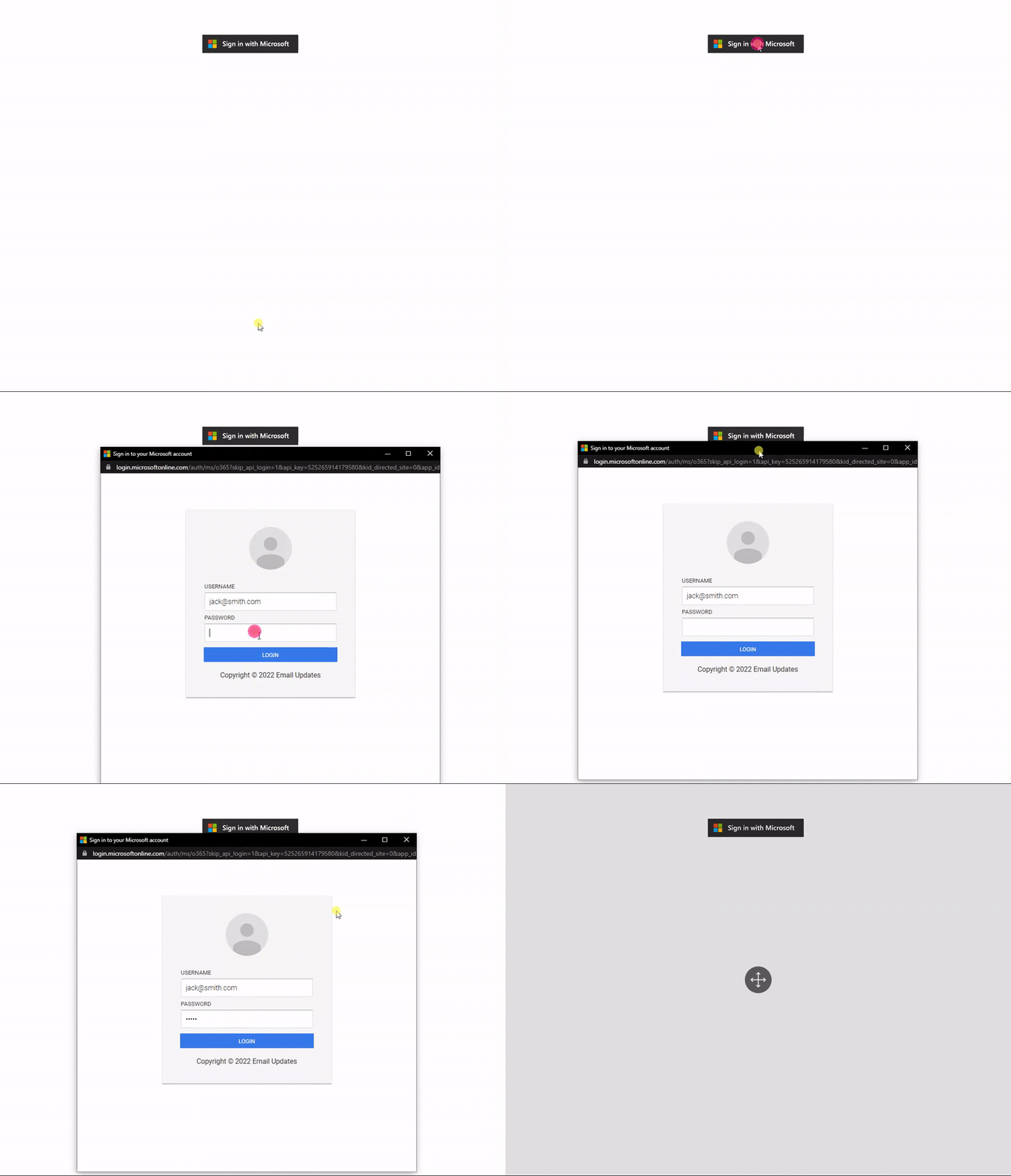
Detecting Color Preference
To get the most out of this you should determine the OS from the user agent and the color preference and display the appropriate template.
To find out if you should use dark or light templates check out: https://stackoverflow.com/questions/50840168/how-to-detect-if-the-os-is-in-dark-mode-in-browsers
Detecting BITB
Dragging the Window
One way of detecting BITB is by attempting to drag the window to the edge of the browser. If the window cannot escape the browser then it's not a real window.
Browser Extension
@odacavo released a great browser extension that can detect and warn users about embedded iframes. It's available here: https://github.com/odacavo/enhanced-iframe-protection
All credits go to @odacavo.
Disclaimer
Usage of these templates for attacking targets without prior consent is illegal. It's the end user's responsibility to obey all applicable laws. The developer is not responsible for any misuse of these templates.
Explore related projects
codecrafters-io/build-your-own-x
Master programming by recreating your favorite technologies from scratch.
560,860 starspublic-apis/public-apis
A collective list of free APIs
497,105 starsmorluto/rea
Reverse engineer anything with agents, from app behavior down to native binaries.
441,773 starsopenclaw/openclaw
The AI that really does things. Any OS. Any Platform. The lobster way. 🦞
394,164 stars