
morqva/unwrap
morqva/unwrap has 6 GitHub stars and 0 forks. GitHot measured 0 stars in 24 hours. Last checked 2026-11-15 15:31 UTC. Last push 2026-11-13.
Measured star growth
- in 24h
- 0
- in 7 days
- Collecting history
- in 15 days
- Collecting history
- in 1 month
- Collecting history
Net star changes over overlapping periods, not daily totals. Missing measurements are left blank. Stars measure attention, not software quality.
About
Your year in Telegram, Instagram and TikTok as Wrapped-style stories. 100% in your browser, your data never leaves your device.
Web & AppsREADME.md
Original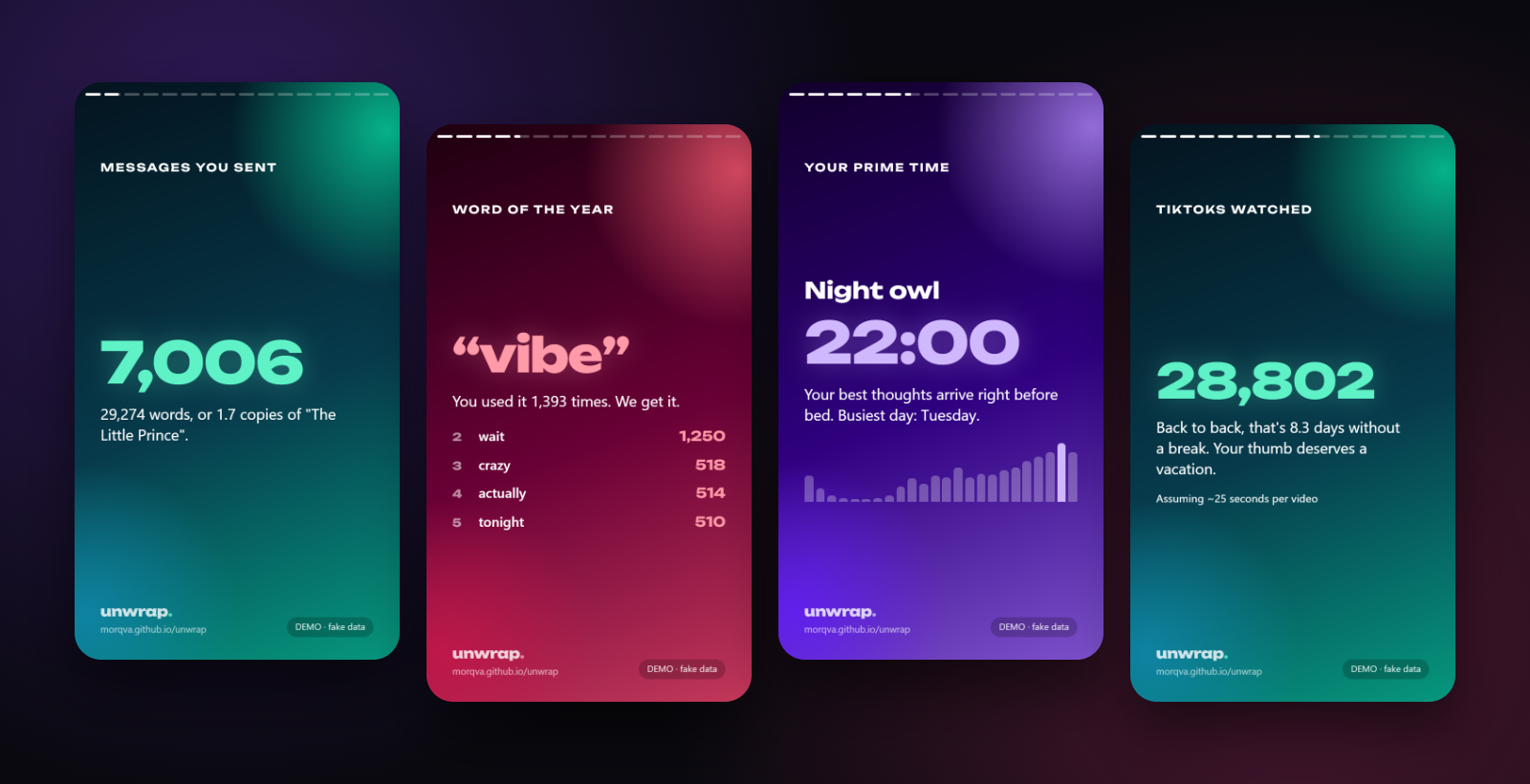
unwrap.
Your year in Telegram, Instagram and TikTok — as Wrapped-style stories you can share. Runs 100% in your browser. Your data never leaves your device.
Drop your data export on the page and get full-screen stories:
- 💬 how many messages you sent, compared with War and Peace
- ❤️ your closest person and loudest chats
- 🗣️ word and emoji of the year
- 🌙 the hour you type most and the hour TikTok gets you
- ⚡ who replies to you fastest
- 📱 how many TikToks you watched, and how many days nonstop that is
- 👍 likes given, and who you followed and then unfollowed
Every card exports as a 1080×1920 PNG, ready for Instagram or Telegram Stories.
No data? Hit "Try it with fake data". The demo generates a fake export and runs it through the real parsers.
🔒 Privacy: everything stays local
This is the whole point of the project, so here is exactly how it works:
| No server | The site is static HTML/JS hosted on GitHub Pages. There is no backend to receive anything. |
| No network requests | The production build ships a Content-Security-Policy with connect-src 'none': the browser refuses any fetch, XHR or WebSocket from the page. See vite.config.ts. |
| No trackers | No analytics, no cookies, no CDN fonts. The font is inlined into the bundle. |
| Airplane-mode test | Open the site, turn on airplane mode, drop your file. It works, because nothing ever needed the internet. |
| Read the code | Parsing happens in src/parsers inside a Web Worker (src/core/worker.ts). It's a few hundred lines. |
📥 How to download your data
Instagram and TikTok can take a day or two to prepare the export. Request it now, come back later.
Telegram
- Install Telegram Desktop (export isn't available on mobile).
- Settings → Advanced → Export Telegram data.
- Tick Personal chats and Private groups. Untick photos/videos to keep it small.
- Format: Machine-readable JSON → Export.
- Drop
result.jsonon the page. A single chat's export works too.
- Settings → Accounts Center → Your information and permissions → Download your information.
- Download or transfer information → Some of your information.
- Pick Messages, Likes, Comments, Followers and following, Recent searches.
- Download to device, date range All time, format JSON (not HTML!).
- When Meta emails you, download the ZIP and drop it on the page as is.
TikTok
- Profile → ☰ → Settings and privacy → Account → Download your data.
- Choose All data and format JSON.
- When it's ready, download the ZIP from the Download data tab and drop it on the page.
You can drop several exports at once (e.g. Telegram + TikTok); the stats are combined.
🧩 Add your own source
Every platform is a small parser that turns a raw export into a common format. The shared stats engine computes all the cards from that, so a new source gets them for free.
- Create
src/parsers/yoursource.ts:
import type { SourceParser } from '../core/types'
import { emptyData } from '../core/types'
import { safeJson, toMs } from '../core/util'

export const whatsapp: SourceParser = {
  id: 'whatsapp',            // add it to the SourceId union in src/core/types.ts
  name: 'WhatsApp',

  // Look at file names / content and say "this is mine". Keep it cheap.
  async detect(fs) {
    return fs.match(/whatsapp.*\.txt$/).length > 0
  },

  // Fill in whatever events your platform has. Empty lists are fine.
  async parse(fs) {
    const data = emptyData('whatsapp')
    for (const file of fs.match(/\.txt$/)) {
      const text = await file.text()
      // ...push into data.messages / views / likes / comments / follows / unfollows / searches
    }
    return data
  },
}
- Register it in
src/parsers/index.ts. - Add the name and "how to export" steps in
src/i18n/en.tsandsrc/i18n/ru.ts. - Add a test with a tiny fake export in
src/core/pipeline.test.ts.
The common format (src/core/types.ts):
| Field | What goes there |
|---|---|
messages |
{ ts, chat, chatType, fromMe, sender, text } |
views |
videos/posts watched { ts } |
likes |
{ ts, target? } |
comments |
{ ts, text } |
follows / unfollows |
{ ts, user } |
searches |
{ ts, text } |
New card ideas go in src/cards/buildCards.ts.
🛠 Development
npm install
npm run dev      # http://localhost:5173
npm test         # parser + stats tests
npm run build    # static site in dist/
Stack: React, Vite, TypeScript, Tailwind CSS, Framer Motion, JSZip, html-to-image.
Deploy
Push to main. The GitHub Action in .github/workflows/deploy.yml tests, builds and publishes to GitHub Pages. Once, enable it in Settings → Pages → Source: GitHub Actions.
Any static host works too (Vercel, Netlify, Cloudflare Pages): build command npm run build, output dist.
Contributing
PRs welcome, especially new sources (WhatsApp, Discord, X, VK, YouTube…), new card ideas and translations. If an export format changed and something breaks, open an issue with the file structure. Please never attach your actual data.
Not affiliated with Telegram, Meta, TikTok or Spotify. MIT licensed.