
monuk7735/mew-notch
monuk7735/mew-notch has 557 GitHub stars and 37 forks. GitHot measured +1 stars in 24 hours. Last checked 2026-11-15 22:07 UTC. Last push 2026-10-28.
What you can do
- Brightness Display - Displays brightness adjustments in real-time, including optional auto-brightness changes and custom step sizes.
- External Display & BetterDisplay Support - Choose between a simulated bezel-connected Notch, a floating Island, or an on-demand HUD with custom position and dimension controls, plus seamless BetterDisplay integration.
- Sound Level Display - Shows input/output volume changes directly on the notch with customizable step sizes.
- System HUD Suppression - Option to completely hide the stock macOS HUDs for a cleaner experience.
Measured star growth
- in 24h
- +1
- in 7 days
- Update delayed
- in 15 days
- Update delayed
- in 1 month
- Update delayed
Net star changes over overlapping periods, not daily totals. Missing measurements are left blank. Stars measure attention, not software quality.
About
Make the Notches on newer Macs Useful!
Developer ToolsREADME.md
Original
MewNotch
Make the Mac Notch Actually Useful!
MewNotch is a free, open-source macOS app that transforms the notch into a customizable HUD for brightness, volume, power, and more. Minimal, beautiful, and privacy-friendly.



Features
- Brightness Display - Displays brightness adjustments in real-time, including optional auto-brightness changes and custom step sizes.
- External Display & BetterDisplay Support - Choose between a simulated bezel-connected Notch, a floating Island, or an on-demand HUD with custom position and dimension controls, plus seamless BetterDisplay integration.
- Sound Level Display - Shows input/output volume changes directly on the notch with customizable step sizes.
- System HUD Suppression - Option to completely hide the stock macOS HUDs for a cleaner experience.
- File Shelf - Drag and drop files to the notch for quick access or AirDrop sharing. Files persist across restarts, sync seamlessly across multiple displays, support multi-file packaging/renaming, and work even with Show on Lock Screen enabled.
- Power State - Show current power source. Toggle "Time Remaining" display for a cleaner look.
- Dedicated Lock Screen Settings - Independently configure notch dimensions (width & height), default expanded views, and visibility for the macOS lock screen.
- Multi-language Support - Available in English and Simplified Chinese (简体中文).
- Now Playing - Control now playing media directly from the notch with native SwiftUI layouts, hover tooltips, and throttled background updates.
- Mirror - Get a quick peek on how you're looking using the mirror in the expanded notch with customizable corner radius and efficient capture streaming.
- Customizable Bash Script View - Run and display custom bash commands with selectable header styles (Custom Title, Command, or None), customizable text alignment (Leading, Center, Trailing), click-to-copy context menus, and enriched environment paths.
- Optimized System Performance - Minimal resource footprint (~57 MB baseline memory), zero unused database runtime overhead, and GPU-accelerated CoreAnimation rendering.
- Customizable Interactions - Tailor the notch exactly to your liking with adjustable hover expand delays and toggles for HUD animations.
- Custom Layout - Reorder notch items to suit your workflow.
- Auto Updates - Built-in updater (Sparkle) to keep your app always up to date.
- Modern Settings UI - Completely grouped and redesigned settings experience for beautifully categorized configuration across all HUDs.
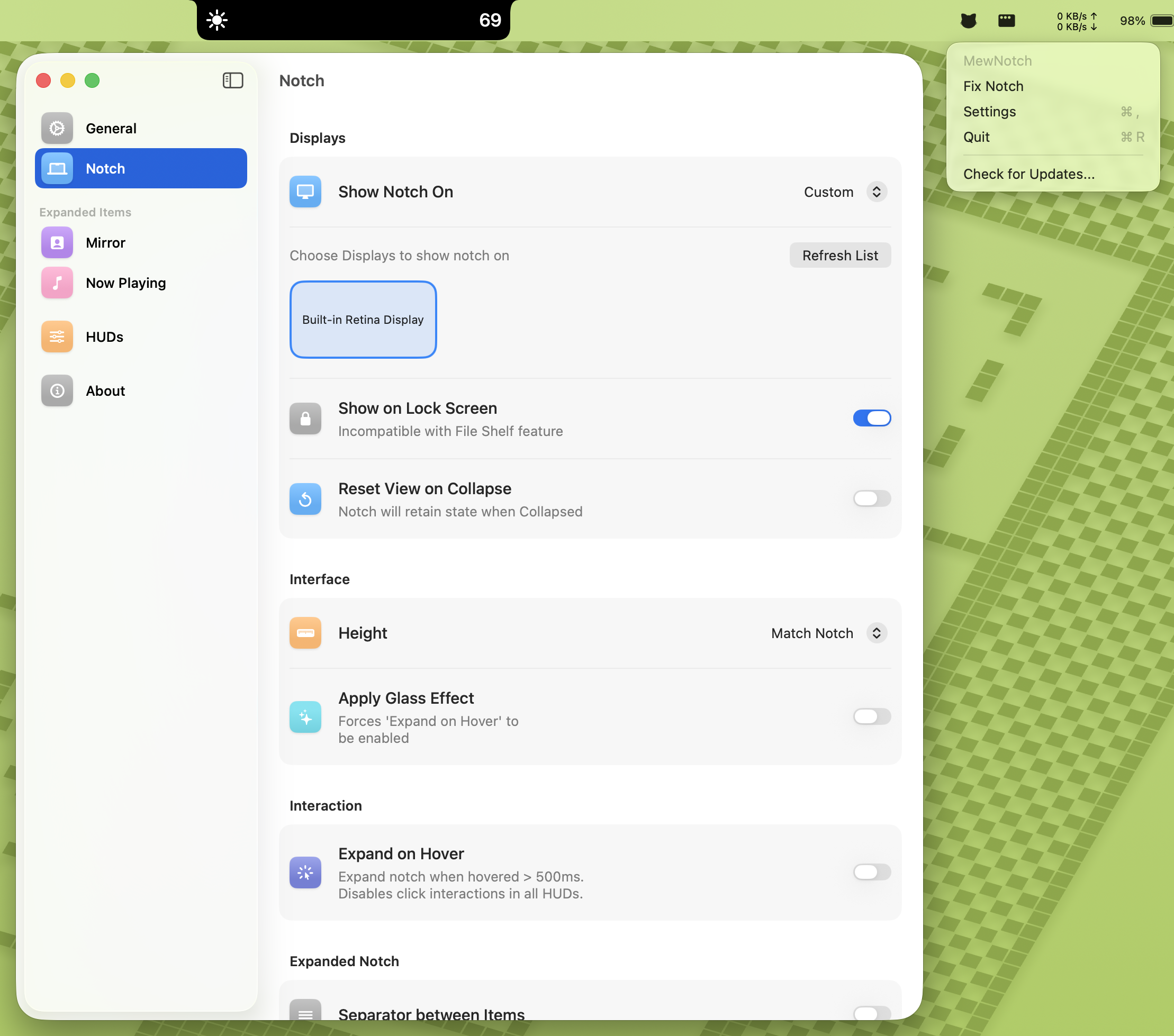
- Fully Custom Notch Experience - Choose the displays you want to see the notch on.
- SwiftUI-based UI - Smooth animations and modern macOS styling.
Installation
Homebrew
brew install --cask monuk7735/tap/mew-notch
Manual Download
- Download the latest release from GitHub Releases.
- Move the app to the Applications folder.
- Run the app and grant necessary permissions if prompted.
⚠️ "Damaged" or "Unidentified Developer" Error?
I don't have an Apple Developer account yet, so the application will display a popup on the first launch.
Option 1 (Recommended): Allow via System Settings
- Open System Settings → Privacy & Security.
- Scroll down to the Security section.
- Look for "MewNotch was blocked..." and click Open Anyway.
- Click Open in the confirmation popup.
Option 2 (Advanced): Run this command in Terminal
xattr -cr /Applications/MewNotch.app
This command simply removes the "quarantine" flag that macOS places on apps downloaded from the internet, resolving the false error.
xattr: The utility to modify file attributes.-c: Clears all attributes (removes the "quarantine" flag).-r: Recursive (applies to all files inside the app bundle).
Usage
- Launch MewNotch.
- Re-launch to open settings, if required. Notch won't appear at first launch on non-notched devices.
- Adjust the volume or brightness using Keyboard or Touch Bar.
- Customise the settings to have notch on different or all monitors.
- Enjoy the sleek visual feedback right on the notch!
Roadmap
- Add support for different types of HUD UIs.
- Allow users to toggle usage of each HUD variant.
- Icon in Menu bar to show app's running status.
- Add Touch bar support.
- Now playing music HUD.
- Actions on Now Playing HUD. Hover to see magic.
- Now Playing Detail on Expanded Notch View.
- Expand notch on hover.
- Mirror View
- Complete Control over which monitor shows the notch
- Explore different options for Now Playing media support on macOS 15.4 and above.
- Shelf for files in expanded notch view
- Persist Shelf Files across restarts
- Making shelf work with Show on Lockscreen enabled
- HUD for displaying keyboard backlight changes.
- Explore additional notch-based utilities.
Dependency
Contributing
Contributions are welcome! Feel free to open issues or submit pull requests.
License
This project is licensed under the GPLv3 License.
Acknowledgments
- Inspired by the idea of making the Mac notch actually useful!
- Built with ♥️ using Swift and SwiftUI.
- Some parts built with 😭 using Objective-C for system integration.
- Special thanks to the following GitHub repositories for their code and inspiration: