
monkeyWie/typix
monkeyWie/typix has 117 GitHub stars and 27 forks. GitHot measured 0 stars in 24 hours and 0 in 7 days. Last checked 2026-11-15 15:51 UTC. Last push 2026-02-06.
Measured star growth
- in 24h
- 0
- in 7 days
- 0
- in 15 days
- Update delayed
- in 1 month
- Update delayed
Net star changes over overlapping periods, not daily totals. Missing measurements are left blank. Stars measure attention, not software quality.
About
开源AI生图工具,免登录畅玩 FLUX2、SDXL,支持 cloudflare workers 一键部署自托管,并集成各大主流AI提供商,提供一站式的创作体验。
Creative & MediaREADME_en-US.md
OriginalTypix - Type To Pixels


简体中文 | English
Typix is a modern, open-source, user-friendly, and privacy-secure AI tool focused on media content generation, providing creators with a one-stop generation experience, supporting one-click deployment to Cloudflare Workers and free use of Cloudflare Workers AI models.
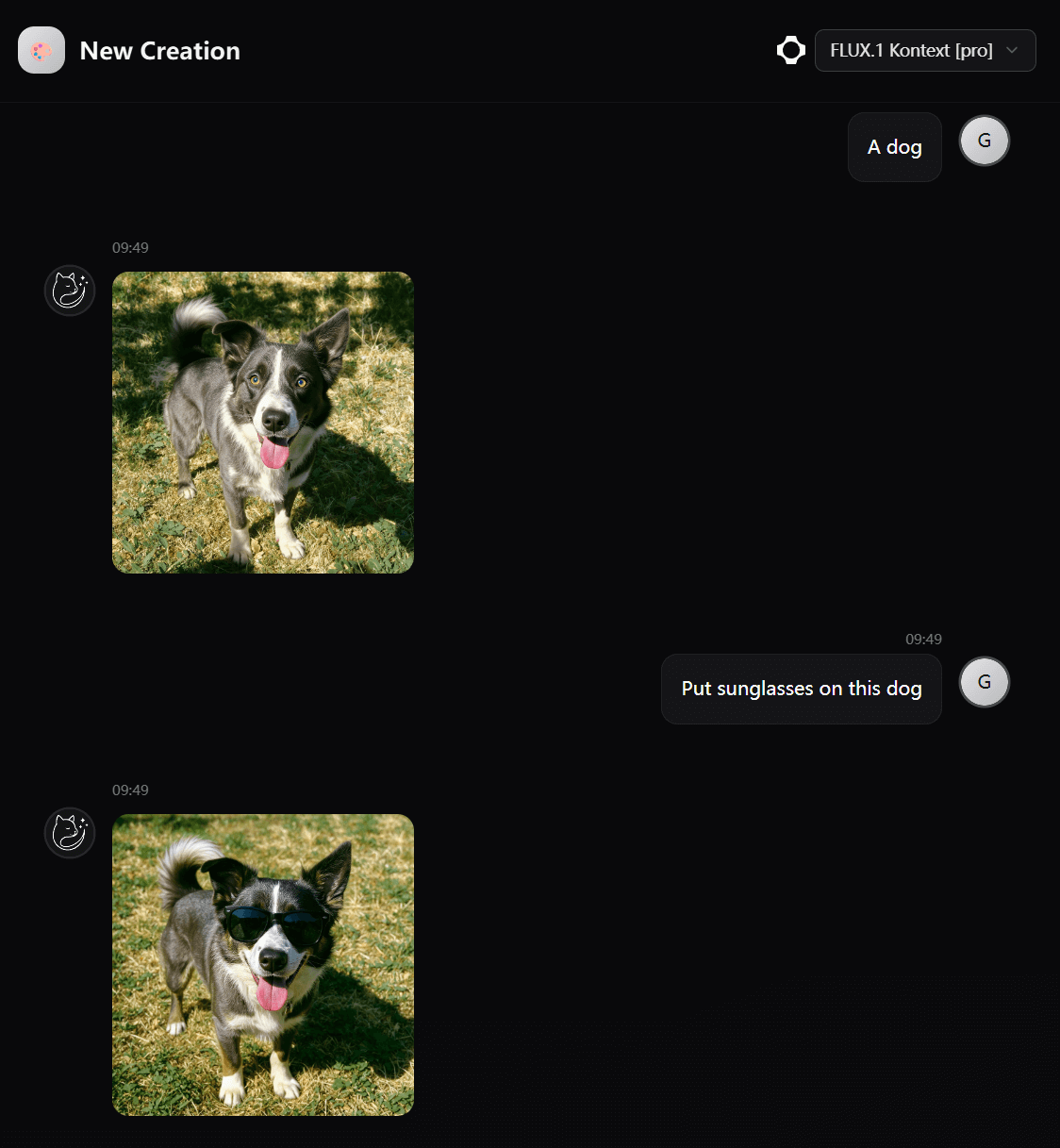
🎯 Quick Start
No registration required, instantly experience premium AI image generation services, including cutting-edge models like Flux and SDXL (daily free quota limited, first come first served).
- https://typix.art Production-grade stable version with cloud sync support
- https://preview.typix.art Get early access to the latest features and improvements
✨ Core Features
Focus on AI image generation, turning creativity into visual art instantly
- 📱 Local First - Prioritize local storage and offline functionality
- 🏠 Self-hosted - Full control over your data and privacy
- 🎁 Free Generation - Free image generation with Cloudflare Workers AI
- ☁️ One-click Deploy - Quick deployment with Docker and Cloudflare Workers
- 🤖 Multi-model Support - Support multiple AI models and service providers
- 🔄 Cloud Sync - Seamlessly sync your content across all devices
🔒 Data Security
Typix puts your data security and privacy protection first:
- 🛡️ Browser Local Storage - Based on WASM SQLite technology, all data is completely stored in your browser
- 🔐 Zero Data Upload - Your creative content, settings and other sensitive data never leave your device
- 🚫 No Server Dependencies - Client mode requires no external server dependencies, ensuring data sovereignty
- 🔄 Optional Cloud Sync - Support for optional cloud sync functionality
We protect both your creativity and privacy.
⚡ Powered by Leading AI Models
Integrated with cutting-edge AI models and services to provide the best image generation experience:
- Google - Advanced AI models with cutting-edge image generation capabilities
- OpenAI - Industry-leading AI technology
- Flux - High-quality image generation models
- Fal - Fast AI inference service
- Cloudflare - Free AI model support
More service providers and models are being integrated continuously.
🚀 Quick Deployment
One-click Deploy to Cloudflare Workers (Recommended)
Cloudflare Workers deployment provides free access to Cloudflare AI image generation services.
After successful deployment, you'll get a
typix.xxx.workers.devdomain to start using!
Docker Deployment
docker run --name typix -d -p 9999:9999 liwei2633/typix
Node.js Deployment
Prerequisites
- Node.js 20+
- pnpm or npm
Deployment Steps
- Clone and install
git clone https://github.com/monkeyWie/typix.git
cd typix
pnpm install
- Configure environment variables
cp .env.node.example .env
# Edit .env file to configure necessary parameters
- Database initialization
pnpm db:generate
pnpm db:migrate
- Build project
pnpm build:node
- Start service
node .bin/node.js
🛠️ Development Documentation
Tech Stack
Frontend:
- React 18 - Modern UI framework
- TypeScript - Type-safe JavaScript
- Tailwind CSS - Atomic CSS framework
- shadcn/ui - High-quality UI component library
- Tanstack Router - Type-safe routing management
- Zustand - Lightweight state management
- BetterAuth - Modern authentication solution
Backend:
- Hono.js - Lightweight web framework
- SQLite - Embedded database
- Drizzle ORM - Type-safe ORM
Development Tools:
- Vite - Fast build tool
- Biome - Code formatting and linting
- pnpm - Package manager
Local Development Guide
Environment Setup
- Install Node.js 20+
- Install pnpm
npm install -g pnpm
Development Workflow
- Clone project
git clone https://github.com/monkeyWie/typix.git
cd typix
- Install dependencies
pnpm install
- Database initialization
# Generate database migration files
pnpm db:generate

# Execute migration
pnpm db:migrate
- Start development server
# Start frontend development server
pnpm dev
Project Structure
src/
├── app/                    # Frontend application
│   ├── components/         # React components
│   ├── hooks/             # Custom Hooks
│   ├── routes/            # Route pages
│   ├── stores/            # State management
│   └── lib/               # Utility libraries
├── server/                # Backend service
│   ├── api/               # API routes
│   ├── ai/                # AI provider integration
│   ├── db/                # Database schemas
│   └── service/           # Business logic
📄 License
This project is licensed under the Apache License 2.0.
You are free to:
- ✅ Commercial use
- ✅ Modify code
- ✅ Distribute project
- ✅ Private use
But you must:
- 📝 Include copyright notice
- 📝 Include license file
- 📝 State significant changes
If this project helps you, please consider giving us a ⭐ Star!