
mondeja/simple-icons-blender
mondeja/simple-icons-blender has 29 GitHub stars and 1 forks. GitHot measured 0 stars in 24 hours. Last checked 2026-11-16 19:46 UTC. Last push 2026-04-20.
Measured star growth
- in 24h
- 0
- in 7 days
- Update delayed
- in 15 days
- Update delayed
- in 1 month
- Update delayed
Net star changes over overlapping periods, not daily totals. Missing measurements are left blank. Stars measure attention, not software quality.
About
Simple Icons Blender add-on
Creative & MediaREADME.md
Originalsimple-icons-blender
Simple Icons Blender addon. Add 2D SVG brand icons to Blender easily.
Requires Blender v2.93.0 or greater.

Download
Download the addon using the next link:
https://github.com/mondeja/simple-icons-blender/releases/download/16.17.0/simple_icons_blender.py
If you want to install another version of Simple Icons, change the version number in the link.
Install
Under Edit -> Preferences -> Add-ons, press on Install and select the
downloaded file:

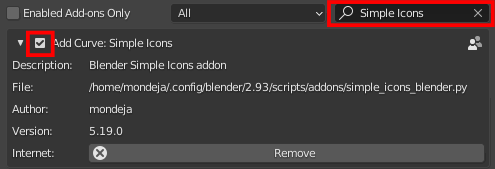
Search for Simple Icons in the search bar and enable the addon marking the
top-left checkbox:
Usage
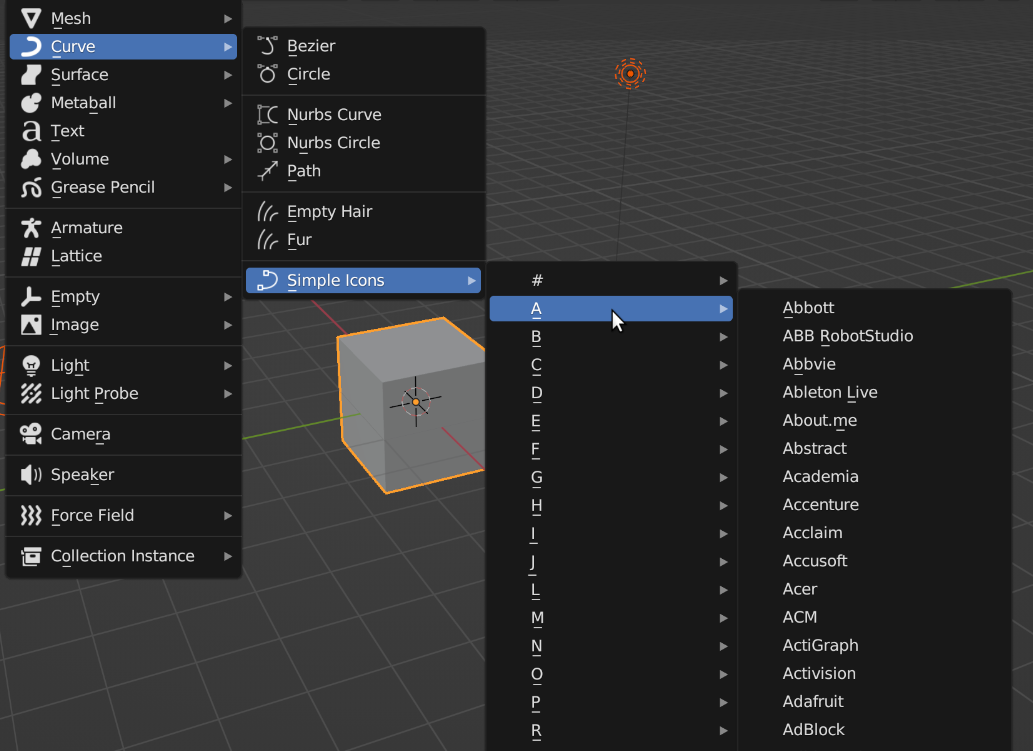
You can load icons from the 3D Viewport in object mode clicking on Add ->
Curve -> Simple Icons:
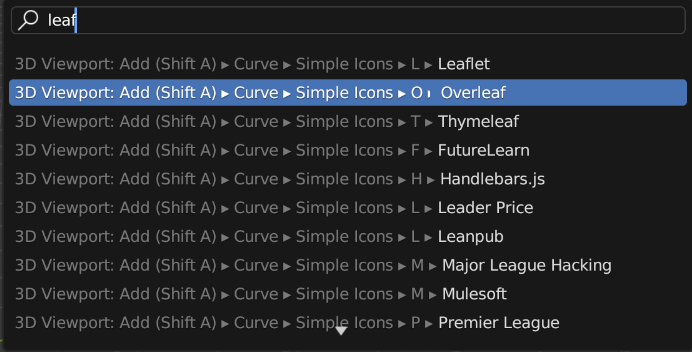
All icons are operators, so you can directly load one through the Menu Search
(Edit -> Menu Search):
After loading the icon, you can use the built-in panel "Simple transform" to define the size, location and rotation easily.
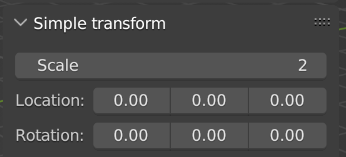
Is placed inside the "Item" tab at the top right of the 3D viewport:
This panel will only be shown when you select a Curve object as the active one.