
milanofthe/katana
milanofthe/katana has 44 GitHub stars and 7 forks. GitHot measured 0 stars in 24 hours. Last checked 2026-11-15 00:35 UTC. Last push 2026-09-24.
What you can do
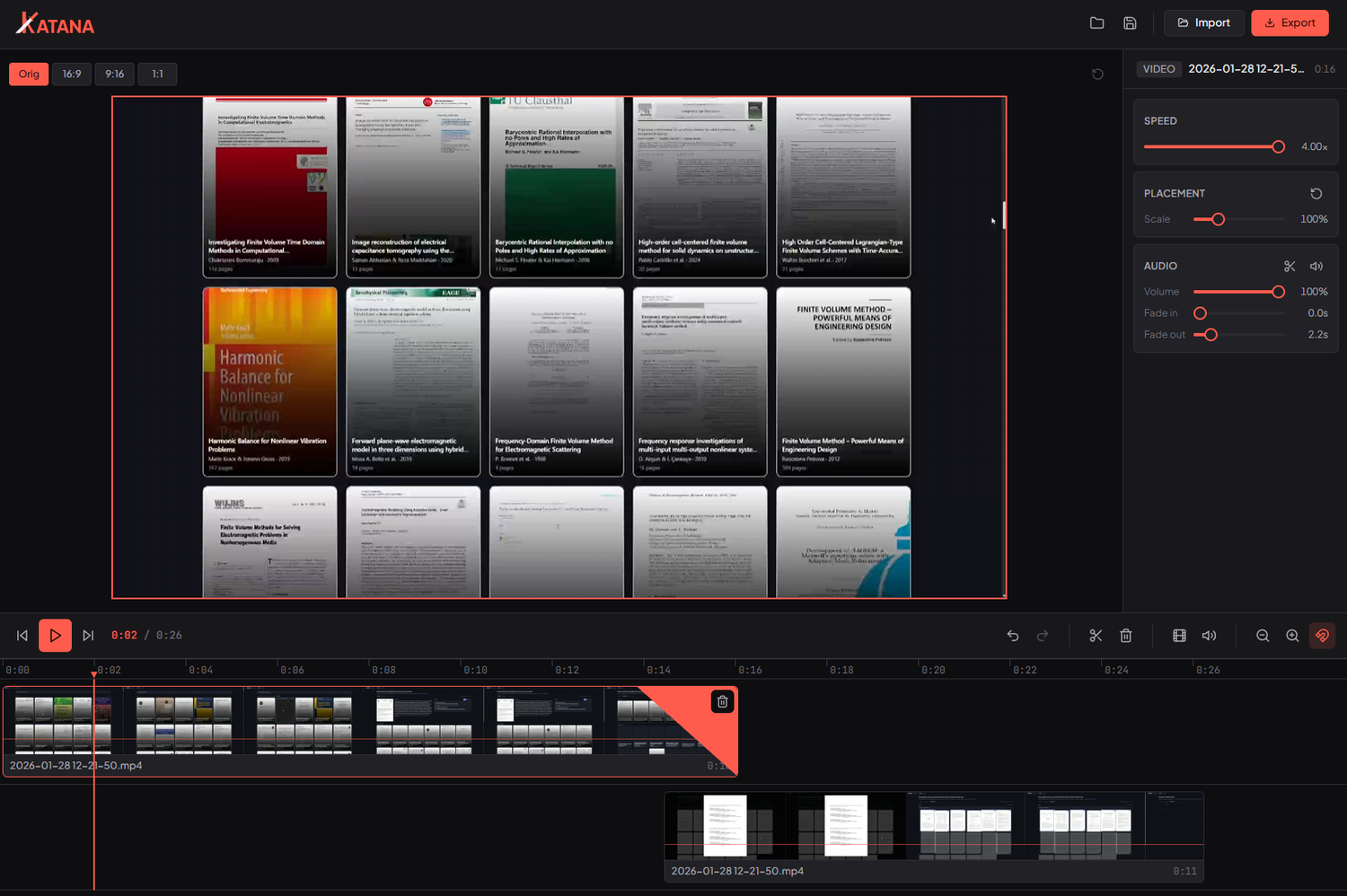
- Multitrack compositing: layer clips on a viewport canvas, place, scale and snap (picture in picture, split screen, overlays)
- Text overlays: styled titles with a font, color, alignment and outline, placed, scaled and faded like any clip
- Mixed frame rates: the timeline runs at the fastest clip's frame rate; slower clips are frame-held to match
- Frame-accurate editing: step the playhead frame by frame, split at the playhead, trim by dragging clip edges
Measured star growth
- in 24h
- 0
- in 7 days
- Collecting history
- in 15 days
- Collecting history
- in 1 month
- Collecting history
Net star changes over overlapping periods, not daily totals. Missing measurements are left blank. Stars measure attention, not software quality.
About
A fast, minimalist, open source video editor. Multitrack compositing, lossless export, snappy UI. A lightweight Clipchamp alternative built with Tauri, SvelteKit and Rust.
Creative & MediaREADME.md
Original

A fast, minimalist video editor.
Trim, cut and concatenate clips, the part of the job you'd otherwise open Clipchamp for, without the sluggish UX.
What it is
Katana is a lightweight desktop video editor: import clips, compose them on a multitrack timeline, add titles, and export. It's built to feel instant, the heavy lifting is done with native FFmpeg and lossless stream-copy where possible, so a simple cut is I/O-bound rather than a full re-encode.
Features
- Multitrack compositing: layer clips on a viewport canvas, place, scale and snap (picture in picture, split screen, overlays)
- Text overlays: styled titles with a font, color, alignment and outline, placed, scaled and faded like any clip
- Mixed frame rates: the timeline runs at the fastest clip's frame rate; slower clips are frame-held to match
- Frame-accurate editing: step the playhead frame by frame, split at the playhead, trim by dragging clip edges
- Audio you control: detach audio to its own track, import music, mix and fade, with waveforms and audio scrubbing
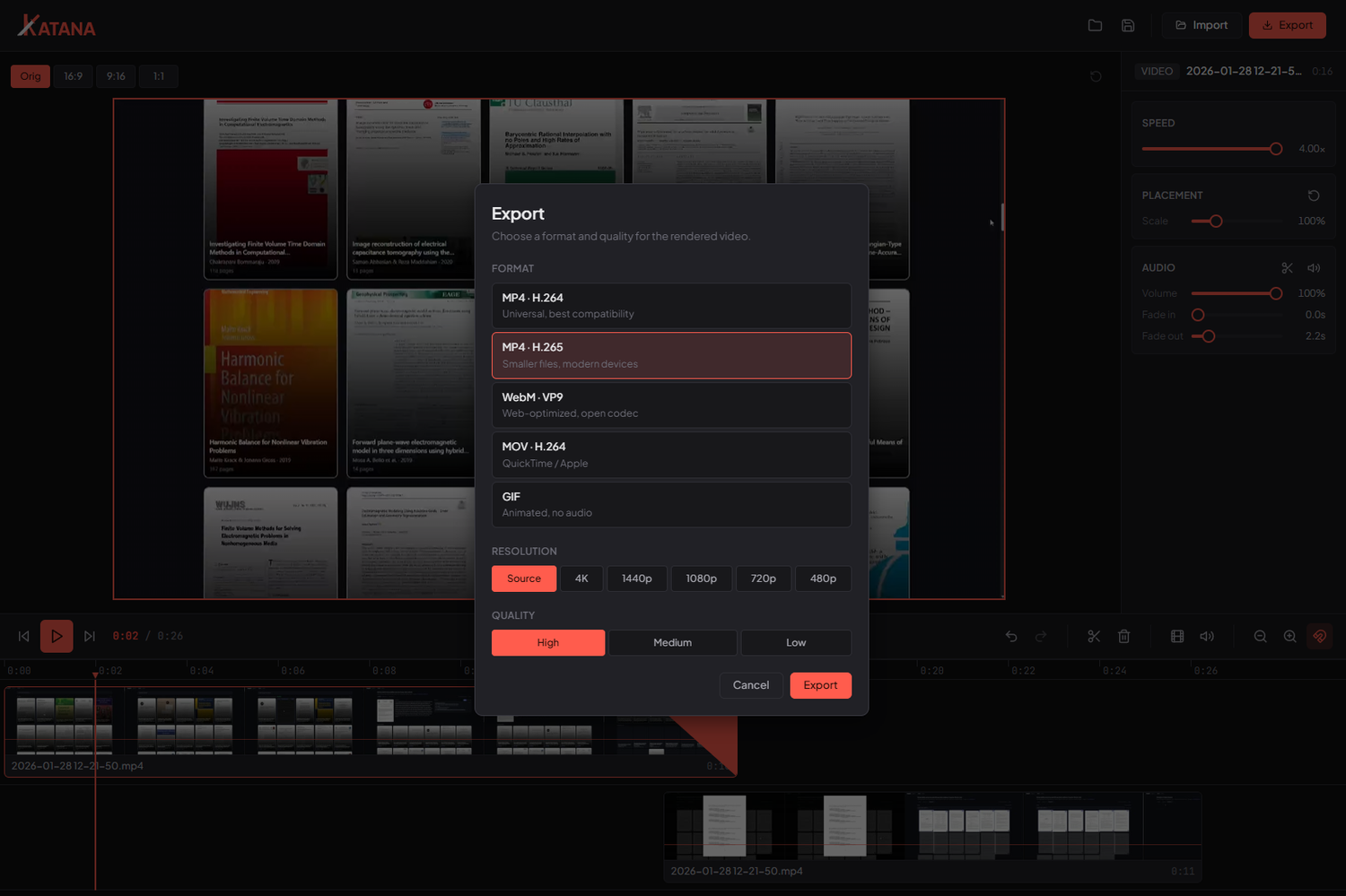
- Fast export: MP4 (H.264 / H.265), WebM (VP9), MOV and GIF, with a lossless stream-copy fast path
- Snappy UX: GPU-accelerated dragging, instant scrubbing, undo / redo and a command palette (
Cmd/Ctrl+K) - Import via native file dialog or drag-and-drop, with filmstrip previews on every clip
- Project save / load to a small
.katanafile
Keyboard shortcuts
| Key | Action |
|---|---|
Space |
Play / pause |
← / → |
Step one frame |
Shift + ← / → |
Step ±1 second |
, / . |
Step one frame (alternative) |
↑ / ↓ |
Previous / next clip |
Home / End |
Jump to start / end |
S |
Split at playhead |
T |
Add text overlay |
Delete / Backspace |
Delete selected clip |
Cmd/Ctrl + Z |
Undo (Shift to redo) |
Cmd/Ctrl + S / O |
Save / open project |
Cmd/Ctrl + K |
Command palette |
Tech stack
- Tauri 2 desktop shell (Rust core, ~native window)
- SvelteKit + Svelte 5 runes UI, static SPA
- Vanilla CSS with a fully tokenized design system
- FFmpeg sidecar for export (stream-copy first)
Platforms
Katana ships for Windows (NSIS / MSI) and Linux (AppImage / .deb),
64-bit. Grab the installer for your platform from the
latest release. Releases are
built for both platforms in CI on every version tag.
Development
Requires Node, Rust and the Tauri prerequisites. On Debian/Ubuntu the Tauri 2 system packages are:
sudo apt-get install libwebkit2gtk-4.1-dev libayatana-appindicator3-dev \
  librsvg2-dev libxdo-dev patchelf file
FFmpeg and ffprobe ship as bundled sidecars and are not committed (they are
large). Fetch them once before the first dev / build:
# Windows (PowerShell)
pwsh -File scripts/fetch-ffmpeg.ps1
# Linux
bash scripts/fetch-ffmpeg.sh
Text-overlay fonts (TTF) are likewise fetched, not committed. They are used both for the preview and, via the same files, by the FFmpeg exporter so text matches:
# Windows (PowerShell)
pwsh -File scripts/fetch-fonts.ps1
# Linux
bash scripts/fetch-fonts.sh
Then:
npm install
npm run tauri dev     # run the desktop app (Vite on :1420)
npm run check         # type-check
npm run tauri build   # production build
License
MIT © Milan Rother.
Bundled fonts (Plus Jakarta Sans, JetBrains Mono, Inter, Archivo Black, Playfair Display) are licensed under the SIL Open Font License 1.1 and retain their own license.