
mikker/LeaderKey
mikker/LeaderKey has 2,307 GitHub stars and 96 forks. GitHot measured 0 stars in 24 hours. Last checked 2026-11-07 21:54 UTC. Last push 2026-03-02.
The *faster than your launcher* launcher
Measured star growth
- in 24h
- 0
- in 7 days
- Update delayed
- in 15 days
- Update delayed
- in 1 month
- Update delayed
Net star changes over overlapping periods, not daily totals. Missing measurements are left blank. Stars measure attention, not software quality.
README.md
OriginalNB: Leader Key has been surpassed by Tuna
Tuna is a complete launcher – much more capable, and with Leader Key built in!
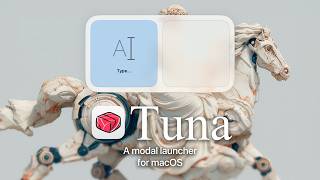
Leader Key will stay free and open source but my focus will be on Tuna going forward.

The *faster than your launcher* launcher
A riff on Raycast, @mxstbr's multi-key Karabiner setup, and Vim's <leader> key.
Watch the intro video on YouTube:


Yes, I only have that one thumbnail face.
Install
Download
Homebrew
$ brew install leader-key
Post-Install setup
Open the settings menu with the menu bar icon
Choose your
leader(Shortcutthat will open the app)Add your shortcuts to the
Configsettings
Why Leader Key?
Problems with traditional launchers:
- Typing the name of the thing can be slow and give unpredictable results.
- Global shortcuts have limited combinations.
- Leader Key offers predictable, nested shortcuts -- like combos in a fighting game.
Example Shortcuts:
- leaderom → Launch Messages (
open messages) - leadermm → Mute audio (
media mute) - leaderwm → Maximize current window (
window maximize)
URL Scheme
Leader Key supports URL scheme automation for integration with tools like Alfred, Raycast, shell scripts, and more.
Available URL Schemes
Configuration Management
# Reload configuration from disk
open "leaderkey://config-reload"

# Show config.json in Finder
open "leaderkey://config-reveal"
Window Control
# Show Leader Key window
open "leaderkey://activate"

# Hide Leader Key window
open "leaderkey://hide"

# Clear navigation state (return to root)
open "leaderkey://reset"
Settings & Info
# Open settings window
open "leaderkey://settings"

# Show about dialog
open "leaderkey://about"
Navigation
# Navigate through keys and execute actions
open "leaderkey://navigate?keys=a,b,c"

# Navigate without executing (preview mode)
open "leaderkey://navigate?keys=a,b,c&execute=false"
Example Use Cases
- Alfred/Raycast workflows: Trigger Leader Key shortcuts programmatically
- Shell scripts: Automate configuration reloads after editing config.json
- Keyboard maestro: Chain Leader Key actions with other automations
- External triggers: Open specific action sequences from other applications
FAQ
What do I set as my Leader Key?
Any key can be your leader key, but only modifiers will not work.
Examples:
- F12
- ⌘ + space
- ⌘⌥ + space
- ⌘⌥⌃⇧ + L (hyper key)
Advanced examples:
Using Karabiner you can do more fancy things like:
- right ⌘ + left ⌘ at once (bound to F12) my personal favorite
- caps lock (bound to hyper when held, F12 when pressed)
See @mikker's config in the wiki for akimbo cmds example.
I disabled the menubar item, how can I get Leader Key back?
Activate Leader Key, then cmd + ,.
Command action is failing with "Command not found"
You need to make sure your shell environment is correctly set up for non-interactive mode, and exports the PATH variable.
For zsh make sure you have your PATH variable exported in ~/.zshenv
For bash make sure you have your PATH variable exported in ~/.bash_profile
License
MIT
Explore related projects
codecrafters-io/build-your-own-x
Master programming by recreating your favorite technologies from scratch.
560,925 starspublic-apis/public-apis
A collective list of free APIs
497,169 starsmorluto/rea
Reverse engineer anything with agents, from app behavior down to native binaries.
442,375 starsopenclaw/openclaw
The AI that really does things. Any OS. Any Platform. The lobster way. 🦞
394,177 stars