
mijorus/gearlever
mijorus/gearlever has 2,380 GitHub stars and 105 forks. GitHot measured +1 stars in 24 hours. Last checked 2026-11-06 22:33 UTC. Last push 2026-07-22.
Manage AppImages with ease 📦
What you can do
- Integrate AppImages into your app menu with just one click
- Drag and drop files directly from your file manager
- Keep all the AppImages organized in a custom folder
- Open new AppImages directly with Gear lever
Measured star growth
- in 24h
- +1
- in 7 days
- Collecting history
- in 15 days
- Collecting history
- in 1 month
- Collecting history
Net star changes over overlapping periods, not daily totals. Missing measurements are left blank. Stars measure attention, not software quality.
README.md
OriginalGear Lever


Documentation
Features
- Integrate AppImages into your app menu with just one click
- Drag and drop files directly from your file manager
- Keep all the AppImages organized in a custom folder
- Open new AppImages directly with Gear lever
- Manage updates: keep older versions installed or replace them with the latest release
- Save CLI apps with their executable name automatically
- Modern and Fresh UI
Download
CLI
Starting from version 3.0.0, Gear Lever includes some useful command line tools to manage your AppImages. The CLI uses the same logics as the UI.
Please use flatpak run it.mijorus.gearlever --help to get an updated version of this help screen
Usage: flatpak run it.mijorus.gearlever [OPTION...]
# OR gearlever [OPTION...] if using the alias


--integrate         Integrate an AppImage file
--update            Update an AppImage file
--remove            Trashes an AppImage, its .desktop file and icons
--list-installed    List integrated apps
--list-updates      List available updates
--set-update-source Set/Unset a custom update source
--fetch-updates     Fetch updates in the background and sends a desktop notification, used on system startup
Use --json with the list commands to get machine-readable JSON documents:
gearlever --list-installed --json
gearlever --list-updates --json
The documents have schema_version: 1 and an installed or updates array.
Each entry contains its name, path, desktop ID, current and available versions,
download size, update manager, whether its source is embedded, and whether the
AppImage is running. Unavailable metadata is reported as null; an empty list
is represented by an empty array.
For an improved user experience, add the following line to your .bashrc file
alias gearlever='flatpak run it.mijorus.gearlever'
Support me

Get the bundle from github (no auto-updates)
# From your Downloads folder
flatpak install --bundle --user gearlever.flatpak
Changelog
Permissions
--talk-name=org.freedesktop.Flatpak: This permission is required in order to open apps and refresh the system menu when a new app is installed; if the user disables this permission manually (eg. with Flatseal), Gear lever should continue to work normally, except you would not be able to open apps directly.
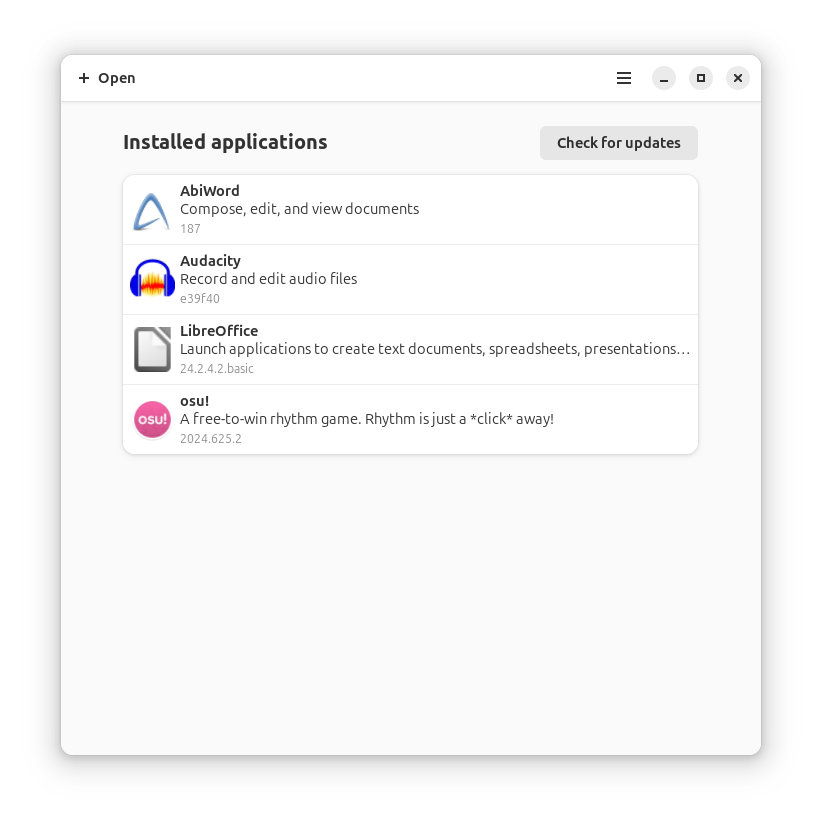
Preview
Building and running
Option #1 (suggested)
Open this project with Gnome Builder and press RUN (the play icon on top)
Option #2
# Run the app
flatpak-builder build/ it.mijorus.gearlever.json --user --force-clean
flatpak-builder --run build/ it.mijorus.gearlever.json gearlever

# Install the app
flatpak-builder build/ it.mijorus.gearlever.json --user --install --force-clean
Run CLI tests
- Download the latest release here: https://github.com/mijorus/gearlever-test-files
- Pleace if under test/
- Extract it
tar -xzvf testfiles.tar.gz - Run:
python3 -m unittest tests/test_cli.py
Explore related projects
codecrafters-io/build-your-own-x
Master programming by recreating your favorite technologies from scratch.
560,565 starspublic-apis/public-apis
A collective list of free APIs
496,834 starsmorluto/rea
Reverse engineer anything with agents, from app behavior down to native binaries.
439,199 starsopenclaw/openclaw
The AI that really does things. Any OS. Any Platform. The lobster way. 🦞
394,100 stars