
metagrover/pluto
metagrover/pluto has 35 GitHub stars and 2 forks. GitHot measured 0 stars in 24 hours. Last checked 2026-11-08 23:33 UTC. Last push 2026-11-06.
Intelligent meeting notes for Mac
What you can do
- Chat with Pluto about a meeting, person, or project. Ask follow-up questions in a meeting chat, focus on someone’s history, or explore a project—with references back to the conversations.
- Keep people and projects organized. See their past conversations, decisions, and next steps in one place.
- Track everyone’s commitments. Keep track of who promised what across conversations, including your own follow-ups. Get reminders for confirmed commitments with due dates.
- Keep your tasks together. Add personal work alongside meeting follow-ups, organize with projects and tags, and choose up to five tasks for today’s focus. Chat can prepare a task change for you to confirm.
Measured star growth
- in 24h
- 0
- in 7 days
- Update delayed
- in 15 days
- Update delayed
- in 1 month
- Update delayed
Net star changes over overlapping periods, not daily totals. Missing measurements are left blank. Stars measure attention, not software quality.
README.md
Original

Pluto
Intelligent meeting notes for Mac.
Pluto takes the notes, tracks who promised what, and reminds you to follow through.
Get Pluto · Demo · Features · Screenshots · Privacy · FAQ
Pluto is a local-first, open-source meeting notes app for Apple Silicon Macs. Record without a bot, transcribe on your Mac, and return to the people, projects, and follow-ups that matter.
https://github.com/user-attachments/assets/edbfcc31-2b37-4648-b18a-c0b14b11973d
Features
- Chat with Pluto about a meeting, person, or project. Ask follow-up questions in a meeting chat, focus on someone’s history, or explore a project—with references back to the conversations.
- Keep people and projects organized. See their past conversations, decisions, and next steps in one place.
- Track everyone’s commitments. Keep track of who promised what across conversations, including your own follow-ups. Get reminders for confirmed commitments with due dates.
- Keep your tasks together. Add personal work alongside meeting follow-ups, organize with projects and tags, and choose up to five tasks for today’s focus. Chat can prepare a task change for you to confirm.
- Follow project milestones. Keep milestones, decisions, and open work connected to the meetings behind them.
- Recognize familiar voices with Voice ID. Confirm speaker matches and correct them when needed, so you can follow who said what.
- Record without a bot. Capture your microphone and Mac’s audio directly, then review transcripts, notes, and next steps.
- Choose where AI runs. Use local models through Ollama or an optional cloud provider.
- Bring notes into ChatGPT. Enable the optional connection on the same Mac. See what’s shared →
How it works
- Record. Start a meeting in Pluto and carry on with your conversation.
- Review. Stop recording, let Pluto transcribe and generate notes, then check the decisions and next steps.
- Pick up the thread. Ask a question or explore the people and projects connected to your meetings.
Let participants know when you record. Generated notes, answers, and speaker matches can be wrong—review the source when it matters.
Get started
You’ll need an Apple Silicon Mac (M1 or later) with macOS 14.2 or later. An internet connection is required for initial downloads.
1. Install Pluto
curl -fsSL https://raw.githubusercontent.com/metagrover/pluto/master/scripts/install-macos.sh | bash
Complete setup to download speech models and allow microphone and system audio access. Calendar access is optional.
2. Set up Ollama
Install and open Ollama, enable its command-line tool, then download the models for notes and chat:
ollama pull gemma4:12b && ollama pull phi4-mini:3.8b
Pluto uses these models by default. Keep Ollama running when using notes and chat.
3. Try your first recording
Let participants know you’re recording, then click New meeting. After the meeting, stop recording to generate notes and ask follow-up questions.
Full setup guide and troubleshooting →
Explore Pluto
See how Pluto helps you return to a conversation.
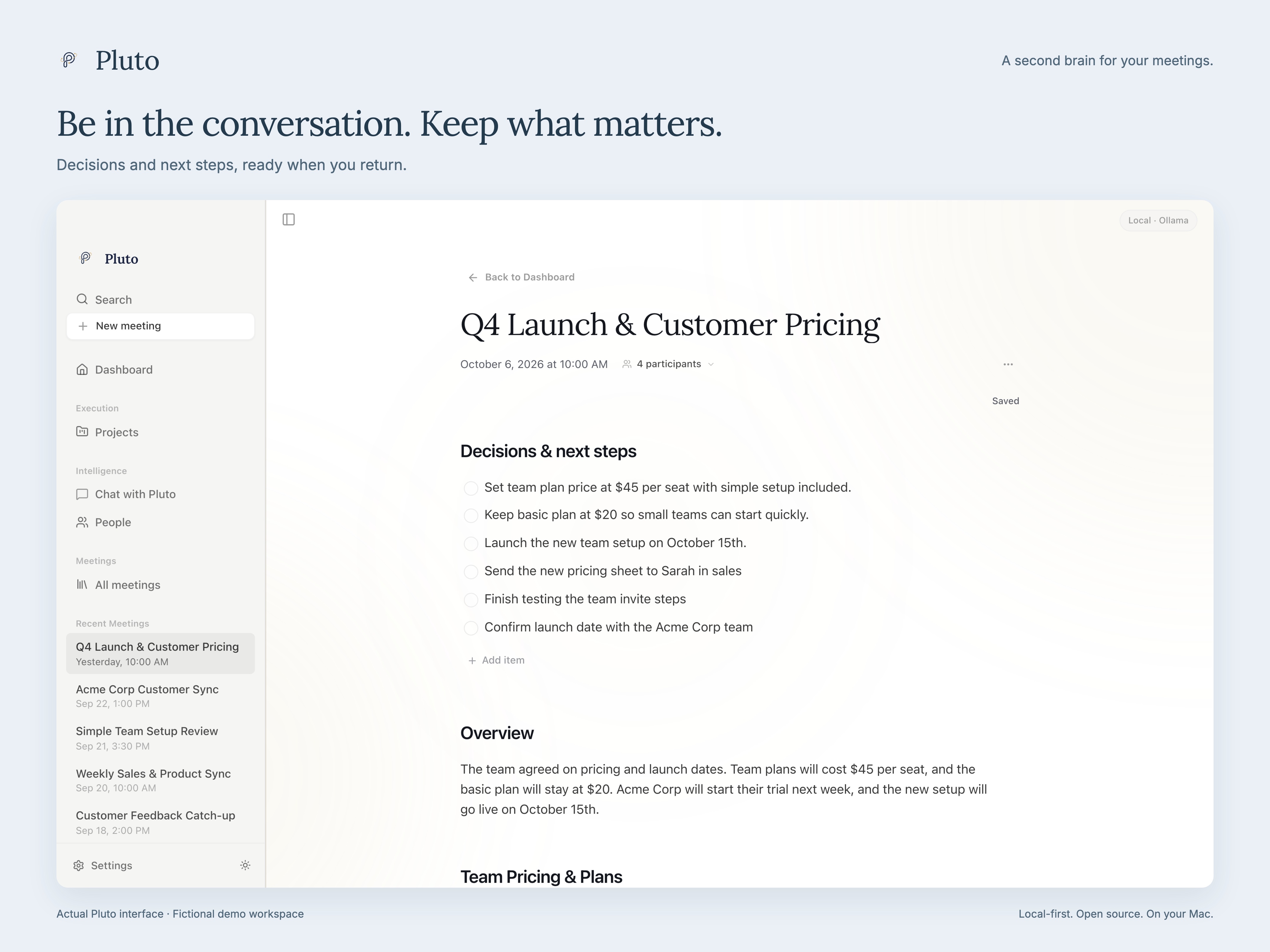
Meeting notes, decisions, and next steps
Review notes and next steps, then ask Pluto follow-up questions in the meeting’s chat. Confirm familiar speakers with Voice ID and correct matches when needed.
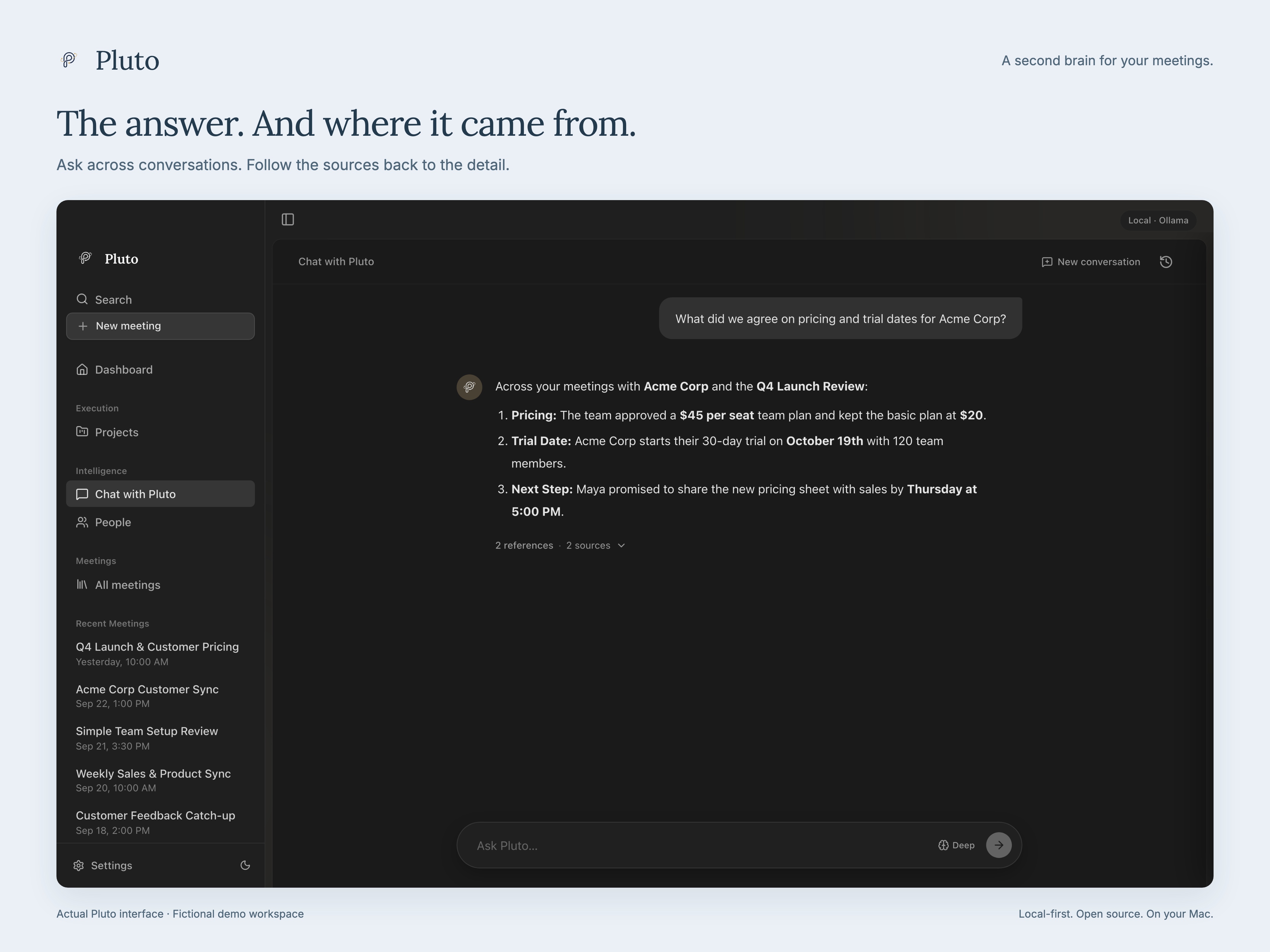
Ask Pluto and check the source
Ask across your meeting history, or focus the chat on a person or project. Follow references back to the conversations behind the answer.
People, projects, and follow-through
Open a person’s page to catch up on your conversations and their commitments. Open a project’s page to review its decisions, milestones, and open work. Track commitments for everyone involved, with reminders for confirmed due dates.
Pick up the thread in ChatGPT or Claude
Optional local connections bring meeting notes into ChatGPT and Claude Desktop on the same Mac. Enable either or both independently. Connect ChatGPT → · Connect Claude →
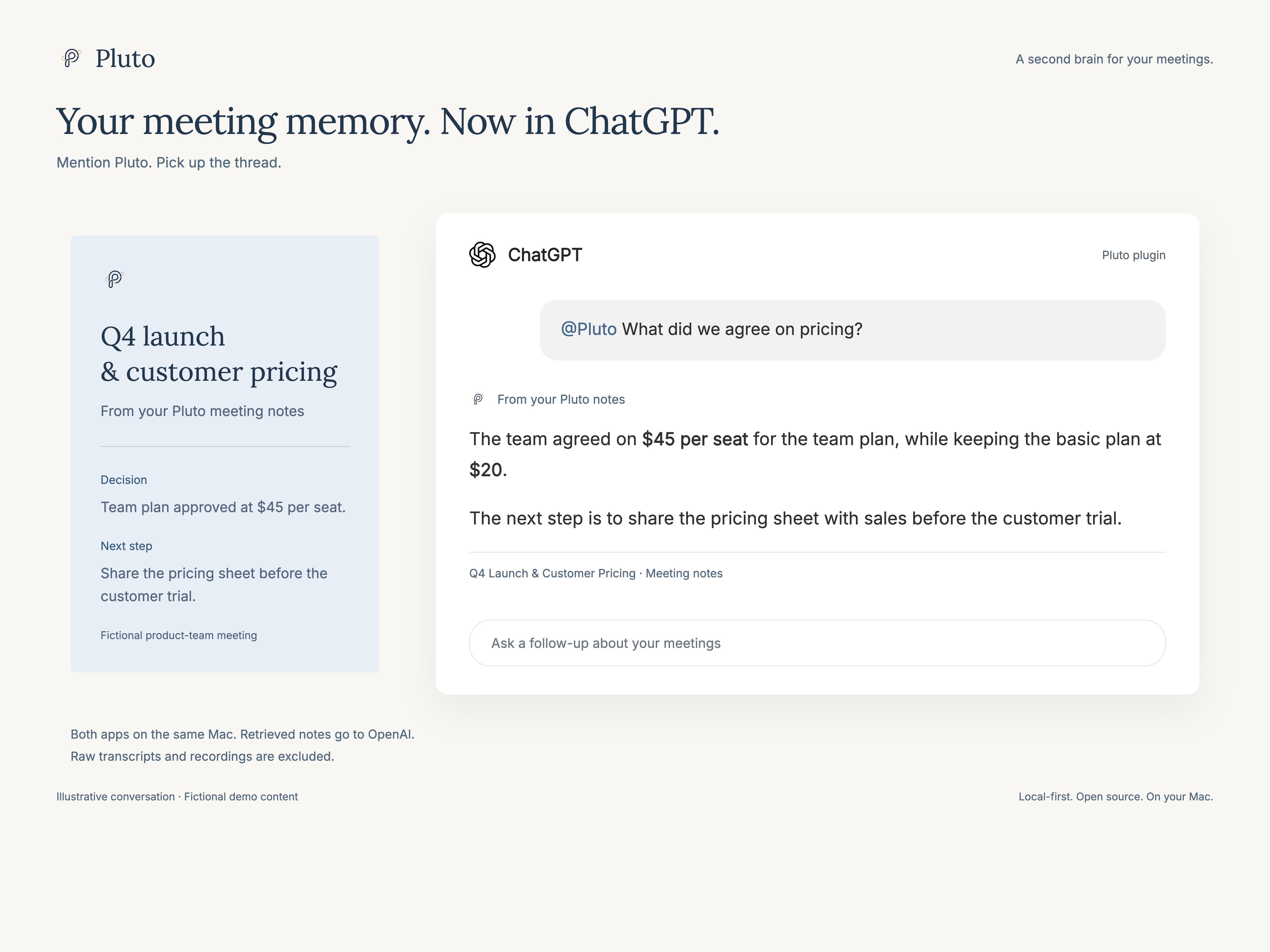
The ChatGPT conversation above is illustrative.
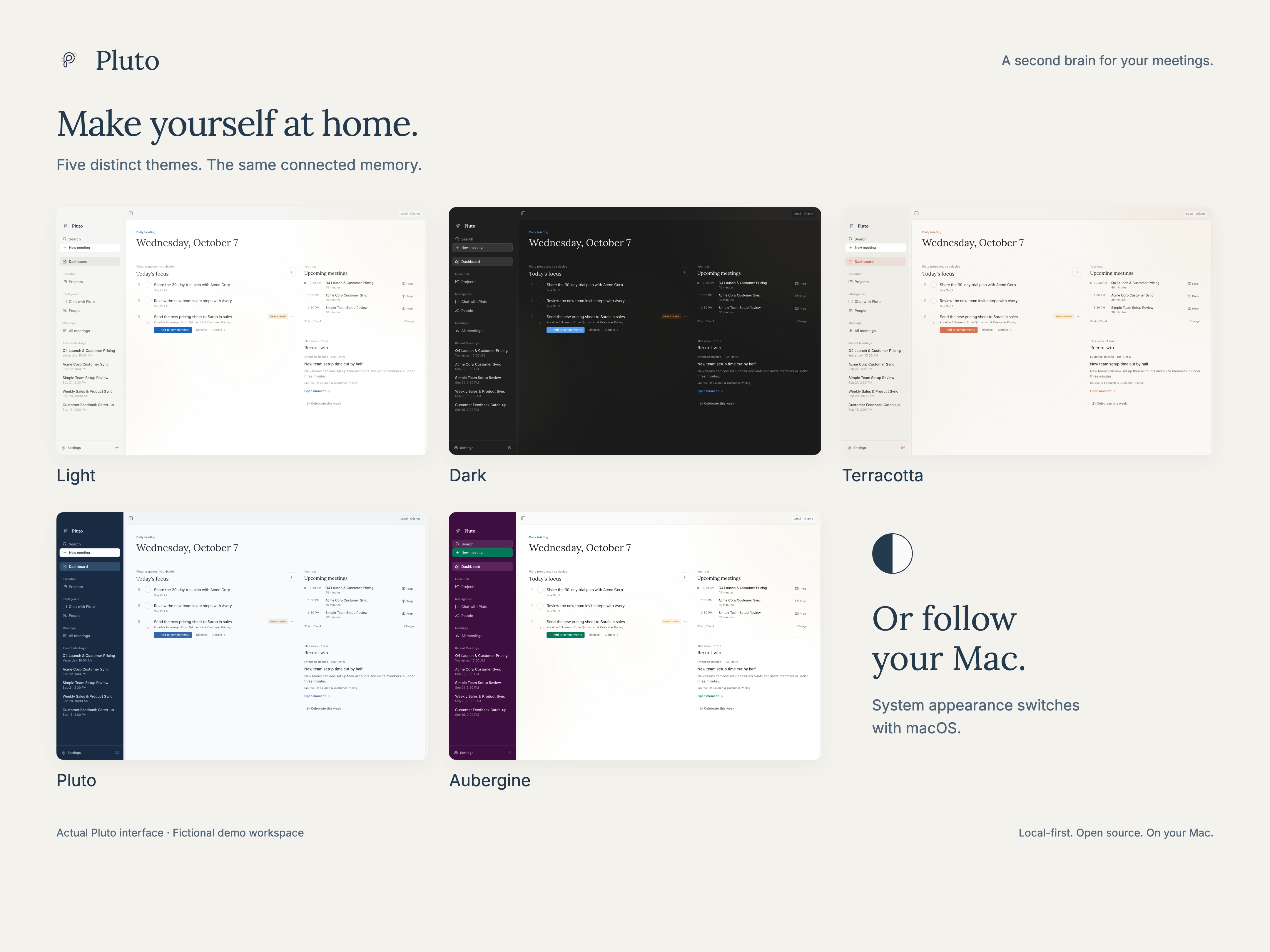
Themes and appearance
Choose Light, Dark, Terracotta, Pluto, Aubergine, or follow your Mac’s appearance.
Privacy
- Capture and transcription run on your Mac. Local intelligence also stays on your Mac. Optional cloud AI sends the text needed for each operation to your chosen provider, which can include transcripts, notes, and retrieved context.
- Database encryption is optional at setup. Audio files are not encrypted by default. Storage details →
- ChatGPT and Claude access are optional and independent. Enabling either makes all meeting notes available to that app. Retrieved notes go to OpenAI or Anthropic respectively; raw transcripts and audio are excluded. Disabling a connection stops its future reads; notes already shared remain in that app.
FAQ
Can I use Pluto offline?
Yes, after downloading the speech and Ollama models, local recording, transcription, notes, and chat work without a cloud provider or API key. Cloud AI and the optional ChatGPT and Claude connections need an internet connection.
Do I need a subscription?
Pluto is free and open source. You can use local intelligence without an API key. If you choose cloud AI or ChatGPT, their own pricing and access requirements apply.
Does Pluto support Intel Macs, Windows, or Linux?
Currently, Pluto supports Apple Silicon Macs only.
Where can I get help?
Start with the setup guide and troubleshooting. In Pluto, Help → Report a Problem prepares a report you can review before sharing. Keep private meeting content and credentials out of public issues.
Build and contribute
See the developer guide to run Pluto from source and the architecture overview to explore the codebase. The documentation index links to the current guides. Bug reports and focused pull requests are welcome. Browse the releases for downloads and changes.
License
MIT. Third-party code, fonts, and models retain their own licenses: FluidAudio, transcription notices, model manifest, Inter, and Lora.
Explore related projects
n8n-io/n8n
Fair-code workflow automation platform with native AI capabilities. Combine visual building with custom code, self-host or cloud, 400+ integrations.
209,924 starslanggenius/dify
Build Agentic workflows, RAG pipelines, with rich AI model and tool support on one collaborative workspace. Deploy on cloud, VPC, or self-hosted, so teams move from prototype to production without rebuilding the stack.
160,773 starsmicrosoft/PowerToys
Microsoft PowerToys is a collection of utilities that supercharge productivity and customization on Windows
140,755 starsstablyai/orca
Orca is the place for working with a fleet of agents (e.g. Grok Bot, Claude Code). Run any coding agent with your own subscription. Available on desktop, mobile and remote runtime.
120,279 stars