
mdsakalu/zmx-session-manager
mdsakalu/zmx-session-manager has 67 GitHub stars and 10 forks. GitHot measured 0 stars in 24 hours. Last checked 2026-11-15 10:50 UTC. Last push 2026-11-13.
Measured star growth
- in 24h
- 0
- in 7 days
- Collecting history
- in 15 days
- Collecting history
- in 1 month
- Collecting history
Net star changes over overlapping periods, not daily totals. Missing measurements are left blank. Stars measure attention, not software quality.
About
TUI session manager for zmx
Developer ToolsREADME.md
Original





Install
Homebrew
brew install mdsakalu/tap/zsm
Go
go install github.com/mdsakalu/zmx-session-manager@latest
Nix
Run directly from the flake:
nix run github:mdsakalu/zmx-session-manager
Or install it into your profile:
nix profile install github:mdsakalu/zmx-session-manager
Open a development shell with the Go toolchain and project linters:
nix develop github:mdsakalu/zmx-session-manager
Requirements
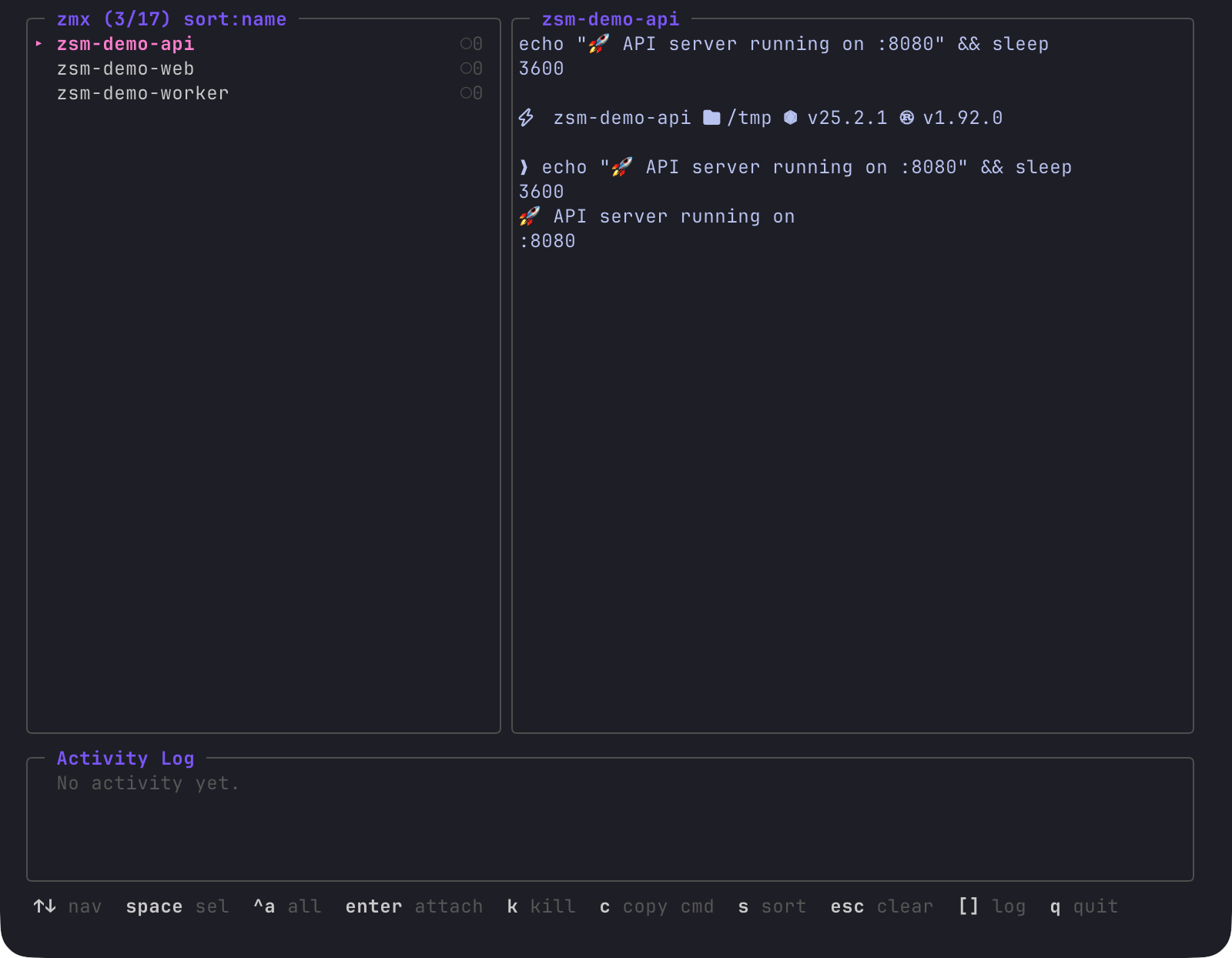
zmx must be installed and available in your PATH. Current-screen previews use zmx 1.0.1 or newer. Older installations retain scrollback previews, labeled [scrollback] in the preview title. zsm retains compatibility with the legacy session_name/started_in list format.
After upgrading zmx, older session daemons may not support screen capture. zsm falls back to scrollback when the daemon reports that limitation. The zmx client must still be compatible with the session daemon: for example, zmx 1.0.1 cannot retrieve history from a 0.7.1 daemon. Those sessions need a matching older zmx client or must be recreated with the new version.
Key Bindings
| Key | Action |
|---|---|
↑ ↓ |
Navigate sessions |
w |
Toggle preview wrapping (on by default) |
← → |
Scroll preview horizontally when wrapping is off |
space |
Toggle selection |
ctrl+a |
Select / deselect all |
enter |
Attach to session, then return to zsm after detaching |
n |
Create and attach to a new session |
e |
Attach by replacing zsm (legacy behavior) |
k |
Kill selected session(s) |
c |
Copy attach command |
s |
Cycle sort mode (name / clients / PID / memory / uptime) |
/ |
Filter sessions |
[ ] |
Scroll activity log |
q |
Quit |
esc |
Quit, or clear an active filter |
When zsm runs inside a zmx session, selecting that same session exits the manager. Its preview is hidden to avoid recursively displaying the manager itself.
Existing sessions use their exact names, including any ZMX_SESSION_PREFIX already
present. New sessions created with n still receive the configured prefix; the
default name and duplicate checks account for it. Copied attach commands also
target the exact existing session, even in a shell with a prefix configured.
The new-session name field supports arrow keys, Home/End (Ctrl+A/E), Delete, Backspace, and terminal paste. Ctrl+U or Ctrl/Cmd+Backspace clears the field; Ctrl+W or Alt+Backspace deletes the previous word, and Ctrl+K deletes to the end. Modified shortcuts depend on the terminal forwarding distinct key sequences; Ctrl+U works when the terminal maps modified Backspace to ordinary Backspace. The insertion point uses the terminal's default cursor style.
Preview output shows the current screen, excluding cleared scrollback and unused
trailing blank rows. It wraps to the preview pane's width and shows the most recent rows.
Press w to disable wrapping and use ← / → to inspect long lines horizontally.
Contributors
See CONTRIBUTORS.md for the people who have contributed code, reports, testing, and feedback.