
mbastrykin/IrisTech-Game-Engine
mbastrykin/IrisTech-Game-Engine has 43 GitHub stars and 0 forks. Star changes are not measured yet. Last checked 2026-11-09 17:58 UTC. Last push 2026-11-05.
Custom C++ game engine focused on real-time rendering, scene management and engine architecture.
What you can do
- 3D rendering with bgfx and DirectX 11
- Custom vertex and fragment shader pipeline
- Material and texture systems
- Directional lighting and multiple point lights
Measured star growth
- in 24h
- Update delayed
- in 7 days
- Update delayed
- in 15 days
- Update delayed
- in 1 month
- Update delayed
Net star changes over overlapping periods, not daily totals. Missing measurements are left blank. Stars measure attention, not software quality.
README.md
OriginalIrisTech Game Engine
IrisTech is a custom 3D game engine written in C++ and developed from scratch.
The project focuses on real-time rendering, engine architecture, scene management, graphics programming, animation, deformation, and game development technologies. It also powers Pedal to the Medal, an arcade-driving game used to test IrisTech on Windows and Android.
This repository serves as a public technical showcase of the project.
Features
Engine features include:
- 3D rendering with bgfx and DirectX 11
- Custom vertex and fragment shader pipeline
- Material and texture systems
- Directional lighting and multiple point lights
- Dynamic shadows and shadow mapping
- Point-light shadow cubemaps
- Configurable lighting and shadow settings
- Entity Component System based on EnTT
- Hierarchical scene graph, groups, and child entities
- Scene and project serialization
- Frustum culling and shadow visibility optimizations
- Experimental occlusion culling and portal culling
- Camera system and model loading
- ImGui-based scene editor with docking panels
- Hierarchy, Inspector, and transform manipulation tools
- Play Mode with a separate runtime scene state
- Skeletal animation and animation editing tools
- Lua scripting integration
- miniaudio-based audio system
- Tetrahedral Cage deformation system
- Spatial grid acceleration and experimental GPU deformation
- Debug counters and large-scene stress testing
- Windows game player and Android native game runtime
- Android touch input and on-screen game controls
- Project-based Windows and Android game build workflows
- Experimental Jolt Physics integration
- Atmospheric fog, automatic LOD, and model-streaming experiments
- CMake-based build system and Windows build packaging
Tech Stack
Core engine technologies:
- C++
- bgfx, bx, and bimg
- DirectX 11 (current Windows rendering backend)
- SDL3
- EnTT
- Dear ImGui (docking-enabled build)
- GLM
- Lua 5.5
- Jolt Physics
- miniaudio
- nlohmann/json
Development and build tools:
- CMake and CMake Presets
- vcpkg
- Visual Studio 2022, MSVC, and MSBuild
- Windows SDK
- Android SDK, NDK, and Gradle
- PowerShell shader build scripts
- Git and GitHub Actions
- bgfx shader tools
The vcpkg dependency and graphics toolchain also includes cgltf, meshoptimizer, glslang, SPIRV-Cross, SPIRV-Tools, SPIRV-Headers, stb, tinyexr, miniz, and supporting libraries. Some are transitive dependencies or build tools, not separate engine subsystems.
Game Showcase — Pedal to the Medal
Pedal to the Medal is an arcade-driving game built with IrisTech. It is an end-to-end test project for the engine's rendering, scene assets, game logic, input, and Android runtime. The project revisits a driving-game remake originally developed with Unity in 2021–2022.
The Android gameplay build demonstrates:
- A 3D road environment with traffic vehicles and roadside scenery
- Nighttime lighting, atmospheric effects, and rainy weather
- On-screen steering, accelerator, brake, and pause controls
- A gameplay HUD with speed, score, high score, collected coins, and a multiplier
- Bonuses for close passes through traffic, objectives, boosts, and vehicle-condition feedback
- A run-summary screen with results, retry, and main-menu controls
- Game content running through the IrisTech mobile runtime
Android Gameplay Gallery
Click a screenshot to view it at full resolution.
 Rainy night drive |
 Daytime highway |
 Traffic streak |
 Hillside roads |
 Urban district |
 Rainy downhill |
 Rain & pickups |
 Run summary |
Pedal to the Medal on Android — daytime and rainy conditions, hilly and urban roads, traffic overtakes, collectibles, touch controls, and the run-summary UI.
The game serves as a practical integration test for a standalone project that runs on the engine without requiring game-specific changes to its core.
Screenshots
Dark Castle — Lighting & Shadows
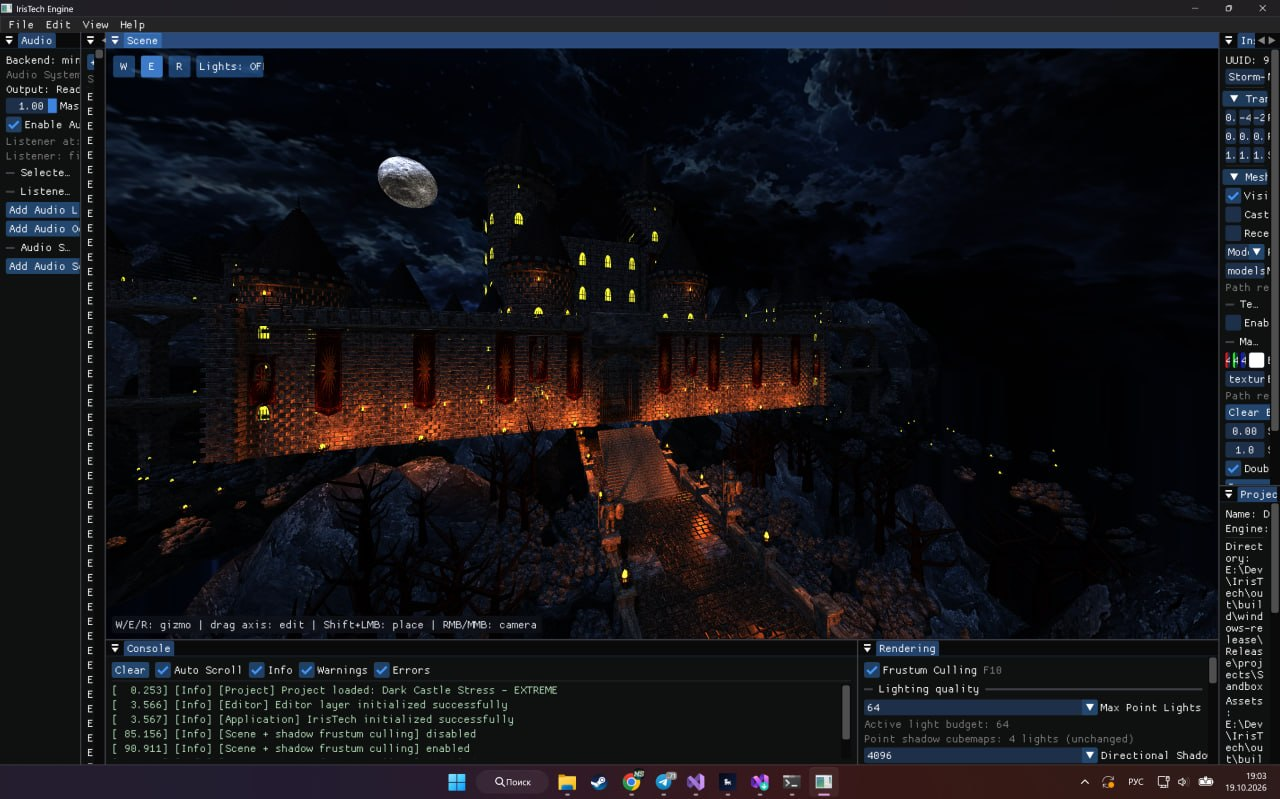
A large dark-fantasy castle scene demonstrating textured models, multiple lights, real-time shadows, atmospheric rendering, and editor tools.
Scene Editor — Hierarchy & Play Mode
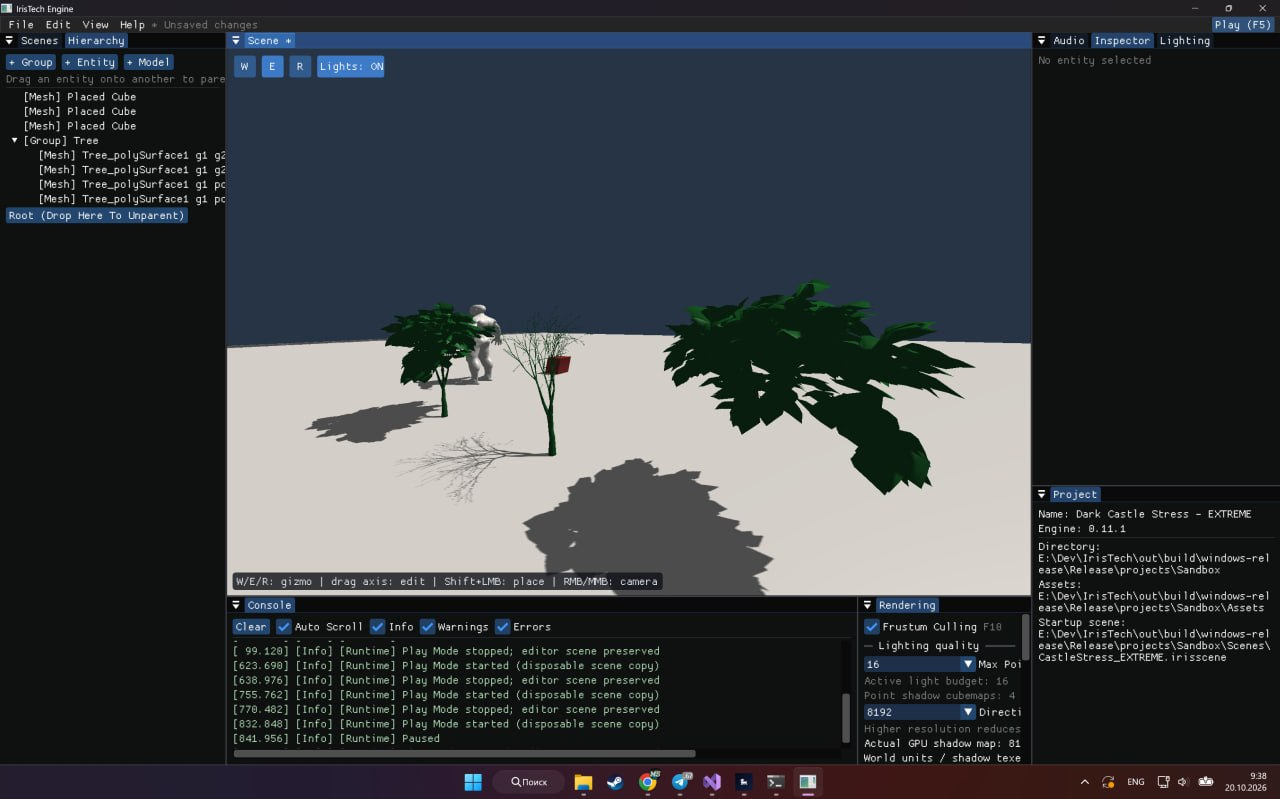
Editor interface with hierarchical scene objects, model and transform tools, rendering controls, and Play Mode.
Forest Scene — Vegetation & Tetrahedral Cage Tests
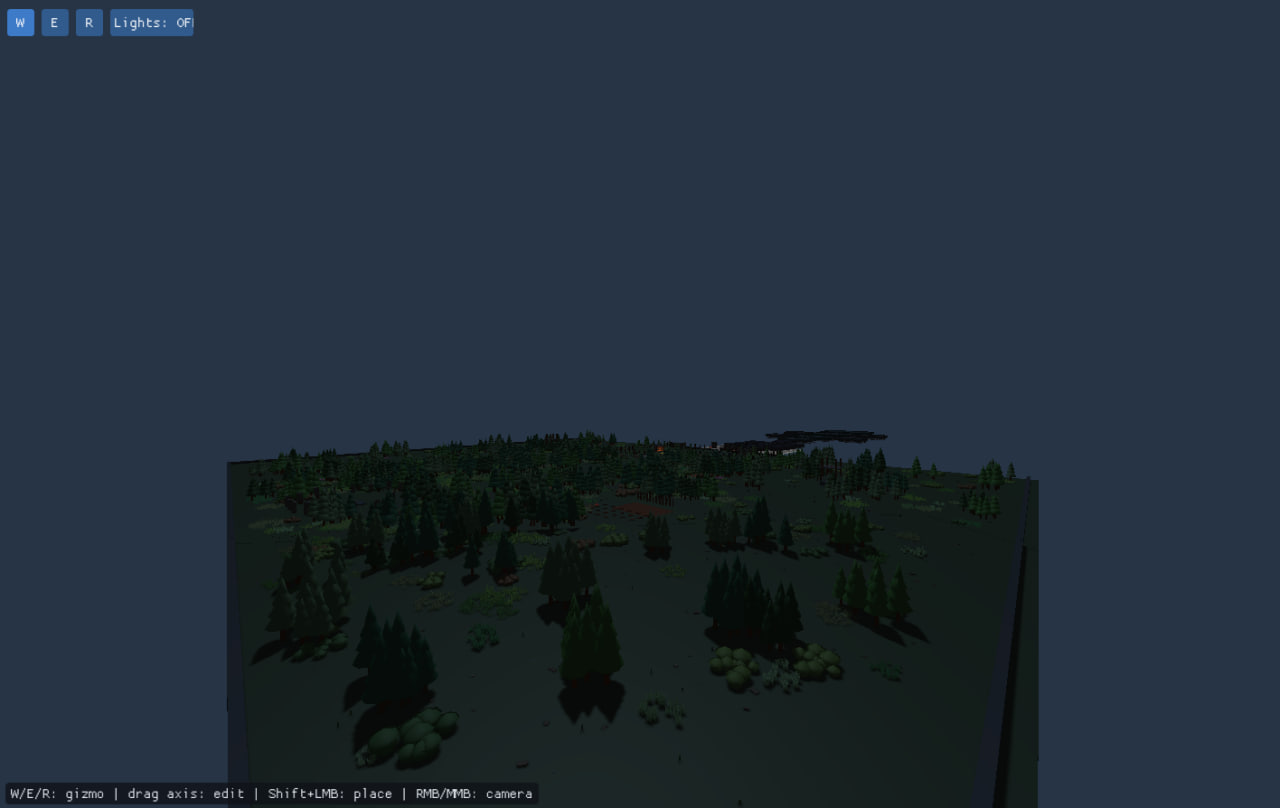
A dense forest environment used for vegetation-related Tetrahedral Cage experiments, as well as rendering stress tests and shadow visibility analysis.
Forest Debug Visualization — Cage Experiments
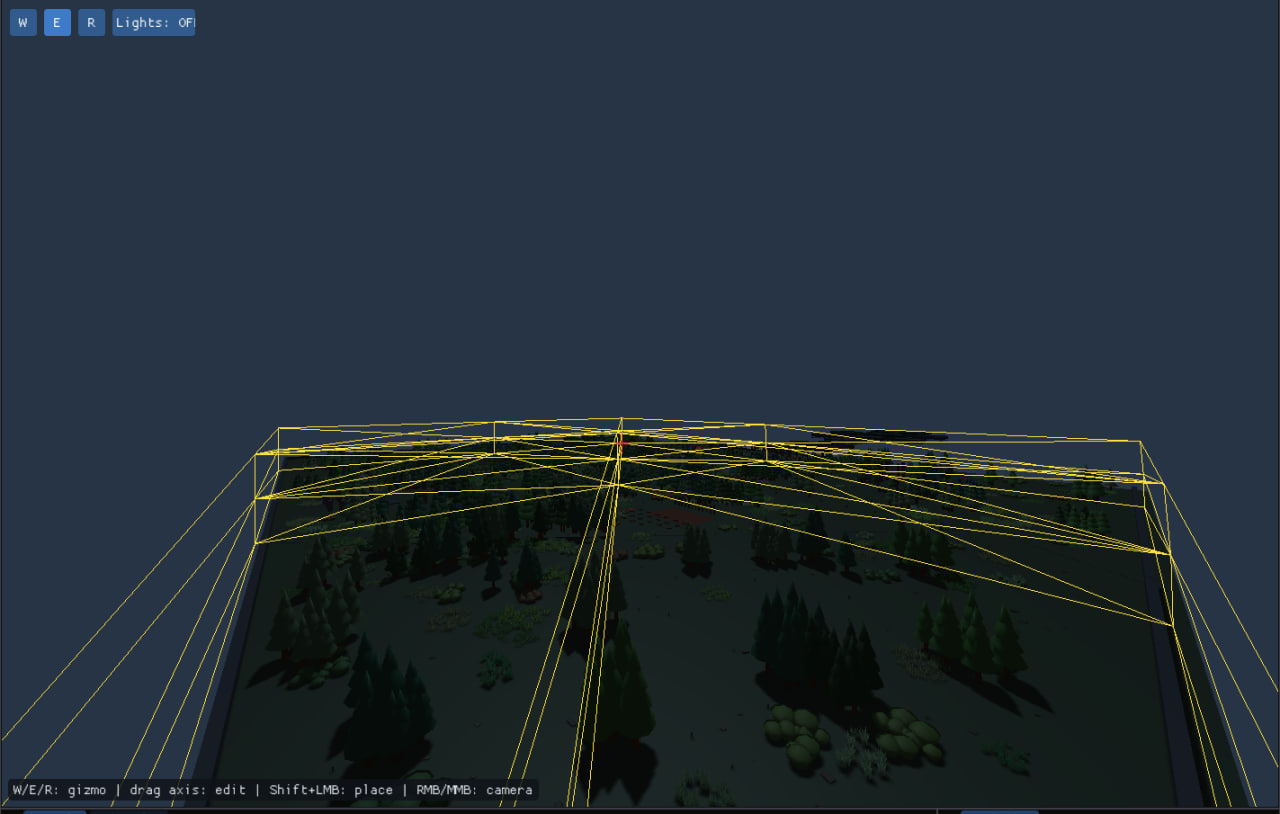
Development-time geometry and debug overlays from the forest vegetation tests, used to inspect scene structure and deformation-related geometry.
Earlier Rendering Experiments
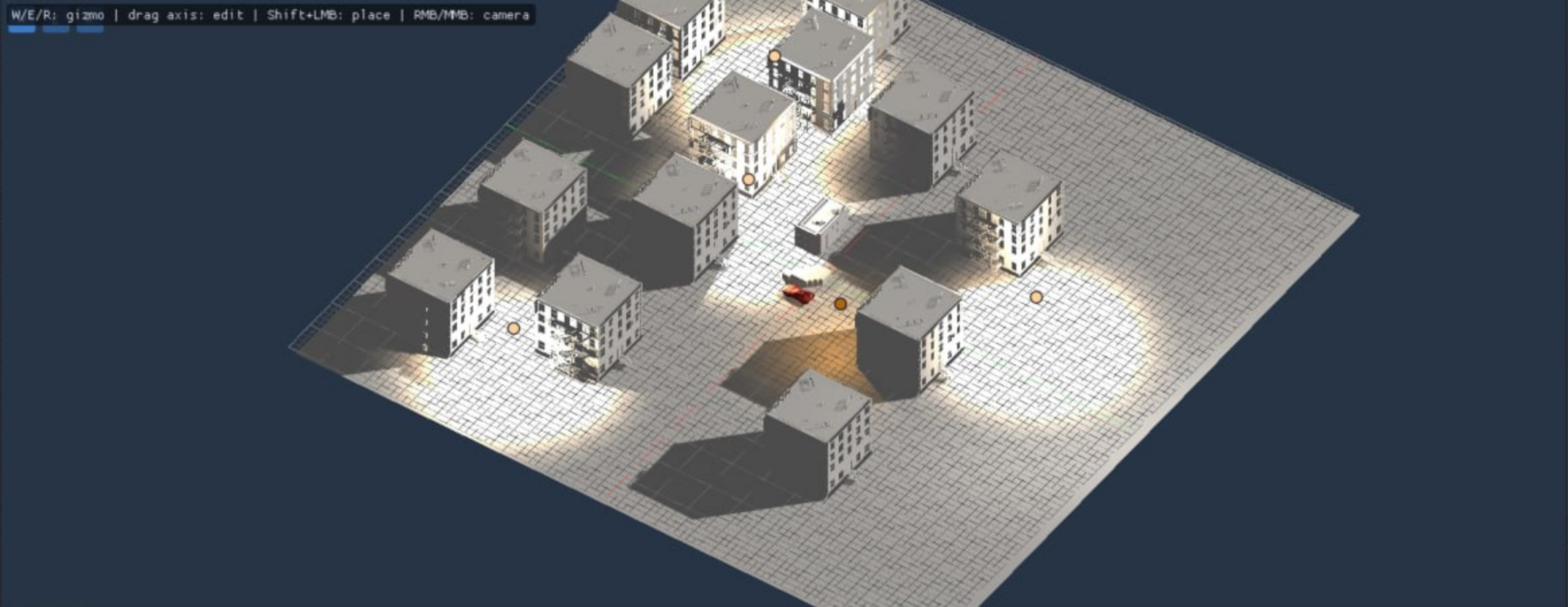
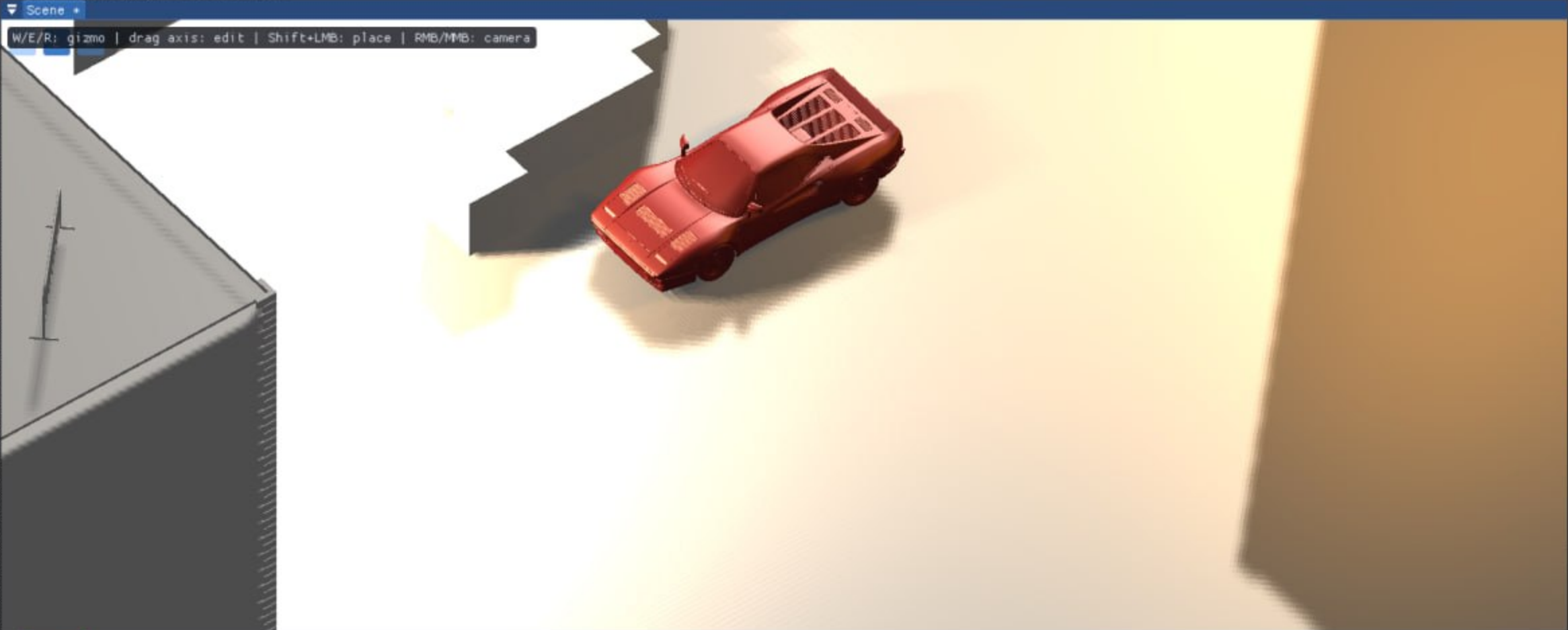
Earlier tests of scene editing, materials, lighting, and shadow mapping.
Rendering
The rendering system provides real-time 3D graphics, lighting, and scene visualization.
Rendering features include:
- 3D mesh rendering
- Material and texture parameters
- Custom vertex and fragment shaders
- Directional and point lights
- Dynamic shadow maps
- Point-light shadow cubemaps
- Camera-based scene rendering
- Frustum culling
- Experimental occlusion and portal culling
- Render targets
- Debug rendering and performance counters
The renderer currently uses bgfx with the DirectX 11 backend on Windows.
Lighting & Shadows
IrisTech supports configurable directional lighting and multiple point lights.
Lighting functionality includes:
- Light direction, position, color, and intensity
- Point-light radius and attenuation
- Ambient lighting
- Directional shadow maps
- Point-light cubemap shadows
- Shadow quality controls
- Frustum-based shadow rendering optimizations
Entity Component System
IrisTech uses EnTT as the foundation of its Entity Component System.
Scene entities can contain independent components such as:
- Transform
- Mesh Renderer
- Materials
- Lights
- Camera-related data
- Animation and script-related data
The scene graph supports parent-child relationships, object groups, and nested objects.
Scene System
The engine contains its own scene and project management system.
Scene functionality includes:
- Scene creation, loading, and saving
- Project files (
.irisproj) - Scene files (
.irisscene) - Entity and component serialization
- Hierarchical scene objects
- Model import and placement
- Separate editor and Play Mode scene states
Game projects can target the Windows player and the Android native runtime. The Android workflow uses project assets, a generated Gradle app, and a prebuilt mobile engine library rather than bundling private engine sources.
Editor
IrisTech includes editor tools built with Dear ImGui.
Editor functionality includes:
- Scene viewport and camera navigation
- Hierarchy and Inspector panels
- Object selection and transform gizmos
- Group and subgroup management
- Material and lighting controls
- Model placement
- Audio controls
- Animation editing and preview tools
- Play Mode
- Debug console and rendering statistics
Tetrahedral Cage Deformation
IrisTech includes an independently developed Tetrahedral Cage deformation system.
Current implementation includes:
- Tetrahedral mesh validation
- Cached inverse rest-pose bases
- AABB filtering and spatial grid acceleration
- Barycentric vertex binding
- Batch deformation of bound mesh vertices
- Support for multiple tetrahedra
- Dedicated regression tests for the CPU deformation pipeline
- Experimental GPU deformation work
IrisTech features a custom C++ Tetrahedral Cage deformation pipeline that binds render meshes to volumetric cages using barycentric coordinates. AABB filtering, spatial-grid acceleration, and batch processing support complex deformation workflows. The forest screenshots above document tests involving vegetation and cage-related geometry visualization.
Animation, Scripting & Audio
Animation, scripting, and audio are integrated with the editor and game runtime.
Functionality includes:
- Skeletal animation, rigs, clips, and keyframes
- Animation preview and editing tools
- Custom
.irigrig assets - Lua script runtime and scripts associated with scene objects
- Script examples for game logic and interactions
- miniaudio playback and editor audio controls
Performance
Rendering performance is an important part of the project.
Optimization techniques and tools include:
- Frustum culling
- Experimental occlusion culling
- Experimental portal culling
- Shadow visibility optimizations
- Spatial data structures for deformation
- Shared rendering resources
- Rendering statistics and dense stress-test scenes
- Experimental parallel preparation and GPU deformation paths
The screenshots demonstrate development scenes, not measured FPS benchmarks.
Author & Links
Maxim Bastrykin
- Personal Website / Portfolio: mbastrykin.ru
- GitHub: github.com/mbastrykin
Explore related projects
ytdl-org/youtube-dl
Command-line program to download videos from YouTube.com and other video sites
141,527 starsexcalidraw/excalidraw
Virtual whiteboard for sketching hand-drawn like diagrams
135,396 starsgodotengine/godot
Godot Engine – Multi-platform 2D and 3D game engine
119,942 starsmrdoob/three.js
JavaScript 3D Library.
117,983 stars