
maziluiosif/oxi has 32 GitHub stars and 8 forks. GitHot measured 0 stars in 24 hours. Last checked 2026-11-16 03:32 UTC. Last push 2026-11-10.
Measured star growth
- in 24h
- 0
- in 7 days
- Collecting history
- in 15 days
- Collecting history
- in 1 month
- Collecting history
Net star changes over overlapping periods, not daily totals. Missing measurements are left blank. Stars measure attention, not software quality.
About
Use your Claude Code, Codex, Cursor and Copilot subscriptions in one conversation: switch agents mid-chat and the context comes along. Native Rust desktop app, also runs local models. No Electron.
AIREADME.md
Original

oxi
Your Claude Code, Codex and Cursor subscriptions in one conversation.
Switch agents mid-chat and the context comes along. Or run open models on your own machine.
One Rust binary. No Electron, no account, around 70 MB of RAM.
Install · Website · Features · Latest release


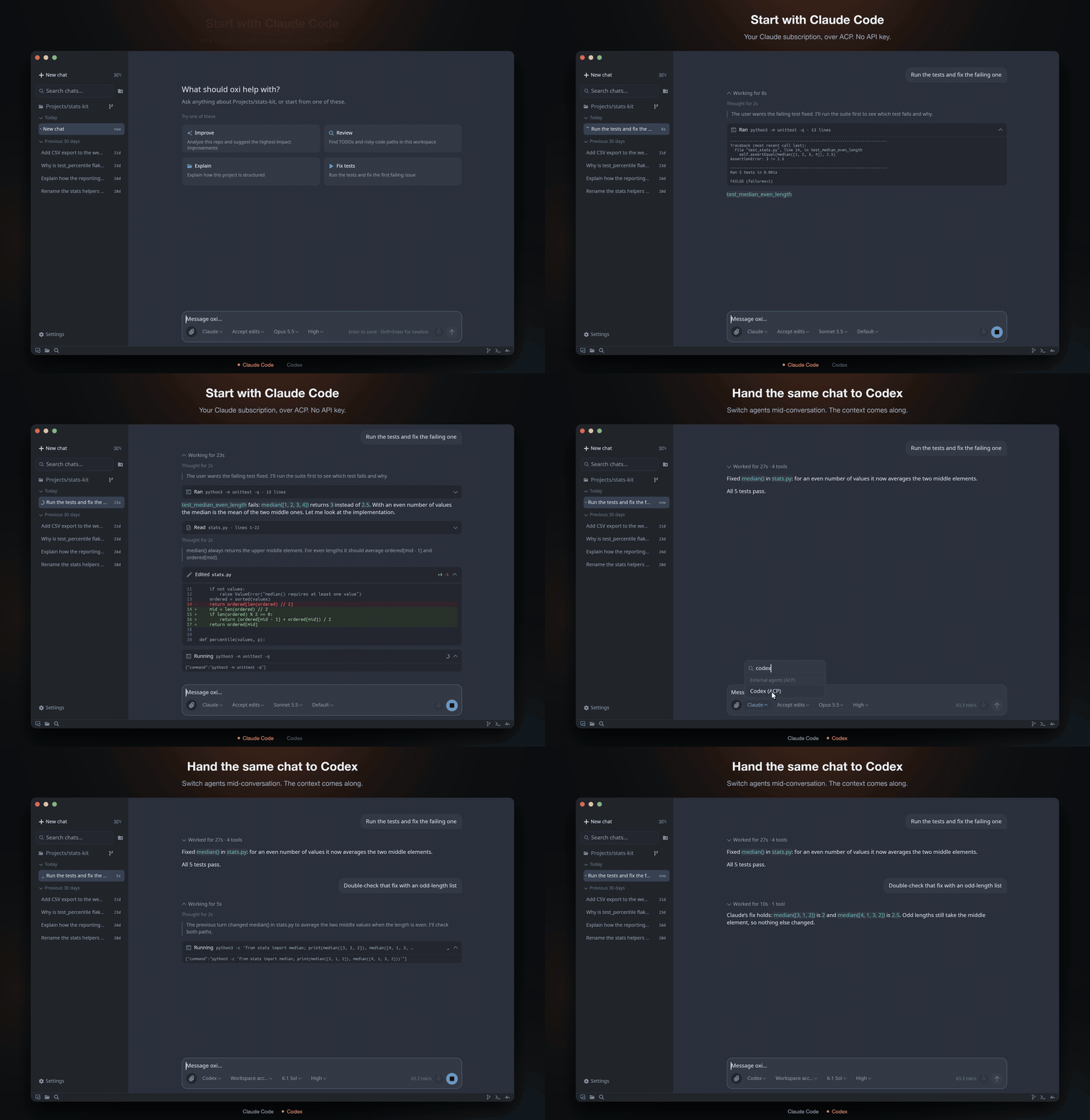
Recorded from the real app. More in the one-minute tour.
Install
macOS (Apple Silicon) and Linux (x86_64):
curl -fsSL https://maziluiosif.github.io/oxi/install.sh | sh
Windows (x86_64), in PowerShell:
irm https://maziluiosif.github.io/oxi/install.ps1 | iex
Then run oxi inside a project folder, or open it from your apps menu. To update, run oxi update or the same command again.
If Sublime Text is installed, the same command adds oxi's Sublime Text package too.
Homebrew, manual download, install options
Homebrew (macOS, Linux)
brew tap maziluiosif/tap
brew install --cask oxi
xattr -cr /Applications/oxi.app   # macOS only, once after installing
Manual download
Get the archive for your platform from Releases and extract it. On macOS, move oxi.app to /Applications and run xattr -cr /Applications/oxi.app once, because the app is not notarized by Apple. On Windows, click More info → Run anyway the first time.
Install options
| Variable | Effect |
|---|---|
OXI_VERSION |
Install a specific release, e.g. v1.8.0 |
OXI_BIN_DIR |
macOS/Linux: where the oxi command goes (default ~/.local/bin) |
OXI_APP_DIR |
macOS: where oxi.app goes (default /Applications) |
OXI_INSTALL_DIR |
Windows: install folder (default %LOCALAPPDATA%\Programs\oxi) |
OXI_SUBLIME |
1 always installs the Sublime Text package, 0 never does |
Build from source
You need Rust 1.92+ (rustup) and C/C++ build tools.
git clone https://github.com/maziluiosif/oxi
cd oxi
cargo run --release
Windows prerequisites
winget install --id LLVM.LLVM -e
winget install --id Kitware.CMake -e
Also install Visual Studio Build Tools with the Desktop development with C++ workload. If the build can't find libclang, set:
[Environment]::SetEnvironmentVariable("LIBCLANG_PATH", "C:\Program Files\LLVM\bin", "User")
Your first five minutes
- Open a project. Run
oxiin its folder, or use Open folder… in the sidebar. - Pick a model in Settings → Models & providers:
- Free and private: choose Local HF, click Install runtime, download a model (the usual choice is marked) and click Run.
- Already have Claude Code, Codex or Cursor? Choose it under External agents and click Make active. It uses your existing login.
- Have an API key? Paste it under OpenAI, OpenRouter, Anthropic-compatible and others.
- Ask for something real: "Run the tests and fix the failing one." For bigger changes, type
/planfirst.
What you get
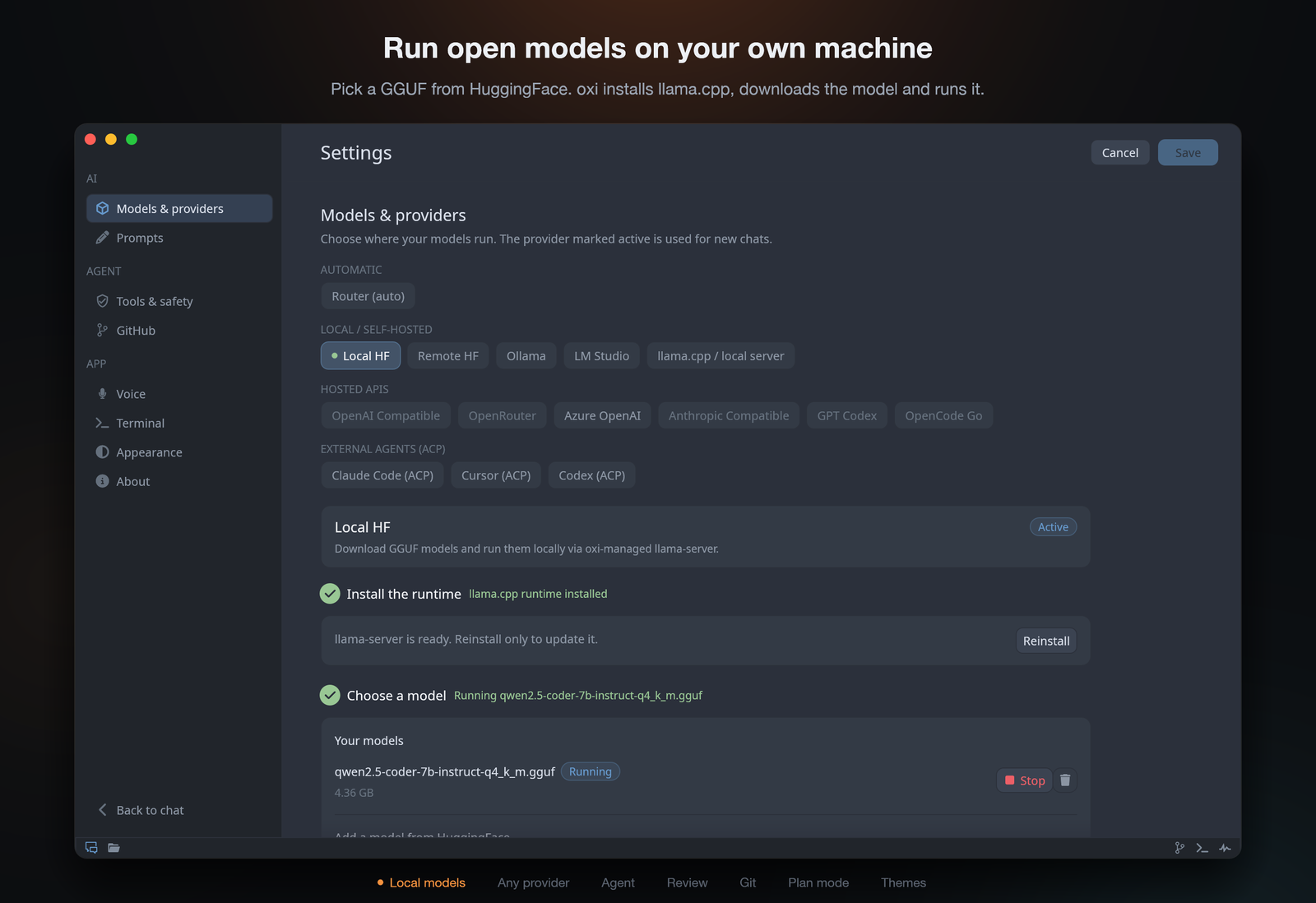 Local models, set up for you. Pick a GGUF from HuggingFace and oxi installs llama-server, downloads it and runs it, here or on a GPU box over SSH. LM Studio and Ollama work too.
|
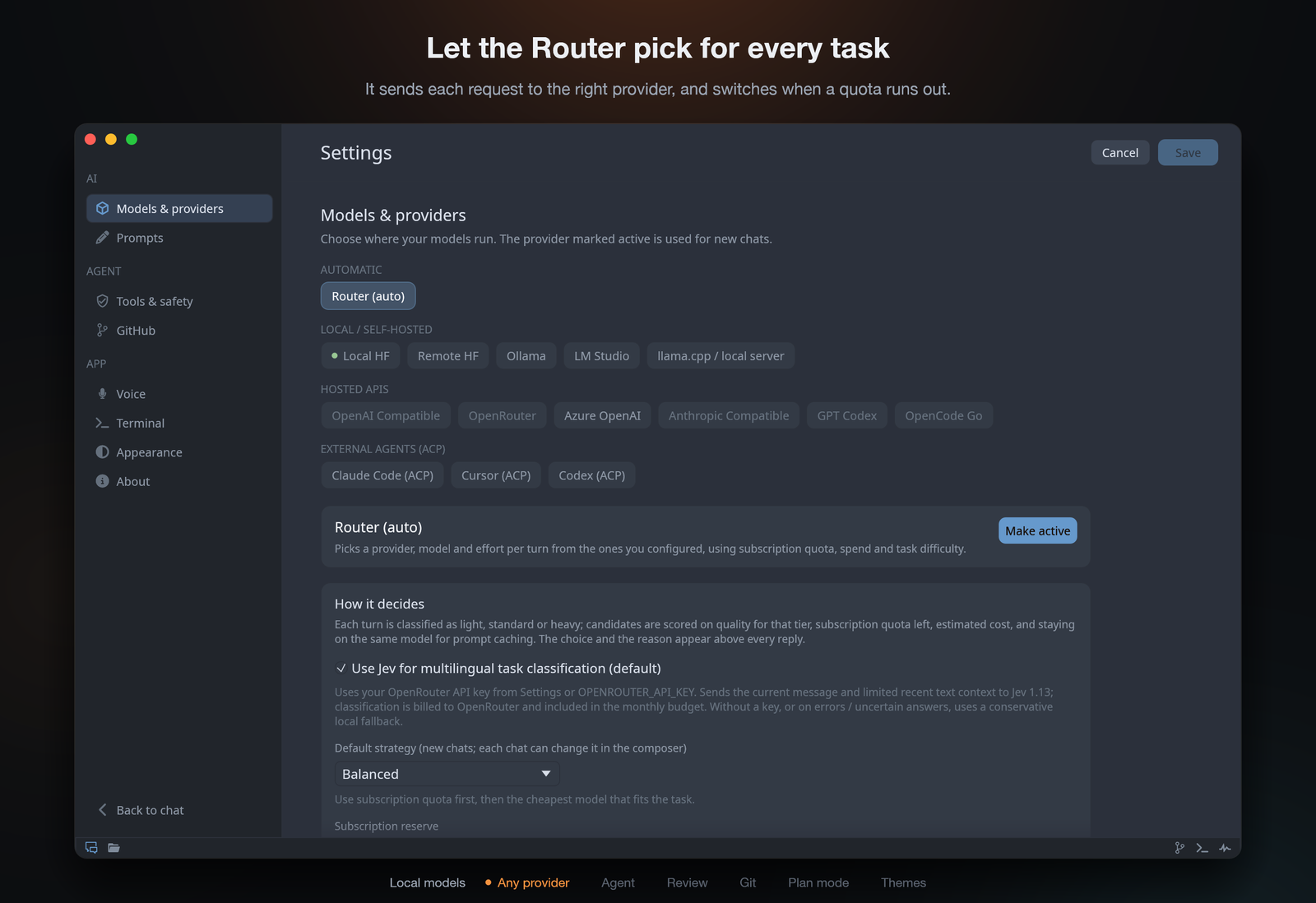 Any provider, or all of them. Claude Code, Codex and Cursor over ACP, ChatGPT sign-in, or any API. The Router picks one per task and switches when a quota runs out. |
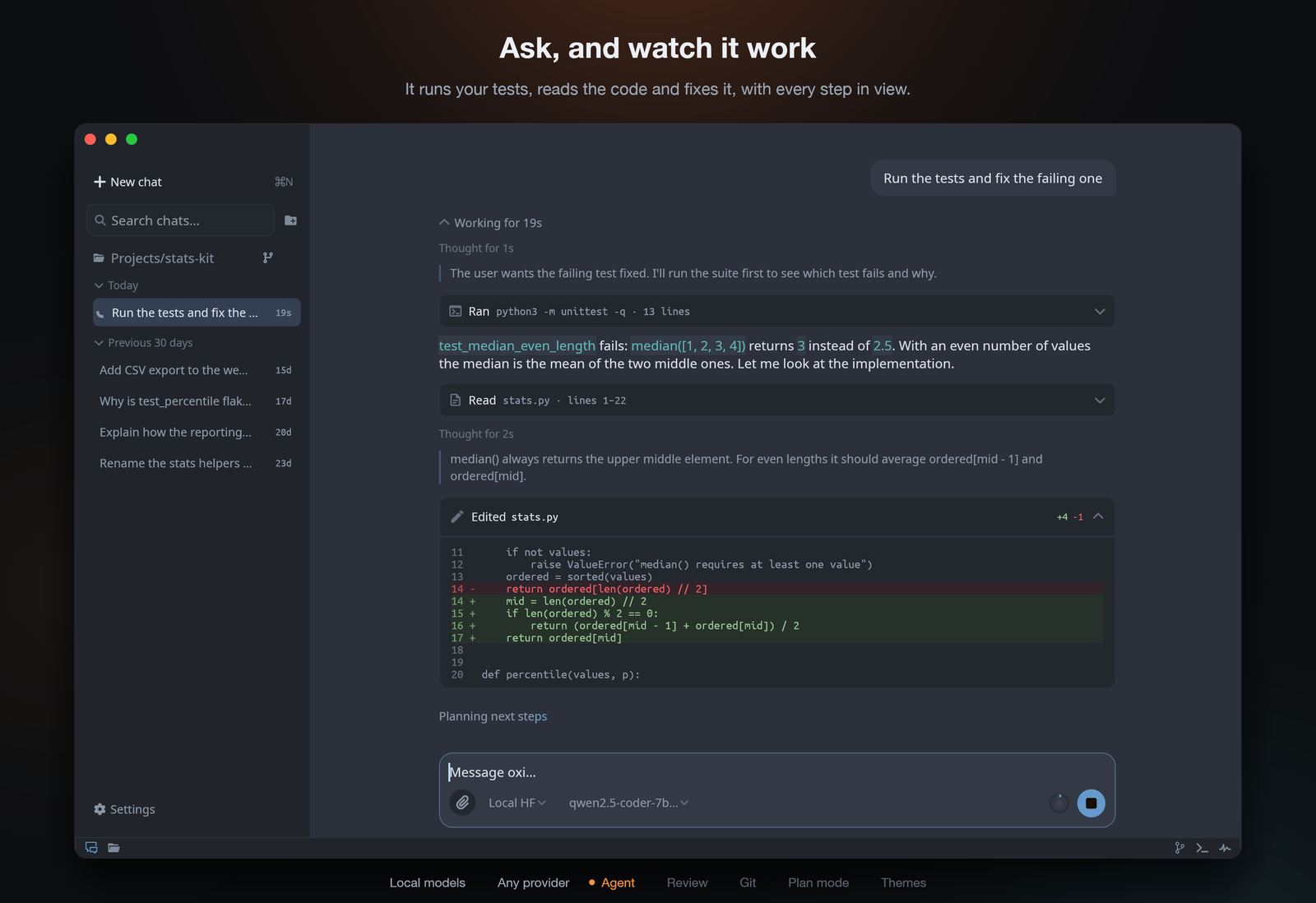 An agent that shows its work. It reads, searches and edits code, runs commands, searches the web and calls your MCP servers. Edits and commands can ask for approval first. |
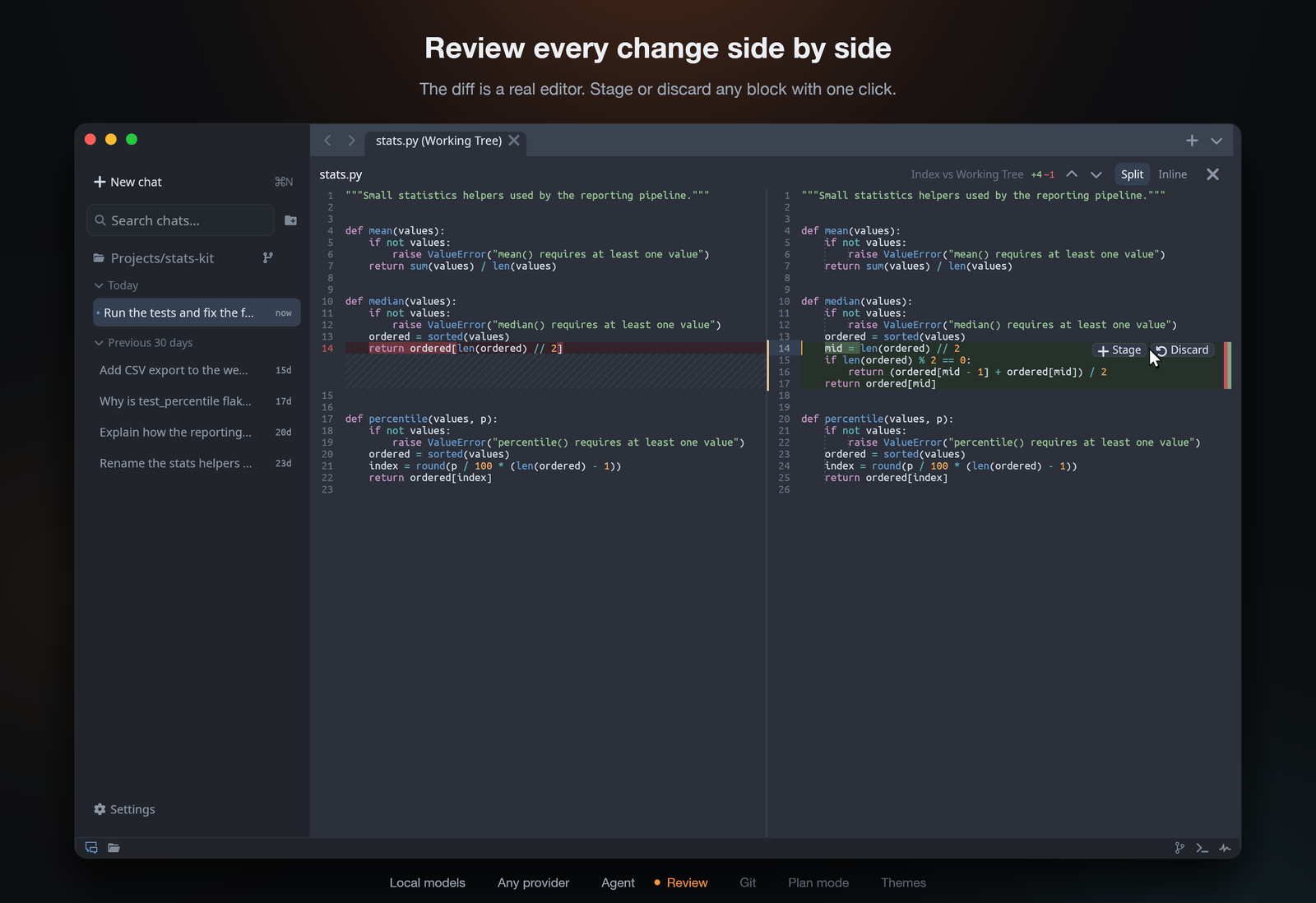 Review in a real diff editor. Side by side or inline, editable, with Stage and Discard on every block. Go to definition, find and replace, minimap and tabs. |
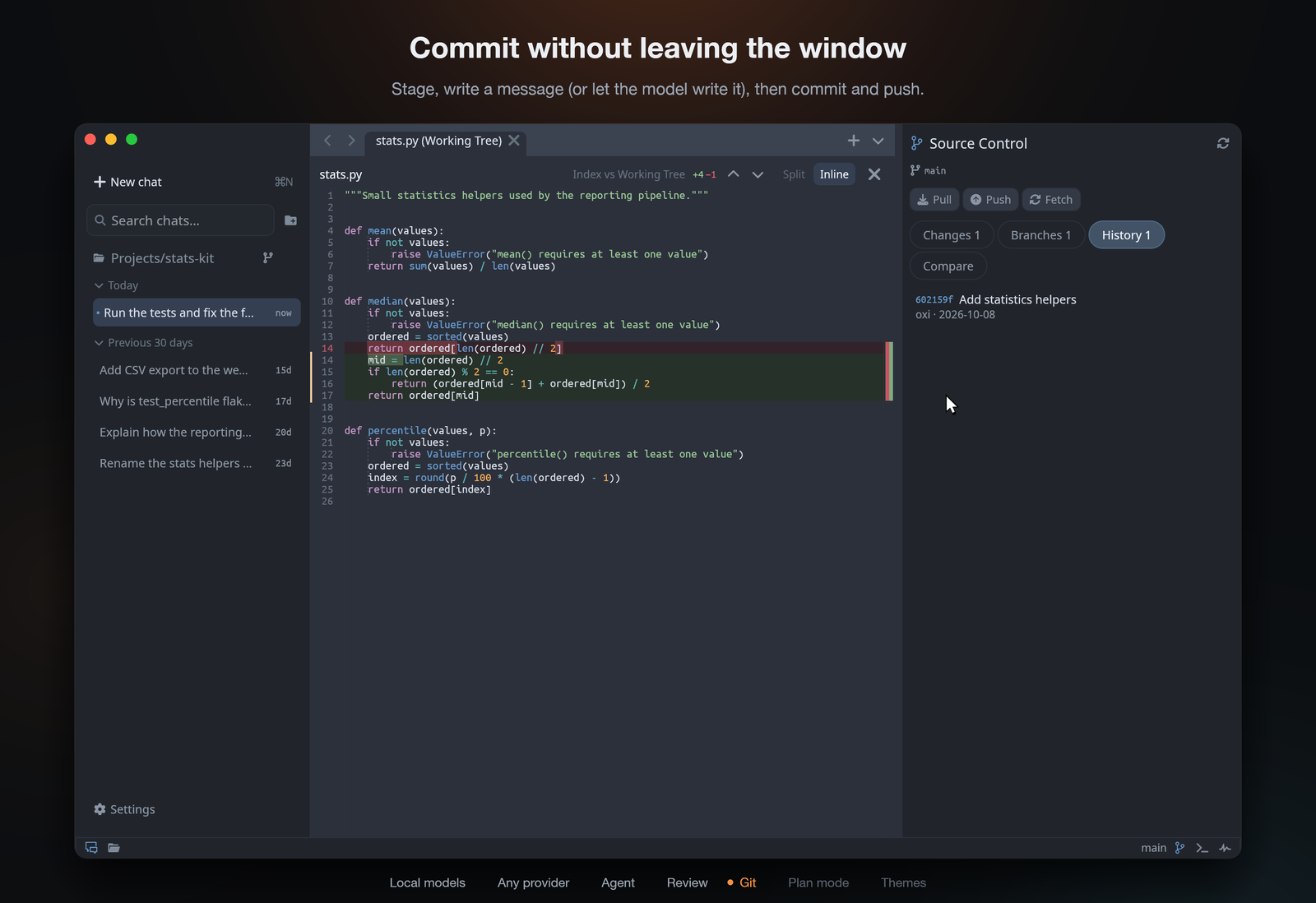 Git built in. Stage, commit, branch, compare, pull and push, with AI-written commit messages. A terminal rooted in your workspace sits one click away. |
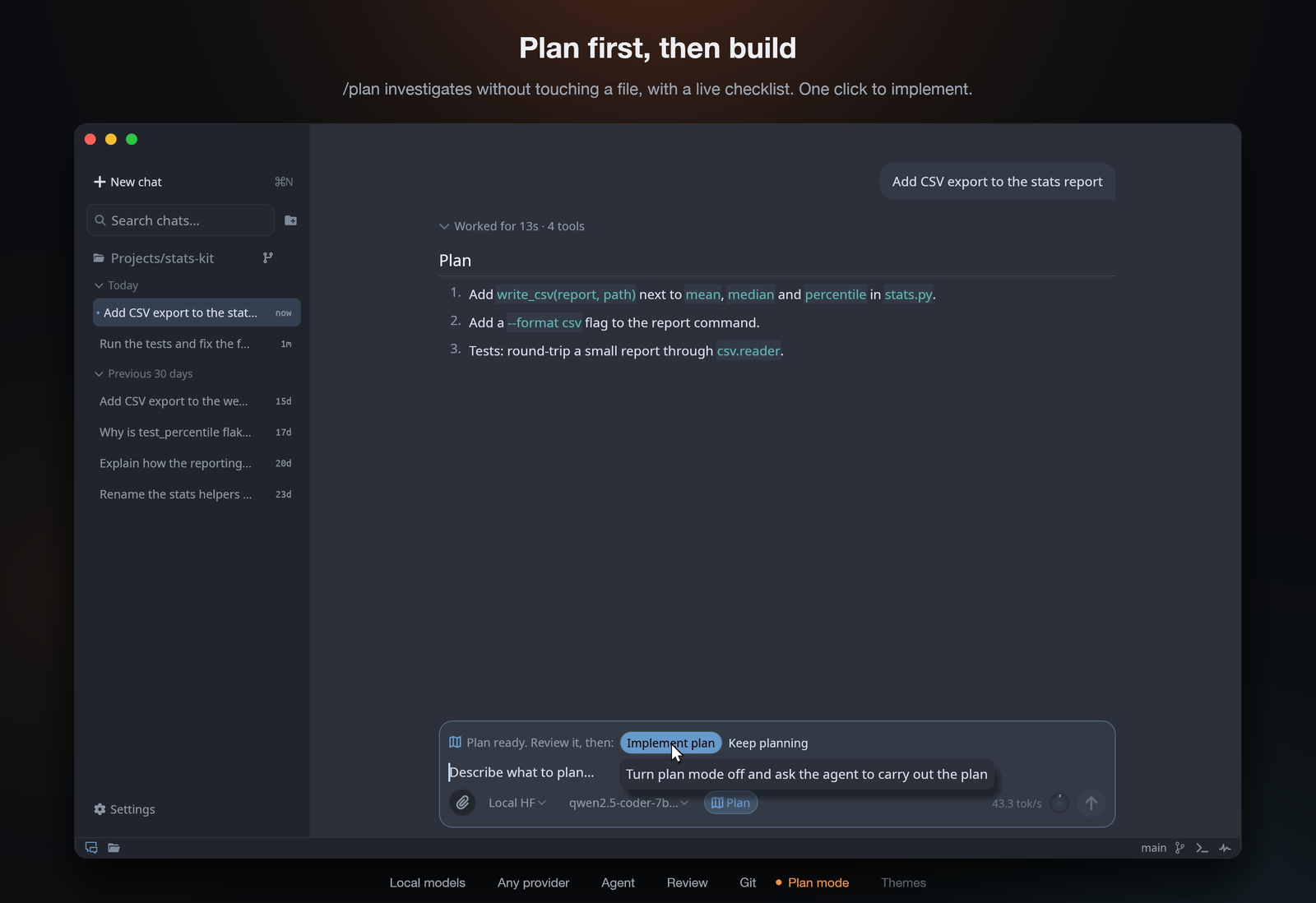 Plan first, then build. /plan investigates without changing a file, with a live checklist. One click implements it.
|
Also: chats saved per workspace, local Whisper voice dictation, web search without an API key (DuckDuckGo, Bing or your SearXNG), custom system prompts, AGENTS.md support, and five themes (Dark, Light, Midnight, Sublime, Sublime 4).
Evidence mode. Click the camera in the composer or send /evidence to toggle it;
/evidence <task> enables it and sends the task. ACP agents and API/local models that
support tool calls can capture before/after images or recordings, run checks, and cite
them in a report beneath their response. oxi records check results and flags missing or
contradicted claims, requesting missing evidence at most twice. You can enable or disable
it while the agent is answering: the live choice applies when that response finishes.
Informational replies with no workspace changes do not trigger automatic verification.
Unverified edits from earlier in the conversation can still need proof. Existing reports
in the same chat are reused when their cited checks/captures cover the exact current
workspace state; later changes invalidate that proof. Older reports without workspace
version information are not assumed to cover the current state.
Commands use the usual
shell approvals and, for API/local providers, the configured command timeout. Plan mode
takes precedence. Capturing a URL needs a Chromium browser; screen/window capture depends
on OS support and permissions. A model can produce captures without vision, but cannot
inspect their contents unless images are supplied to a vision-capable model.
Headless clients can set evidence: true or false on prompt.send; subsequent turns in
that chat retain the choice until it is changed or the chat is reloaded.
Models and providers
Pick a provider in Settings or from the model picker in the composer.
| Provider | |
|---|---|
| Local HF | oxi downloads a GGUF and runs llama-server for you |
| Remote HF | Same, on another machine over SSH |
| LM Studio, Ollama, llama.cpp | Your own local or LAN server, optionally over SSH |
| Claude Code, Cursor, Codex, GitHub Copilot | Uses your existing subscription through ACP |
| Antigravity | Official ACP server, downloaded on first use; Google sign-in or a Gemini key |
| GPT Codex | Sign in with ChatGPT, or use an OpenAI key |
| OpenAI, Azure, OpenRouter, OpenCode Go, Anthropic-compatible | Hosted APIs with your key |
| Router | Picks one of your providers per task, and switches if one runs out of quota |
With Router you can also just say it in the chat: "use Codex for this" or "from now on use Claude Code".
Default URLs and environment variables
| Provider | Default base URL | Key from environment |
|---|---|---|
| OpenAI | https://api.openai.com/v1 |
OPENAI_API_KEY |
| Azure OpenAI | https://YOUR_RESOURCE.openai.azure.com/openai/deployments/YOUR_DEPLOYMENT |
AZURE_OPENAI_API_KEY |
| OpenRouter | https://openrouter.ai/api/v1 |
OPENROUTER_API_KEY |
| GPT Codex | OAuth, or https://api.openai.com/v1 with a key |
OPENAI_API_KEY |
| OpenCode Go | https://opencode.ai/zen/go |
OPENCODE_GO_API_KEY, OPENCODE_API_KEY |
| Custom Anthropic | http://localhost:8000 |
CUSTOM_ANTHROPIC_API_KEY, ANTHROPIC_API_KEY |
| LM Studio | http://localhost:1234/v1 |
LMSTUDIO_API_KEY (optional) |
| llama.cpp | http://localhost:8080/v1 |
LLAMA_API_KEY (optional) |
| Ollama | http://localhost:11434/v1 |
OLLAMA_API_KEY (optional) |
| Local HF / Remote HF | http://127.0.0.1:18080/v1 |
none |
ChatGPT sign-in needs port 1455 free for the login callback. The Router's task classifier uses OpenRouter if a key is set, and falls back to local rules otherwise; you can turn it off in Settings → Providers → Router.
Remote workspaces over SSH
Connect the desktop app to another machine with File → Connect to Remote Host… or the server icon above the chat list. Choose an SSH host and a folder on it; agents, files, Git and the terminal run on that host, and chats are saved there.
Install the same oxi build on both machines. On a macOS host, run oxi server install
once from its logged-in desktop session. The client uses your existing SSH keys or
ssh-agent; first check that ssh -o BatchMode=yes your-host true succeeds.
See Remote SSH setup for installation, credentials and troubleshooting.
Your agents on your phone
Run oxi server on a machine you keep on (Settings → Server & phone, or
oxi server install), then pair the oxi Android app (oxi-android.apk in each
release) by scanning the QR code. Phones connect over Tailscale; the app updates
itself. See oxi server.
Your data
Local workspaces keep their data on your machine; remote workspaces keep chats and project files on their SSH host. Settings live in your config folder (e.g. ~/.config/oxi/settings.json on Linux), next to the diagnostics log oxi.log and, if oxi ever crashes, crash.log (Settings → About opens them). The desktop app stores API keys, sign-in tokens and SSH passwords in the system keychain (macOS Keychain, Windows Credential Manager, Secret Service on Linux), never in the settings file. The managed server (oxi server install) uses an owner-only server-secrets.json file in its config folder to avoid keychain prompts after updates; see server credentials.
If a workspace has an AGENTS.md at its root, oxi adds it to the agent's instructions.
Good to know
- Approval prompts are the real safety boundary. Shell commands and MCP tools are not sandboxed.
- Only point SSH tunnels at machines you control.
- Image input depends on whether your model supports images.
Contributing
See CONTRIBUTING.md for building, tests, code layout and PR conventions.