
maxkonovalov/MKRingProgressView
maxkonovalov/MKRingProgressView has 1,568 GitHub stars and 136 forks. GitHot measured 0 stars in 24 hours and 0 in 7 days. Last checked 2026-11-09 03:23 UTC. Last push 2023-05-04.
⭕️ Ring progress view similar to Activity app on Apple Watch
What you can do
- Progress animation
- Customizable start/end and backdrop ring colors
- Customizable ring width
- Customizable progress line end style
Measured star growth
- in 24h
- 0
- in 7 days
- 0
- in 15 days
- Collecting history
- in 1 month
- Collecting history
Net star changes over overlapping periods, not daily totals. Missing measurements are left blank. Stars measure attention, not software quality.
README.md
OriginalMKRingProgressView


Ring progress view similar to Activity app on Apple Watch
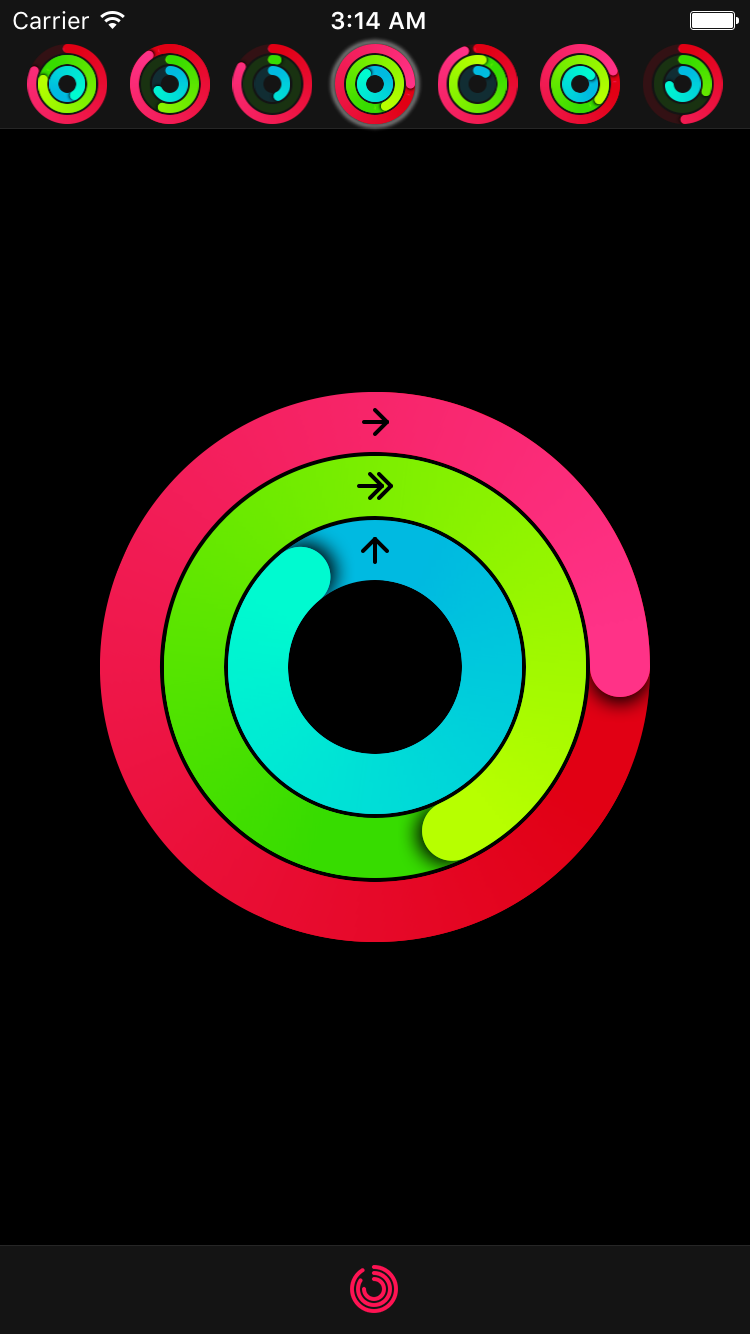
Features
- Progress animation
- Customizable start/end and backdrop ring colors
- Customizable ring width
- Customizable progress line end style
- Customizable shadow under progress line end
- Progress values above 100% (or 360°) can also be displayed
Installation
CocoaPods
To install MKRingProgressView via CocoaPods, add the following line to your Podfile:
pod 'MKRingProgressView'
Carthage
To install MKRingProgressView via Carthage, add the following line to your Cartfile:
github "maxkonovalov/MKRingProgressView"
Swift Package Manager
Note: Instructions below are for using SwiftPM without the Xcode UI. It's the easiest to go to your Project Settings -> Swift Packages and add MKRingProgressView from there.
To integrate using Apple's Swift package manager, without Xcode integration, add the following as a dependency to your Package.swift:
.package(url: "https://github.com/maxkonovalov/MKRingProgressView.git", .upToNextMajor(from: "2.3.0"))
Usage
See the example Xcode project. It contains 2 targets:
- ProgressRingExample - a simple example containing a single progress ring with adjustable parameters.
- ActivityRingsExample - an advanced usage example replicating Activity app by Apple. It also contains additional classes for convenient grouping of 3 ring progress views together.
Interface Builder
MKRingProgressView can be set up in Interface Builder. To use it, set the custom view class to MKRingProgressView. Most of the control's parameters can be customized in Interface Builder.
Code
let ringProgressView = RingProgressView(frame: CGRect(x: 0, y: 100, width: 100, height: 100))
ringProgressView.startColor = .red
ringProgressView.endColor = .magenta
ringProgressView.ringWidth = 25
ringProgressView.progress = 0.0
view.addSubview(ringProgressView)
The progress value can be animated the same way you would normally animate any property using UIView's block-based animations:
UIView.animate(withDuration: 0.5) {
    ringProgressView.progress = 1.0
}
Performance
To achieve better performance the following options are possible:
- Set
gradientImageScaleto lower values like0.5(defaults to1.0) - Set
startColorandendColorto the same value - Set
shadowOpacityto0.0 - Set
allowsAntialiasingtofalse
Requirements
- iOS 9.0
- tvOS 9.0
License
MKRingProgressView is available under the MIT license. See the LICENSE file for more info.
Explore related projects
codecrafters-io/build-your-own-x
Master programming by recreating your favorite technologies from scratch.
561,127 starspublic-apis/public-apis
A collective list of free APIs
497,356 starsmorluto/rea
Reverse engineer anything with agents, from app behavior down to native binaries.
444,300 starsopenclaw/openclaw
The AI that really does things. Any OS. Any Platform. The lobster way. 🦞
394,213 stars