
maxDcb/C2TeamServer
maxDcb/C2TeamServer has 205 GitHub stars and 36 forks. GitHot measured 0 stars in 24 hours and +1 in 7 days. Last checked 2026-11-17 15:33 UTC. Last push 2026-10-31.
Measured star growth
- in 24h
- 0
- in 7 days
- +1
- in 15 days
- Collecting history
- in 1 month
- Collecting history
Net star changes over overlapping periods, not daily totals. Missing measurements are left blank. Stars measure attention, not software quality.
About
TeamServer and Client of Exploration Command and Control Framework
SecurityREADME.md
OriginalExploration C2 Framework

Overview
Exploration is a modular Command and Control framework for red team operations.
This repository contains:
- C++ TeamServer
- Python Client
- Release packaging for Windows assets from C2Implant
- Release packaging for Linux assets from C2LinuxImplant
Look And Feel
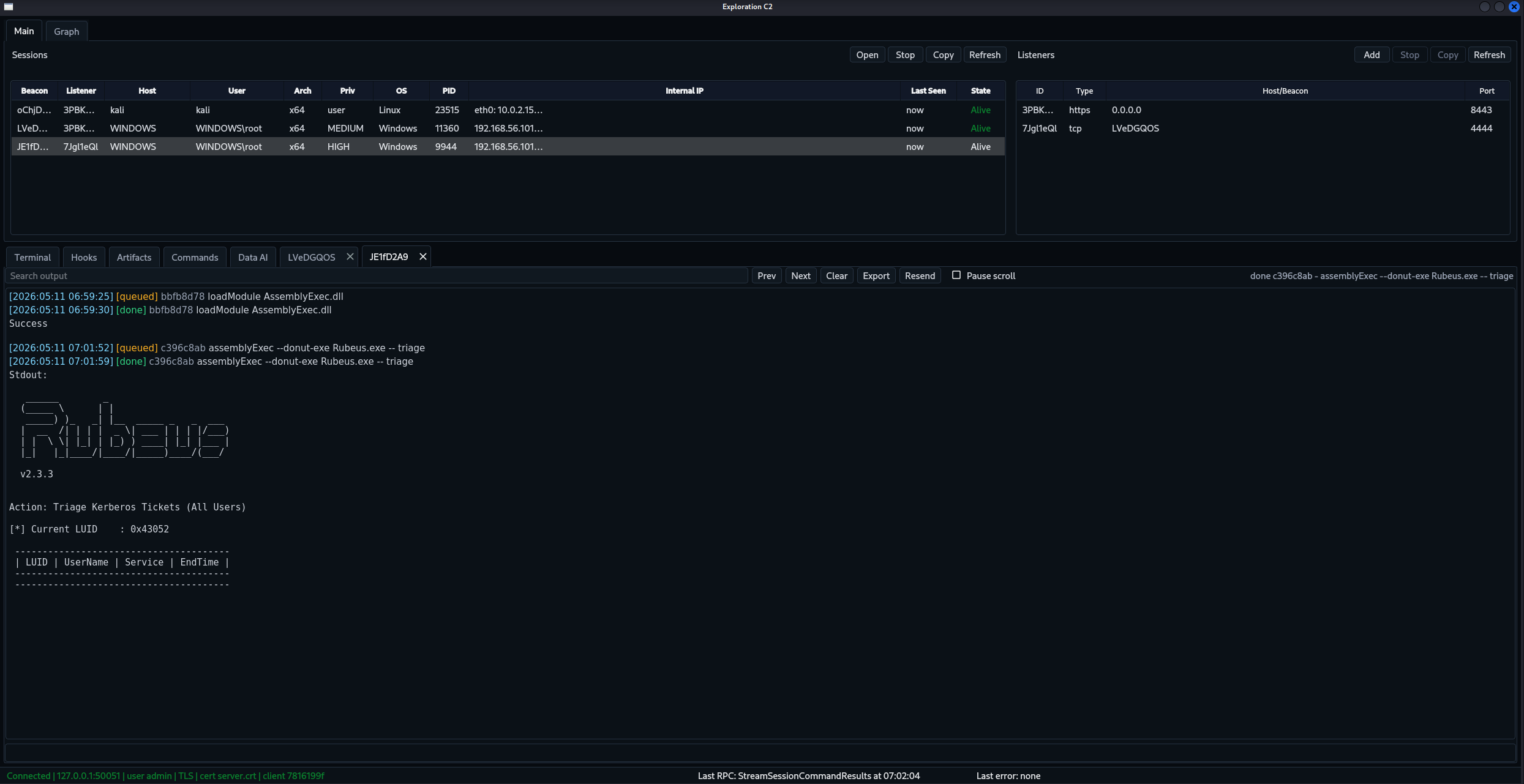
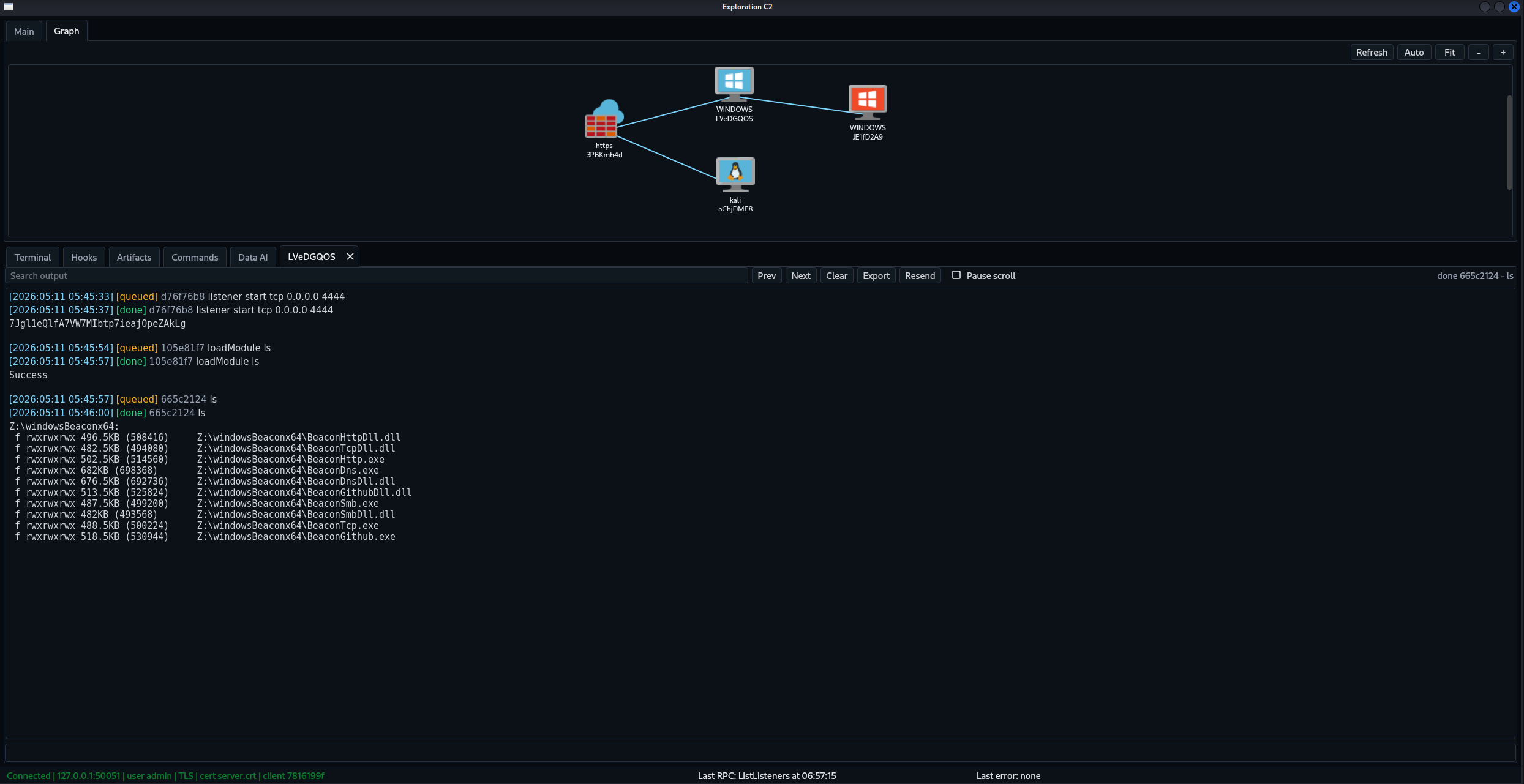
Architecture
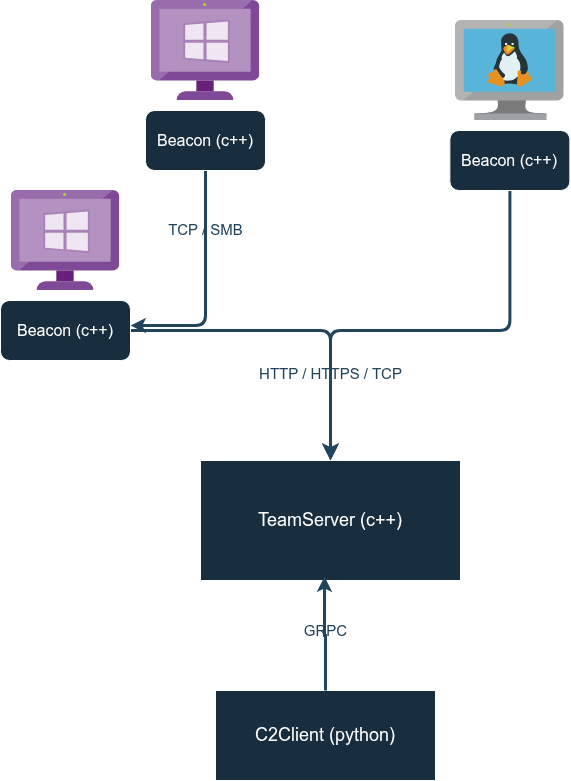
The TeamServer manages listeners and sessions. The Python Client talks to the TeamServer through gRPC.
Supported listener channels:
TCPSMBHTTPHTTPS
Repository Layout
protocol/     .proto source and generated gRPC build rules
teamServer/   TeamServer runtime and gRPC implementation
C2Client/     Python client package and UI
core/         shared C++ components
packaging/    release bundle assembly and validation
integration/  runtime staging and integration tests
docs/         build, release, CI/CD, and integration notes
Quick Start
Install both the TeamServer and GUI client on Linux or WSL:
curl -fsSL https://github.com/maxDcb/C2TeamServer/releases/latest/download/install.sh | bash
The installer uses ~/.local/Exploration by default. It creates a unique TLS certificate
and admin password, and shows that password once. It uses uv for the client dependencies.
exploration server start
exploration server status
exploration client
exploration server stop
Install just one component, or use a local bundle:
curl -fsSL https://github.com/maxDcb/C2TeamServer/releases/latest/download/install.sh | bash -s -- --server-only
curl -fsSL https://github.com/maxDcb/C2TeamServer/releases/latest/download/install.sh | bash -s -- --client-only --hostname teamserver.example.org --ca-cert ./trust.crt
bash install.sh --bundle ./Release.tar.gz --prefix "$HOME/.local/Exploration"
See installation and updates for certificate options, commands and persistent files.
Docker
docker build -t exploration-teamserver .
docker run --rm -it \
  --name exploration-teamserver \
  -p 50051:50051 \
  -p 80:80 \
  -p 443:443 \
  -p 8443:8443 \
  exploration-teamserver
Use a local release bundle:
docker run --rm -it \
  -v "$PWD/Release:/opt/teamserver/Release:ro" \
  -p 50051:50051 \
  exploration-teamserver
Build And Release Docs
- Build and tests
- Installation and updates
- Release packaging
- Implant asset contract
- CI/CD contract
- Integration runtime
Blog Series
- Part 0: Setup and basic usage
- Part 1: TeamServer and architecture
- Part 2: GUI and operator workflows
- Part 3: Beacons and listeners
- Part 4: Modules