
matita-dev/icons
matita-dev/icons has 53 GitHub stars and 4 forks. GitHot measured 0 stars in 24 hours and +2 in 7 days. Last checked 2026-11-15 07:01 UTC. Last push 2026-11-03.
Measured star growth
- in 24h
- 0
- in 7 days
- +2
- in 15 days
- Collecting history
- in 1 month
- Collecting history
Net star changes over overlapping periods, not daily totals. Missing measurements are left blank. Stars measure attention, not software quality.
About
Pencil-style icons for the web, drawn by code. 260 glyphs, React and SVG.
Web & AppsREADME.md
OriginalMatita icons
Pencil-style icons for the web, drawn by code. Lines overshoot their ends like ruled pencil strokes, boxes cross at the corners, circles overlap where the pen closes, or stop just short. Every glyph is deterministic: the same name always draws the same way.
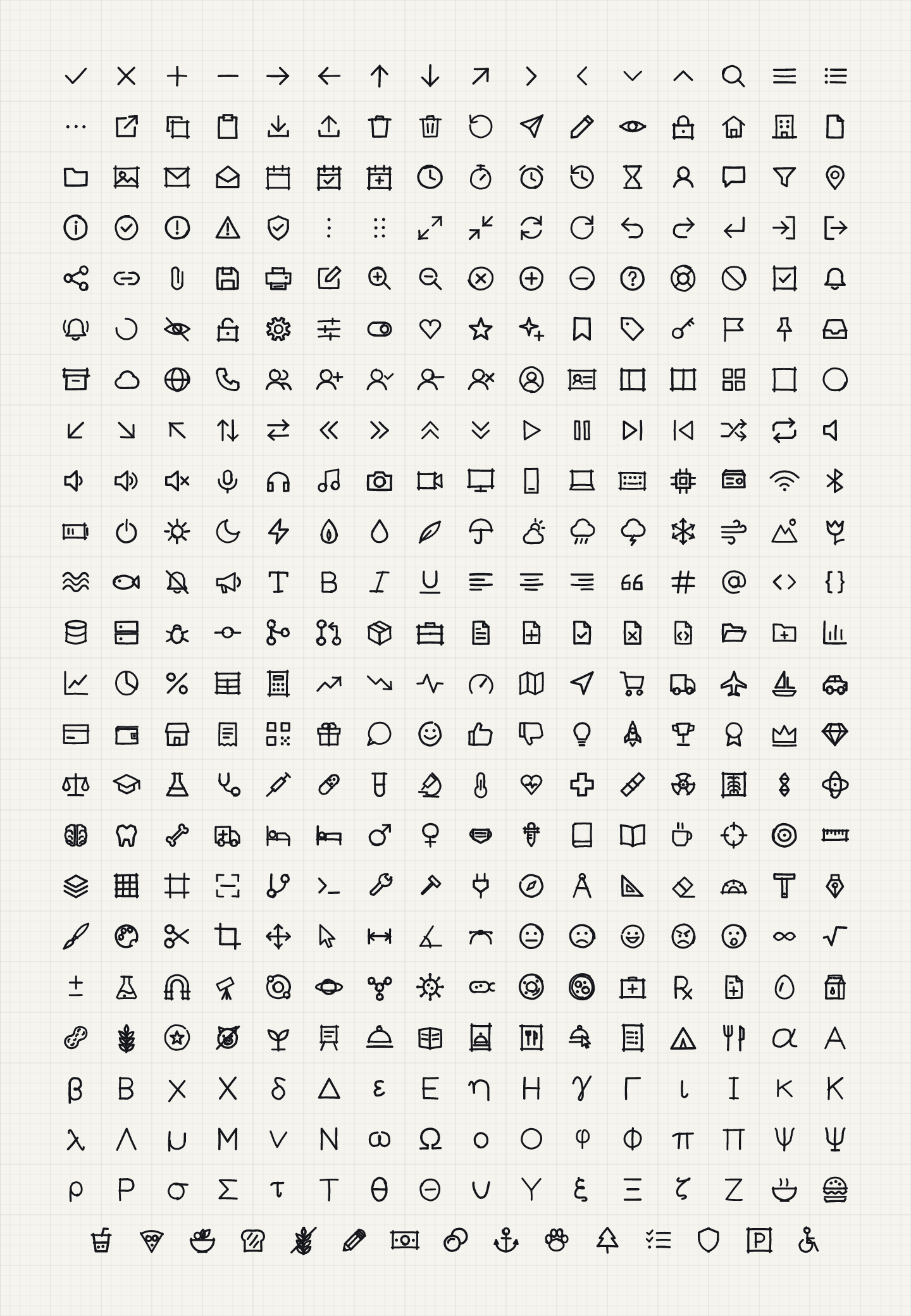
Browse, search and copy them at matita.dev.
- 302 glyphs · 24 grid · 1.6 stroke ·
currentColor - Plain, descriptive kebab-case names (
arrow-right,trash-2,circle-check) - Stroke-based, so color and stroke width stay yours to change
- Pencil variant: every stroke drawn as two or three loose pencil lines, with paper grain
- Wobble: turn the hand down to 0 and every icon is drawn as exact shapes, true lines, circles and corners
Install
npm i @matita/icons
Use
import { ArrowRight, SketchIcon, SketchIconProvider } from '@matita/icons/react';

<ArrowRight size={20} color="#2748F5" />
<SketchIcon name="crosshair" pencil />
<SketchIconProvider size={24} strokeWidth={1.4}>…</SketchIconProvider>
import { Ruler, toSvg } from '@matita/icons';
toSvg(Ruler, { size: 24 });               // SVG string
<i data-sketch-icon="ruler" data-size="24"></i>
<script src="https://cdn.jsdelivr.net/npm/@matita/icons/dist/umd/sketch-icons.min.js"></script>
<script>SketchIcons.replaceIcons({ icons: SketchIcons.icons });</script>
Plain files: @matita/icons/icons/<name>.svg, @matita/icons/pencil/<name>.svg, @matita/icons/exact/<name>.svg, @matita/icons/sprite.svg, @matita/icons/icons.json. For the pencil grain, import @matita/icons/pencil.css (the pencil/<name>.svg files have it built in).
Using Matita with AI tools
matita.dev/llms.txt is a short guide for AI assistants, and matita.dev/icons.json lists every icon with the version that added it, so a tool can check a name exists instead of guessing. The icon names are also a typed union (SketchIconName) for TypeScript.
Wobble: from sketch to exact shapes
wobble goes from 1 (the default: the full hand) down to 0 (the same glyph as exact shapes: true lines, circles, arcs and square corners, no overshoot). In between you get a calmer hand.
<SketchIcon name="calendar" wobble={0} />      // exact shapes
<SketchIcon name="calendar" wobble={0.4} />    // a calm hand
import { drawIcon } from '@matita/icons/engine';
import { toSvg } from '@matita/icons';
toSvg(drawIcon('calendar', { wobble: 0 }), { size: 24 });
Exact shapes don't depend on the seed, and wobble 1 draws exactly what 0.3.0 drew. Ready-made exact files are in @matita/icons/exact/<name>.svg.
Grain: from solid lines to paper texture
With pencil.css loaded, the --matita-grain CSS variable sets how much paper grain shows in pencil icons: 1 (the default) is the full grain, 0 is a solid line. Set it anywhere, on an icon or a parent.
.toolbar { --matita-grain: 0.5; }
Without pencil.css there's no grain, so the variable does nothing. The pencil/<name>.svg files keep their built-in grain.
Rough: from pencil to crayon
rough goes from 0 (the default: today's pencil) to 1 (crayon-rough). It only changes the pencil texture: the lines get wider, looser and a little lighter, and with pencil.css the paper gets coarser, with more of it showing through. wobble is the one that bends the shape, so the two combine freely.
<SketchIcon name="star" pencil rough={0.5} />
<SketchIconProvider pencil rough={1}>…</SketchIconProvider>
toSvg(Star, { pencil: true, rough: 1 });
<i data-sketch-icon="star" data-pencil data-rough="0.5"></i>
rough only applies to pencil icons and works in steps of 0.05. It isn't perfectly smooth: from 0.75 each stroke gets one more pencil line, so the drawing changes a little more at that point. pencil.css has two coarser paper textures and picks the nearest one, and --matita-grain still dials the grain on top. At 16px the top of the range starts to fill in small closed shapes (the middle of a star, a small loop), so keep rough lower there. The pencil/<name>.svg files are unchanged.
Add an icon
Glyphs are drafting primitives on a 24 grid in src/defs.js:
L line · P polyline · Z closed · R rect · C circle · E ellipse · A arc · Q curve · B Bezier path · O dot
Keep to 2–5 primitives, stay inside the 1–23 grid, no fills, short descriptive kebab-case names. Then npm run build && npm test.
Develop
npm ci
npm run build   # lint + dist
npm test
The matita.dev website is built from the published package and lives in its own repository, not here.
Open source promise
Matita is free and MIT licensed, and it stays that way. Every release already published stays available under its license, and every future release is open source too. Nothing in the package is held back for a paid tier.
Support Matita
If Matita is useful to you, you can sponsor its development on GitHub.
Changes
See CHANGELOG.md.
License
MIT © Matita contributors
Made by herocreativ, a design and development studio. Need custom icons or a design system? Get in touch.