
magicsword-io/LOLRMM
magicsword-io/LOLRMM has 417 GitHub stars and 89 forks. GitHot measured +1 stars in 24 hours. Last checked 2026-11-10 02:13 UTC. Last push 2026-11-05.
LotL RMM
What you can do
- Fast Astro-powered static site at lolrmm.io – browse the catalog, filter by platform, search by name/domain/artifact, and explore tool details. Catalog content is rendered as static HTML; interactive search and filters use JavaScript
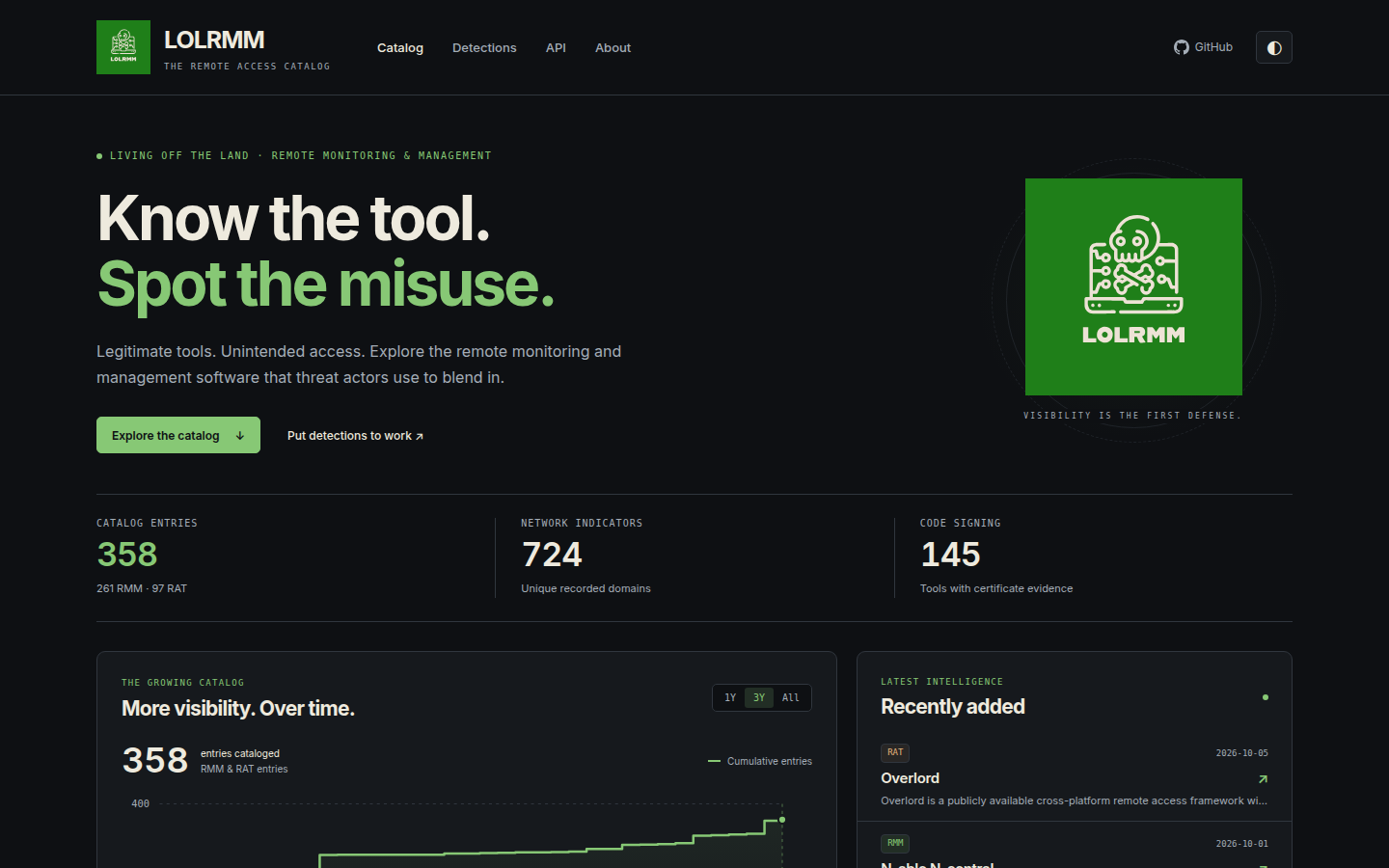
- Catalog snapshot (2026-10-06): 358 entries classified as 261 RMM and 97 RAT, 724 distinct recorded domain patterns, and 145 tools with certificate evidence. See the live site for current totals; catalog classification alone does not establish malicious use
- Cumulative growth chart showing catalog expansion over time
- Tool name, description, author, and timestamps
Measured star growth
- in 24h
- +1
- in 7 days
- Update delayed
- in 15 days
- Update delayed
- in 1 month
- Update delayed
Net star changes over overlapping periods, not daily totals. Missing measurements are left blank. Stars measure attention, not software quality.
README.md
OriginalLOLRMM - Living Off the Land Remote Monitoring and Management 🖥️🔍


Welcome to LOLRMM (Living Off the Land Remote Monitoring and Management), a community-driven project that provides a curated list of Remote Monitoring and Management (RMM) and remote access tools that could potentially be abused by threat actors. Our mission is to assist security professionals in staying informed about these tools and their potential for misuse, providing the community a catalog which can be used for threat hunting, detection and prevention policy creations.
🌟 Key Features
- Fast Astro-powered static site at lolrmm.io – browse the catalog, filter by platform, search by name/domain/artifact, and explore tool details. Catalog content is rendered as static HTML; interactive search and filters use JavaScript
- Catalog snapshot (2026-10-06): 358 entries classified as 261 RMM and 97 RAT, 724 distinct recorded domain patterns, and 145 tools with certificate evidence. See the live site for current totals; catalog classification alone does not establish malicious use
- Cumulative growth chart showing catalog expansion over time
- Structured YAML source records describing key details of each tool:
- Tool name, description, author, and timestamps
- Technical details (website, PE metadata, privileges required, etc.)
- Supported operating systems and capabilities
- Known vulnerabilities and installation paths
- Artifacts left on disk, in event logs, registry, or network
- Detection methods (including Sigma, Splunk, Defender, and Sysmon rules)
- References and acknowledgements
- JSON and CSV APIs for programmatic access – fetch the full catalog, network domains, or individual tool records with no API key required
- LLM-discoverable guide at lolrmm.io/llms.txt for AI assistants and research automation
- Generated Sigma detections under
detections/with process and DNS indicators automatically derived from catalog entries
🚀 Getting Started
To begin working with LOLRMM:
- Browse the catalog at lolrmm.io – explore by platform, filter by tool type, or search for specific artifacts
- Clone the repository to work with the YAML source records directly
- Fetch via API to integrate catalog data into your threat hunting and detection workflows
API Usage
Fetch the complete catalog in JSON or CSV format (no API key required):
# Full catalog JSON with all tool details
curl https://lolrmm.io/api/rmm_tools.json

# CSV export for spreadsheet review
curl https://lolrmm.io/api/rmm_tools.csv

# Network domains for hunting
curl https://lolrmm.io/api/rmm_domains.csv

# Individual tool record
curl https://lolrmm.io/api/tools/anydesk.json
See lolrmm.io/api/ for the complete API documentation and additional feeds.
Support 📞
Please use the GitHub issue tracker to submit bugs or request features.
🤝 Contributing & Making PRs
Stay engaged with the LOLRMM community by regularly checking for updates and contributing to the project. Your involvement will help ensure the project remains up-to-date and even more valuable to others.
If you'd like to contribute, please follow these steps:
- Fork the repository
- Create a new branch for your changes
- Make your changes and commit them to your branch
- Push your changes to your fork
- Open a Pull Request (PR) against the upstream repository
For more detailed instructions, please refer to the CONTRIBUTING.md file (if available). To create a new YAML file for an RMM tool, use the provided YAML templates in the yaml directory.
Validation rejects open wildcard rules in Details.InstallationPaths and
Artifacts.Disk[].File. Extension-only executable patterns such as *.exe,
*.dll, and *.msi are unsafe even inside a vendor directory: downstream policy
engines may extract just the filename. Use verified filenames or patterns with a
tool-specific filename component, such as OpsBridgeAgent.exe or Example*.exe.
Keep evidence of randomized executable names in descriptions rather than adding
an extension-only rule. Catch-all file patterns such as *.* and unscoped *
also fail validation. Scoped directory globs and non-executable artifacts such
as C:\ProgramData\Example\* and C:\ProgramData\Example\*.log remain supported.
Pre-merge checks also reject public-suffix domain patterns, unscoped shared hosts/publishers, empty selectors, invalid hashes, and inconsistent certificate evidence. The generated-rule gate rebuilds exports in a temporary directory, checks benign controls, and verifies that source normalization preserves domain boundaries and excludes placeholders. See the safety contract.
Shared download hosts can remain in a network artifact with Detection: false
and a DetectionReason; they are excluded from domain CSV and Sigma exports.
The same designation preserves signing evidence for research. Shared publishers
used for detection require exact CodeSigning.FileNames plus a
DetectionReason; consumers must AND that file scope with the signing identity.
Raw catalog JSON retains contextual evidence and these fields. Policy consumers
must honor them rather than treating all recorded artifacts as blocking rules.
Run the same checks locally before opening a PR:
poetry install --no-root
poetry run python -m unittest discover -s tests
poetry run python bin/validate.py
poetry run python bin/lint_content.py
poetry run python bin/validate_generated.py
🚨 Sigma Detection
LOLRMM provides Sigma detection rules to help you effectively detect potential threats related to RMM tools. To explore these rules in detail, navigate to the detections/sigma/ directory.
Happy hunting! 🕵️♂️
🏗️ Building and Testing Locally
Requirements
- Python 3.12+ (PyYAML, or the existing Poetry environment)
- Node.js 22.23.4+
The website now uses Astro. From the repository root:
python3 -m venv .venv
source .venv/bin/activate
pip install pyyaml
cd website
npm ci
npm run dev
Visit http://localhost:4321. The dev/build commands regenerate data and detection
exports from /yaml automatically. To build and verify the static website:
npm run check
npm run build
npx playwright install chromium
npm test
Output is written to website/dist/. See website/README.md
for data routes, chart methodology, analytics configuration, and deployment details.
Join us in our quest to create a safer and more secure digital environment for organizations everywhere. With LOLRMM by your side, you'll be well-equipped to understand and address the potential risks associated with RMM tools in the ever-evolving cyber landscape.
🤖 GitHub Actions
Purpose
The GitHub workflow files in the .github/workflows directory automate various tasks and processes for continuous integration, continuous delivery, and other project maintenance activities.
These workflow files leverage GitHub Actions to execute predefined steps based on specific triggers such as code pushes, pull requests, or scheduled intervals.
Key Goals
- Automate Testing: Ensure that all code changes pass necessary tests before merging into the main branch.
- Continuous Integration: Automatically build and validate the project in different environments and configurations.
- Code Quality Checks: Run static analysis tools to maintain code quality and adherence to coding standards.
- Deployment: Manage the deployment process to various environments, ensuring seamless and reliable releases.
- Badge Updates: Automatically update project badges to reflect the current status, such as the number of Remote Monitoring and Management (RMM)
Generated-data bot configuration
The generated-data workflow uses a repository-scoped GitHub App to open or refresh
automation/generated-data PRs. Set the repository variable
GENERATED_DATA_APP_CLIENT_ID and the Actions secret
GENERATED_DATA_APP_PRIVATE_KEY for that app. Its installation needs Contents and
Pull requests write permissions for this repository.
The app token lets generated-data PRs start CI automatically. Those PRs still go
through normal review and branch protections. Pages builds fresh catalog data
independently when changes reach main.
Explore related projects
trimstray/the-book-of-secret-knowledge
A collection of inspiring lists, manuals, cheatsheets, blogs, hacks, one-liners, cli/web tools and more.
257,397 starsHack-with-Github/Awesome-Hacking
A collection of various awesome lists for hackers, pentesters and security researchers
125,103 starsswisskyrepo/PayloadsAllTheThings
A list of useful payloads and bypass for Web Application Security and Pentest/CTF
82,542 starscaddyserver/caddy
Fast and extensible multi-platform HTTP/1-2-3 web server with automatic HTTPS
78,935 stars