
madebywelch/guaca has 58 GitHub stars and 10 forks. GitHot measured 0 stars in 24 hours and +4 in 7 days. Last checked 2026-11-16 21:57 UTC. Last push 2026-11-06.
Measured star growth
- in 24h
- 0
- in 7 days
- +4
- in 15 days
- Collecting history
- in 1 month
- Collecting history
Net star changes over overlapping periods, not daily totals. Missing measurements are left blank. Stars measure attention, not software quality.
About
A desktop workspace (inspired by Grok Bot & Muse) for AI agents that collaborate, write code, and use tools. Run locally or on your own server, with shared conversations, persistent memory, and MCP plugins.
AIREADME.md
OriginalGuaca

A desktop app for AI agents that work together.
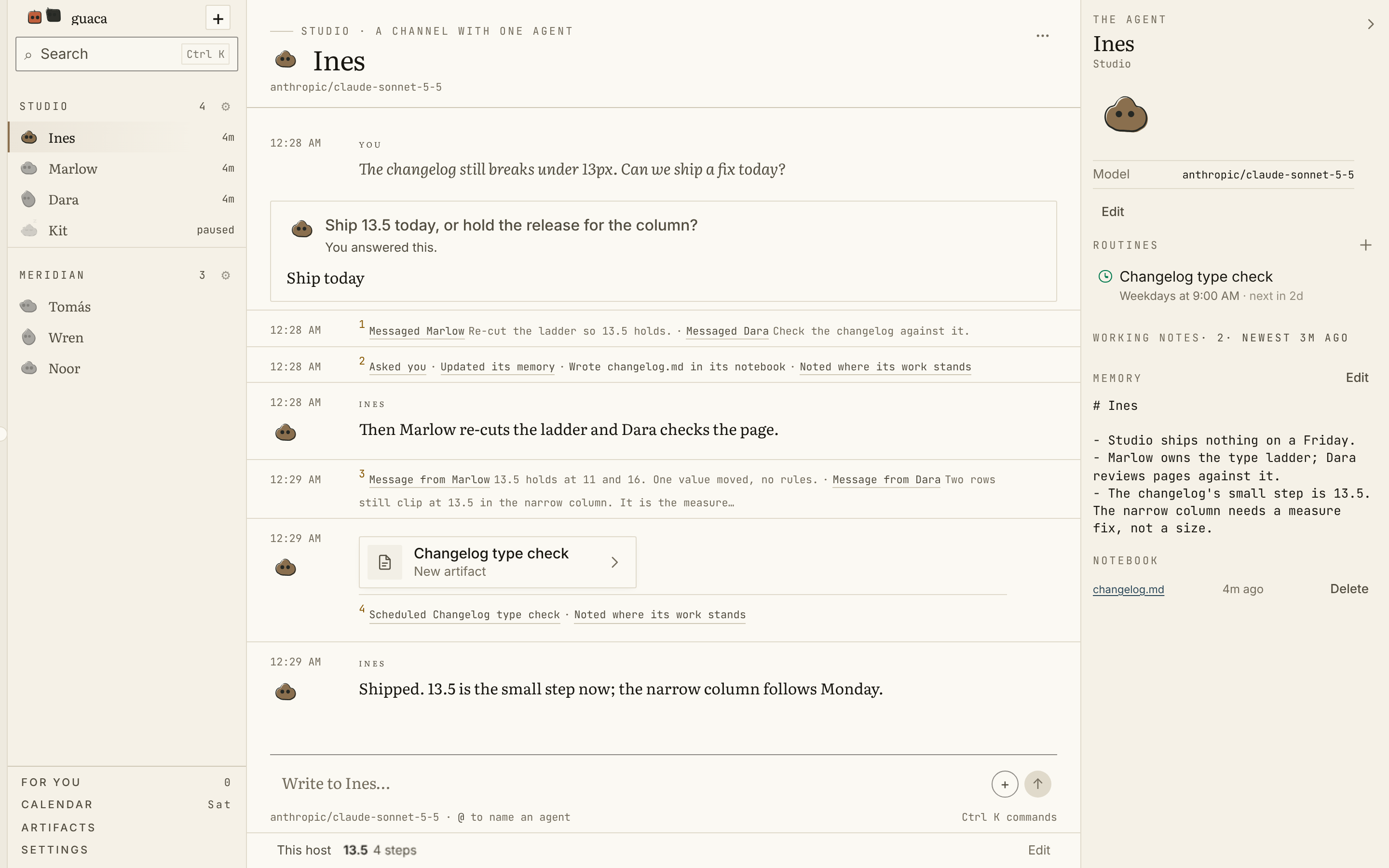
Run Guaca locally on your computer or connect it to a VPS. The backend runs in a container; you choose where it lives. The desktop is your window into that host. On an always-on VPS, your agents keep working when you close your laptop. A local host runs while your computer is awake.
Download
Download the latest macOS build.
It is a signed and notarized universal disk image,
Guaca_<version>_universal.dmg, that runs on Apple Silicon and Intel Macs and
needs no Node.js, Rust or source checkout. Open it, drag Guaca into
Applications, and launch it.
The disk image is only half of it: Guaca is a window on a host that runs your
agents, and the first screen asks which host. On this Mac starts one in a
Docker container, from the backend image published with that release, so it
needs Docker installed and the image available. Remote host connects to a
guacad that is already running somewhere, and needs no Docker here. Building
from a checkout below produces both halves from the same source.
The release publishes the disk image's SHA-256 beside it, so a download can be checked before it is opened:
shasum -a 256 -c Guaca_*_universal.dmg.sha256
Build a group
Organize your agents into groups: isolated spaces with their own collection of agents, settings, and connectors. Connectors are MCP servers that connect your agents to other services. Choose from the included connectors or add your own. You control which agents can use each connector and its tools.
Agents communicate with you and each other, delegate work, and keep their own memory and working notes. They can also have a browser through Kernel or a computer through E2B, configured with the respective vendor's API key.
Build from a checkout
The desktop app currently supports macOS. To build and install from a checkout, you need Node.js, pnpm, Rust, the Xcode Command Line Tools, and (for a local host) Docker:
./scripts/install.sh --no-pull --launch
The script checks those before it compiles anything, and says how to fix whichever is missing. For a local host, have Docker installed and running before installing: the script builds the matching backend image. Choose On this Mac when Guaca opens, or Remote host to connect to a backend on your VPS. You can change that choice later in Settings → Workspace. A remote connection does not require Docker on your Mac.
Managed Guaca compute spaces are planned for a later release. Local and remote hosts are available now.
For building and publishing signed macOS downloads, see macOS releases. It covers versioning, Developer ID signing, Apple notarization, and release credentials.
Credits
Inspired by Grokbot, and not a clone of it. The shape came from there: agents you talk to that also talk to each other, in a room you can watch. Everything under that shape is this repo's own work, sharing no code, no assets and no service with it. Guaca runs on the host you choose, with the model providers you configure.
Its message layer is derived from the four agent interoperability protocols (MCP, ACP, A2A, ANP) and from the survey comparing them, A survey of agent interoperability protocols by Abul Ehtesham, Aditi Singh, Gaurav Kumar Gupta and Saket Kumar (arXiv 2505.02279). A2A in particular gave the Agent Card, discovery as a first-class operation, and card versioning.
Connectors have two kinds rather than one because of Beyond Browsing: API-Based Web Agents by Yueqi Song, Frank Xu, Shuyan Zhou and Graham Neubig (arXiv 2410.16464). Putting API-calling and browsing agents on the same WebArena tasks, they found APIs beat browsing, and a hybrid that could choose beat both, by 24.0 points absolute over browsing alone. The design that follows is not "an API when there is one, a browser otherwise": it is telling one agent about both and letting it pick, which is what the prompt's What you can reach section is for.
The security half comes from BrowseSafe: Understanding and Preventing Prompt Injection Within AI Browser Agents by Kaiyuan Zhang, Mark Tenenholtz, Kyle Polley, Jerry Ma, Denis Yarats and Ninghui Li (arXiv 2511.20597). Its useful move is to benchmark injections that drive real-world actions rather than text output, which is exactly what a signed-in session turns a web page into: the payload no longer has to talk an agent into obtaining access, because it already has the operator's. Guaca takes the architectural half of their defense-in-depth argument: page content is labeled at the point it enters the turn, connector OAuth credentials stay in the backend, and the signed-in agent is told where to stop. Neither paper's authors endorse any of this.
Connector marks are Simple Icons, CC0 1.0. Trademarks belong to their owners.