
maddada/Ghostex
maddada/Ghostex has 1,627 GitHub stars and 134 forks. GitHot measured +7 stars in 24 hours. Last checked 2026-11-08 04:03 UTC. Last push 2026-11-02.
The Best Native Agents Workspace. Fully Rust & GPUI based. Mobile apps. 20+ agents. Native Ghostty.
Measured star growth
- in 24h
- +7
- in 7 days
- Collecting history
- in 15 days
- Collecting history
- in 1 month
- Collecting history
Net star changes over overlapping periods, not daily totals. Missing measurements are left blank. Stars measure attention, not software quality.
README.md
Original Ghostex
The Best Native Agents Workspace





Download Ghostex · Website · Watch the 3-minute tour · Watch the Demo
Lots of useful extensions & views

Super Customizable & Powerful
As minimal or feature-rich as you want it to be

First-class Coordinators with Visual Questions
Coordinators fully manage your projects for you and spin up threads automatically.
Work best with the /ghostex-visuals skill


Fully-featured Editor Built in (with annotations)

Want an animated wallpaper behind Ghostex like these? Try Wallspace on macOS (free, recommended), Lively Wallpaper on Windows (free, open source) or Hidamari on Linux (free, open source; it has no gallery, so add your own videos, for example looping clips from Pexels Videos, or paste a YouTube link: search for "4K live wallpaper loop"). Move Ghostex to its own desktop or workspace so only the wallpaper sits behind it.
Features
📱 iOS and Android apps with Easy Connect or Tailscale
Your agents in your pocket. Easy Connect pairs your phone with a single scan, no extra accounts needed, or join through your Tailscale tailnet if you already have one. Read transcripts, send follow-ups, preview localhost pages, and get a push when an agent finishes.

💬 Chat & CLI views
Talk to Claude Code, Codex, or any other agent in a proper chat GUI: clickable images, readable diffs, queued prompts, sub-agents in view, and a full editor for long messages. If you ever need the raw CLI, it is one hotkey away and your draft comes with you.
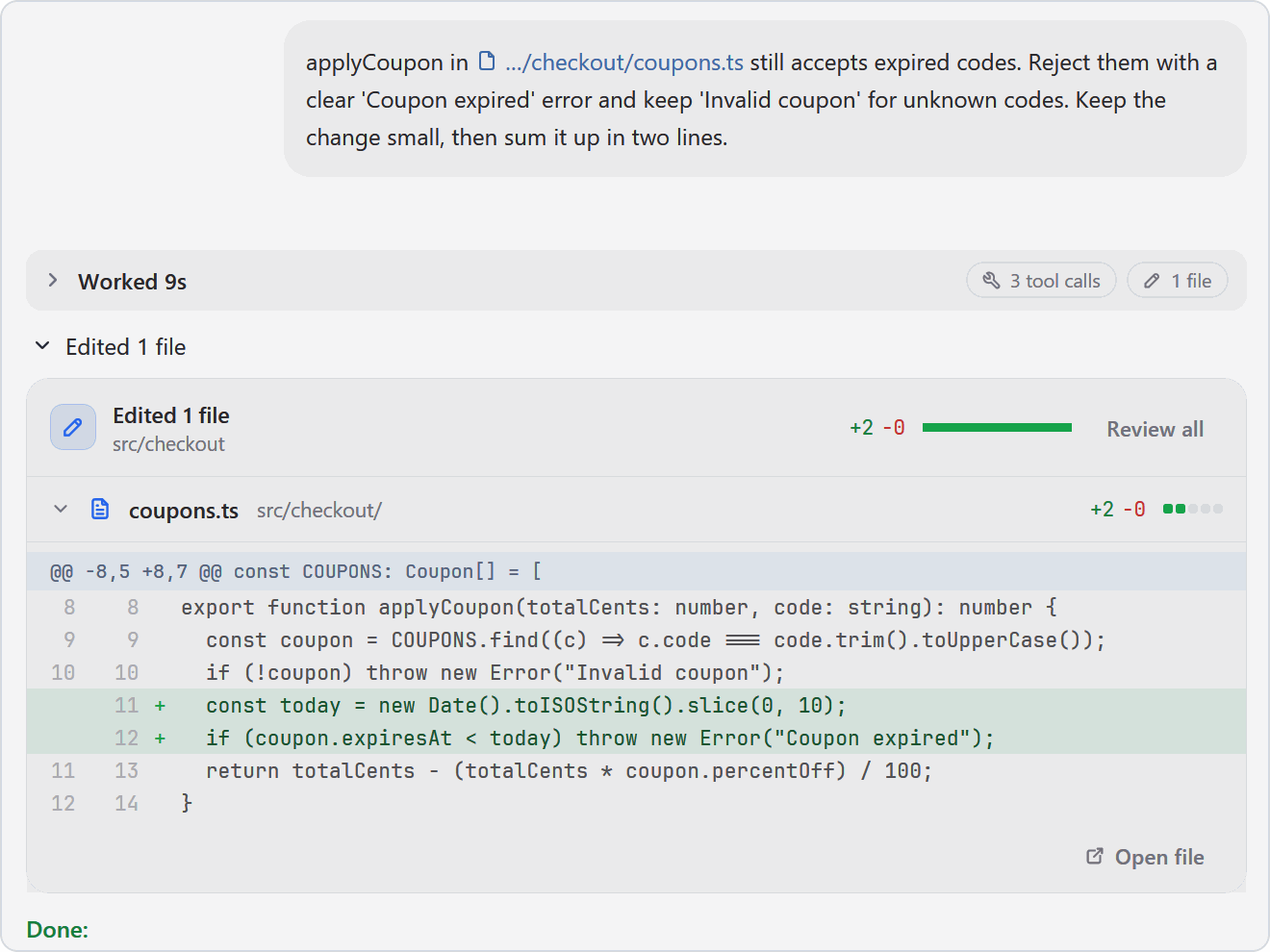
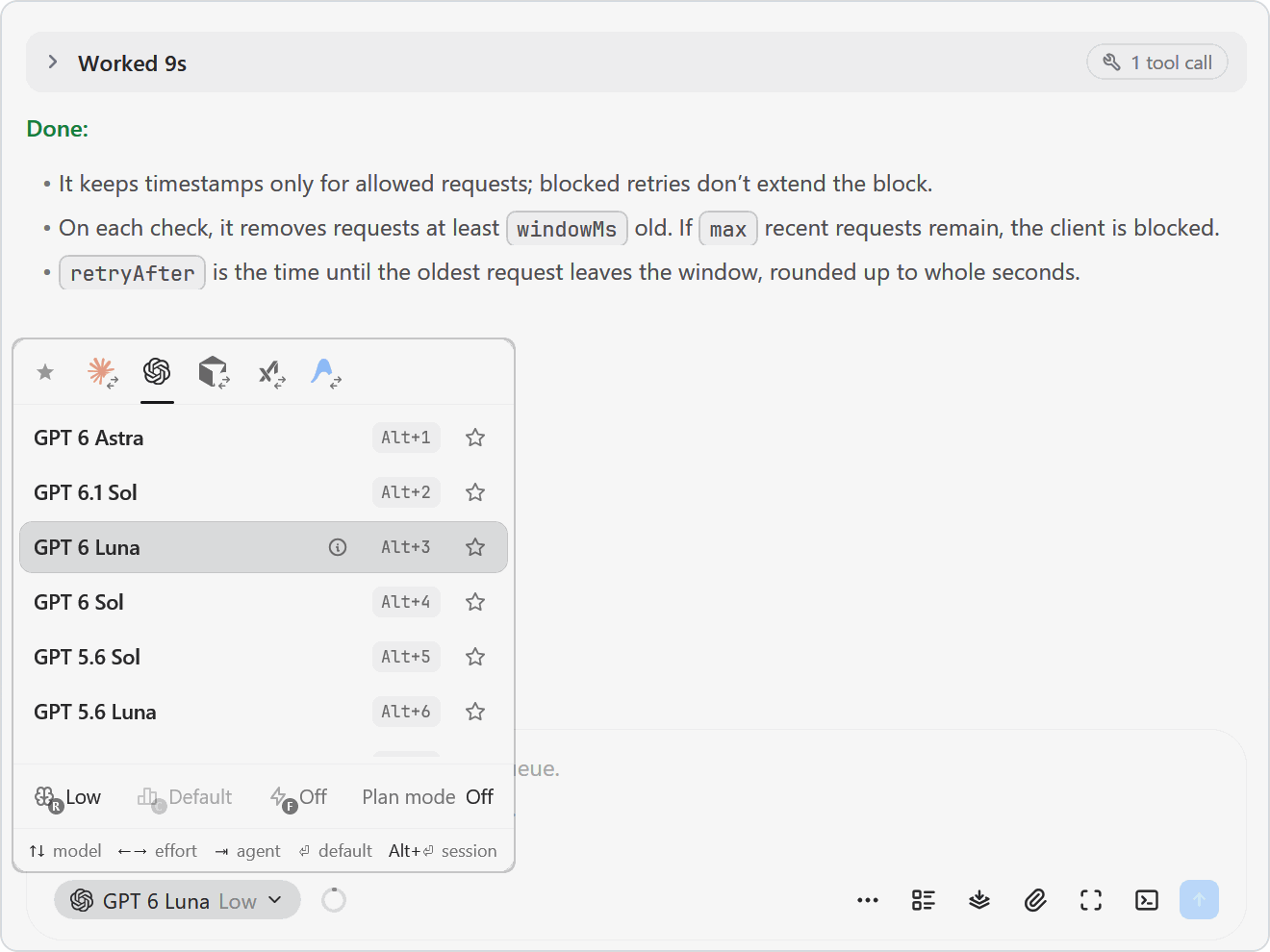
🔀 Any agent, swap on the fly
Claude Code, Codex, OpenCode, Pi, Gemini, Grok, Cursor, and more. Pick the model and effort from the chat box, or hand a session from one agent to another mid‑task.
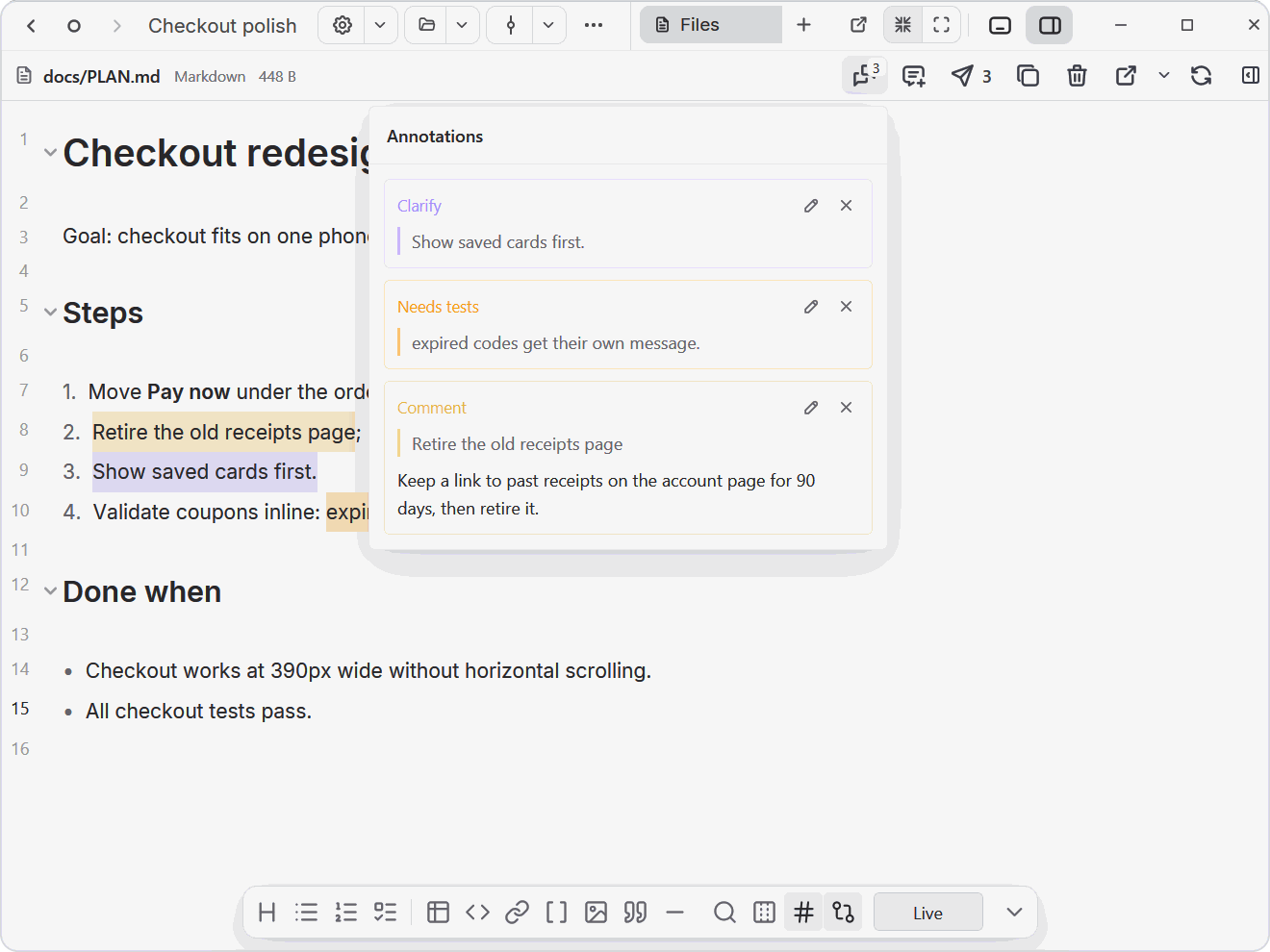
📝 Annotate Markdown, HTML and diagrams
Open plans, HTML prototypes, and Excalidraw diagrams next to your agent, select anything, and leave a note or mark it Looks good, Clarify, or Needs tests. One click sends every note to the agent's prompt as numbered feedback with line numbers.
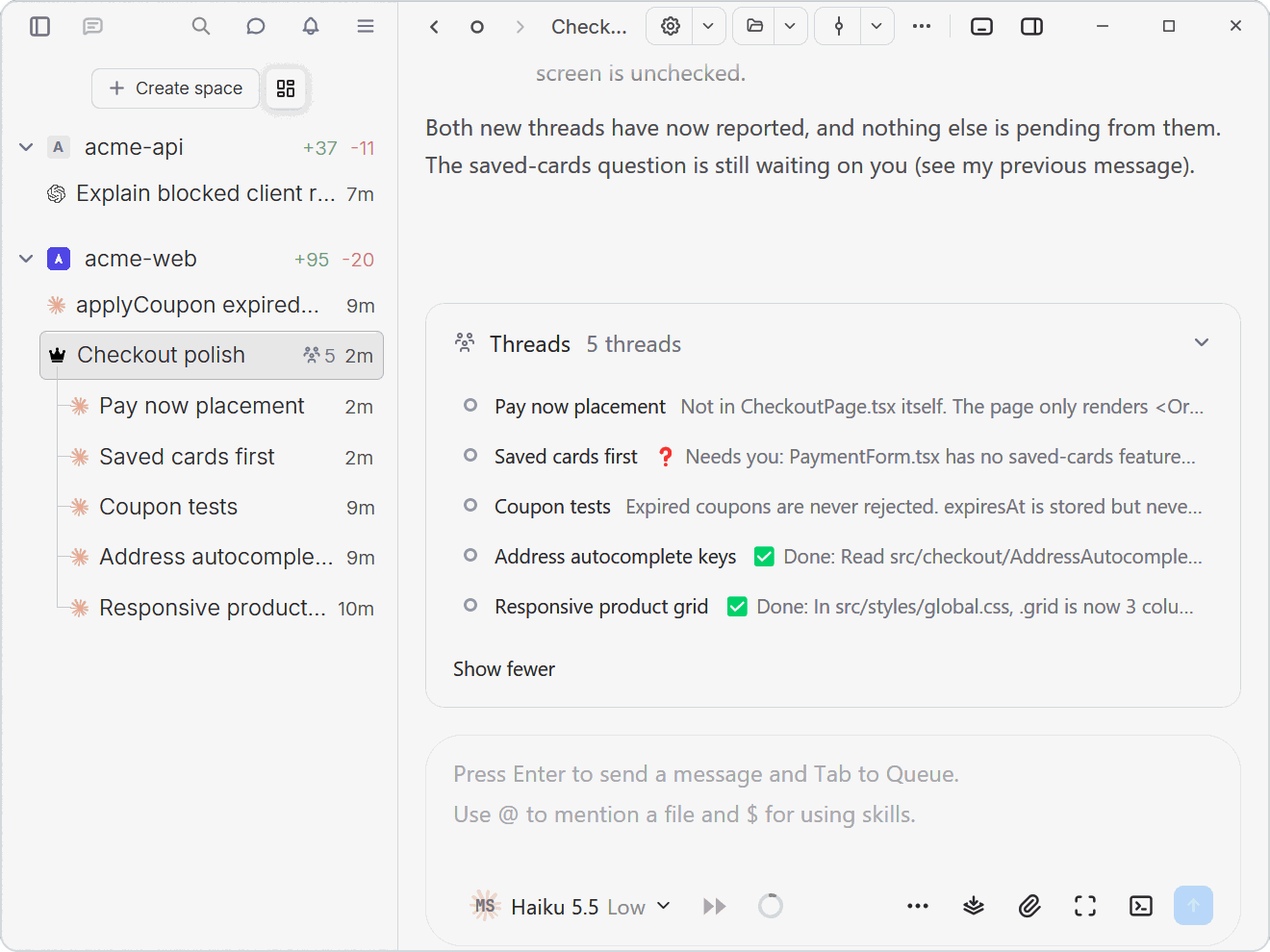
🤖 Agents that run agents
Agents can open sessions, send prompts, and read replies from other agents through the ghostex command. Ask Claude Code to spin up Codex sub-agents and steer them, or hand the work to a coordinator that keeps track of them for you.
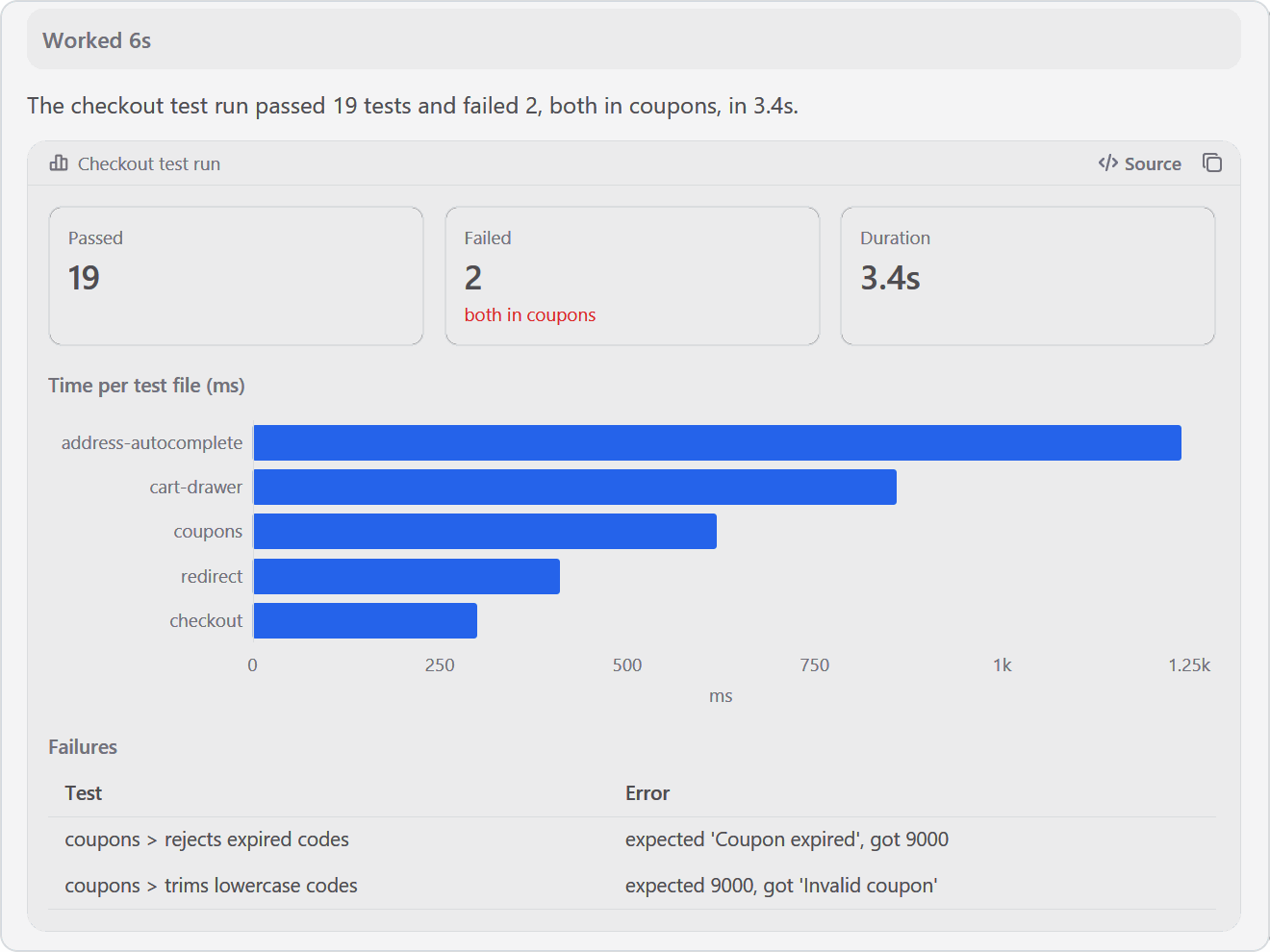
📊 Charts and tables in the chat
Ask for $ghostex-visuals and agents answer with charts, tables, and stat tiles drawn right in the chat, or publish an HTML page that opens as a card. Same look on desktop, web, and phone.
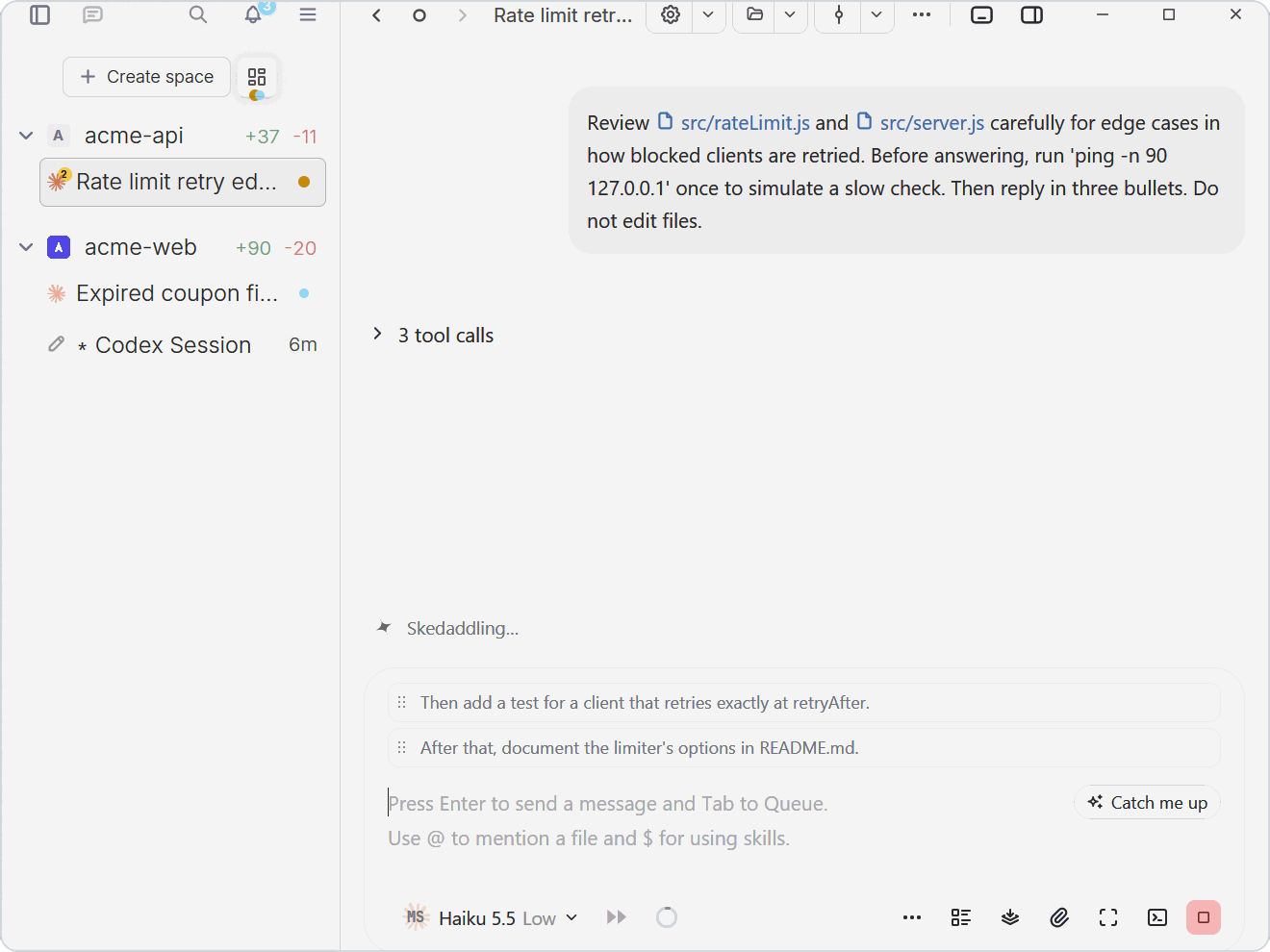
⏭️ Queue your next prompts
Keep typing while the agent works. Press Tab to queue a prompt and it waits above the input until the agent is free; drag to reorder, or press play on a message you already sent to interrupt and deliver it right away.
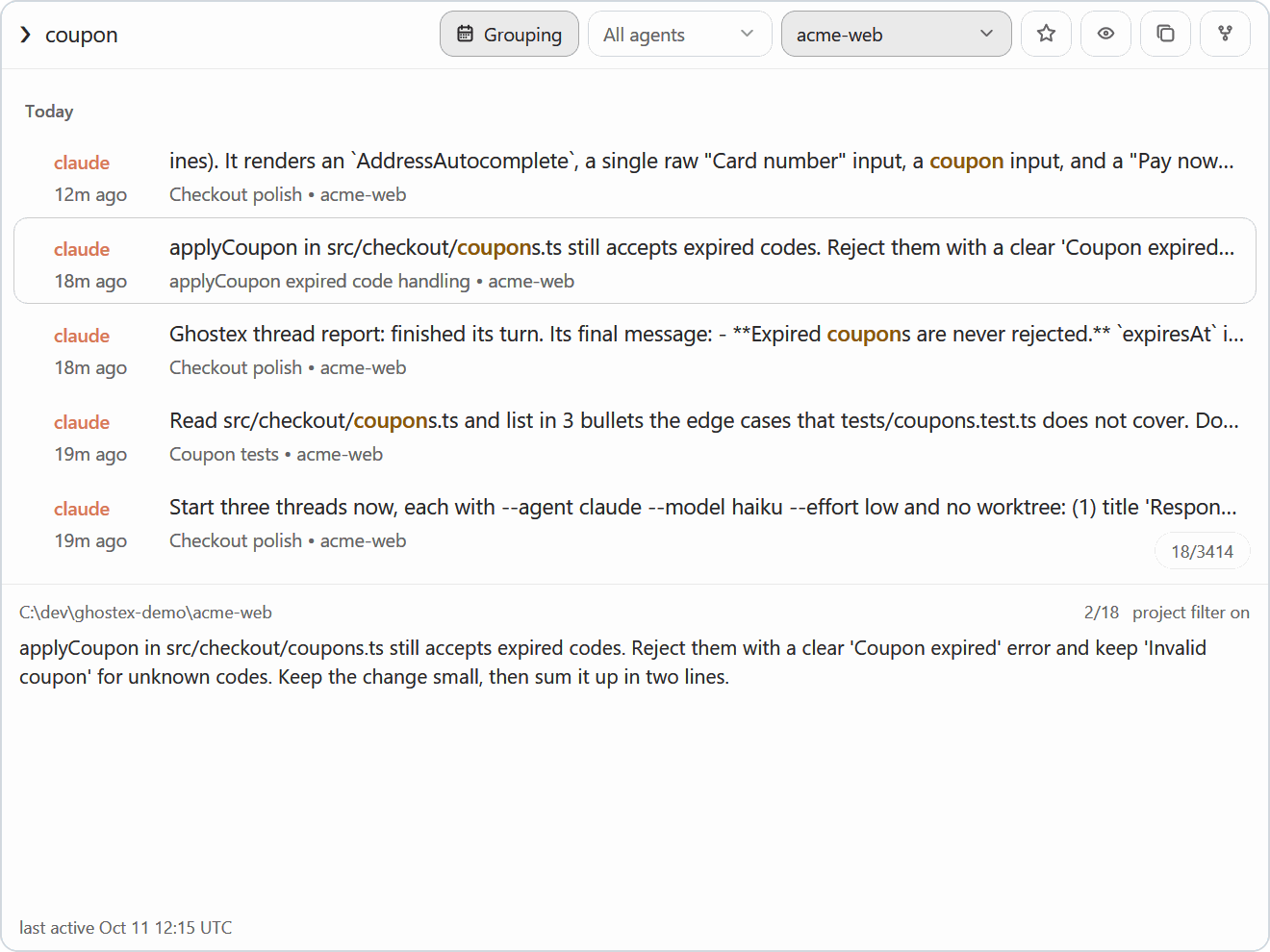
🔎 Find any past session
Fuzzy search every prompt you ever sent, across all your agents, and press Enter to resume the conversation. Star favourites and filter by agent or project. Also available as gx f for command‑line fans.
Also in the box
- Built-in IDE: an optional VS Code editor that loads on demand and sleeps when you are not using it.
- Remote machines: connect another computer with an Easy Connect code or SSH and it shows up in the sidebar.
- Usage and accounts: Claude and Codex limits at a glance, with automatic account switching.
- Worktrees, splits, and spaces: a worktree per task, split panes, Arc-style spaces.
- Automations: scheduled prompts, plus menu bar and sound notifications.
- Optional plugins: browser, Kanban, IDE, Docs, and more load only when you use them. Or write your own.
Supported agents
Works with any coding agent. Bring the one you already use.
Claude Code
Codex
OpenCode
 Pi
 oh-my-pi
Gemini CLI
Grok
Cursor
Copilot CLI
+ many more
Install
macOS
brew install ghostex
Or download the app directly:

Windows


Or install from PowerShell:
irm https://ghostex.dev/install.ps1 | iex
The script downloads the installer for your PC from GitHub, checks it against the SHA-256 digest GitHub publishes, and runs it. It isn't a browser download, so Windows doesn't show the SmartScreen prompt, and it changes no security settings.
Agents run in native PowerShell by default. Prefer Linux? Switch to WSL in Settings > General > Terminal > Windows Environment. Updates arrive automatically.
Linux





# Arch Linux
yay -S ghostex-bin

# Any other x64 distribution: the tarball is a prefix-preserving /opt/ghostex tree
sudo tar -xpf ghostex-*-linux-x64.tar.zst -C /

# No package manager: the AppImage copies itself into ~/.local/share/ghostex/appimage on first start
chmod +x ghostex-*-linux-x64.AppImage && ./ghostex-*-linux-x64.AppImage
ARM64 packages and the ARM64 AppImage are on the release page. To update an AppImage, download the new one and open it. Without FUSE the AppImage says "Cannot mount AppImage": install your distribution's fuse3 package, or start it with --appimage-extract-and-run.
Ghostex offers to install Chromium the first time you open the browser or code editor.
Mobile


The iOS TestFlight runs through the Discord. Post in the iOS channel to get in.
Comparison
| Feature | Ghostex | ChatGPT app | cmux |
|---|---|---|---|
| macOS support | Yes | Yes | Yes |
| Windows support | Yes | Yes | No |
| Linux support | Yes | Yes | No |
| Open source | Yes | - | Yes |
| Ghostty terminal | Yes | - | Yes |
| Chromium Browser | Yes | Yes | No |
| Chat GUI view | Yes | Yes | No |
| Fully featured IDE | Yes | - | - |
| Built-in Computer use | Yes | Yes | - |
| Built-in Browser use | Yes | Yes | Yes |
| Use any model | Yes | - | Yes |
| Cross Model Orchestration | Yes | - | Yes |
| Rich Prompt Editor | Yes | N/A | - |
| iOS | Yes | Yes | Yes |
| Android | Yes | Yes | Yes |
| Automations | Yes | Yes | - |
Community
- Discord: discord.gg/df7b3G92CS for help, TestFlight access, and feature talk.
- Issues: Report a bug or request a feature.
- Contributing: Ghostex moves fast and help is welcome on platform ports, agent integrations, docs, and polish. Start with CONTRIBUTING.md.
Credits
Ghostex builds on open source work from these projects and communities:
- Ghostty and Zed / GPUI for the terminal and the native shell
- CEF for embedded Chromium panes
- Trycua for built-in Computer Use
- VS Code and code-server for the embedded IDE
- Beads by Steve Yegge and Beads Viewer for the Kanban board
- OpenUsage for Claude and Codex usage stats
- Agentation for browser annotation tooling
- cmux for agent hook and notification patterns
- zehn by al3rez for prompt-history search
- vvterm and Termux for mobile terminal components
- Pierre for diff and file rendering components
License
Ghostex is free and open source under the MIT License.
Explore related projects
freeCodeCamp/freeCodeCamp
freeCodeCamp.org's open-source codebase and curriculum. Learn math, programming, and computer science for free.
458,729 starsdonnemartin/system-design-primer
Learn how to design large-scale systems. Prep for the system design interview. Includes Anki flashcards.
377,273 starsreact/react
The library for web and native user interfaces.
252,370 starsvuejs/vue
This is the repo for Vue 2. For Vue 3, go to https://github.com/vuejs/core
212,630 stars