
lynchjames/obsidian-mind-map
lynchjames/obsidian-mind-map has 1,433 GitHub stars and 106 forks. GitHot measured +2 stars in 24 hours. Last checked 2026-11-06 08:19 UTC. Last push 2024-02-25.
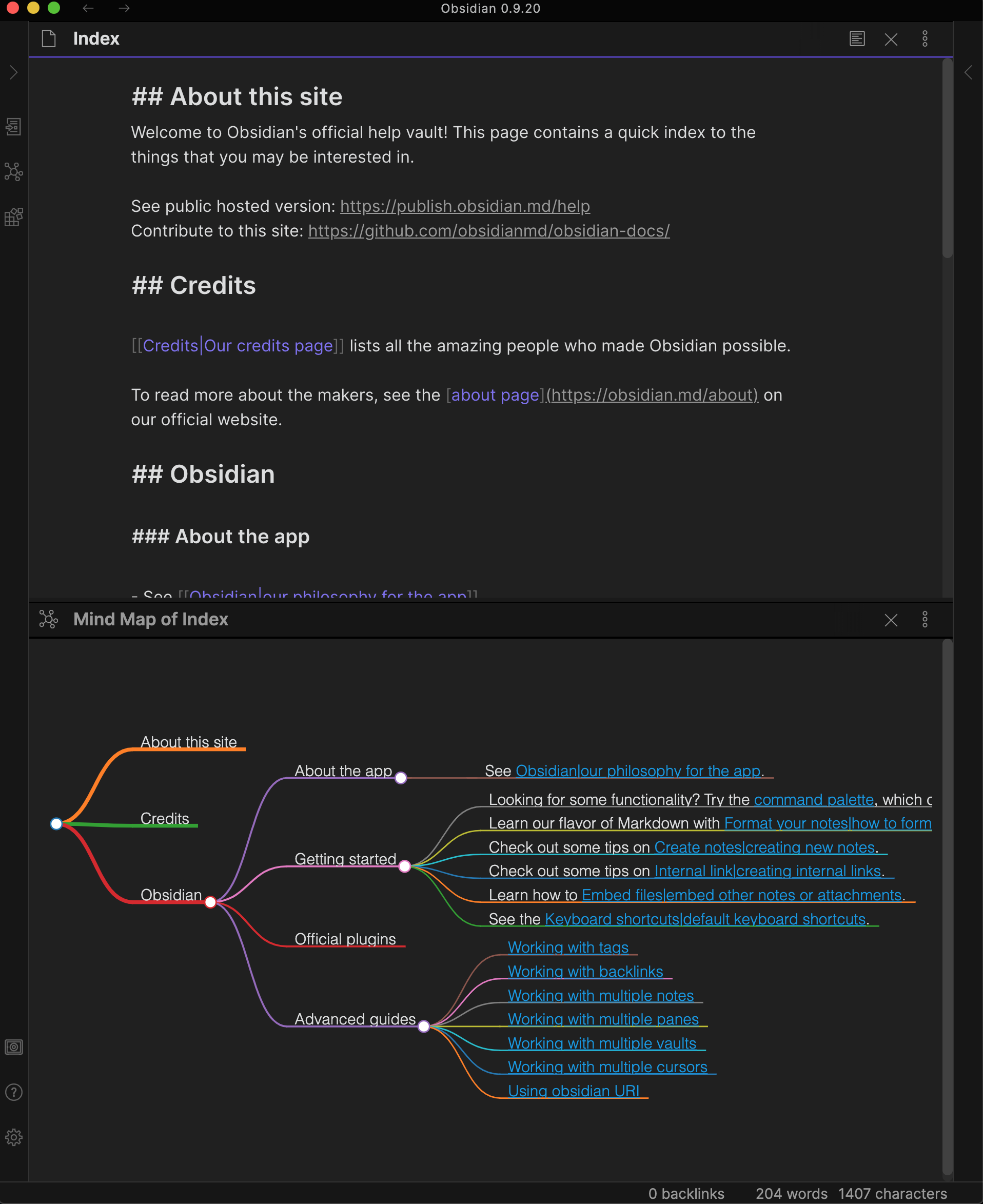
An Obsidian plugin for displaying markdown notes as mind maps using Markmap.
What you can do
- Preview your current note as a Mind Map
- Mind Map preview updates as you select other panes, similar to the Local Graph, Outline and Backlink panes
Measured star growth
- in 24h
- +2
- in 7 days
- Update delayed
- in 15 days
- Update delayed
- in 1 month
- Update delayed
Net star changes over overlapping periods, not daily totals. Missing measurements are left blank. Stars measure attention, not software quality.
README.md
OriginalObsidian Mind Map


This repository contains a plugin for Obsidian for viewing Markdown notes as Mind Maps using Markmap.
A similar plugin is available for Visual Studio Code.
Features
- Preview your current note as a Mind Map
- Mind Map preview updates as you select other panes, similar to the Local Graph, Outline and Backlink panes
Usage
You can open the Mind Map preview for the current note with a command.

Preview More Options Menu
The Mind Map Preview view has 2 options from the "more options" menu:

Pin
Allows you to pin the Mind Map preview pane to the current note so that you can select other notes with the current Mind Map remaining in place. A pin icon will appear in the header of the Mind Map preview pane. Click the pin icon to unpin.
Copy screenshot
Places a copy of the Mind Map SVG on your clipboard allowing you to paste it into a note in Obsidian or into an image editor of your choice.
Compatibility
Custom plugins are only available for Obsidian v0.9.7+.
The current API of this repo targets Obsidian v0.9.20.
Installing
As of version 0.9.7 of Obsidian, this plugin is available to be installed directly from within the app. The plugin can be found in the Community Plugins directory which can be accessed from the Settings pane under Third Party Plugins.
Manual installation
- Download the latest release
- Extract the obsidian-day-planner folder from the zip to your vault's plugins folder:
<vault>/.obsidian/plugins/
Note: On some machines the.obsidianfolder may be hidden. On MacOS you should be able to pressCommand+Shift+Dotto show the folder in Finder. - Reload Obsidian
- If prompted about Safe Mode, you can disable safe mode and enable the plugin.
For developers
Pull requests are both welcome and appreciated. 😀
If you would like to contribute to the development of this plugin, please follow the guidelines provided in CONTRIBUTING.md.
Donating
This plugin is provided free of charge. If you would like to donate something to me, you can via PayPal. Thank you!
Explore related projects
n8n-io/n8n
Fair-code workflow automation platform with native AI capabilities. Combine visual building with custom code, self-host or cloud, 400+ integrations.
209,724 starslanggenius/dify
Build Agentic workflows, RAG pipelines, with rich AI model and tool support on one collaborative workspace. Deploy on cloud, VPC, or self-hosted, so teams move from prototype to production without rebuilding the stack.
160,568 starsmicrosoft/PowerToys
Microsoft PowerToys is a collection of utilities that supercharge productivity and customization on Windows
140,628 starsstablyai/orca
Orca is the place for working with a fleet of agents (e.g. Grok Bot, Claude Code). Run any coding agent with your own subscription. Available on desktop, mobile and remote runtime.
117,935 stars