
lxf746/outlook-auto-register
About
Microsoft Outlook Fluent Web API protocol registration tool (protocol only, no browser dependency)
Web & AppsMeasured star growth
- in 24h
- +3
- in 7 days
- +24
- in 15 days
- +52
- in 1 month
- Collecting history
Net star changes over overlapping periods, not daily totals. Missing measurements are left blank. Stars measure attention, not software quality.
README_en.md
OriginalOutlook Auto Register
Pure-protocol Microsoft Outlook bulk registration · PerimeterX solver · Web console · Proxy pool / account pool / liveness checks


What it solves · Screenshots · Quick start · Proxy · Anti-ban guide · 中文 · Tiếng Việt
Repository:
lxf746/outlook-auto-register
For learning and research only. Not for commercial misuse. You are responsible for complying with Microsoft Terms of Service and any consequences of use.
In one line: Pure-protocol Outlook bulk registration + web console — from PX solving and proofs binding to Graph mail verification, fully visualized.
What it solves
Most Outlook registration scripts only answer “how to send HTTP requests”. Gaps remain: PerimeterX, proxy rotation, recovery-mail proofs, post-registration token usage, batch ops, and liveness checks. This project wires the full pipeline.
| Typical scripts | Outlook Auto Register | |
|---|---|---|
| Implementation | Browser automation / partial protocol | Pure HTTP (Fluent Web API + PX solver), no browser |
| Captcha | Manual / single vendor | captcha.run press/silent; CapSolver / EzCaptcha supported |
| Proxy | Single HTTP_PROXY |
SQLite proxy pool: health check, success stats, sticky binding |
| Proofs | Often skipped (high ban rate) | External IMAP recovery pool / Cloudflare catch-all |
| Output | Plain text credentials | 4-segment / 6-segment combo + SQLite storage |
| Operations | None | Web console: batch register, account pool, liveness, keepalive |
| Mail read | IMAP-dependent | Graph / Outlook REST / Thunderbird scopes |
At a glance
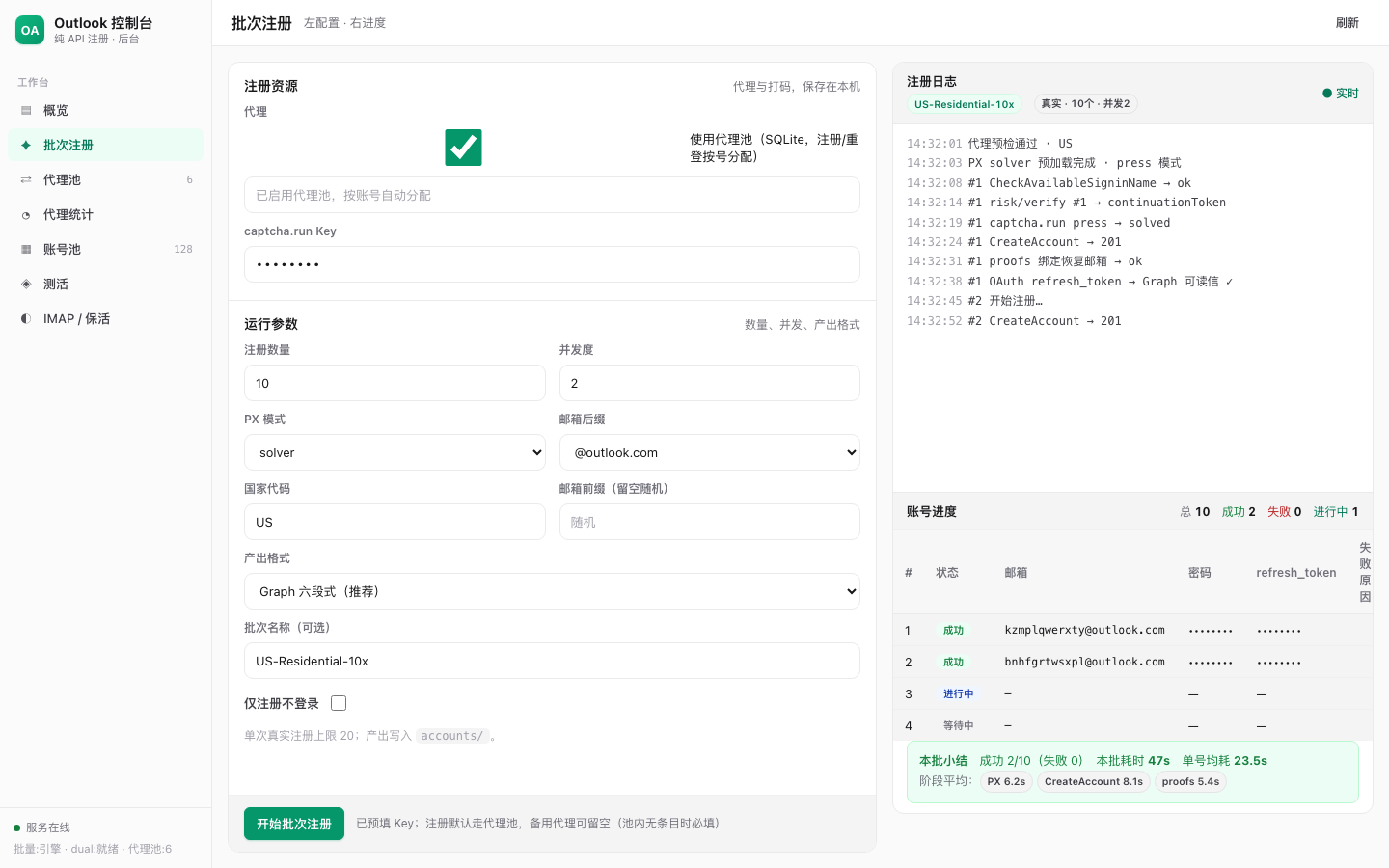
Batch registration — live log + progress
Configure on the left; SSE stream on the right: proxy check → PX → CreateAccount → proofs → Graph-readable token. Per-batch timing summary at the bottom.
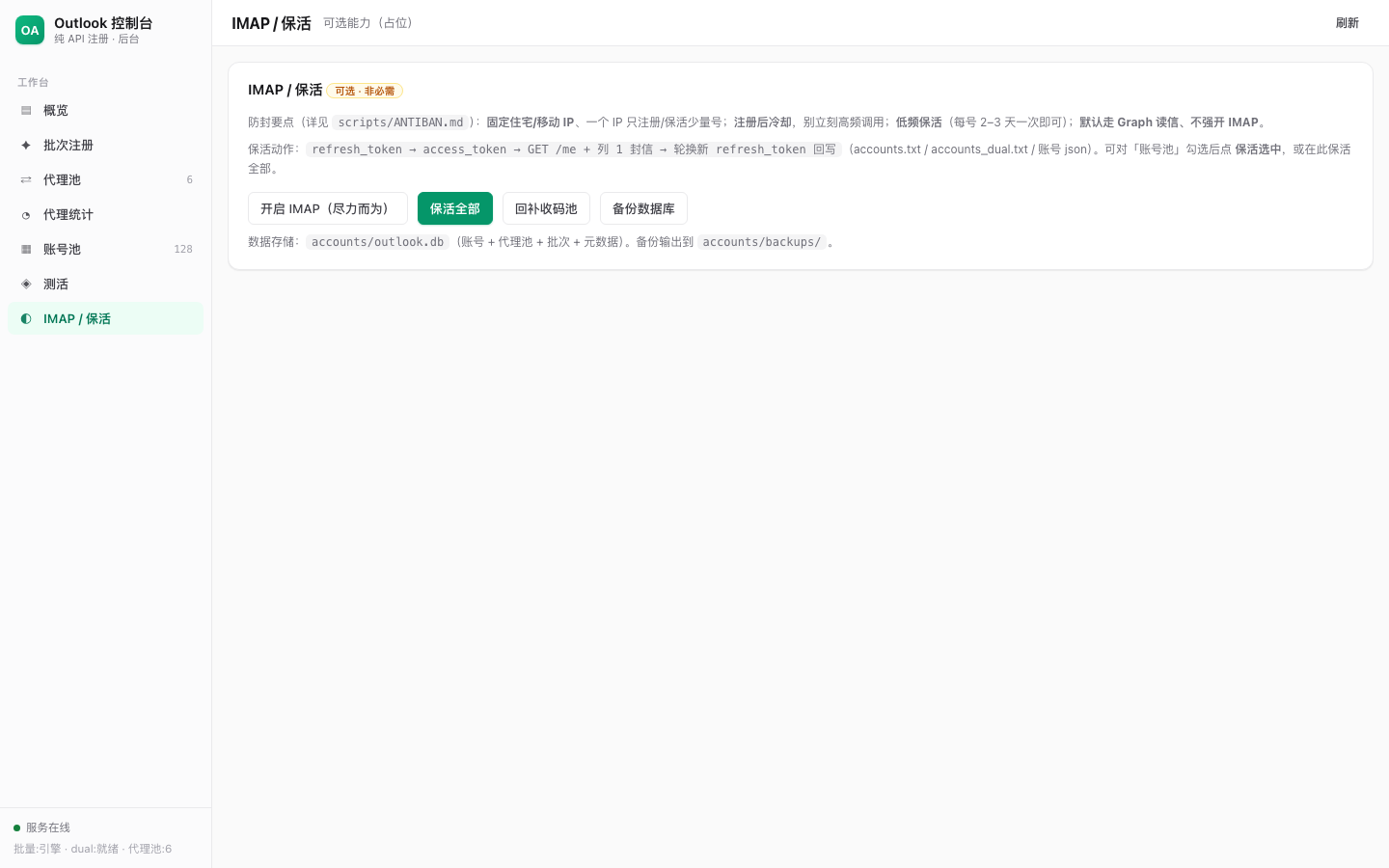
IMAP / keepalive — token refresh + mail verify
Routes by scope to Graph / Outlook REST / IMAP; supports batch keepalive and read-mail self-check.
Core capabilities
Registration
- Pure protocol: OAuth PKCE → signup.live.com → CheckAvailableSigninName → two-step risk/verify → CreateAccount → slt login → proofs → mail OAuth
- PX solver: Protocol PerimeterX + captcha.run press/silent fallback
- Seller-style output: lowercase username 10–12 chars, lowercase+digits password 11–14, random US/UK names
- Recovery proofs: IMAP pool / Cloudflare
cf_domain; no default skip
Operations
- Web console: batch jobs, SSE logs, dry-run toggle
- Proxy pool: SQLite, health checks, success curves, sticky binding
- Account pool: status, combo export, batch liveness
- Keepalive: periodic
refresh_tokenrenewal + mail verify
Captcha & mail
- captcha.run (recommended) / CapSolver / EzCaptcha
- Recovery: IMAP pool / CF Worker temp mail
- Captcha key prefers SQLite (web UI);
.envas fallback
Registration flow
OAuth login (PKCE)
  → signup.live.com/signup (parse ServerData)
  → CheckAvailableSigninName
  → risk/initialize
  → humanSensorUrl + PX collector preload
  → risk/verify #1 (px metadata + msaRiskVerifySignature)
  → [riskChallengeRequired] captcha.run press/silent
  → risk/verify #2 (challengeSolution + px metadata)
  → CreateAccount
  → oauth20_authorize.srf (slt login)
  → [proofs] external recovery / CF catch-all / (OUTLOOK_SKIP_PROOFS=1 to cancel)
  → [optional] skip Passkey / obtain mail OAuth refresh_token
Quick start
Requirements
- Python 3.11+
- Residential proxy (required; country must match proxy exit)
- captcha.run API key (recommended)
Install
git clone https://github.com/lxf746/outlook-auto-register.git
cd outlook-auto-register

python3 -m venv .venv && source .venv/bin/activate
pip install -r requirements.txt

cp .env.example .env
# Edit .env: recovery pool, CF domain, etc. (captcha key recommended via web UI → DB)
Web console (recommended)
.venv/bin/uvicorn main:app --host 0.0.0.0 --port 8890
Open http://127.0.0.1:8890:
- Proxy pool — add residential proxies (
host:port:user:passor{sid}rotating template) - Batch register — captcha.run key → output format → disable dry-run → start
- Account pool — view / export combos
Dry-run is on by default on first use. Uncheck before real registration.
CLI
OUTLOOK_MAIL_TOKEN_MODE=login_exe python main.py \
  --proxy 'gate.example.com:1000:user:pass-US-{sid}' \
  --country US -v

REG_PROXY_RETRIES=6 python main.py --count 10 --concurrency 2 \
  --country US --proxy 'gate.example.com:1000:user:pass-US-{sid}' -v

python main.py --skip-login
python main.py --no-mail-token
Captcha self-test
python scripts/ez_selftest.py
python scripts/captcha_run_selftest.py
Output formats
| Mode | Format | Description |
|---|---|---|
graph |
4-segment | email----password----client_id----refresh_token |
graph_recovery / login_exe |
6-segment | above + recovery_email----recovery_password (recommended) |
dual |
6-segment | above + login_client_id----login_refresh_token |
Configuration
Mail token mode (OUTLOOK_MAIL_TOKEN_MODE)
| Mode | Description |
|---|---|
graph |
Graph API mail read |
outlook_rest |
Outlook REST API |
login_exe / recovery |
Thunderbird scopes (seller-style) |
dual |
Dual tokens: Graph + login SSO |
Recovery / proofs
OUTLOOK_RECOVERY_BACKEND=imap
OUTLOOK_EXTERNAL_RECOVERY_POOL_FILE=/path/recovery_pool.txt
OUTLOOK_RECOVERY_IMAP_HOST=imap.your-recovery-host.com

OUTLOOK_RECOVERY_BACKEND=cf_domain
OUTLOOK_CF_DOMAIN=your-domain.com
OUTLOOK_CF_WORKER_API_URL=https://apimail.your-domain.com
Do not bulk-skip proofs in production (OUTLOOK_SKIP_PROOFS=1 is debug-only).
Proxy pool · IPWO (residential)

https://www.ipwo.net/?ref=githubregister
IPWO residential proxies cover 195+ regions with static and rotating IPs, HTTP / HTTPS / SOCKS5, suited for account registration, browser automation, and web data workflows. Group members: no-threshold 2GB dynamic proxy bonus. Discount code: 0204
Environment variables
| Variable | Description |
|---|---|
CAPTCHA_RUN_API_KEY |
captcha.run Bearer key (DB via web UI preferred) |
HTTP_PROXY |
CLI proxy fallback |
OUTLOOK_MAIL_TOKEN_MODE |
graph / login_exe / outlook_rest / dual |
OUTLOOK_RECOVERY_BACKEND |
imap / cf_domain |
OUTLOOK_SKIP_PROOFS |
1 allows cancel skip (default 0) |
See .env.example for the full list.
Project layout
outlook-auto-register/
├── main.py              # sole entry: FastAPI + CLI (with args)
├── controller/ service/ dao/ model/ config/ common/
├── frontend/static/ docker/ scripts/ tests/
└── accounts/            # generated data (gitignored)
Notes
- Residential proxy required; match
--countryto proxy region - Do not hammer the same session — risk of
AADSTS7005106 riskBlock - PX mode is
solveronly (protocol + captcha.run) - Configure recovery pool before real registration
- Concurrency 1–2, 3–8s jitter between accounts — see ANTIBAN.md
Anti-ban
See scripts/ANTIBAN.md.
Links
| Link | Description |
|---|---|
| QQ Group 1040827527 | Community chat |
| LINUX DO | Community discussion |
| 中文 · Tiếng Việt | Translations |
Star History
If this project helps you, consider leaving a ⭐. If the chart shows a GitHub API restriction message, that is a temporary star-history.com issue — not a problem with this repo.
License
Explore related projects
Loading…