Projects View on GitHub
lvy010/easyCV
lvy010/easyCV has 241 GitHub stars and 32 forks. GitHot measured 0 stars in 24 hours. Last checked 2026-11-18 03:38 UTC. Last push 2026-05-10.
Measured star growth
- in 24h
- 0
- in 7 days
- Collecting history
- in 15 days
- Collecting history
- in 1 month
- Collecting history
Net star changes over overlapping periods, not daily totals. Missing measurements are left blank. Stars measure attention, not software quality.
About
Seamlessly plug in any skill.
Developer ToolsREADME.md
OriginaleasyCV
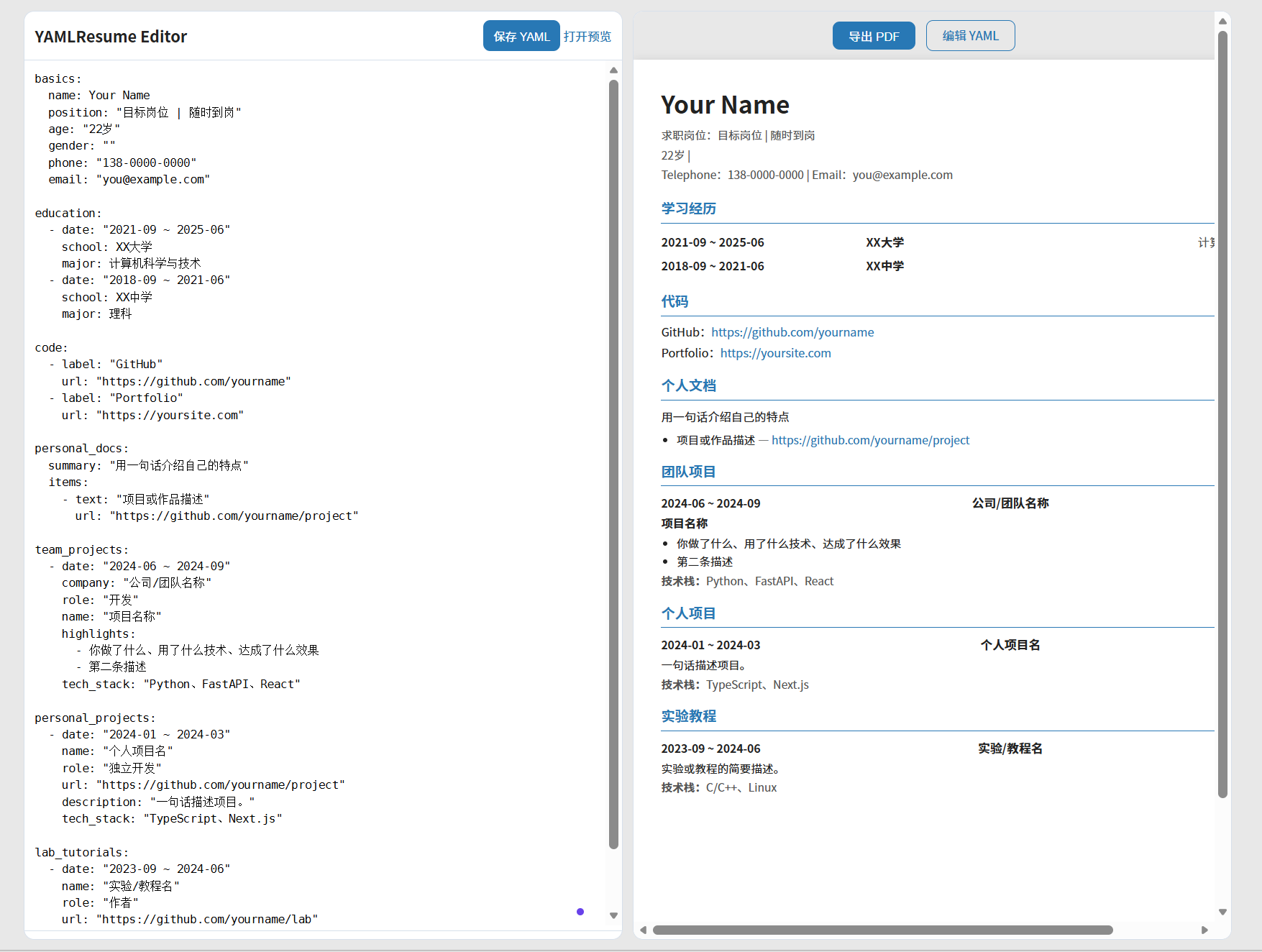
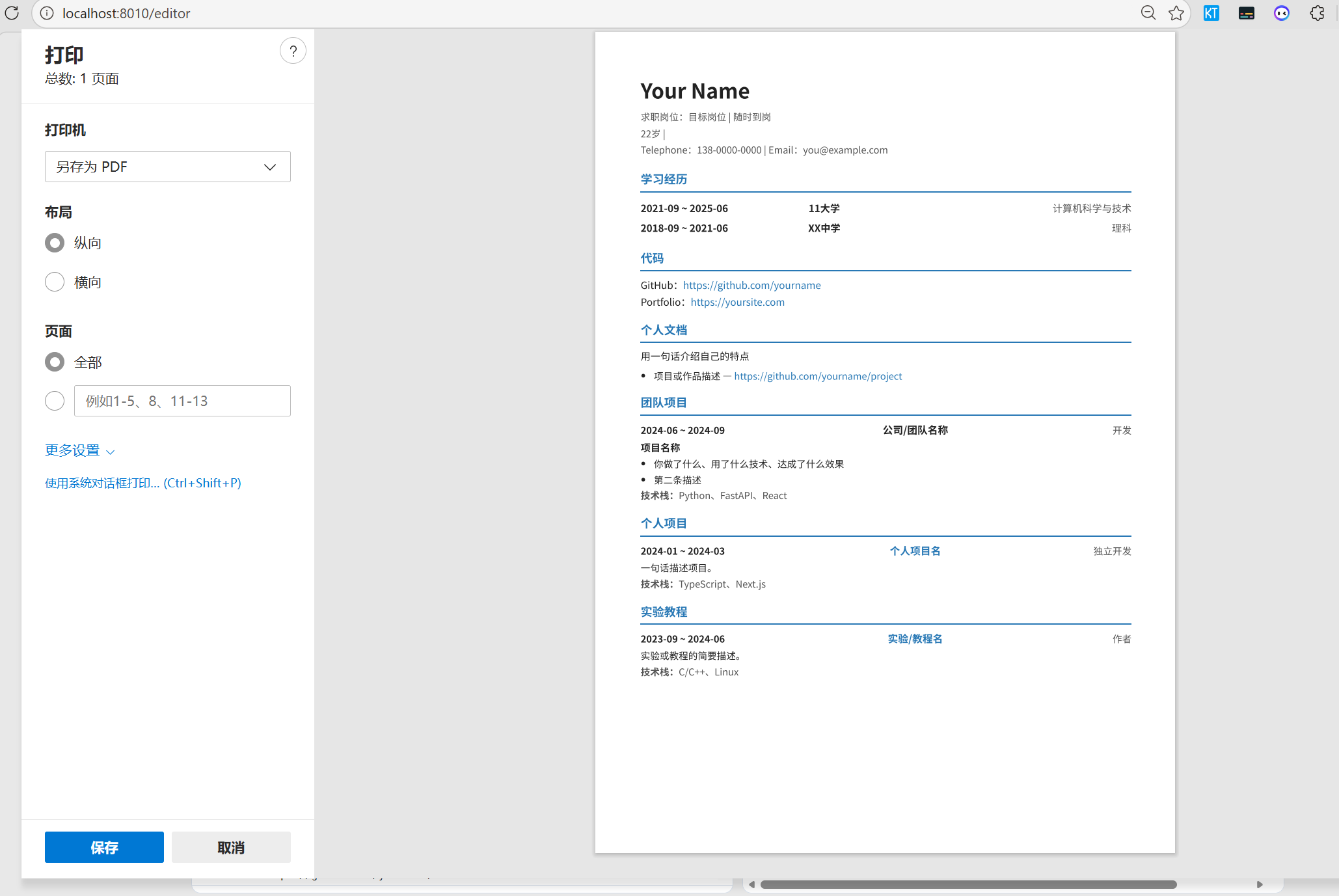
一个 Yaml 文件定义所有内容,实时预览,在线编辑,可一键导出 PDF,不用装任何软件,可丝滑接入各种skill
克隆仓库 → 编辑 resume.yaml → 启动服务 → 浏览器打开即可预览和导出。
Preview
http://localhost:8010/resume    ← 简历预览(带「导出 PDF」按钮)
http://localhost:8010/editor    ← 左侧 YAML 编辑 + 右侧实时预览
Quick Start
macOS(需要 Python 3.9+,没有先 brew install python)
git clone https://github.com/lvy010/easyCV.git
cd easyCV
bash start.sh          # 自动建环境、装依赖、启动,并打开浏览器
Linux
git clone https://github.com/lvy010/easyCV.git
cd easyCV
python3 -m venv .venv && source .venv/bin/activate
pip install -r requirements.txt
uvicorn app:app --reload --host 0.0.0.0 --port 8010
Windows
git clone https://github.com/lvy010/easyCV.git
cd easyCV
python3 -m venv .venv && .venv\Scripts\activate
pip install -r requirements.txt
uvicorn app:app --reload --host 0.0.0.0 --port 8010
启动后访问 http://localhost:8010。
How It Works
resume.yaml          ← 你的简历数据(唯一需要编辑的文件)
templates/resume.html ← Jinja2 渲染模板
static/style.css      ← 样式(蓝色主题,A4 排版,打印友好)
app.py                ← FastAPI 服务
编辑简历
方式 A:直接编辑 resume.yaml,保存后刷新页面。
方式 B:打开 /editor,在浏览器内编辑 YAML,点击保存,右侧实时预览。
导出 PDF
预览页顶部有「导出 PDF」按钮,点击后调用浏览器打印,选择"另存为 PDF"即可。
建议使用 Chrome/Edge,打印时取消页眉页脚,边距选"无",效果最佳。
YAML Structure
basics:           # 姓名、岗位、联系方式
education:        # 学习经历
code:             # 代码链接(GitHub、作品集等)
personal_docs:    # 个人文档/博客/专栏
team_projects:    # 团队项目(公司、Hackathon 等)
personal_projects: # 个人项目
lab_tutorials:    # 实验教程
完整示例见 examples/lvy.yaml。
API
| Method | Path | Description |
|---|---|---|
GET |
/resume |
HTML 简历预览 |
GET |
/editor |
YAML 编辑器 |
GET |
/api/resume |
JSON 格式简历数据 |
PUT |
/api/resume |
JSON 覆盖更新 |
GET |
/api/resume/raw |
获取原始 YAML |
PUT |
/api/resume/raw |
保存原始 YAML |
GET |
/docs |
OpenAPI 文档 |
Docker
docker build -t easy-cv .
docker run -p 8010:8010 easy-cv
Acknowledgements
License
MIT