
lvis-dataset/lvis-api
lvis-dataset/lvis-api has 431 GitHub stars and 66 forks. GitHot measured +1 in 7 days. Last checked 2026-11-11 03:14 UTC. Last push 2024-02-21.
Python API for LVIS Dataset
Measured star growth
- in 24h
- Update delayed
- in 7 days
- +1
- in 15 days
- Collecting history
- in 1 month
- Collecting history
Net star changes over overlapping periods, not daily totals. Missing measurements are left blank. Stars measure attention, not software quality.
README.md
Original LVIS API
LVIS (pronounced ‘el-vis’): is a new dataset for Large Vocabulary Instance Segmentation. When complete, it will feature more than 2 million high-quality instance segmentation masks for over 1200 entry-level object categories in 164k images. The LVIS API enables reading and interacting with annotation files, visualizing annotations, and evaluating results.
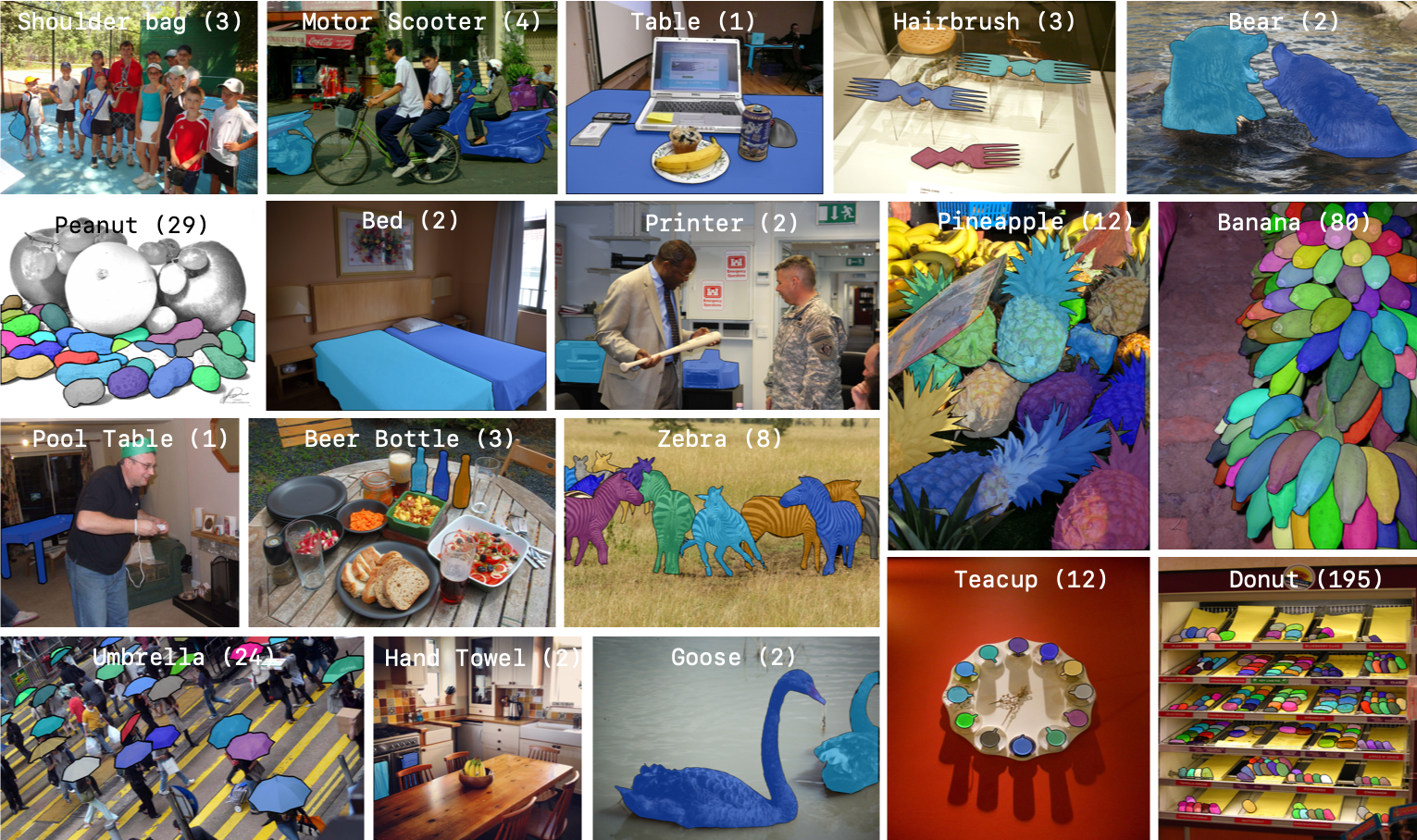
LVIS v1.0
For this release, we have annotated 159,623 images (100k train, 20k val, 20k test-dev, 20k test-challenge). Release v1.0 is publicly available at LVIS website and will be used in the second LVIS Challenge to be held at Joint COCO and LVIS Workshop at ECCV 2020.
Setup
You can setup a virtual environment and then install lvisapi using pip:
python3 -m venv env               # Create a virtual environment
source env/bin/activate           # Activate virtual environment

# install COCO API. COCO API requires numpy to install. Ensure that you installed numpy.
pip install 'git+https://github.com/cocodataset/cocoapi.git#subdirectory=PythonAPI'
# install LVIS API
pip install lvis
# Work for a while ...
deactivate  # Exit virtual environment
You can also clone the repo first and then do the following steps inside the repo:
python3 -m venv env               # Create a virtual environment
source env/bin/activate           # Activate virtual environment

# install COCO API. COCO API requires numpy to install. Ensure that you installed numpy.
pip install 'git+https://github.com/cocodataset/cocoapi.git#subdirectory=PythonAPI'
# install LVIS API
pip install .
# test if the installation was correct
python test.py
# Work for a while ...
deactivate  # Exit virtual environment
Citing LVIS
If you find this code/data useful in your research then please cite our paper:
@inproceedings{gupta2019lvis,
  title={{LVIS}: A Dataset for Large Vocabulary Instance Segmentation},
  author={Gupta, Agrim and Dollar, Piotr and Girshick, Ross},
  booktitle={Proceedings of the {IEEE} Conference on Computer Vision and Pattern Recognition},
  year={2019}
}
Credit
The code is a re-write of PythonAPI for COCO. The core functionality is the same with LVIS specific changes.
Explore related projects
codecrafters-io/build-your-own-x
Master programming by recreating your favorite technologies from scratch.
561,634 starspublic-apis/public-apis
A collective list of free APIs
497,998 starsmorluto/rea
Reverse engineer anything with agents, from app behavior down to native binaries.
450,355 starsopenclaw/openclaw
The AI that really does things. Any OS. Any Platform. The lobster way. 🦞
394,308 stars