
lucasnevespereira/go-gituser
lucasnevespereira/go-gituser has 37 GitHub stars and 6 forks. GitHot measured 0 stars in 24 hours, 0 in 7 days, and +1 in 15 days. Last checked 2026-11-12 09:58 UTC. Last push 2026-10-07.
Switch between git accounts easily
What you can do
- 🔄 Instant Account Switching - Switch between built-in or custom accounts
- 🔧 Complete Git Configuration - Manages username, email, and GPG signing
- 🗝️ SSH Key Management - Automatically loads the correct SSH key for each account
- 🎯 Interactive Setup - Guided wizard to configure all your accounts
Measured star growth
- in 24h
- 0
- in 7 days
- 0
- in 15 days
- +1
- in 1 month
- Update delayed
Net star changes over overlapping periods, not daily totals. Missing measurements are left blank. Stars measure attention, not software quality.
README.md
Original
Switch between git accounts easily


Table of Contents
- Overview
- What It Automates
- Account Modes
- Features
- Installation
- Quick Start
- Commands
- Advanced Features
- Contributing
- License
Overview
As a user of multiple git accounts, I needed to switch regularly between my student, professional, and personal profiles. Manually updating configs, loading SSH keys, and keeping track of identities quickly became tedious.
So I built this open source CLI tool to streamline the whole process.
GitUser helps you switch between different git accounts effortlessly. It automates all the necessary configuration commands: username, email, GPG signing, SSH key loading, so you can focus on coding instead of fiddling with your setup.
Whether you're pushing to school projects, personal repos, or work-related codebases, GitUser makes sure you're always using the right identity with a single command.
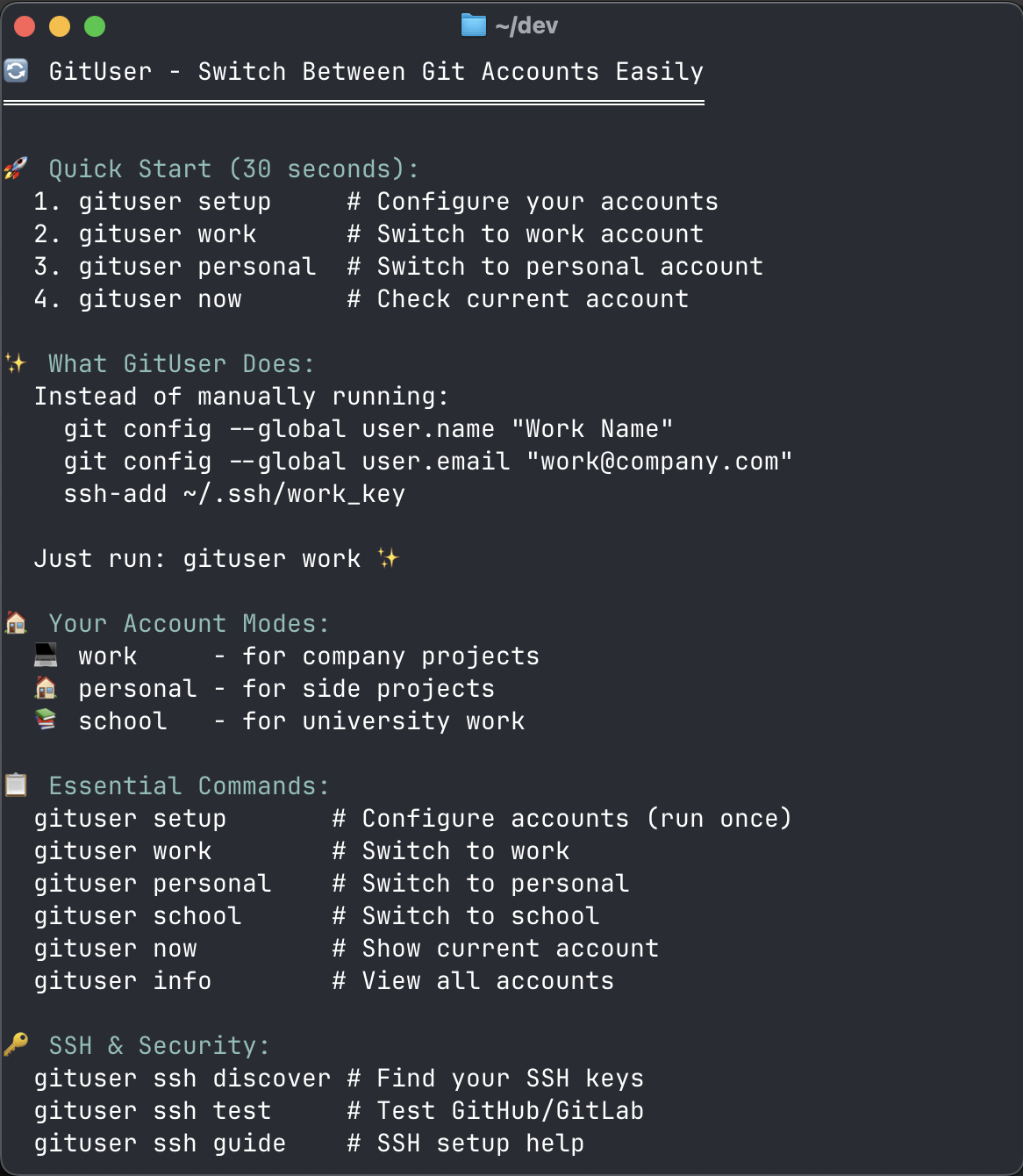
What It Automates
Instead of manually running these commands every time you switch projects:
git config --global user.name "yourUsername"
git config --global user.email "yourEmail"
git config --global user.signingkey "yourSigningKeyID"
git config --global commit.gpgsign true
ssh-add ~/.ssh/your_ssh_key
Just run gituser work ✨
Account Modes
GitUser includes three modes:
- 💻 work : for a work related git account.
- 📚 school : for a school related git account.
- 🏠 personal : for a personal related git account.
You can also create modes for other contexts, such as freelance or open-source.
Run gituser setup, select New custom mode, enter a lowercase mode name, and configure its Git account. Run gituser setup again to edit any saved account: each prompt shows the current value, and pressing Enter keeps it.
To remove one, select Delete custom mode in gituser setup, or run gituser setup remove <mode>. Both ask for confirmation and remove only the saved account; SSH key files and the current Git configuration stay as they are.
gituser freelance
gituser now
gituser info
Custom mode names start with a lowercase letter and may contain lowercase letters, numbers, and hyphens. Command names such as setup and info are reserved.
If multiple saved modes have the same Git identity, gituser now lists each matching mode because Git configuration alone cannot identify which one was selected last.
Features
- 🔄 Instant Account Switching - Switch between built-in or custom accounts
- 🔧 Complete Git Configuration - Manages username, email, and GPG signing
- 🗝️ SSH Key Management - Automatically loads the correct SSH key for each account
- 🎯 Interactive Setup - Guided wizard to configure all your accounts
- 🛡️ Secure - Each account uses its own SSH key for isolation
- 🚀 Zero Configuration After Setup - One command switches everything
Installation
Homebrew (Recommended)
brew tap lucasnevespereira/tools
brew install gituser
or
brew install lucasnevespereira/tools/gituser
Go Install
go install github.com/lucasnevespereira/go-gituser@latest
Manual Installation
Make sur your bin path is in your $PATH, you can check in your .zshrc or .bash file.
e.g
export PATH="$HOME/bin:$PATH"
Run the following command from the root of the project:
make install
This will build gituser and move it to your $HOME/bin
Quick Start
Setup your accounts:
gituser setup
Switch between accounts:
gituser work      # Switch to work account
gituser personal  # Switch to personal account
gituser school    # Switch to school account
gituser freelance # Switch to a custom account after configuring it
Check current account:
gituser now
Commands
| Command | Description |
|---|---|
| Account Management | |
gituser setup |
Interactive setup for all accounts (username, email, GPG, SSH) |
gituser setup remove <mode> |
Remove a saved custom mode after confirmation |
gituser work |
Switch to work account |
gituser personal |
Switch to personal account |
gituser school |
Switch to school account |
gituser <mode> |
Switch to a configured custom account |
| Information | |
gituser now |
Show current active account |
gituser info |
Display all configured accounts |
| SSH Management | |
gituser ssh list |
List SSH keys currently loaded |
gituser ssh discover |
Find existing SSH keys on your system |
gituser ssh test |
Test SSH connections to GitHub/GitLab |
gituser ssh guide |
Show SSH setup guide |
| Help | |
gituser help |
Show help information |
gituser manual |
Show detailed manual |
gituser quickstart |
Show quick start guide |
Advanced Features
SSH Key Management
GitUser automatically handles SSH keys for each account:
- Auto-discovery - Finds existing SSH keys on your system
- Key generation - Helps create new SSH keys during setup
- Automatic switching - Loads the correct SSH key when switching accounts
- Connection testing - Verifies SSH setup works with GitHub/GitLab
GPG Signing
Configure different GPG keys for each account to enable signed commits with proper identity verification.
Contributing
If you want to contribute to this project please read the Contribution Guide.
License
This project is under MIT LICENSE
Explore related projects
codecrafters-io/build-your-own-x
Master programming by recreating your favorite technologies from scratch.
562,143 starspublic-apis/public-apis
A collective list of free APIs
498,536 starsmorluto/rea
Reverse engineer anything with agents, from app behavior down to native binaries.
455,275 starsopenclaw/openclaw
The AI that really does things. Any OS. Any Platform. The lobster way. 🦞
394,412 stars