
lovach/Lunavect
lovach/Lunavect has 41 GitHub stars and 3 forks. GitHot measured 0 stars in 24 hours, -1 in 7 days, and +2 in 15 days. Last checked 2026-11-09 13:57 UTC. Last push 2026-10-07.
Claude Code and Codex in your Mac menu bar: see which AI coding agent is working, waiting for you or running background tasks, get alerts before weekly and 5-hour usage limits run out, and add desktop widgets. Free, open source, native macOS.
Measured star growth
- in 24h
- 0
- in 7 days
- -1
- in 15 days
- +2
- in 1 month
- Update delayed
Net star changes over overlapping periods, not daily totals. Missing measurements are left blank. Stars measure attention, not software quality.
README.md
Original
Lunavect
See which Claude Code or Codex session is waiting for you.
Every agent session on your Mac with its live state, right in the menu bar,
next to both tools' weekly and five-hour limits with reset times.

Version 0.2.8 · macOS 14 or later · Apple silicon and Intel · Free and open source
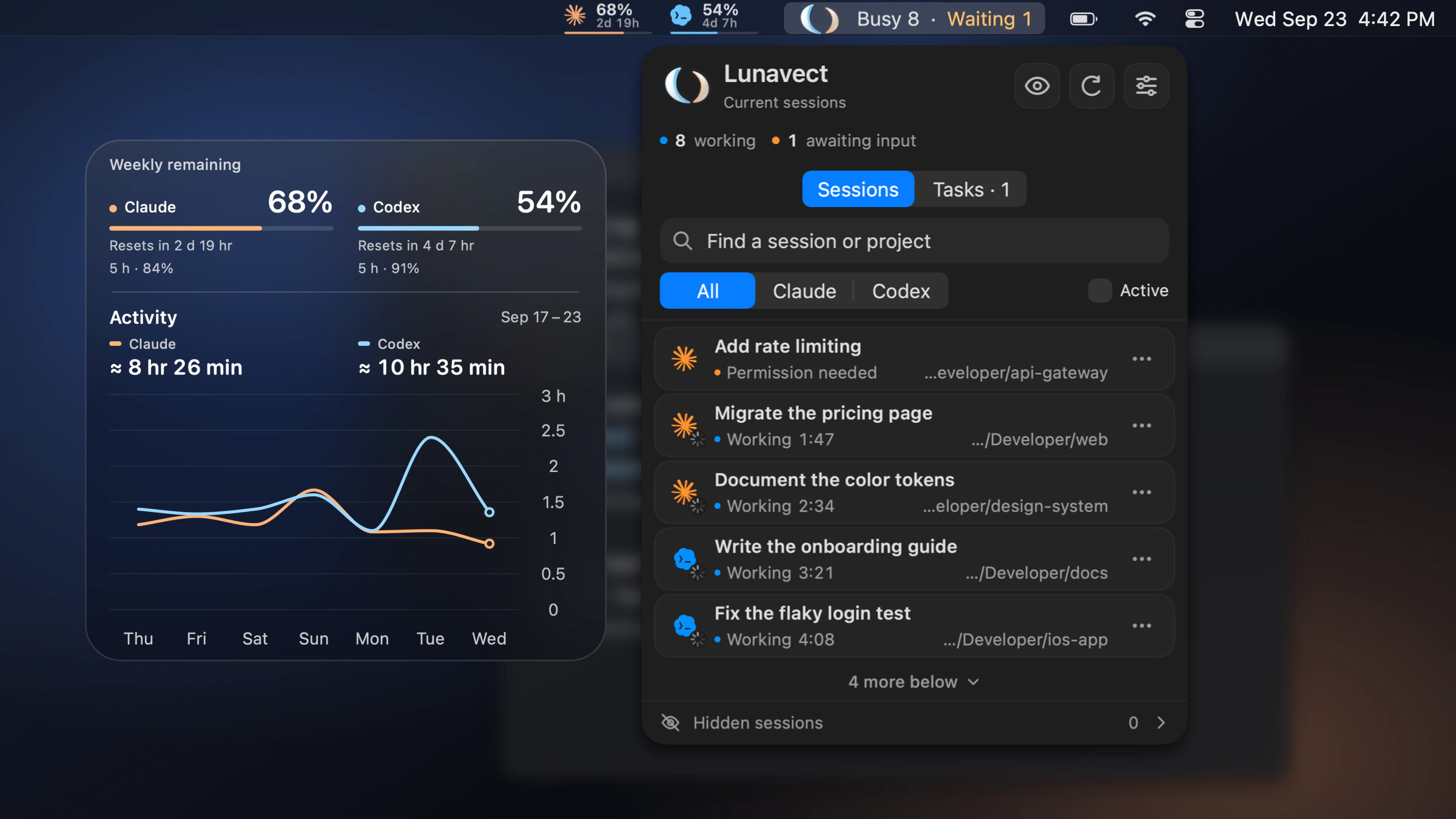
The real app with fictional sessions and data.
Features · Install · FAQ · Website · Release notes
If Lunavect helps you catch a waiting agent, a ⭐ helps other Mac developers find it.
Features
Know which agent needs you
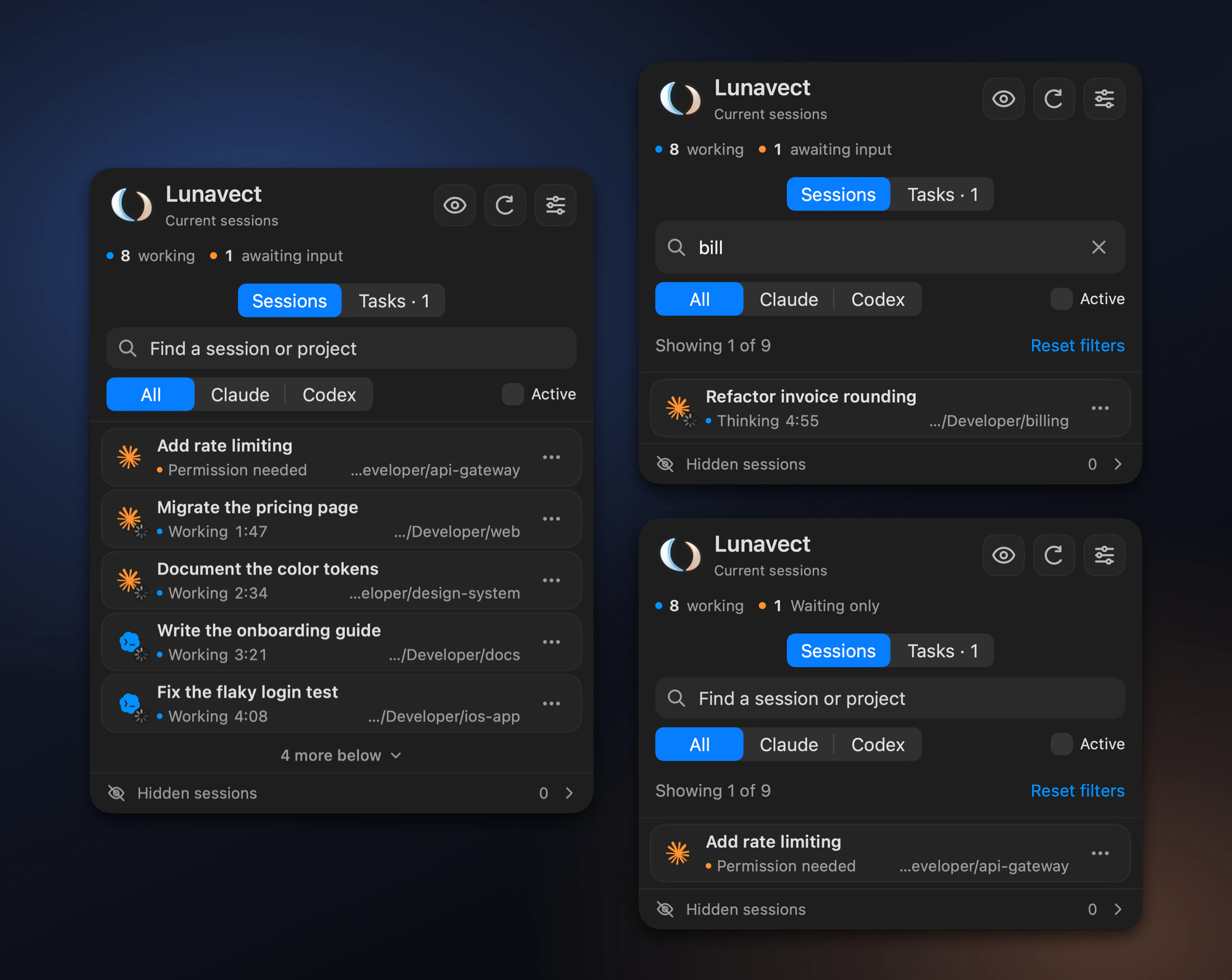
Every Claude Code and Codex task on your Mac in one panel, with its live state:
working, thinking, waiting for permission or input, or done.
Search, filter, pin and hide sessions. Live Terminal and iTerm2 sessions open in their own tab.
Background work, told once
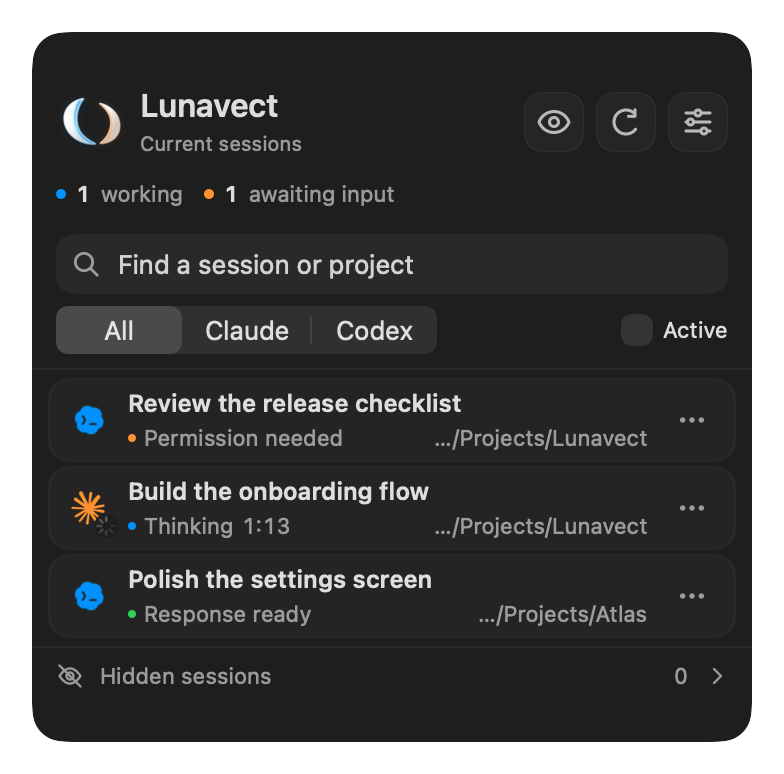
Claude's background commands, subagents and monitors appear as a small count on the session.
A reply that leaves them running stays in the background, and one notification arrives when the work is done.
If a turn fails, Lunavect says why: a reached limit and when it returns, a lost connection, or a sign-in issue.
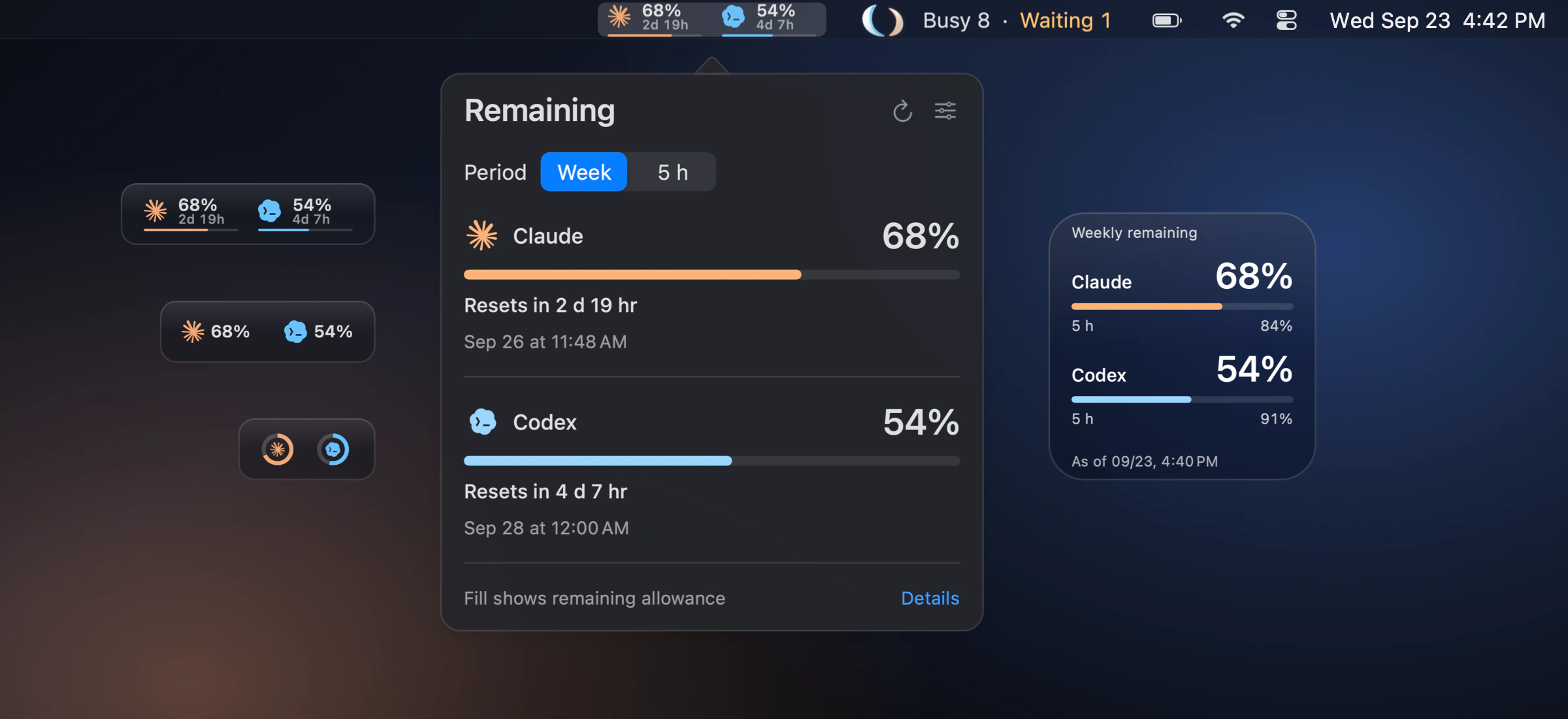
Usage limits at a glance
Weekly and five-hour allowances for Claude and Codex, with reset times.
Show them in the menu bar as bars, percentages or rings. Unknown values stay unknown.
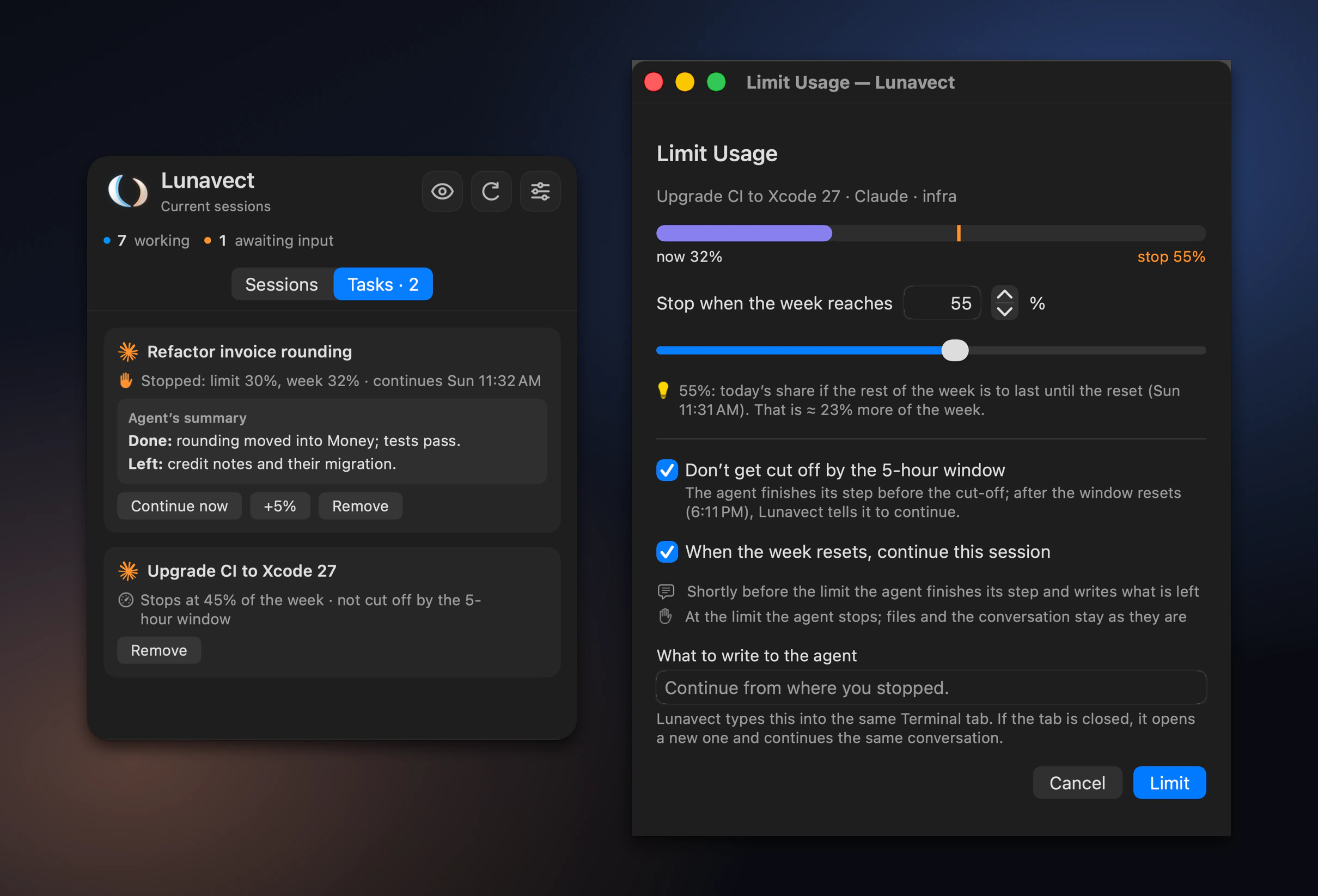
Stop a session at your share of the week
Two-finger click a Claude Code or Codex session and choose Limit Usage…. Near your level the agent finishes its step
and writes what is done and what is left; at the level its next action is refused. Nothing is killed, and your own message lifts the stop.
Lunavect continues the session after the reset in its own Terminal or iTerm2 tab, or at a time you choose with Continue Later….
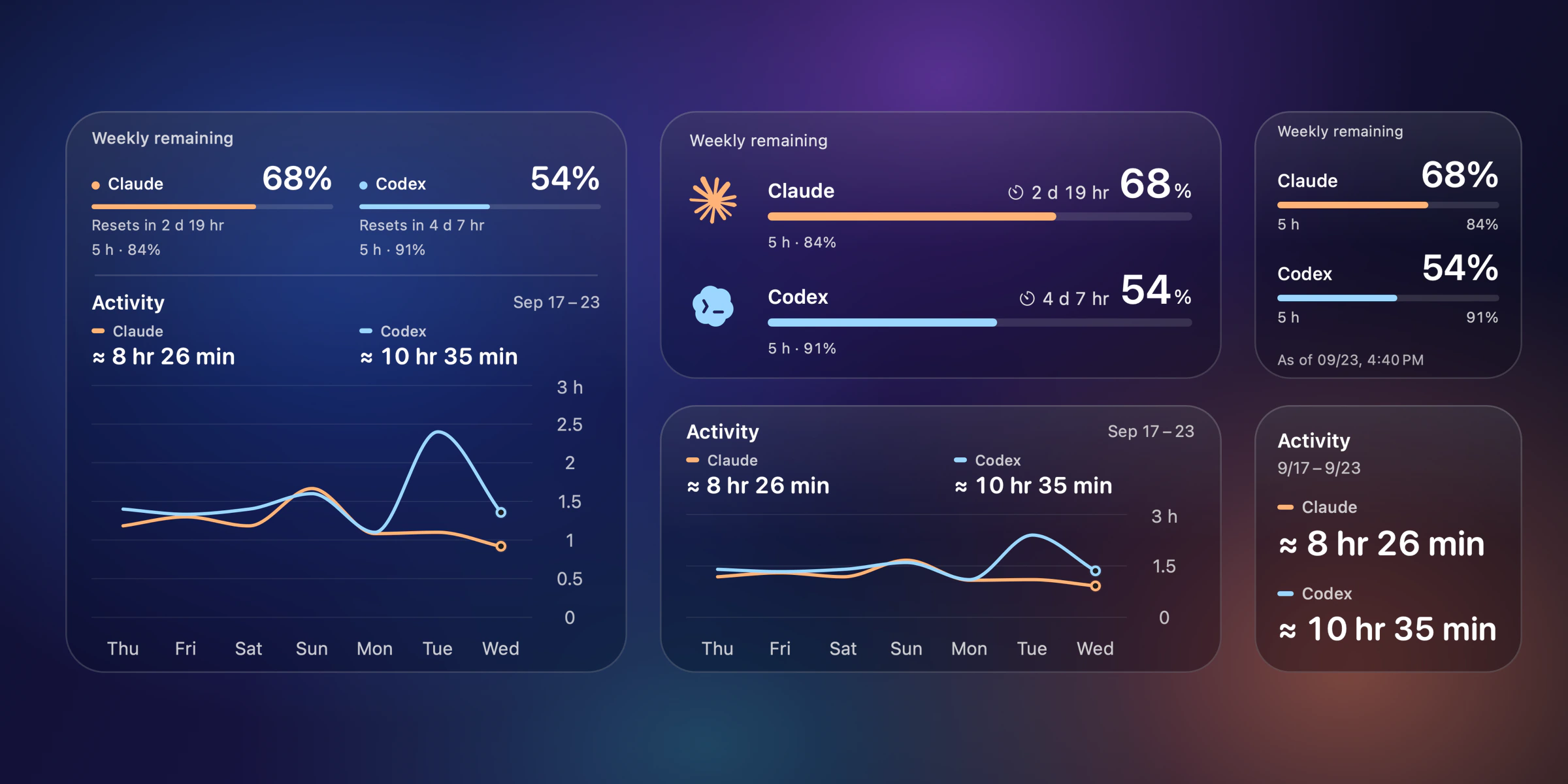
Desktop widgets
Limits, activity or both, in small, medium and large sizes.
Choose a solid background or adjustable glass.
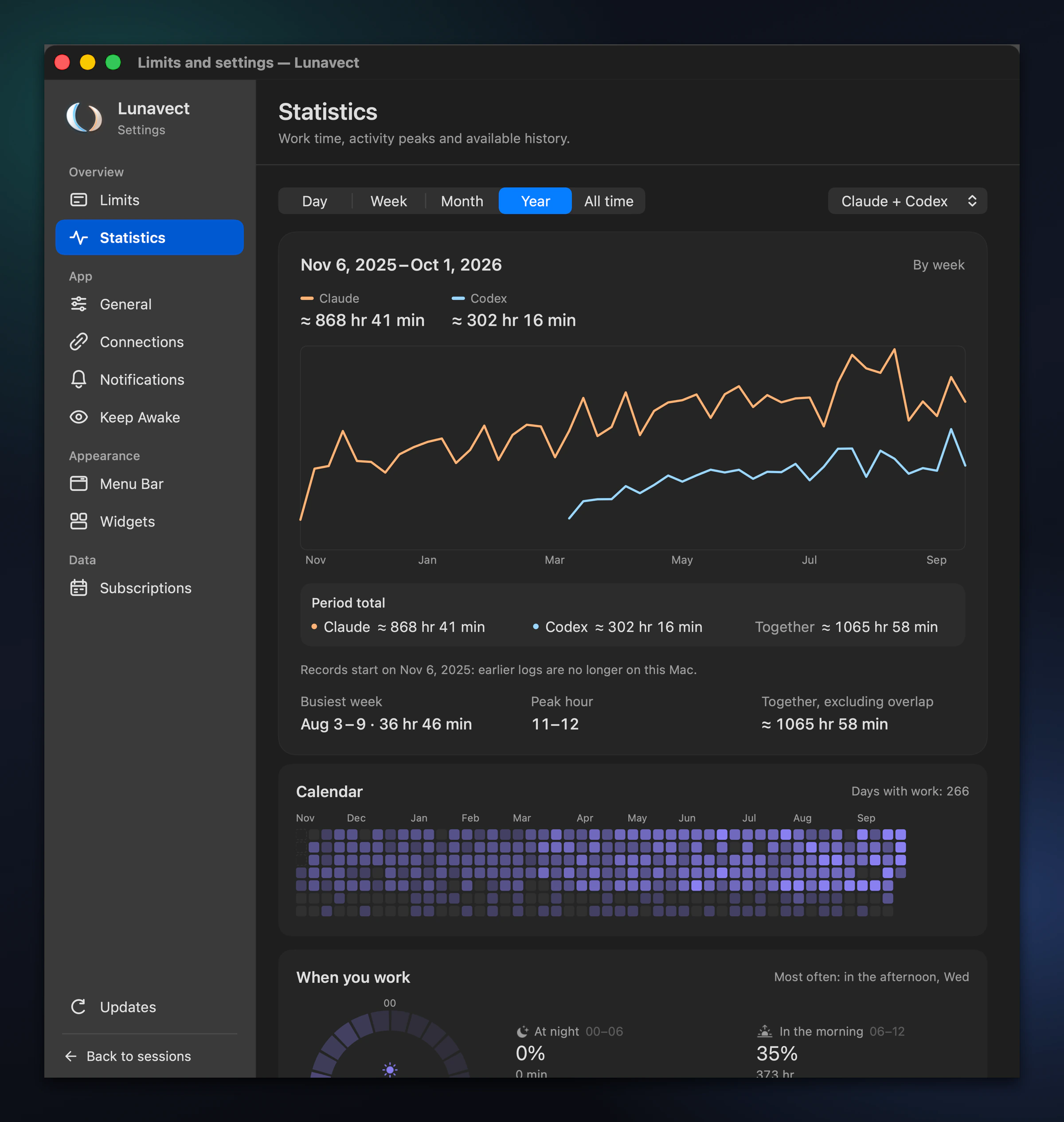
See where your time goes
Working time by day, week, month, year and all time for each provider, with a calendar of working days,
the hours you work, projects and sessions. The Agent Monitor shows tokens per session, project and model.
Recovered history is marked as approximate.
Make it yours
Pick the Claude, Codex or Lunavect character, a one-line, two-line or activity-only status,
and playful activity phrases while your agents work.
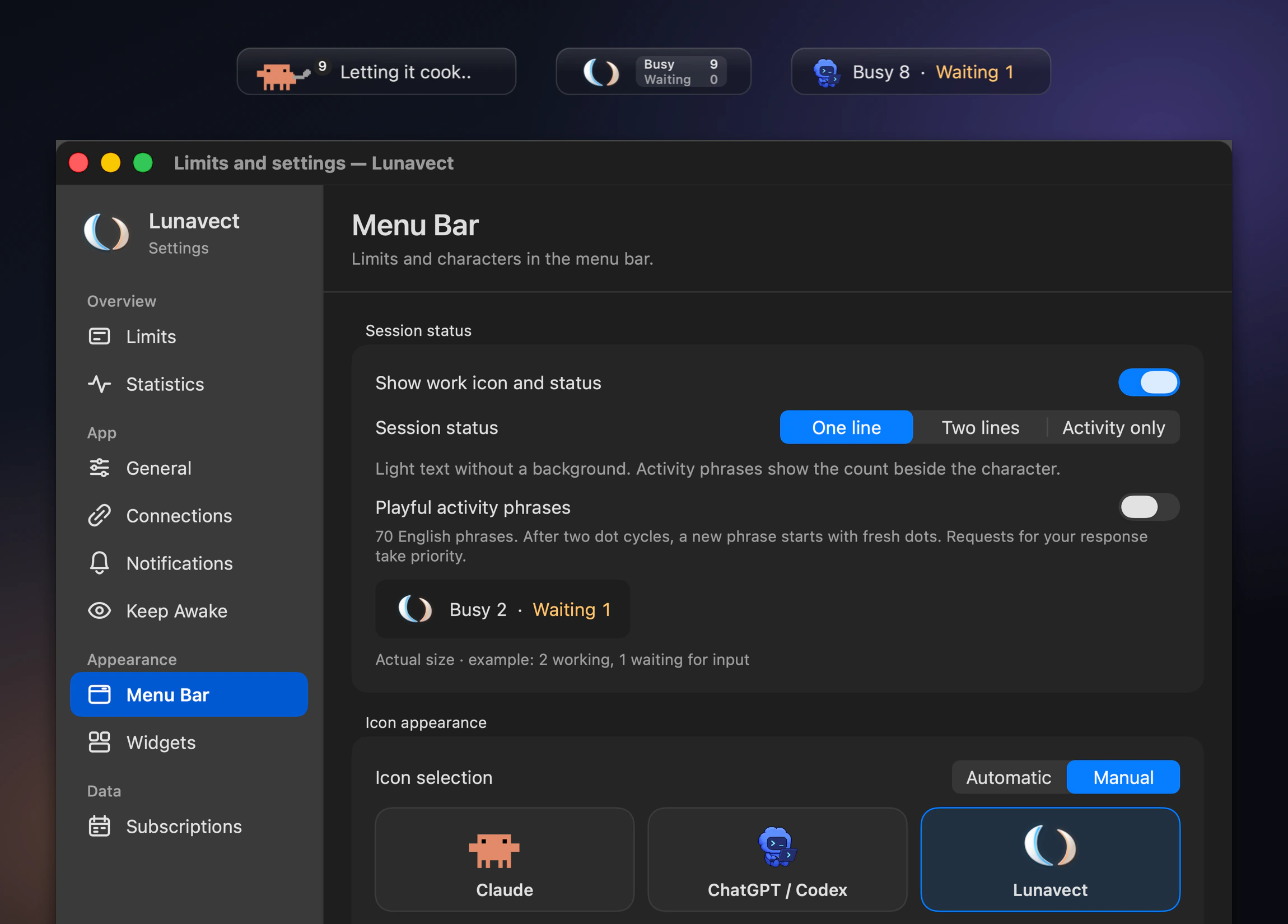
Also included: notifications when a response is ready, an approval or reply is needed, a turn fails or a limit runs low ·
Keep Awake while agents work · light and dark appearance · English, Russian, German, Spanish, French and Simplified Chinese
Install
With Homebrew
brew tap lovach/lunavect https://github.com/lovach/Lunavect
brew install --cask lovach/lunavect/lunavect
Or download Lunavect-0.2.8.dmg, open it and drag Lunavect to Applications. Every release is Developer ID signed and notarized by Apple, and updates arrive through Settings → Updates.
Then choose Connect Claude or Connect Codex. Claude needs Claude Code CLI; Claude Desktop alone is not enough. Codex needs the official Codex app or CLI. Connect one provider or both. Sign-in stays with the official clients.
For local VS Code, Cursor or JetBrains 2026.2 terminals, install the bundled companion from Settings → Connections → Sessions in editors to return to the exact session tab. See IDE setup and supported surfaces.
Setup, updates and uninstall · Compatibility and known limitations
FAQ
Can I use only Claude Code or only Codex?
Yes. Connect either provider or both. Claude needs Claude Code CLI; Claude Desktop alone is not enough.
Do I need an account or an API key?
No Lunavect account or pasted API key is required. Sign-in stays with the official clients, and the available allowances depend on your plan.
Why is a limit unavailable or a widget behind the app?
Limits need fresh data from the client, and missing or expired values are shown as unavailable instead of guessed. Widgets read saved data and refresh when macOS schedules them. Check Connections and the timestamp of the value.
Is activity the same as token usage?
No. Activity measures working intervals. Tokens are counted separately from the local Claude and Codex logs, in the Agent Monitor and under Where tokens went in Statistics. Recovered history is marked
≈, and overlapping sessions are counted once in the combined total.
Can Lunavect stop an agent before it uses up my week?
Yes. Choose Limit Usage… on a Claude Code or Codex session: near your level the agent finishes its step and writes what is done and what is left, and at the level its next action is refused through Lunavect's hooks. Nothing is killed, and your own message to the session lifts the stop. Continue Later… continues a session after the reset or at a set time.
Does Lunavect send my sessions anywhere?
No. Lunavect sends no session data or app usage statistics to us. Session titles, project paths and activity history stay on your Mac. There is no telemetry or Lunavect account. We use only GitHub's download and repository traffic statistics; update checks go to GitHub without session data.
All questions and answers · Installation and troubleshooting · How-to guides
Privacy
Lunavect reads local client data and adds its event handlers when you connect a provider, keeping unrelated configuration intact. It extracts only session identity, state and timing, and never saves a copy of your conversations. Privacy and permissions · Connection details · How activity is counted
Development
Requires full Xcode and a compatible Swift toolchain.
git clone https://github.com/lovach/Lunavect.git
cd Lunavect
./scripts/check.sh
The check runs the tests and builds the universal Release app, helpers and WidgetKit extension without a signing account. Contributing · Development guide · Documentation · Security reports
Bug reports should include the macOS version and steps to reproduce; remove private session titles, paths and credentials from attachments. Ideas are welcome in Issues.
License
MIT for original Lunavect code. Third-party software and artwork are covered in NOTICE. Lunavect is independent of Anthropic and OpenAI.
Explore related projects
n8n-io/n8n
Fair-code workflow automation platform with native AI capabilities. Combine visual building with custom code, self-host or cloud, 400+ integrations.
209,941 starslanggenius/dify
Build Agentic workflows, RAG pipelines, with rich AI model and tool support on one collaborative workspace. Deploy on cloud, VPC, or self-hosted, so teams move from prototype to production without rebuilding the stack.
160,773 starsmicrosoft/PowerToys
Microsoft PowerToys is a collection of utilities that supercharge productivity and customization on Windows
140,755 starsstablyai/orca
Orca is the place for working with a fleet of agents (e.g. Grok Bot, Claude Code). Run any coding agent with your own subscription. Available on desktop, mobile and remote runtime.
120,448 stars