longitachi/ZLImageEditor
longitachi/ZLImageEditor has 633 GitHub stars and 128 forks. GitHot measured 0 stars in 24 hours. Last checked 2026-11-15 15:29 UTC. Last push 2026-10-19.
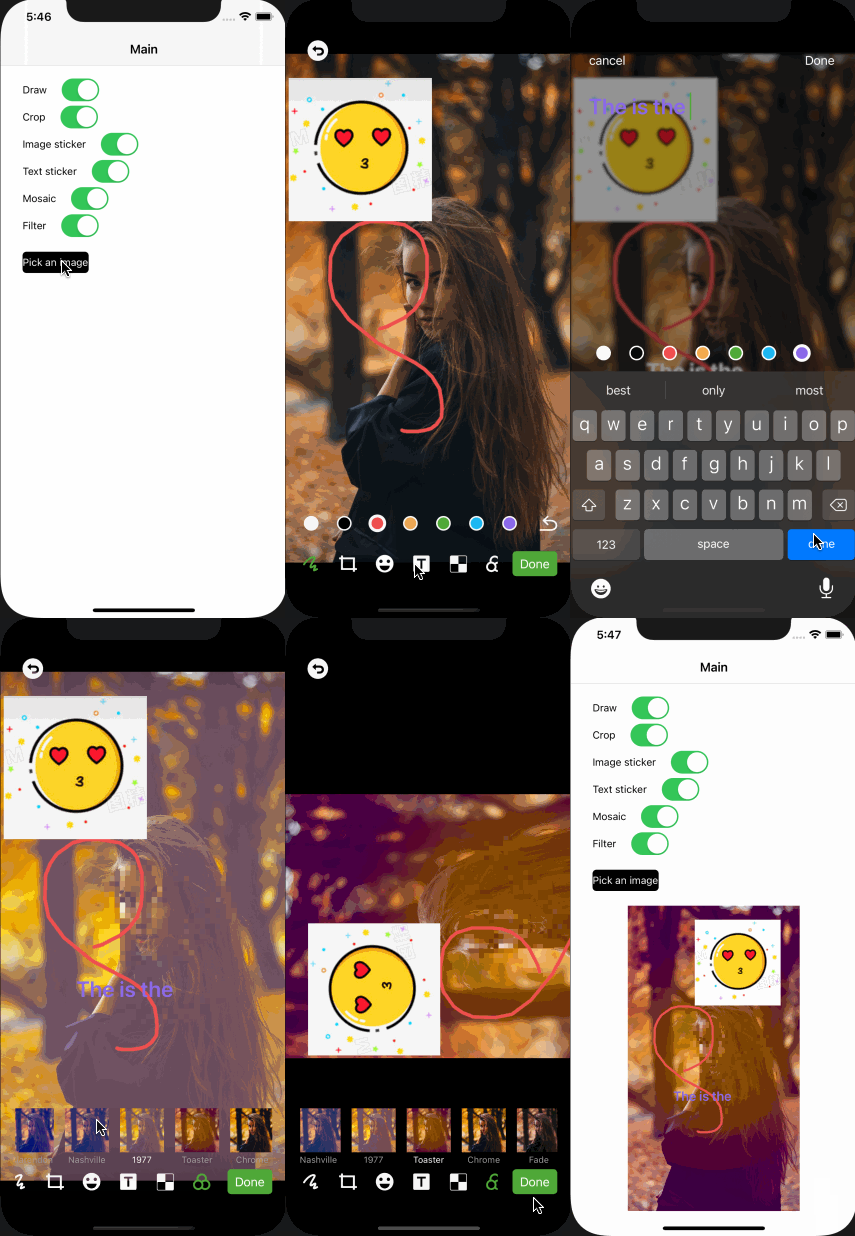
What you can do
- Draw (Support custom line color).
- Crop (Support custom crop ratios).
- Image sticker (Support custom image sticker container view).
- Text sticker (Support custom text color).
Measured star growth
- in 24h
- 0
- in 7 days
- Update delayed
- in 15 days
- Update delayed
- in 1 month
- Update delayed
Net star changes over overlapping periods, not daily totals. Missing measurements are left blank. Stars measure attention, not software quality.
About
A powerful image editor framework. Supports graffiti, cropping, mosaic, text stickers, image stickers, filters.
Developer ToolsREADME.md
Original


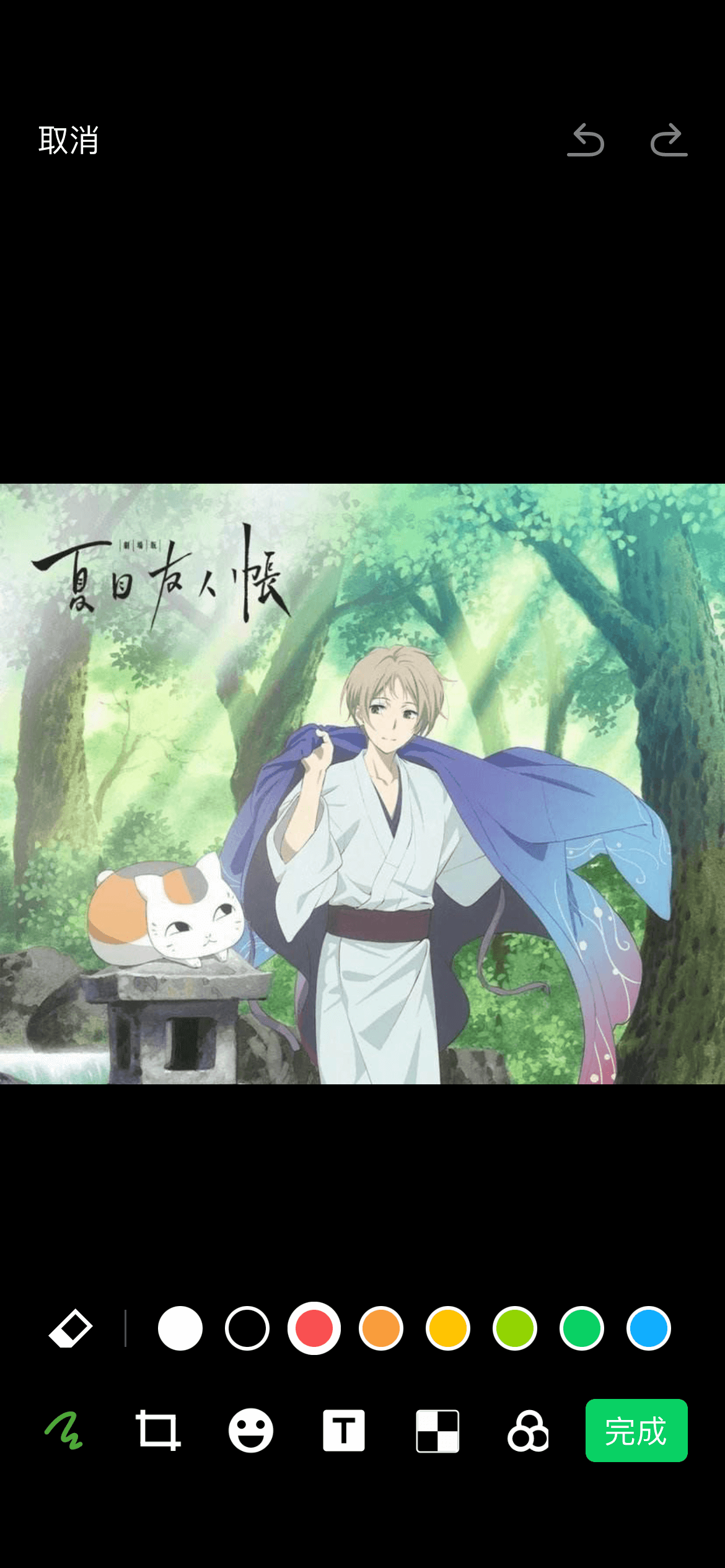
ZLImageEditor is a powerful image editor framework. Supports graffiti, cropping, mosaic, text stickers, picture stickers, filters, adjust(brightness, contrast, saturation).
ZLImageEditor is extracted from ZLPhotoBrowser.
Directory
- Features
- Requirements
- Usage
- Change Log
- Languages
- Installation(Support Cocoapods/Carthage/SPM)
- Support
- Demo Effect
Features
- Draw (Support custom line color).
- Crop (Support custom crop ratios).
- Image sticker (Support custom image sticker container view).
- Text sticker (Support custom text color).
- Mosaic.
- Filter (Support custom filters).
- Adjust (Brightness, Contrast, Saturation).
Requirements
| version | iOS | Xcode |
|---|---|---|
| >=4.0.0 | 15.0 | 27 |
| <4.0.0 | 10.0 | 26 |
Usage
ZLImageEditorConfiguration.default()
    .editImageTools([.draw, .clip, .imageSticker, .textSticker, .mosaic, .filter, .adjust])
    .adjustTools([.brightness, .contrast, .saturation])

ZLEditImageViewController.showEditImageVC(parentVC: self, image: image, editModel: editModel) { [weak self] (resImage, editModel) in
    // your code
}
Change Log
● 4.0.0
  Add:
    Adapted UI for iPhone Duo and updated APIs to iOS 15.0.
    Optimized UI for iPad with multi-scene and custom app-window sizes for a smoother experience.
    Demo now supports iPad multi-window.
● 3.0.0
  Add:
    Improved sticker editing interactions with coordinated gesture handling.
    Added dedicated text sticker content rendering for a clearer editing experience.
    Improved doodle smoothing and eraser hit detection for smoother drawing and more reliable stroke removal.
● 2.0.6
  Fix:
    Fixed the issue where the eraser position was displayed incorrectly when editing pictures.
...
Languages
🇨🇳 Chinese (Simplified/Traditional), 🇺🇸 English, 🇯🇵 Japanese, 🇫🇷 French, 🇩🇪 German, 🇺🇦 Ukranian, 🇷🇺 Russian, 🇻🇳 Vietnamese, 🇰🇷 Korean, 🇲🇾 Malay, 🇮🇹 Italian, 🇮🇩 Indonesian, 🇪🇸 Spanish, 🇵🇹 Portuguese, 🇹🇷 Turkey, 🇸🇦 Arabic, 🇳🇱 Dutch.
Installation
There are four ways to use ZLImageEditor in your project:
- using CocoaPods
- using Carthage
- using Swift Package Manager
- manual install (build frameworks or embed Xcode Project)
CocoaPods
To integrate ZLImageEditor into your Xcode project using CocoaPods, specify it to a target in your Podfile:
source 'https://github.com/CocoaPods/Specs.git'
platform :ios, '10.0'
use_frameworks!

target 'MyApp' do
  # your other pod
  # ...
  pod 'ZLImageEditor'
end
Then, run the following command:
$ pod install
If you cannot find the latest version, you can execute
pod repo updatefirst
Carthage
To integrate ZLImageEditor into your Xcode project using Carthage, specify it in your Cartfile:
github "longitachi/ZLImageEditor"
Then, run the following command to build the ZLImageEditor framework:
$ carthage update ZLImageEditor
Swift Package Manager
- Select File > Swift Packages > Add Package Dependency. Enter https://github.com/longitachi/ZLImageEditor.git in the "Choose Package Repository" dialog.
- In the next page, specify the version resolving rule as "Up to Next Major" with "4.0.0" as its earliest version.
- After Xcode checking out the source and resolving the version, you can choose the "ZLImageEditor" library and add it to your app target.
Support
- ★ Star this repo.
- Support with
 or
 or

Demo Effect