
lllllllillllllillll/DweebUI has 1,063 GitHub stars and 59 forks. GitHot measured 0 stars in 24 hours. Last checked 2026-11-09 11:18 UTC. Last push 2025-06-25.
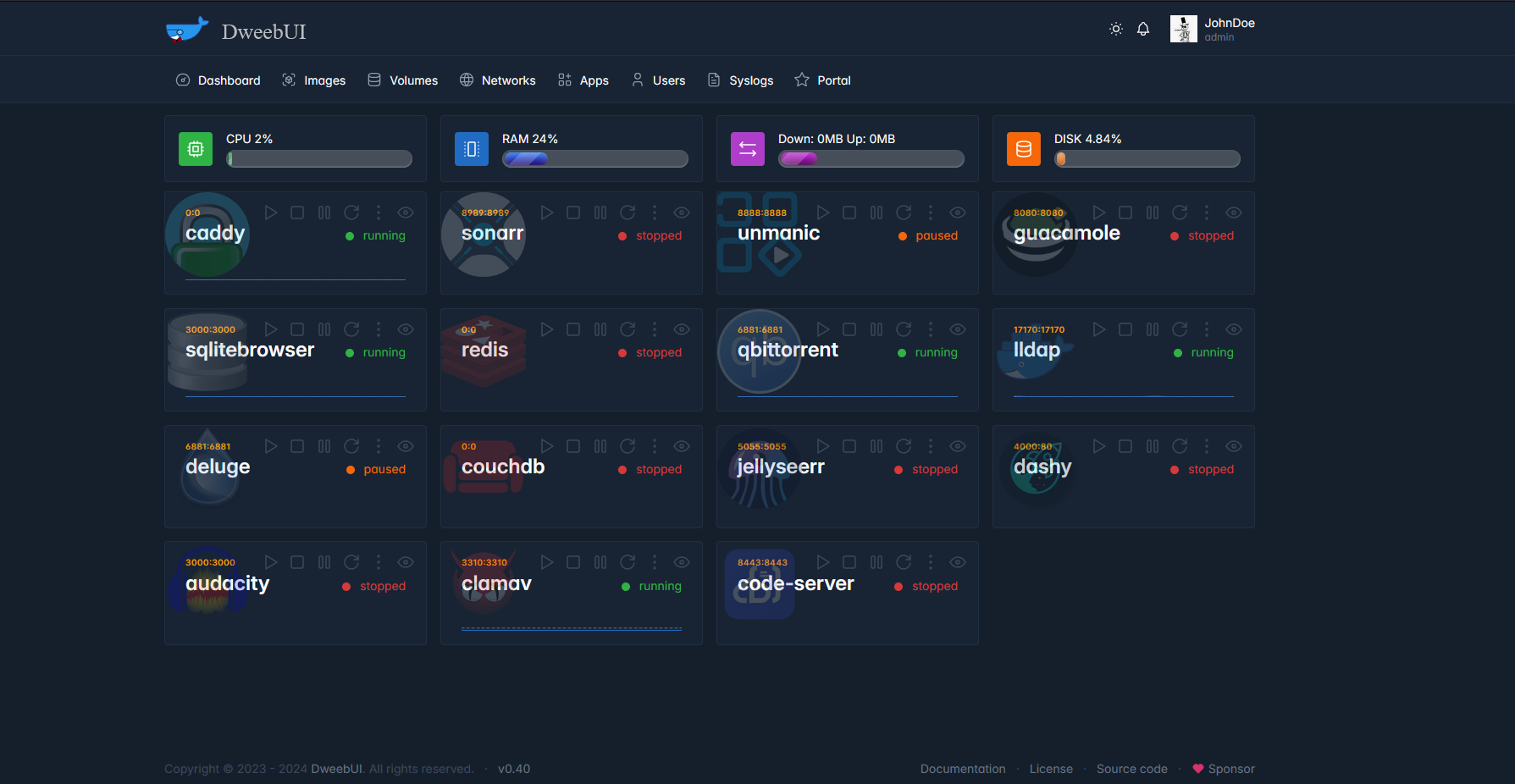
DweebUI is a WebUI for managing your containers. Simple setup, a dynamically updating dashboard, and a multi-user permission system.
What you can do
- A dynamically updating dashboard that displays server metrics along with container metrics and container controls.
- Multi-user support with permissions system.
- Container actions: Start, Stop, Pause, Restart, View Details, View Logs.
- Windows, Linux, and MacOS compatable.
Measured star growth
- in 24h
- 0
- in 7 days
- Update delayed
- in 15 days
- Update delayed
- in 1 month
- Update delayed
Net star changes over overlapping periods, not daily totals. Missing measurements are left blank. Stars measure attention, not software quality.
README.md
Original
DweebUI Beta v0.60 ( :fire: Experimental :fire: )
Free and Open-Source WebUI For Managing Your Containers.







Features
- A dynamically updating dashboard that displays server metrics along with container metrics and container controls.
- Multi-user support with permissions system.
- Container actions: Start, Stop, Pause, Restart, View Details, View Logs.
- Windows, Linux, and MacOS compatable.
- Light/Dark Mode.
- Mobile Friendly.
- Manage your Docker networks, images, and volumes.
- Easy to install app templates.
- Docker Compose Support.
- Update containers (planned).
- Templates.json maintains compatability with Portainer, allowing you to use the template without needing to use DweebUI.
- Preset variables (planned).
- Themes (planned).
About
- I started this as a personal project to get more familiar with Javascript and Node.js, so there may be some rough edges and spaghetti code.
- I'm open to any contributions but you may want to wait until I reach v1.0 first.
- Please post issues and discussions so I know what bugs and features to focus on.
- DweebUI is a management interface and should not be directly exposed to the internet.
Setup
Docker Compose:
version: "3.9"
services:
  dweebui:
    container_name: dweebui
    image: lllllllillllllillll/dweebui
    environment:
      PORT: 8000
      SECRET: MrWiskers
    restart: unless-stopped
    ports:
      - 8000:8000
    volumes:
      - dweebui:/app
      # Docker socket
      - /var/run/docker.sock:/var/run/docker.sock
      # Podman socket
      #- /run/podman/podman.sock:/var/run/docker.sock

    networks:
      - dweebui_net

volumes:
  dweebui:

networks:
  dweebui_net:
    driver: bridge
Compose setup:
- Paste the above content into a file named
docker-compose.ymlthen place it in a folder nameddweebui. - Open a terminal in the
dweebuifolder, then enterdocker compose up -d. - You may need to use
docker-compose up -dor execute the command as root with eithersudo docker compose up -dorsudo docker-compose up -d.
Configuration:
PORT- Specifies which port the service binds to on startup. Default is8000.SECRET- A shared secret used by the registration page.
Credits
- Dockerode and dockerode-compose by Apocas: https://github.com/apocas/dockerode
- UI was built using HTML and CSS elements from https://tabler.io/
- Apps template based on Portainer template provided by Lissy93: https://github.com/Lissy93/portainer-templates
- Icons from Walkxcode with some renames and additions: https://github.com/walkxcode/dashboard-icons
Supporters
- MM (Patreon)
- PD (Buymeacoffee)
Explore related projects
freeCodeCamp/freeCodeCamp
freeCodeCamp.org's open-source codebase and curriculum. Learn math, programming, and computer science for free.
458,826 starsdonnemartin/system-design-primer
Learn how to design large-scale systems. Prep for the system design interview. Includes Anki flashcards.
377,475 starsreact/react
The library for web and native user interfaces.
252,467 starsvuejs/vue
This is the repo for Vue 2. For Vue 3, go to https://github.com/vuejs/core
212,625 stars