
ljmng7/MacMix
About
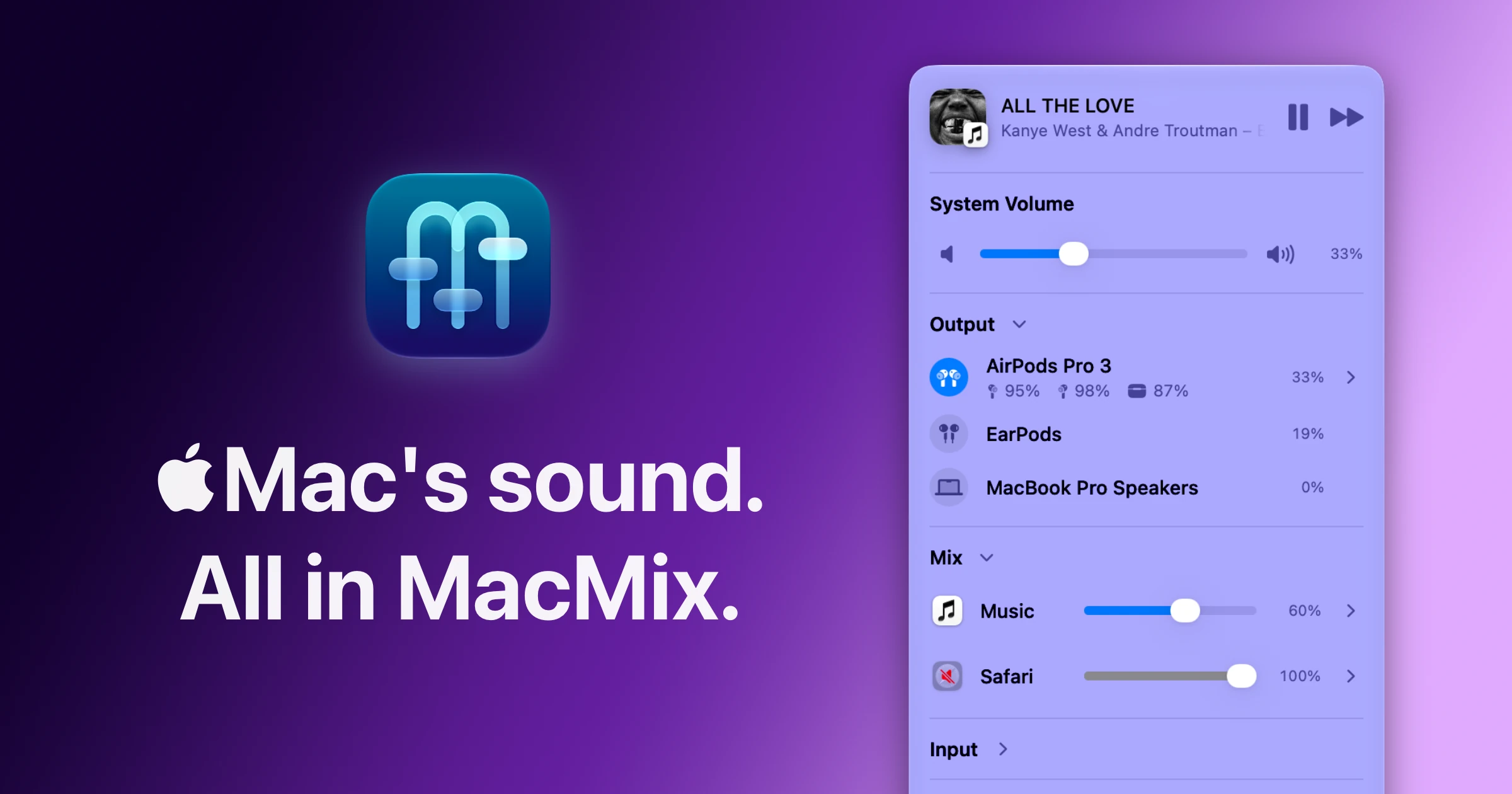
A lightweight macOS menu bar audio mixer with per-app volume, EQ and multi-device output.
Creative & MediaMeasured star growth
- in 24h
- 0
- in 7 days
- +2
- in 15 days
- Collecting history
- in 1 month
- Collecting history
Net star changes over overlapping periods, not daily totals. Missing measurements are left blank. Stars measure attention, not software quality.
README.md
Original






English · 简体中文 · 繁體中文 · 日本語 · 한국어 · Français · Deutsch · Español · Italiano · Português (Brasil) · Русский · العربية · हिन्दी · Bahasa Indonesia · ไทย · Tiếng Việt · Türkçe · Nederlands · Polski

Features · Open Source vs Distribution · Install · Privacy · Build from Source · Support · License
[!CAUTION] Building from source requires Xcode 26 or later; Xcode 27 is recommended. Xcode 16 and earlier can't build MacMix. See Build from Source.
Why MacMix
macOS gives you one volume slider. MacMix gives you the rest: turn a noisy app down without touching your music, jump between AirPods, speakers and a monitor in one click, and pick the right microphone before a call — all from a compact native panel in the menu bar, without opening System Settings.
Features
🔊 Volume
- System volume for the current output device, right in the menu bar.
- External display speakers over DDC/CI when macOS offers no volume control, with compatibility fixes for monitors that report unusual ranges.
- True zero — dragging a slider to 0% silences the device instead of leaving a faint residual level.
🎧 Devices
- Switch outputs between speakers, headphones, AirPods, displays and more.
- AirPlay receivers by name — each HomePod or AirPlay speaker gets its own row, and you can switch to a single receiver from an active group.
- Recognizable icons for AirPods, Beats, HomePod, Apple TV, external displays and your Mac's own speakers, plus the icon a device provides itself.
- Switch microphones and adjust input volume from the same panel.
🎚️ Per-App Mixing
- Turn any app down while it is playing, or boost it up to 200% (optional, in Settings).
- Remembers your levels and restores them when the app plays again.
- Finds the real app behind web-based playback, including iPad apps that play media through WebKit.
🍃 Light by Design
- Lives quietly in the menu bar, with an optional window for settings.
- Native SwiftUI, audio processed locally in real time, no account required.
- The official app updates itself through Sparkle.
Open Source and Distribution
Every MacMix feature is open source, MacMix Studio included. Build this repository yourself and you get the complete app with every feature unlocked — no license, no account, nothing held back.
The download on the Releases page is Distribution: the official build of the same app. It is free to use, with MacMix Studio as an optional one-time purchase that unlocks the Studio features in that build. There is no separate "Studio app"; a license unlocks features in the same app, and your settings stay where they are.
| Included features | Built from source (this repository) |
Distribution (free) |
Distribution (Studio) |
|---|---|---|---|
| System, display and per-app volume | ✅ | ✅ | ✅ |
| Output, AirPlay and input device switching | ✅ | ✅ | ✅ |
| 200% per-app boost | ✅ | ✅ | ✅ |
| Feedback reports with anonymized diagnostic logs | ✅ | ✅ | ✅ |
| Custom EQ per app, with saved presets | ✅ | — | ✅ |
| Multi-Device Output — one app on several devices, each with its own volume | ✅ | — | ✅ |
| Pro Control — Bluetooth battery levels, Listening Mode and Spatial Audio | ✅ | — | ✅ |
| Now Playing — view and control the current media | ✅ | — | ✅ |
| Scene Presets — save devices and app volumes, switch in one click | ✅ | — | ✅ |
| System Volume Controls — take over the volume keys for smoother control | ✅ | — | ✅ |
| Input Device Lock — keep macOS from switching your microphone | ✅ | — | ✅ |
| Blacklist — leave selected apps out of mixing | ✅ | — | ✅ |
| Personalization — custom themes | ✅ | — | ✅ |
| Signed and notarized by the developer | — | ✅ | ✅ |
| Automatic updates | — | ✅ | ✅ |
| Beta Early Access — try new features first | — | — | ✅ |
[!NOTE] Only the parts that exist solely for Distribution are kept private: license activation, the purchase flow, onboarding and the updater. None of them is needed to build or run MacMix, and builds from this repository contain none of them.
Install
- Download
MacMix.dmgfrom the latest release. - Open the disk image and drag MacMix into Applications.
- Launch MacMix and click its icon in the menu bar.
Requirements: macOS Sonoma 14.4 or later. Per-app mixing asks for System Audio Recording permission the first time you use it; everything else works without it.
Privacy
MacMix processes audio locally on your Mac. It never records, saves or uploads audio.
Per-app mixing is built on macOS audio process taps, which is why macOS asks for System Audio Recording permission before MacMix can change another app's volume. MacMix uses that permission only for real-time local mixing.
Build from Source
Building from source requires Xcode 26 or later; Xcode 27 is recommended. Xcode 16 and earlier can't build MacMix.
git clone https://github.com/ljmng7/MacMix.git
cd MacMix
open MacMix.xcodeproj
Select the MacMix scheme and press Run. Xcode resolves the Swift packages (MenuBarExtraAccess and Swift Atomics) automatically. Every Studio feature is unlocked in your build.
Without a development team, Xcode signs the app to run locally, and macOS may ask for System Audio Recording permission again after each rebuild. To keep the permission, copy Config/Local.example.xcconfig to Config/Local.xcconfig and set your own DEVELOPMENT_TEAM. The file is ignored by Git.
Builds from source don't update themselves. To update, pull the latest source and build again.
The regression tests are plain scripts that only need the Xcode command line tools:
for test in tests/run-*.sh; do bash "$test"; done
Notes and limitations
- Apps appear in the mixer only while macOS reports that they are producing audio.
- Per-app levels are stored locally and restored when the same app plays again.
- Display volume needs a monitor that supports DDC/CI speaker volume (VCP
0x62) over the current cable or dock. DisplayLink adapters, some HDMI paths, TVs and displays with DDC/CI turned off in their on-screen menu may not expose it. - AirPlay receiver names come from the AirPlay device's data sources. When macOS does not report a receiver's name, MacMix shows the plain AirPlay device instead of guessing.
Support MacMix
Building from source is, and will stay, free. If MacMix is part of your day, consider buying MacMix Studio: a one-time purchase that unlocks the Studio features in Distribution — the signed, notarized app that keeps itself up to date — and directly funds MacMix's development.

Bug reports and ideas are welcome in Issues. To contribute code, see Contributing; pull requests need a signed Contributor License Agreement.
License and Trademark
MacMix is free software: you can redistribute it and/or modify it under the terms of the GNU General Public License, version 3 (GPL-3.0). Versions up to and including 2.3.2 were released under the MIT License; code you received under those terms stays available under them.
Trademark. The name "MacMix" and the MacMix app icon identify the official app and are reserved for official builds. The GPL covers the code, not the name or brand. If you distribute a fork or a modified build, give it a different name, a different icon and a different bundle identifier, and don't present it as the official MacMix. Building and running MacMix for yourself is always fine.
The app icon, screenshots and other brand assets are not covered by the GPL and may not be reused without permission — see Brand Assets.
Explore related projects
Loading…