
liuminxin45/star-library
liuminxin45/star-library has 8 GitHub stars and 0 forks. GitHot measured 0 stars in 24 hours and +1 in 7 days. Last checked 2026-11-09 12:33 UTC. Last push 2026-11-03.
Windows 原生 GitHub Stars 管理器:本地项目库、搜索与筛选,可选 AI 中文概括、兴趣画像与项目发现。单文件免安装,AI 服务自行配置。Native Windows GitHub Stars manager.
Measured star growth
- in 24h
- 0
- in 7 days
- +1
- in 15 days
- Update delayed
- in 1 month
- Update delayed
Net star changes over overlapping periods, not daily totals. Missing measurements are left blank. Stars measure attention, not software quality.
README.en.md
OriginalStar Library
A GitHub Stars manager in about 167 KB.
Browse your saved repositories with AI-generated Chinese summaries, explore your interests, and discover useful tools based on what you star.
Native Windows · Portable single executable · Free and open source
Download for Windows x64 · Releases & checksums · 简体中文
The current 0.0.11 x64 release is 166,912 bytes (about 167 KB), compressed with UPX. Download one executable and run it.
Runs on Windows 10/11 with no additional runtime. The interface and AI summaries are primarily in Chinese. GitHub features require your own token; AI features require a separately configured Chat Completions-compatible service, which may charge for usage.
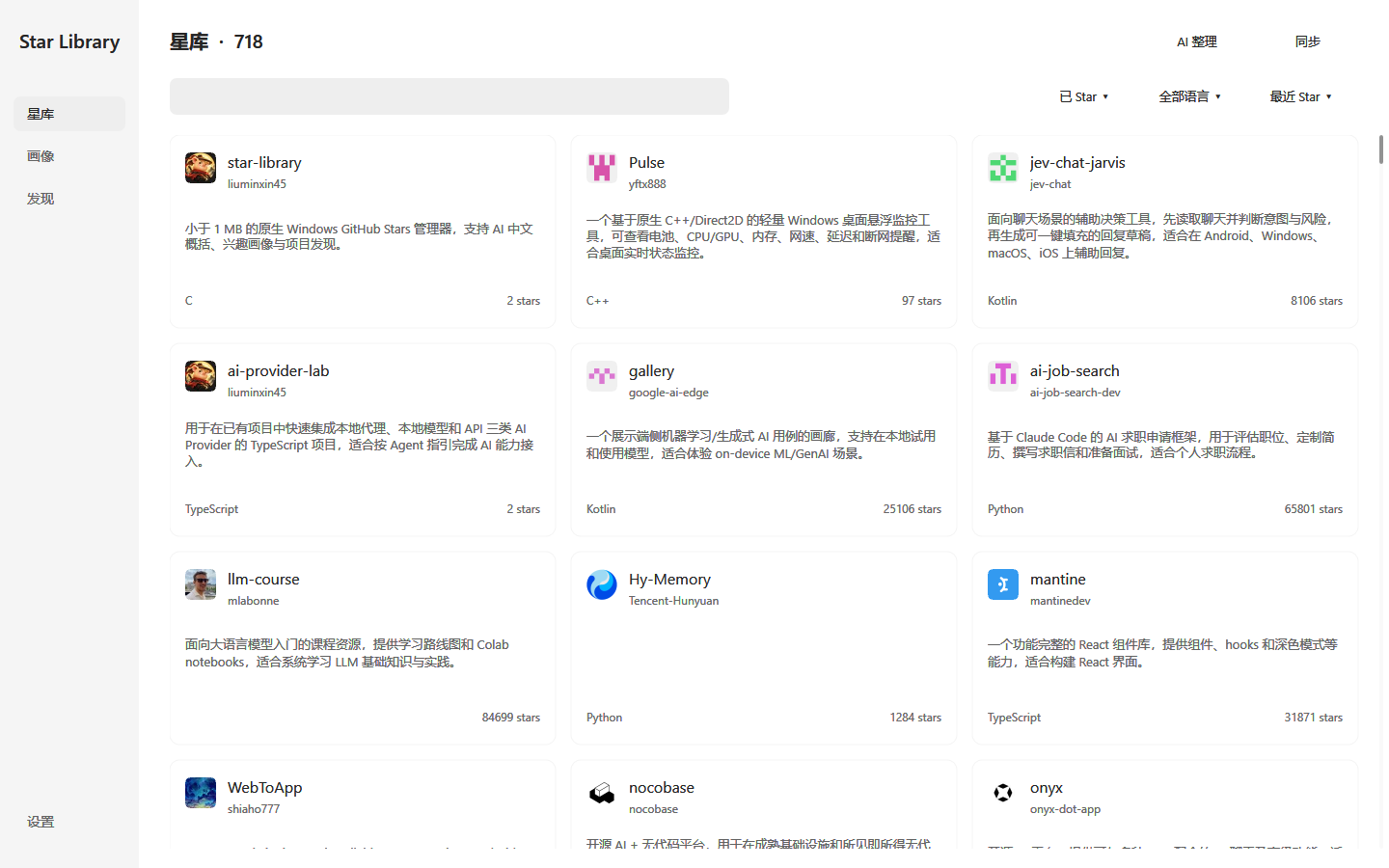
What you can do
- Understand saved projects with short Chinese summaries, falling back to the original About when no summary is available.
- Find a tool you saved with search, language filters, and sorting. Open a repository directly from its card.
- Organize at your own pace with incremental AI processing. Results are saved per project, so you can resume after cancellation, failure, or restart.
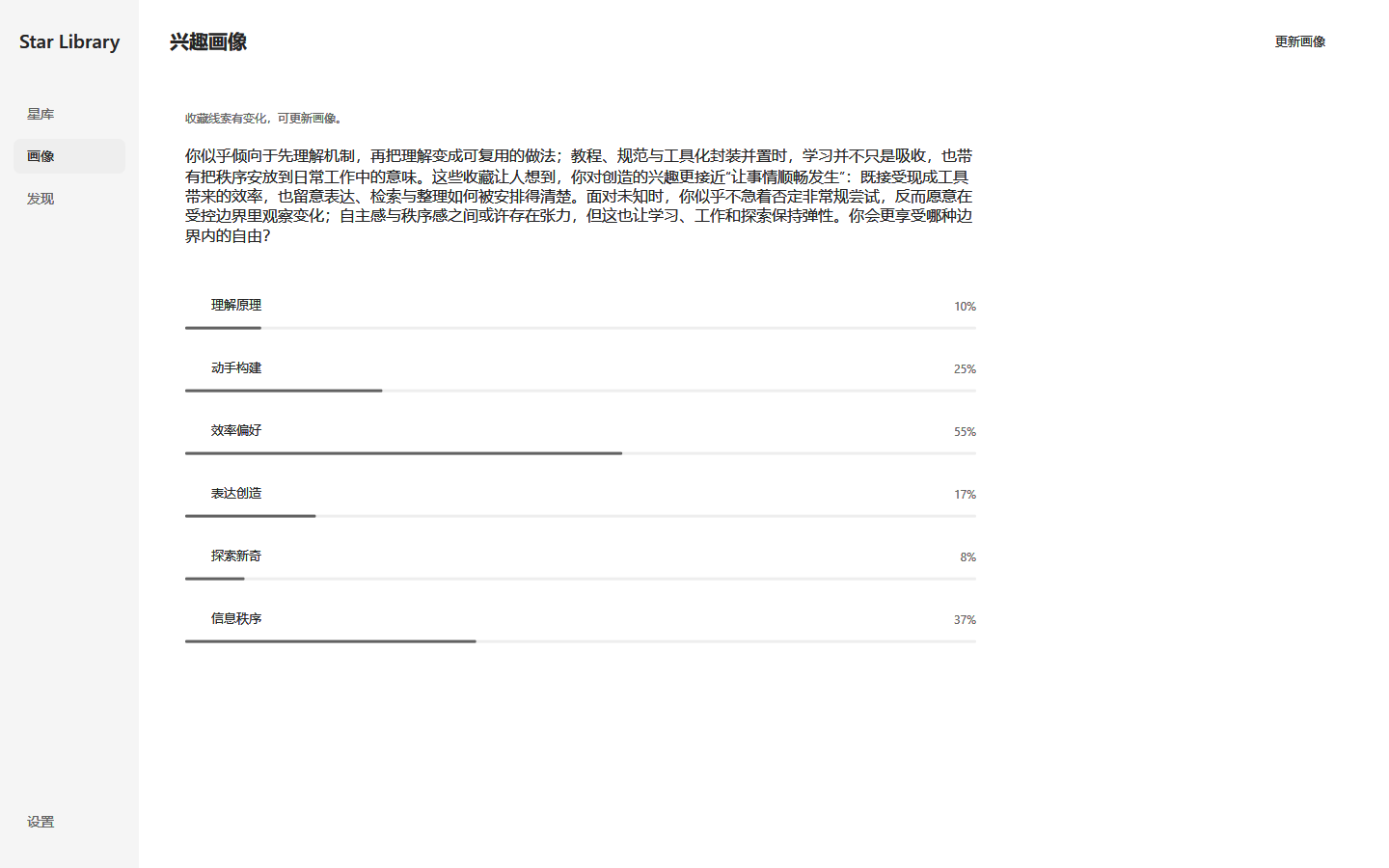
- Explore your interests through a profile based on your starred repositories. Stars reflect interests, not proof of professional ability.
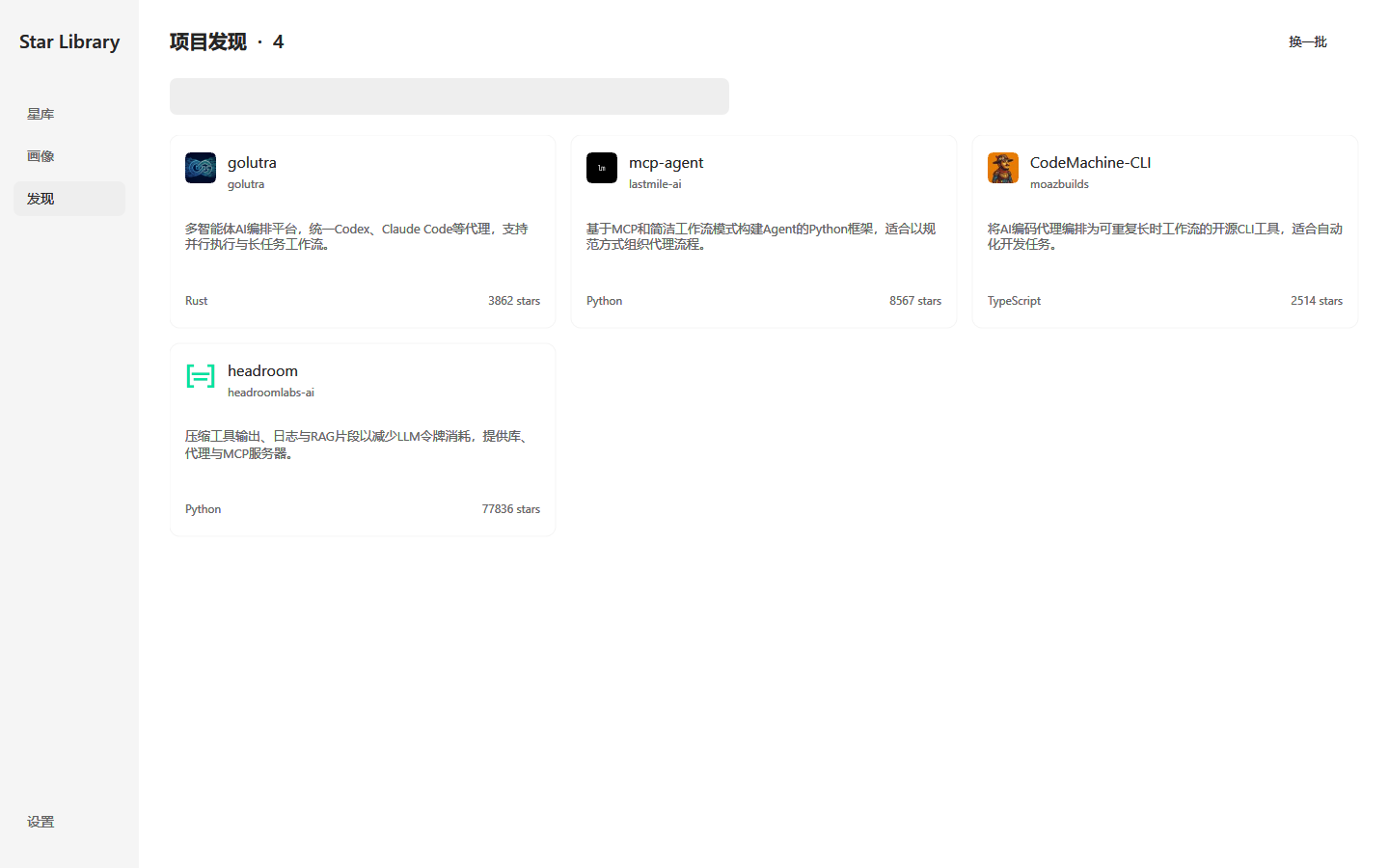
- Discover useful projects based on your collection and feedback. Recommendations prioritize practical tools with at least 100 Stars; star counts do not guarantee quality or stability.
Synced repositories remain available for offline browsing. The app supports autosave and JSON import/export. AI tasks run on demand, never automatically at startup.
Explore your interests
Discover something to try
Get started
- Download and run StarLibrary.exe. No installation is needed.
- Connect GitHub in Settings (
设置). Use Get Token (获取 Token) to create your token, then Connect GitHub (连接 GitHub). Return to the library (星库) and sync (同步). - Optionally configure AI with your service URL, model ID, and API key. Click Test Connection (
测试连接) to check the configuration. Model IDs come from your provider. - Organize and explore using incremental processing under
AI 整理 ▾, then update your profile or refresh discoveries. Full reprocessing requires confirmation. Organization covers all starred repositories, regardless of the current search or filter.
For a fine-grained token, enable the Starring: Read and write account permission and retain Metadata: Read repository access. Reading private repository READMEs also requires Contents: Read for those repositories; Contents write access is unnecessary. See GitHub's permission documentation.
The model URL can be a service root, version prefix, or full Chat Completions endpoint, such as https://api.example.com, https://api.example.com/v1, or https://api.example.com/v1/chat/completions. Replace these examples with your provider's URL. Remote services require HTTPS; local services may use HTTP.
See the build and usage guide, in Chinese for more details and keyboard shortcuts.
Data, privacy, and cost
- Local storage: your library, summaries, profile, backups, and cache are stored under
%USERPROFILE%\.star-libraryby default. GitHub tokens and model keys use Windows encryption in a separate credentials file, not the library JSON. - GitHub access: the app uses your verified token to sync Stars and read repository information, and performs Star / Unstar actions when you request them. Settings can check official releases; downloads are manual.
- AI requests: relevant public and private repository metadata is sent to your configured model service when you run AI features. Summaries for projects without About or Topics may also use a plain-text README excerpt capped at 2,400 UTF-8 bytes. Local storage does not mean offline AI processing. Review your provider's data policy before using AI features.
- Cost: the app is free and open source. It does not include model credits; your provider may charge for requests. Sync, search, and browsing work without AI configuration.
Build
Implemented in C17 with Win32, Direct2D, and DirectWrite. Install Visual Studio 2022 desktop C++ tools and the Windows SDK, then run:
.\build.cmd -Architecture x64 -Test
Only StarLibrary.exe is needed for distribution. The current x64 release is about 167 KB with UPX compression and requires only Windows system DLLs. The build verifies exact decompression and enforces a 400,000-byte limit. See the full build and test guide.
Feedback and support
Report a bug or suggest an improvement. Include your app version, Windows version, and steps to reproduce. Keep tokens, API keys, and private repository data out of reports.
If Star Library helps you rediscover useful projects, consider giving it a Star.
License and acknowledgments
MIT License. JSON parsing uses yyjson. The interface draws inspiration from ChatGPT-Desktop-UI. Project website, in Chinese.
Explore related projects
codecrafters-io/build-your-own-x
Master programming by recreating your favorite technologies from scratch.
561,398 starspublic-apis/public-apis
A collective list of free APIs
497,679 starsmorluto/rea
Reverse engineer anything with agents, from app behavior down to native binaries.
447,495 starsopenclaw/openclaw
The AI that really does things. Any OS. Any Platform. The lobster way. 🦞
394,261 stars