
littlebee/git-time-machine
littlebee/git-time-machine has 1,104 GitHub stars and 37 forks. GitHot measured 0 stars in 24 hours. Last checked 2026-11-09 10:13 UTC. Last push 2021-08-01.
Atom package that allows you to travel back in commit history
Measured star growth
- in 24h
- 0
- in 7 days
- Collecting history
- in 15 days
- Collecting history
- in 1 month
- Collecting history
Net star changes over overlapping periods, not daily totals. Missing measurements are left blank. Stars measure attention, not software quality.
README.md
Originalgit-time-machine package
git-time-machine is a package for Atom that allows you to travel back in time! It shows visual plot of commits to the current file over time and you can click on it on the timeplot or hover over the plot and see all of the commits for a time range.
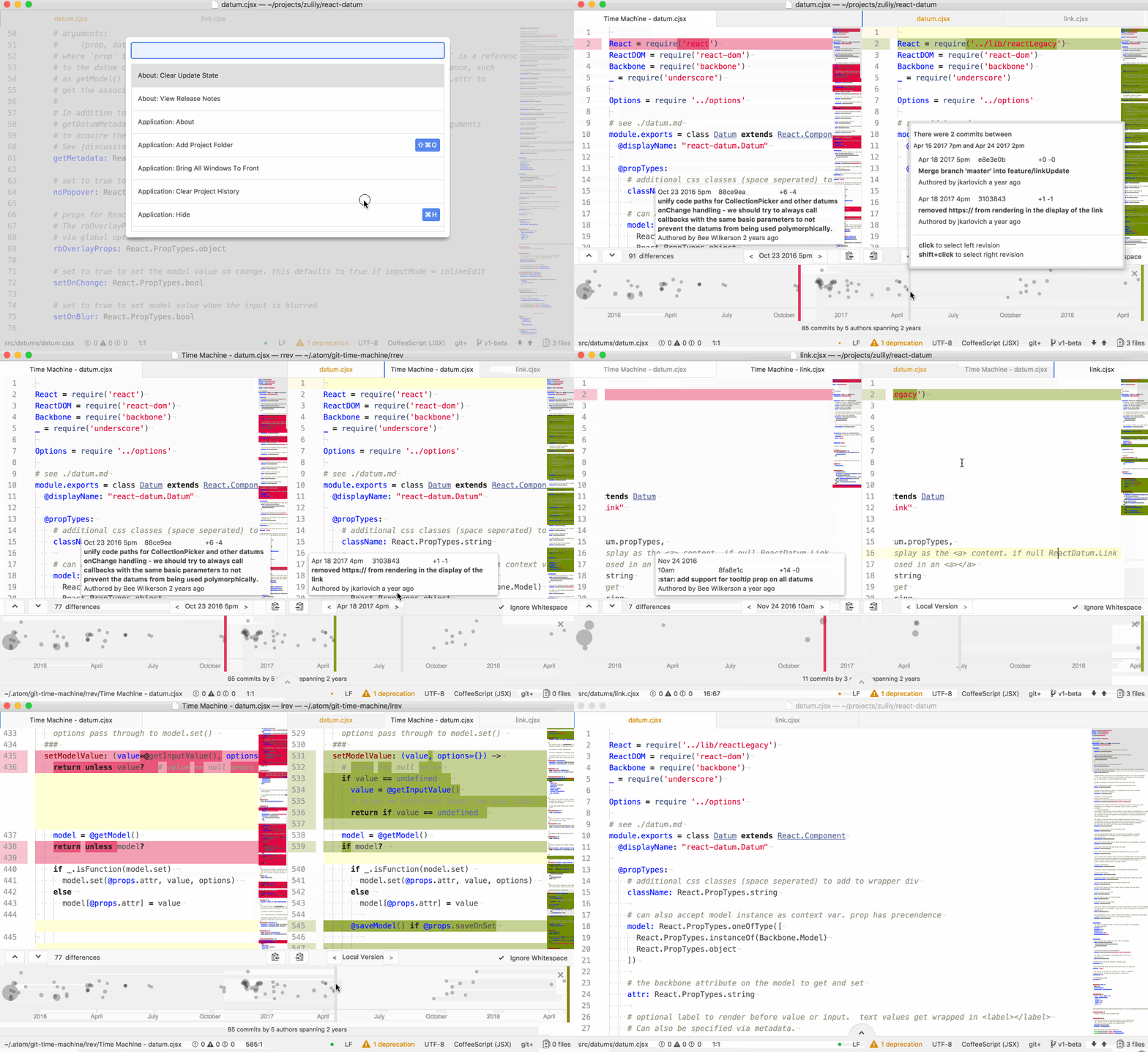
To open the timeplot, just use the keyboard shortcut alt+t.
You can hold shift when clicking on the timeplot or popup to set the right side version. If there is no left side version, or the version shift clicked is older than the left version, the older version should always display on the left because, as we all know, time travels from left to right. :)
Troubleshooting
Unfortunately, git-time-machine, like the other Atom git log services, needs to shell out to the command line git executable and parse its stdout. We are working on getting this information another way, but that may take some time. As you might imagine, this is problematic.
Some things to check:
- git command line utility needs to be in your path
- can you install and use git-log Atom package?
- it's been brought to my attention that some versions of git command line utilities (speculation: the version of git installed by github windows client) is not fully compatible with the official git client and doesn't support the pretty format needed to get the data to render the timeplot.
- Windows users: make sure the 'git/bin' directory is in your PATH
Some users have reported seeing "Error: Command failed: git log --pretty=..." on mac when xcode license agreement is needed. Running sudo xcodebuild -license and accepting the agreement fixed the issued.
Recommend installing the official Git client from here: https://git-scm.com/downloads and make sure its binary is the one in your path.
Explore related projects
codecrafters-io/build-your-own-x
Master programming by recreating your favorite technologies from scratch.
561,323 starspublic-apis/public-apis
A collective list of free APIs
497,575 starsmorluto/rea
Reverse engineer anything with agents, from app behavior down to native binaries.
446,525 starsopenclaw/openclaw
The AI that really does things. Any OS. Any Platform. The lobster way. 🦞
394,246 stars